EvolverFX AUv3 Audio Plugin
ダウンロード: App Store

このページはアプリまたはその開発者の公式ページではなく、情報提供および論評を目的として作成された独立した編集出版物です。明示的に別段の記載がない限り、アプリおよびその開発者は、MWM、Apple、Google Play、アプリのパブリッシャー、またはアプリの開発者と提携、承認、後援、認可、またはその他の公式的な関係はなく、このページのいかなる内容も、アプリがMWMのサービスを使用して開発されたことを意味するものではありません。すべての商標、ロゴ、スクリーンショット、その他のコンテンツはそれぞれの所有者の財産です。

ロゴ: EvolverFX AUv3 Audio Plugin
ダウンロード: App Store

EvolverFX AUv3 Audio Plugin

モバイルファーストのプロデューサー向けプロフェッショナルAUv3パフォーマンスツール。ディープワーククリエイティビティのために設計された洗練された4レーンシーケンスエンジンでMIDIコードをリッチでマルチレイヤーなテクスチャに変換します。

主要数値

ダウンロード

5K+

ユーザー評価

4.6/5

評価数

100

開発元

Limelight Software

カテゴリ

Music

対応言語

1

最新バージョン

1.24

サイズ

860.8 MB

リリース日

2020年4月24日
機能

生きているサウンドスケープを彫刻する

ディープな音響探求とプロフェッショナルなAUv3ワークフローのために設計された洗練された4レーンシーケンスエンジンで、あなたのモバイルプロダクションをレベルアップさせましょう。

4レーンジェネレーティブシーケンス

シンプルなMIDIコードを、あなたの演奏に反応し、完璧に同期し続ける、複雑でマルチレイヤーな伴奏に変換します。

ハイブリッドサウンドシンセシス

マルチサンプル、ワンショット、ハーモニックオシレーターを組み合わせて、従来のシンセシスの限界を超える、リッチで進化するテクスチャを作成します。

以下のスクリーンショットと説明は、アプリの公式ストアリスティングから直接取得されたものであり、アプリ開発者の所有物です。

アプリストア

スクリーンショット
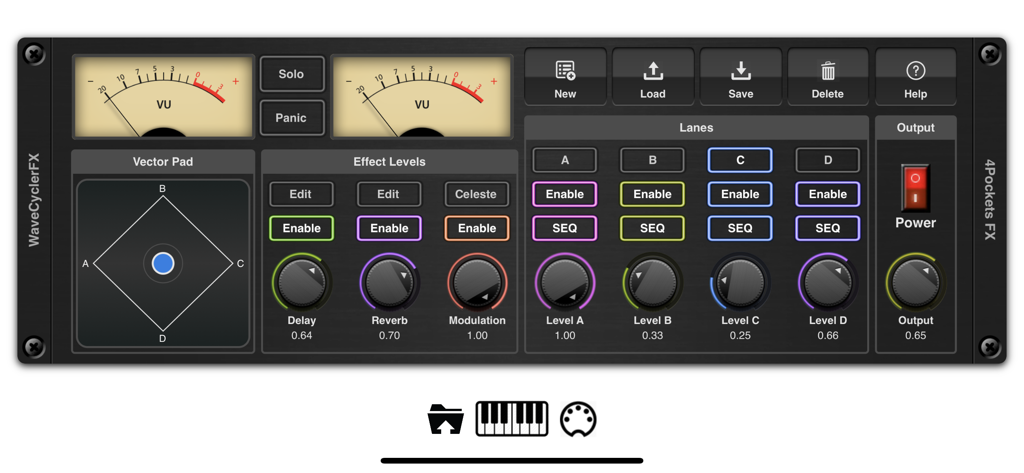
EvolverFX AUv3 Audio Plugin - EvolverFX AUv3オーディオプラグインのメインコントロールパネル。アナログVUメーター、ベクターパッド、4つのシーケンサーレーンを備えています。
EvolverFX AUv3オーディオプラグインのメインコントロールパネル。アナログVUメーター、ベクターパッド、4つのシーケンサーレーンを備えています。

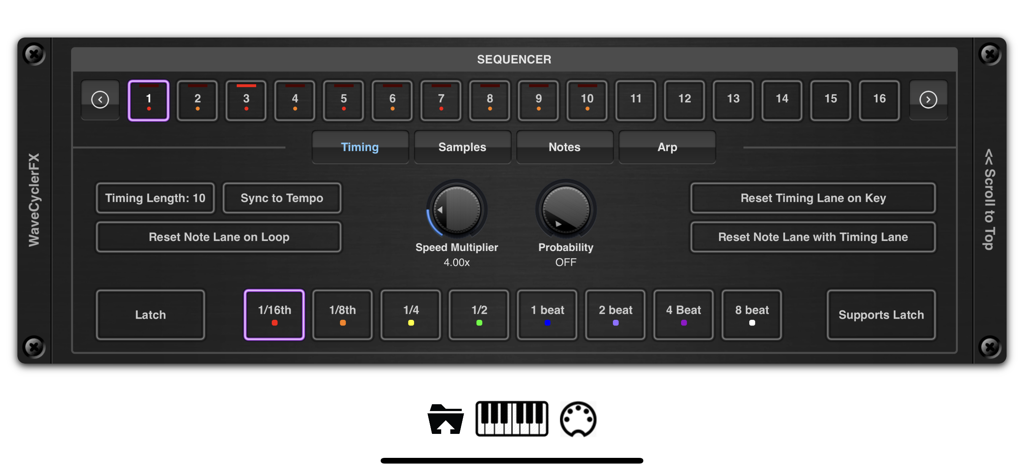
EvolverFX AUv3 Audio Plugin - EvolverFX AUv3プラグインシーケンサータイミングコントロールインターフェース。
EvolverFX AUv3プラグインシーケンサータイミングコントロールインターフェース。

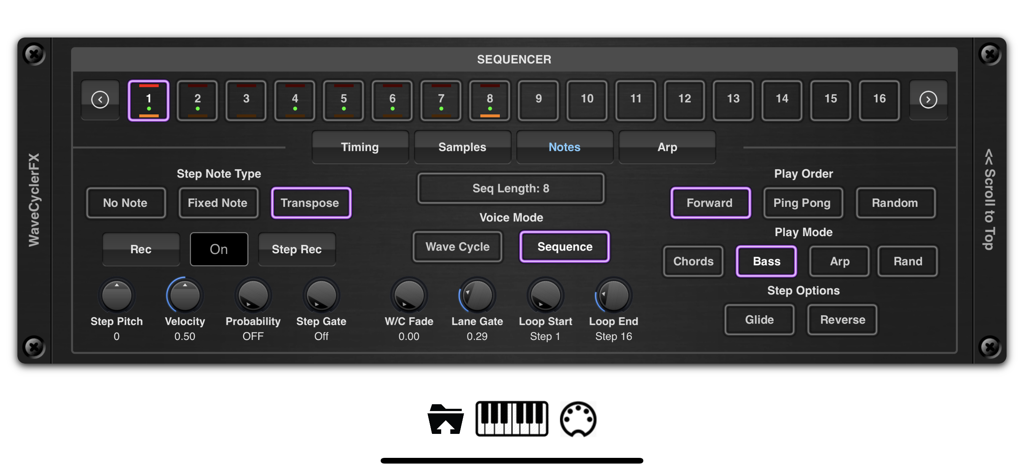
EvolverFX AUv3 Audio Plugin - EvolverFX AUv3オーディオプラグインシーケンサーインターフェース。ステップコントロールと再生モードを備えています。
EvolverFX AUv3オーディオプラグインシーケンサーインターフェース。ステップコントロールと再生モードを備えています。

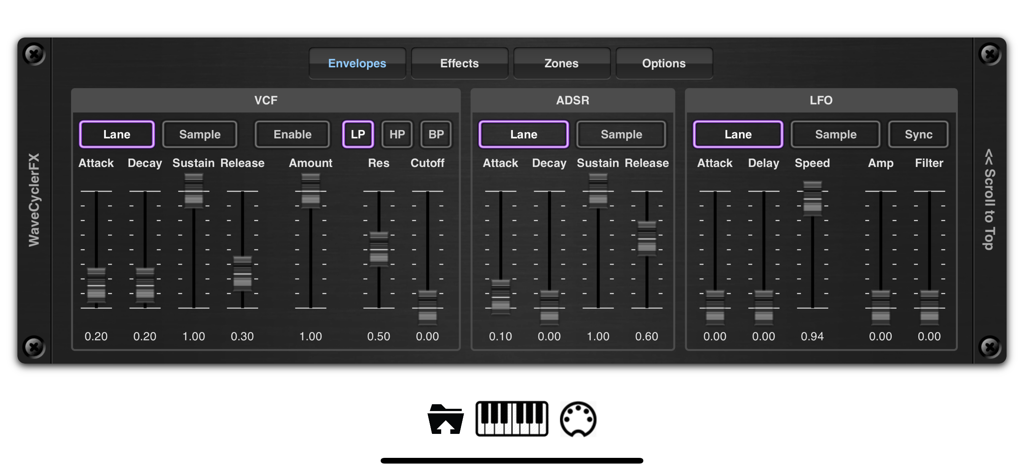
EvolverFX AUv3 Audio Plugin - EvolverFX AUv3オーディオプラグインのエンベロープコントロールインターフェース。VCF ADSRとLFOシンセサイザー設定を示しています。
EvolverFX AUv3オーディオプラグインのエンベロープコントロールインターフェース。VCF ADSRとLFOシンセサイザー設定を示しています。

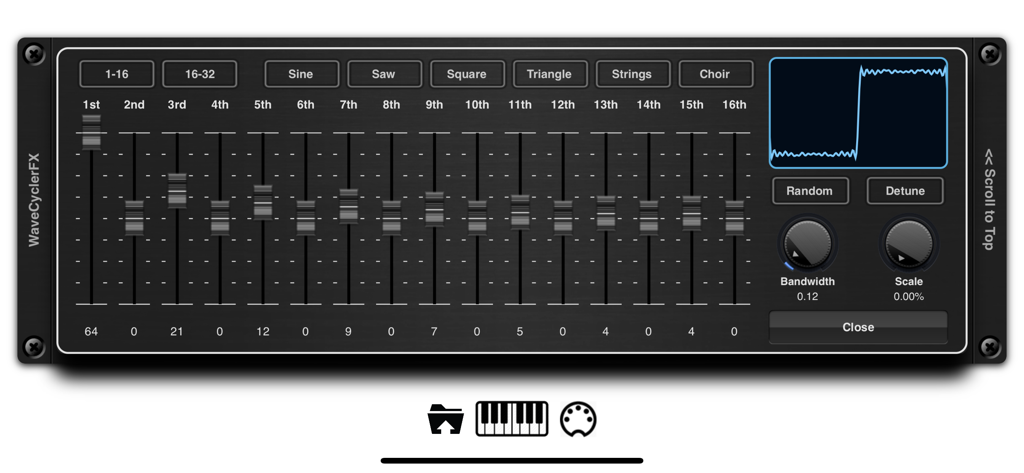
EvolverFX AUv3 Audio Plugin - EvolverFXアプリのWaveCyclerインターフェース。ハーモニックスライダーと波形表示を示しています。
EvolverFXアプリのWaveCyclerインターフェース。ハーモニックスライダーと波形表示を示しています。

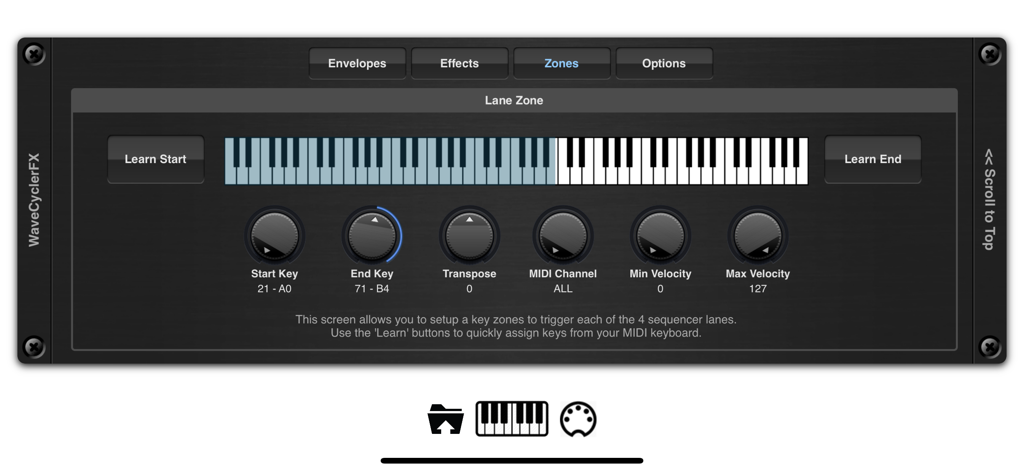
EvolverFX AUv3 Audio Plugin - EvolverFXキーゾーンセットアップ画面。仮想キーボードとMIDIコントロールを備えています。
EvolverFXキーゾーンセットアップ画面。仮想キーボードとMIDIコントロールを備えています。

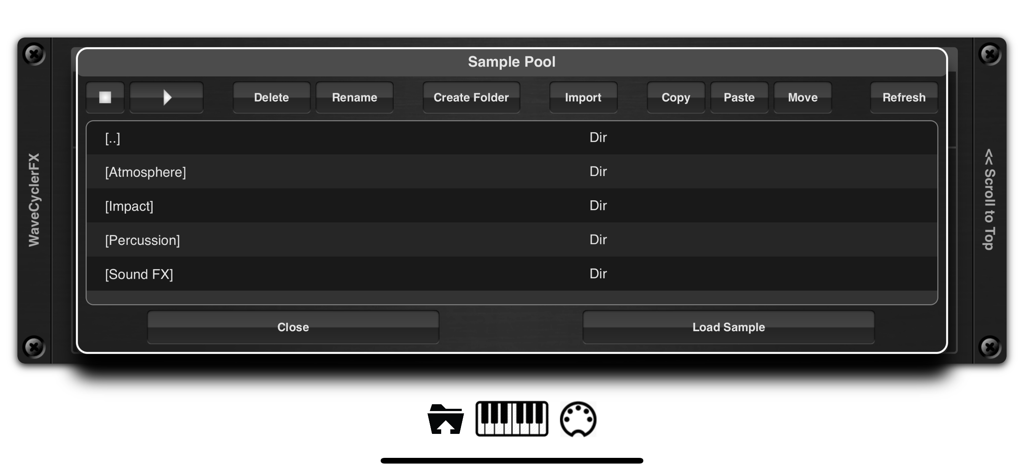
EvolverFX AUv3 Audio Plugin - EvolverFXアプリのインターフェース。雰囲気、インパクト、パーカッションサウンドのフォルダを含むサンプルプールを示しています。
EvolverFXアプリのインターフェース。雰囲気、インパクト、パーカッションサウンドのフォルダを含むサンプルプールを示しています。

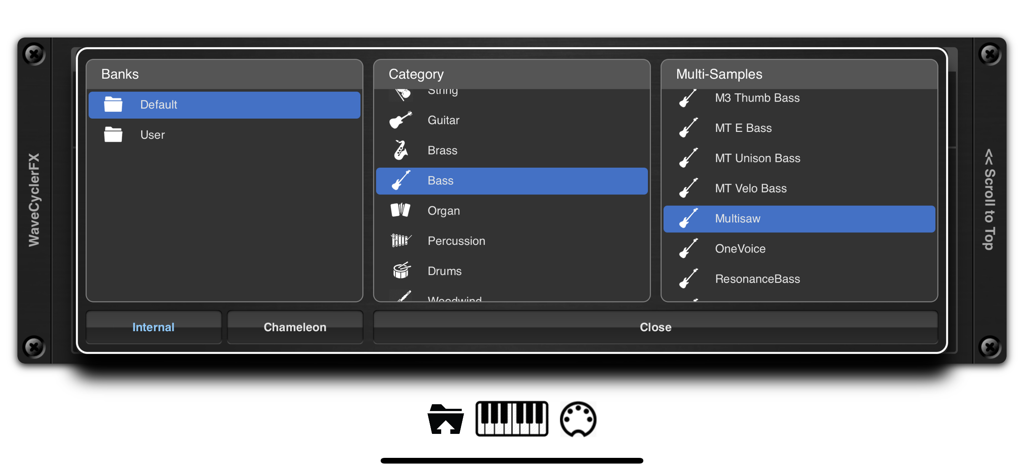
EvolverFX AUv3 Audio Plugin - EvolverFXサウンドブラウザ。バンク、カテゴリ、マルチサンプル選択を示しています。
EvolverFXサウンドブラウザ。バンク、カテゴリ、マルチサンプル選択を示しています。

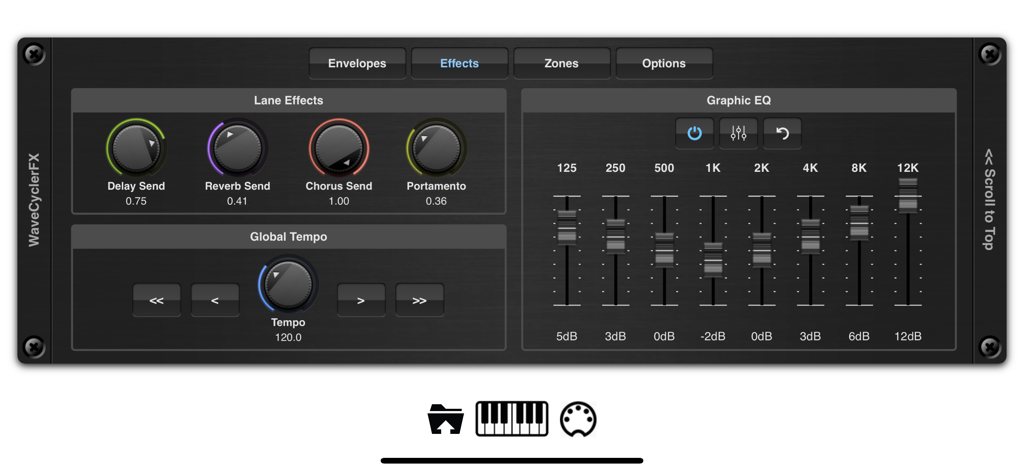
EvolverFX AUv3 Audio Plugin - EvolverFXインターフェース。レーンエフェクトノブと8バンドグラフィックイコライザーを表示しています。
EvolverFXインターフェース。レーンエフェクトノブと8バンドグラフィックイコライザーを表示しています。

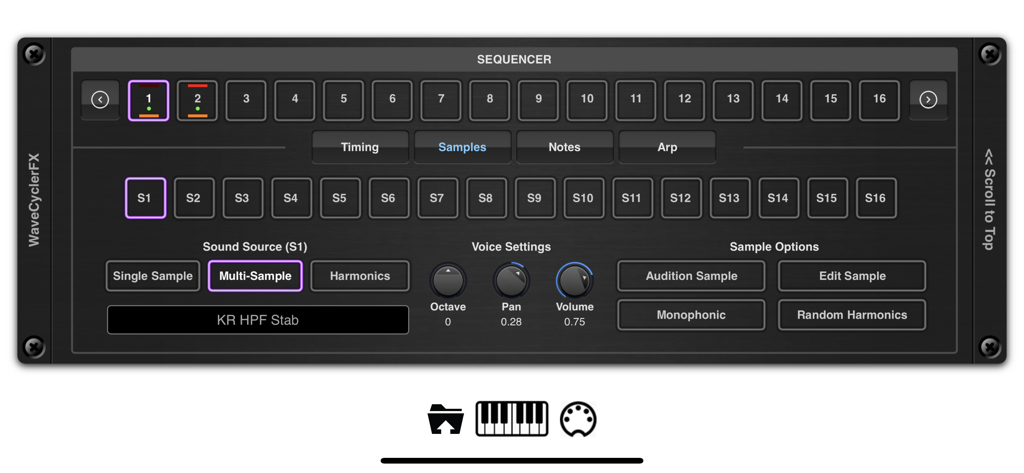
EvolverFX AUv3 Audio Plugin - EvolverFX AUv3オーディオプラグインのインターフェース。シーケンサーとマルチサンプルサウンドソース設定を示しています。

EvolverFX AUv3オーディオプラグインのインターフェース。シーケンサーとマルチサンプルサウンドソース設定を示しています。

説明

Evolver is a performance tool for creating multi-layered evolving sequences of sound. At its most basic think of evolver as a 4 lane sequencer which creates automatic accompaniment from notes and chords as you play on your MIDI keyboard, but it can also be used to create elastic evolving soundscapes where audio samples seamlessly merge into one another to create highly complex and original sounds. At the heart of evolver is a sophisticated wave synthesizer and sequencing engine which can create dramatic hard hitting transitions of sounds or merge sounds to create seamless transitions that evolve in time to the beat. It has 4 sequencer lanes which can run independently and mixed together using the real-time controls or over MIDI. When you play a chord on your MIDI keyboard for instance, each of the 4 sequencer lanes will take those MIDI notes and translate them into a musical sequence of sounds which are combined together and synced to create a form of automatic accompaniment. Evolver can load its own multi-layer patches or import them directly from Chameleon. These patches can be layered using the 4 sequencer lanes or split over a virtual keyboard. You can assign key zones, transpose them, assigned MIDI channels and velocity levels, set latch options etc. You can also load in your own one shot samples and lay them end on end to create evolving atmospheres or backing soundscapes. These samples can be looped or be free running with definable start/end and loop points using our non destructive editor. We also included a third sound source which lets you build sounds on the fly by overlaying harmonics to create anything from traditional sine, square, triangle, saw waves to complex detuned oscilators. These can be used in conjunction with multi-samples or one-shot-samples within the same sequencer lane. You can even randomize a complete sequence of harmonic sounds which when pieced together create some very unique and dynamic voices. Each sequencer lane can be up to 64 steps in length, each step has independent timing, pitch, volume, gate, probability, sample source etc. so the scope of what is achievable is vast. Each sequencer lane has its own ADSR, VCF and LFO which operates on all sounds within its lane, as well as being able to change the underlying settings for each sound source. Evolver also includes an ARP function which can be run in one of the default modes or you can define your own fingering patterns to be used to enhance your playing style. Create your own sequences, lay down your MIDI notes in your DAW and have Evolver automatically play along to your chord sequences, automatically locking to the host tempo. Sequencer events can be fixed or transposed allowing you to create percussive and drum backing using a single lane. Key Features: • 4 sequencer lanes • Up to 64 notes per sequence. • Each note can be fixed or transposed. • Timing and note probability. • 3 different sound source types (multi-sample, one-shot samples and harmonic) . • Add your own loops to a sequence. • Built in ARP function. • Import your own samples and mutli-sample patches. • Chameleon Support. • 5 different effect types (reverb, delay, phaser, flanger and chorus). • 8 band EQ. • .Latch Feature to hold chords/notes. • Create independent key zones with transposition and MIDI channels. • Paramter Automation from your DAW. • Control mixing and sequencer enable buttons using MIDI. • Built in Sampler. • Multiple Import options (including an experimental SFZ format). • iTunes and Files App importing of samples into the audio pool. • Files App Drag & Drop Support • Comprehensive Help pages included. Please Note: Not all features are currently compatible with Auria.

Download

ダウンロード: App Store

このページはアプリまたはその開発者の公式ページではなく、情報提供および論評を目的として作成された独立した編集出版物です。明示的に別段の記載がない限り、アプリおよびその開発者は、MWM、Apple、Google Play、アプリのパブリッシャー、またはアプリの開発者と提携、承認、後援、認可、またはその他の公式的な関係はなく、このページのいかなる内容も、アプリがMWMのサービスを使用して開発されたことを意味するものではありません。すべての商標、ロゴ、スクリーンショット、その他のコンテンツはそれぞれの所有者の財産です。







