eZy Sign,Scan & Fill Documents

eZy Sign,Scan & Fill Documents

ダウンロード: App Store
ロゴ: eZy Sign,Scan & Fill Documents

eZy Sign、ドキュメントスキャン&記入:外出先で署名、スキャン、契約完了

不動産業者、フリーランサー、事業主向けの究極のオールインワンモバイルオフィス。安全な署名、スマートスキャン、インスタントクラウド統合により、書類作成をシームレスなデジタルワークフローに変えましょう。

ダウンロード: App Store

開発元

Whizpool

カテゴリ

Business

ダウンロード

15K+

ユーザー評価

4.4/5

評価数

0

対応言語

11

指先での精度

このインターフェースを利用する 15K+ 人のユーザー.

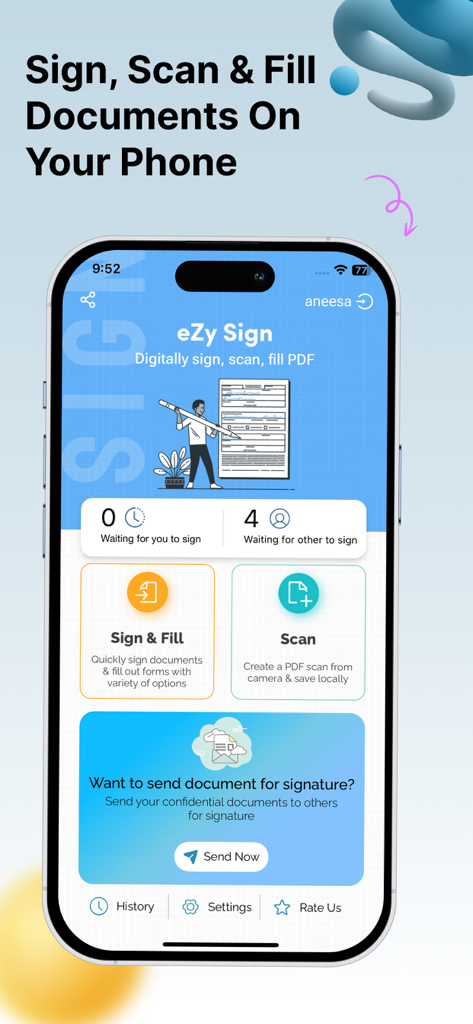
eZy Signアプリのダッシュボード、デジタル署名とドキュメントスキャン機能が表示されている
eZy Signアプリのダッシュボード、デジタル署名とドキュメントスキャン機能が表示されている

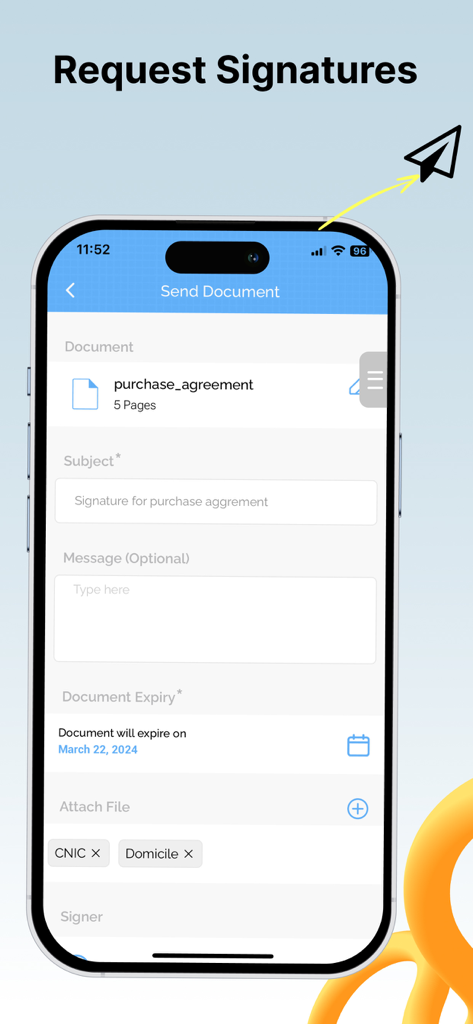
eZy Signアプリのインターフェースが表示されたスマートフォン画面、有効期限付き機能でドキュメントにデジタル署名を要求する様子
eZy Signアプリのインターフェースが表示されたスマートフォン画面、有効期限付き機能でドキュメントにデジタル署名を要求する様子

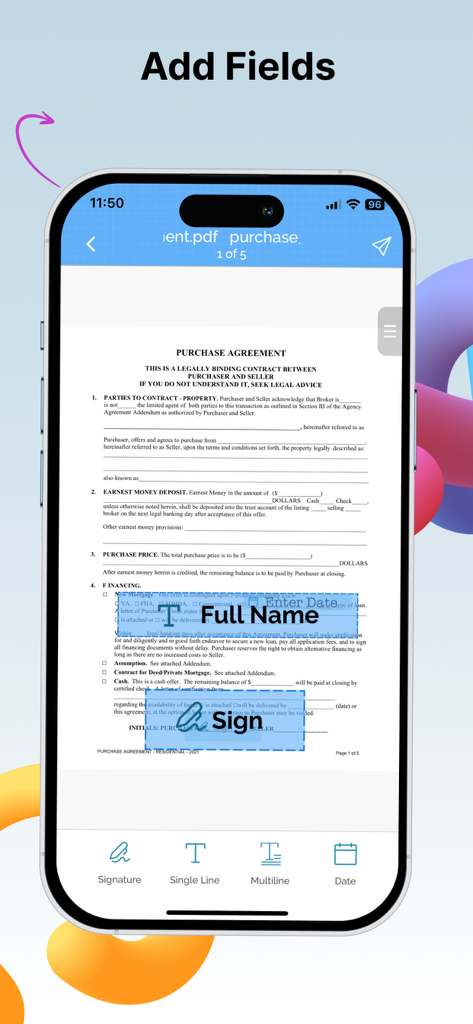
PDF購入契約書に氏名、日付、署名フィールドを追加するユーザーを示すモバイルアプリインターフェース
PDF購入契約書に氏名、日付、署名フィールドを追加するユーザーを示すモバイルアプリインターフェース

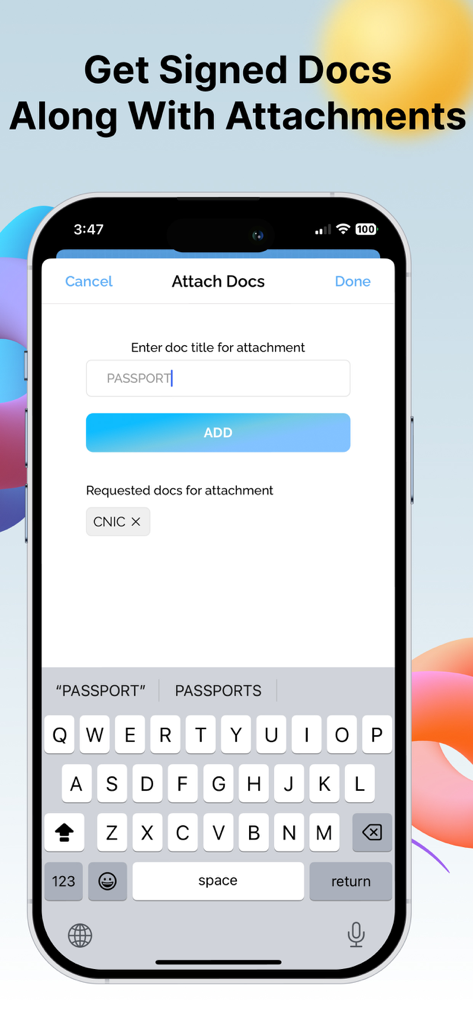
署名と同時にパスポートなどのドキュメント添付ファイルを要求する方法を示すeZy Signアプリのモバイルインターフェース
署名と同時にパスポートなどのドキュメント添付ファイルを要求する方法を示すeZy Signアプリのモバイルインターフェース

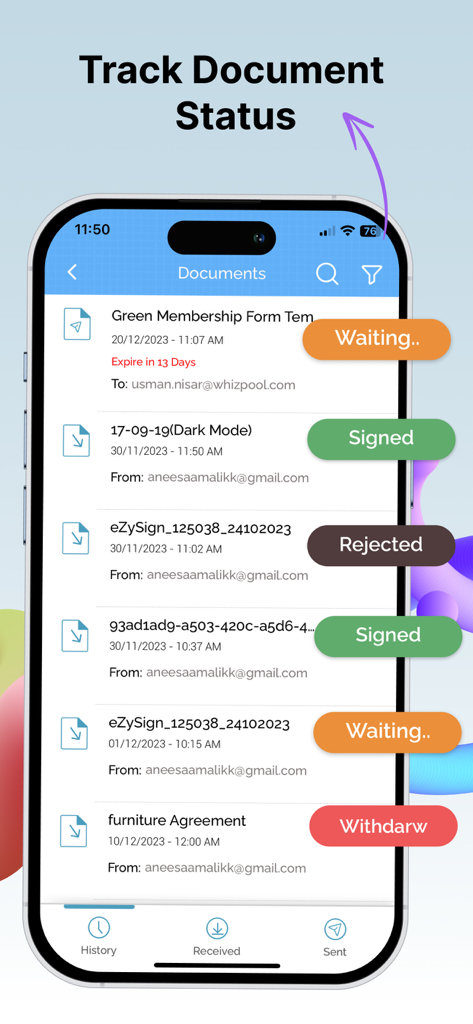
署名済み、待機中、拒否済みなどのリアルタイムステータスラベルが表示されたドキュメントリストを示すモバイルアプリインターフェース
署名済み、待機中、拒否済みなどのリアルタイムステータスラベルが表示されたドキュメントリストを示すモバイルアプリインターフェース

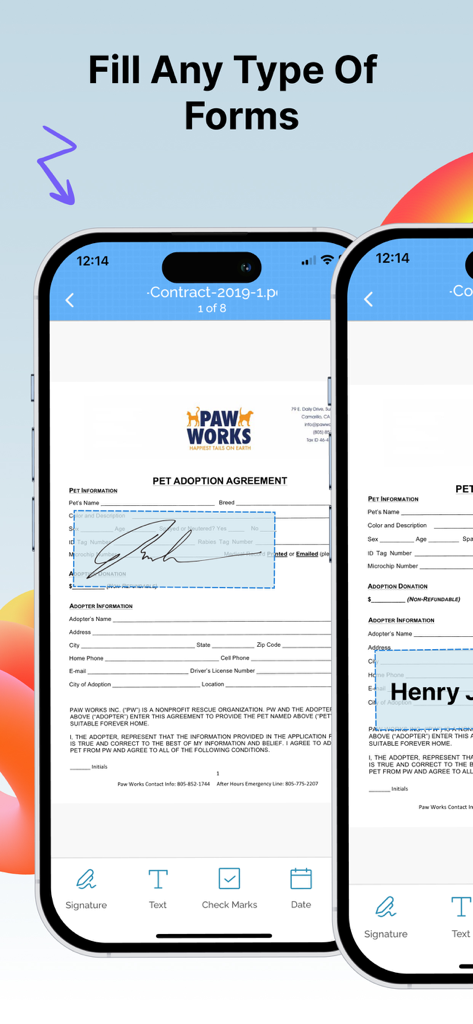
eZy SignアプリでiPhoneにPDFフォームを記入して署名する
eZy SignアプリでiPhoneにPDFフォームを記入して署名する

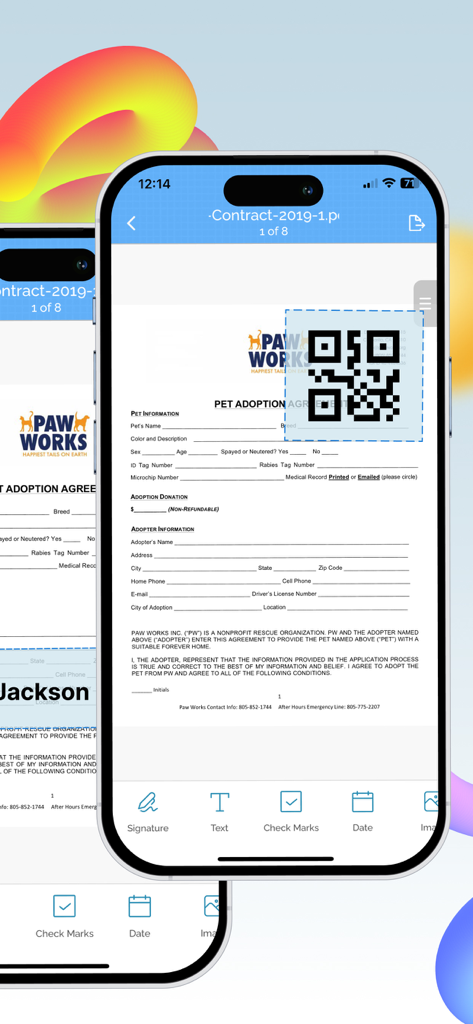
デジタルドキュメントにQRコードを追加している様子を示すiPhone画面
デジタルドキュメントにQRコードを追加している様子を示すiPhone画面

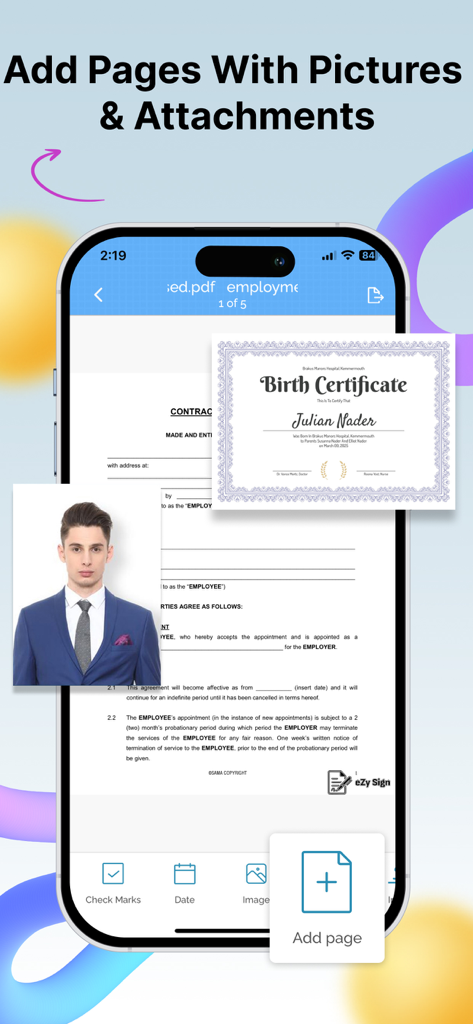
モバイルフォンでデジタルドキュメントに画像や添付ファイルを追加するためのインターフェース
モバイルフォンでデジタルドキュメントに画像や添付ファイルを追加するためのインターフェース

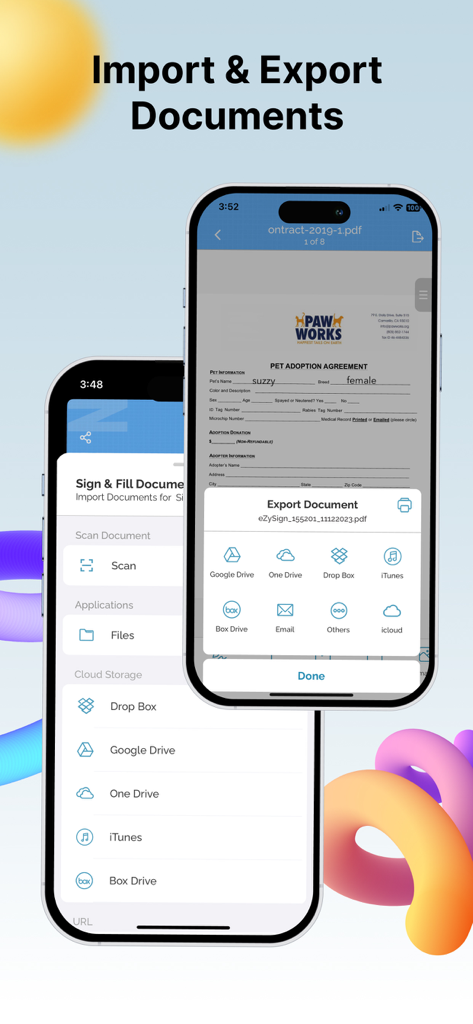
クラウドストレージ統合によるドキュメントのインポートおよびエクスポートオプションを示すeZy Signアプリインターフェース
クラウドストレージ統合によるドキュメントのインポートおよびエクスポートオプションを示すeZy Signアプリインターフェース

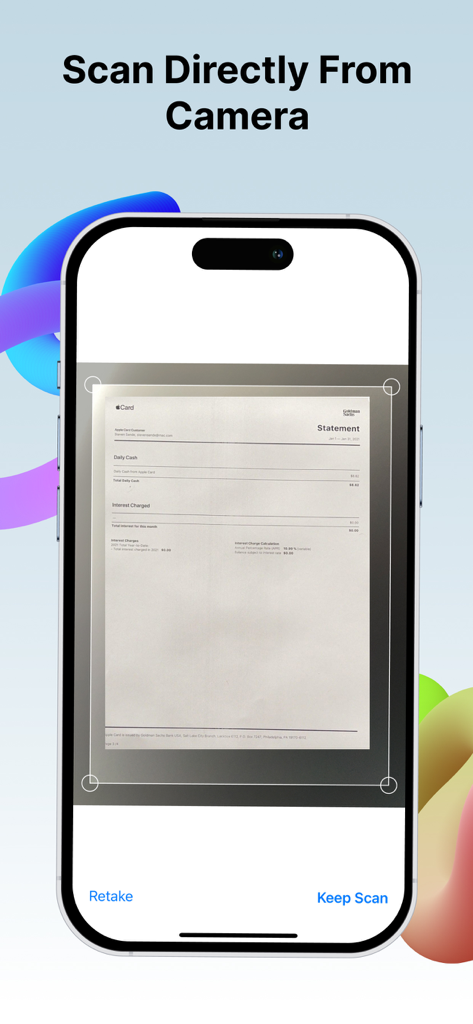
eZy Signアプリのカメラ機能を使用して紙のドキュメントをスキャンするiPhone

eZy Signアプリのカメラ機能を使用して紙のドキュメントをスキャンするiPhone

どこでもワークフローを効率化

このアプリを際立たせるツール、 15K+ 人のユーザーが選択.

✍️

インスタント電子署名

署名を描画、スキャン、または入力して、数秒で契約や合意を完了します—印刷や郵送は不要です。

📸

モバイルドキュメントスキャナー

紙の請求書、領収書、フォームをカメラで即座にプロフェッショナルなPDFに変換し、真のペーパーレスオフィスを実現します。

スマート有効期限保護

共有ドキュメントに有効期限を設定してデータを管理し、機密ファイルへのアクセスが永続しないようにします。

アプリについて

について知っておくべきこと eZy Sign,Scan & Fill Documents.

説明

Need to sign a document or PDF online? Require signatures on your PDFs? eZy sign & fill documents makes it easy to do both without any hassle. Take control of your paperwork by uploading diverse document types and filling them with signatures, initials, dates, emails, images, or any text be it addresses, phone numbers, and more. eZy Sign handles docs signing, signature requests, and data filling. It accommodates a variety of document types, including NDAs, agreements, endorsements, permissions, contracts and legal documents. Its versatile functionality extends to common business forms like sales contracts, financial agreements, rental agreements, property contracts, waivers, employment contracts, job offers, and work orders, making it ideal for efficient document management. Sign Documents: Whether you prefer drawing your signature, scanning it, our versatile app offers you the flexibility you need. Take control of your paperwork by adding signatures, initials, dates, emails, images, or any required text, from addresses to phone numbers. From formal signatures on legal documents to personalized touches on business agreements, contracts and PDFs. Send Documents for Signature: With eZy Sign, sending PDFs for signatures has never been more straightforward. The app allows you to add assign fields, simplifying the process to fill and esign. Supported fields include signature, initials, name, date, email and text. This feature makes the signature collection process a convenient solution for businesses and individuals. After signing, eZy Sign ensures quick file access. Scanning Documents: eZy Sign doesn't just stop at signatures, it empowers you to digitize your paperwork. Whether you're dealing with contracts, invoices, legal documents or any other paper-based content, our app's scanning feature ensures that you can transform them into digital marvels. By leveraging the power of your device camera, eZy Sign lets you create PDF scans within the app, fostering a paperless and efficient environment. Fill Documents: With eZy Sign, document editing becomes a breeze. Whether you need to add a signature, text, date, time, image, page, or QR code, our app offers a comprehensive set of tools for easy customization. Its versatility ensures that you can modify and enhance your PDFs, contracts, and documents according to your specific needs, making document editing an intuitive and efficient process. Set Expiry: Security is paramount with eZy Sign & fill documents. The app introduces a unique feature allowing users to set an expiry date for their digital docs. Exercise control over the duration of accessibility for recipients. Once the expiry date is reached, the document or the PDF becomes invalid, and recipients cannot access shared files. eZy sign & fill documents allows to Customize and extend expiry dates according to your needs. Import and Export: With eZy Sign & fill documents, enjoy simple and efficient document sharing. This feature ensures that you can easily import documents from various sources and export them to share or archive as needed. The app's compatibility with different importing and exporting options ensures easy access and collaboration across various systems. - DropBox - Google Drive - OneDrive - Email - iCloud History: You can keep track of your document activities with eZy Sign's detailed history feature. View past signatures, and access records of contracts, agreements, and PDFs interactions. eZy sign & fill documents is all about making document signing simple, secure, and stress-free. So go paperless—your way, the easy way! Your input is valuable in shaping the future of our app. Submit your questions or feedback to: Support+ezysign@whizpool.com

最新バージョン

3.5

サイズ

75.3 MB

リリース日

2015年6月2日

ペーパーレス化の準備はできましたか?

外出先で最も簡単にドキュメントに署名、スキャン、保護できる方法で、より速く契約を完了させている何千人ものプロフェッショナルに加わりましょう。

ダウンロード: App Store

App information, icons, screenshots, and descriptions displayed on this page are sourced from the Apple App Store and are the property of their respective developers. Download estimates and rankings are based on MWM's proprietary models and may not reflect actual figures. This page is provided for informational and analytical purposes only.

Believe this page infringes your intellectual property? File a dispute