F-Sim|Space Shuttle 2
ダウンロード: App Store

このページはアプリまたはその開発者の公式ページではなく、情報提供および論評を目的として作成された独立した編集出版物です。明示的に別段の記載がない限り、アプリおよびその開発者は、MWM、Apple、Google Play、アプリのパブリッシャー、またはアプリの開発者と提携、承認、後援、認可、またはその他の公式的な関係はなく、このページのいかなる内容も、アプリがMWMのサービスを使用して開発されたことを意味するものではありません。すべての商標、ロゴ、スクリーンショット、その他のコンテンツはそれぞれの所有者の財産です。

ロゴ: F-Sim|Space Shuttle 2
ダウンロード: App Store

F-Sim|Space Shuttle 2

本物のNASAシステムと息をのむようなグラフィックスで、忠実度の高いフライトシミュレーションを体験してください。広告なし、中断なし—伝説のオービターを指揮する精度とスリルだけを味わえます。

主要数値

ダウンロード

244K+

ユーザー評価

4.5/5

評価数

1K+

開発元

SkyTale Software GmbH

カテゴリ

Games

対応言語

1

最新バージョン

1.1

サイズ

1.3 GB

リリース日

2021年8月4日
機能

世界で最も挑戦的な着陸をマスターする

NASAのスペースシャトルプログラムの技術的リアリズム、精度、そして伝説的な遺産を大切にする人々のために設計された、綿密に作られたシミュレーター。

究極のパイロットチャレンジ

「空飛ぶレンガ」—通常の商用旅客機の進入よりも6倍急で2倍速い、無動力グライダーの降下を体験してください。

本物のNASAアビオニクス

実際のシャトルコマンダーがオービターを着陸させるために使用した正確なツールを再現した、本物に近いGNCシステムとHUD計器で指揮を執りましょう。

以下のスクリーンショットと説明は、アプリの公式ストアリスティングから直接取得されたものであり、アプリ開発者の所有物です。

アプリストア

スクリーンショット
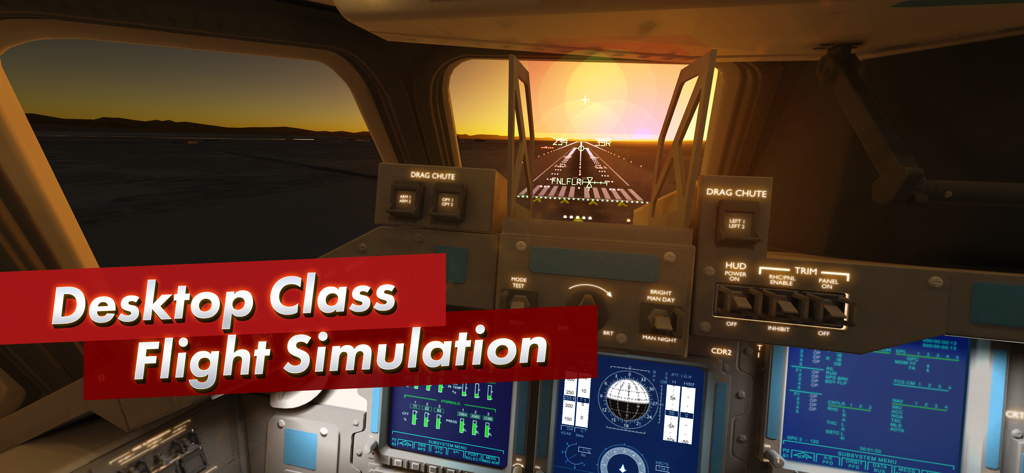
F-Sim|Space Shuttle 2 - 詳細な航空計器とHUDを備えた夕日の着陸進入中のスペースシャトル・コックピットのビュー
詳細な航空計器とHUDを備えた夕日の着陸進入中のスペースシャトル・コックピットのビュー

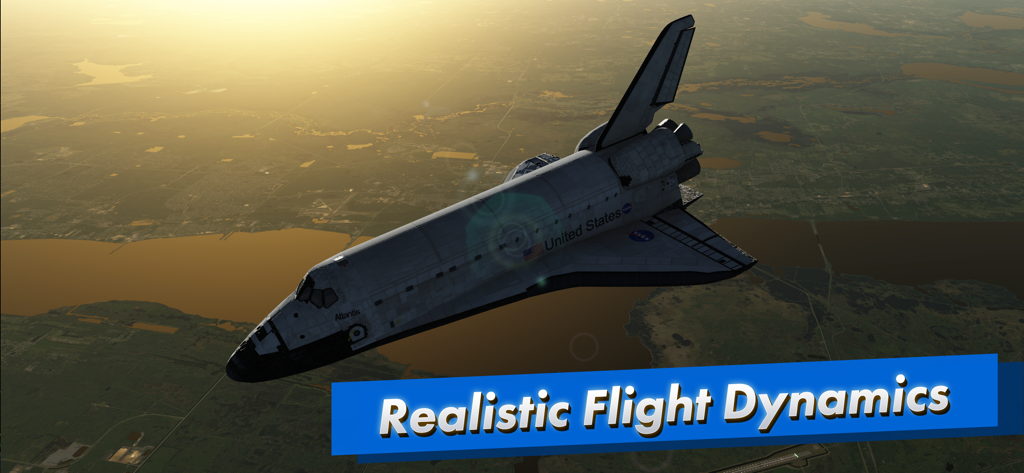
F-Sim|Space Shuttle 2 - F-Sim 2フライトシミュレーターの風景の上空を飛行するスペースシャトル・アトランティス
F-Sim 2フライトシミュレーターの風景の上空を飛行するスペースシャトル・アトランティス

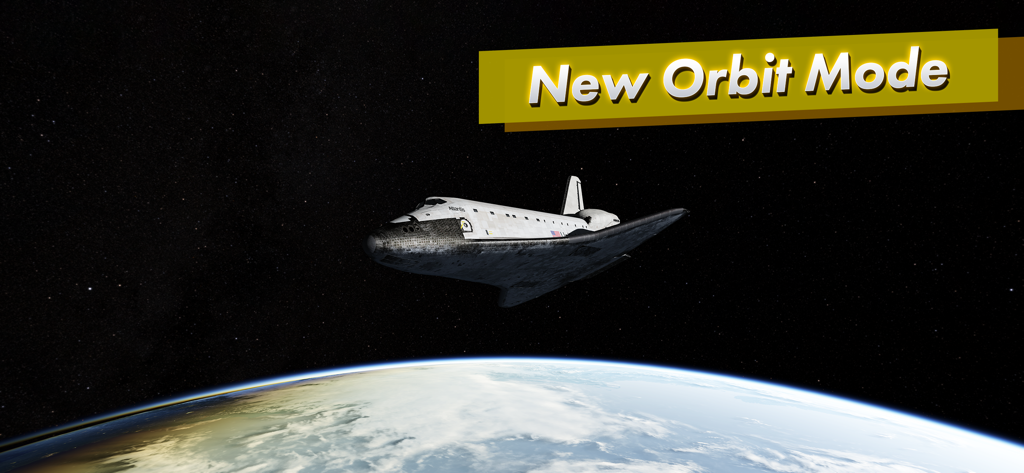
F-Sim|Space Shuttle 2 - F-Sim 2の新しいオービットモードで地球の上空を飛行するスペースシャトル・オービター
F-Sim 2の新しいオービットモードで地球の上空を飛行するスペースシャトル・オービター

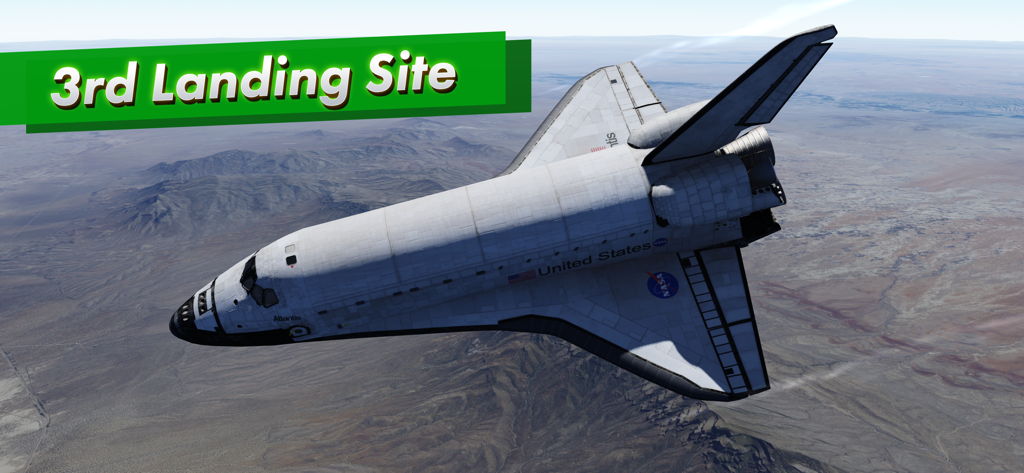
F-Sim|Space Shuttle 2 - F-Sim Space Shuttle 2シミュレーターの砂漠の風景の上空を飛行するスペースシャトル・アトランティス。
F-Sim Space Shuttle 2シミュレーターの砂漠の風景の上空を飛行するスペースシャトル・アトランティス。

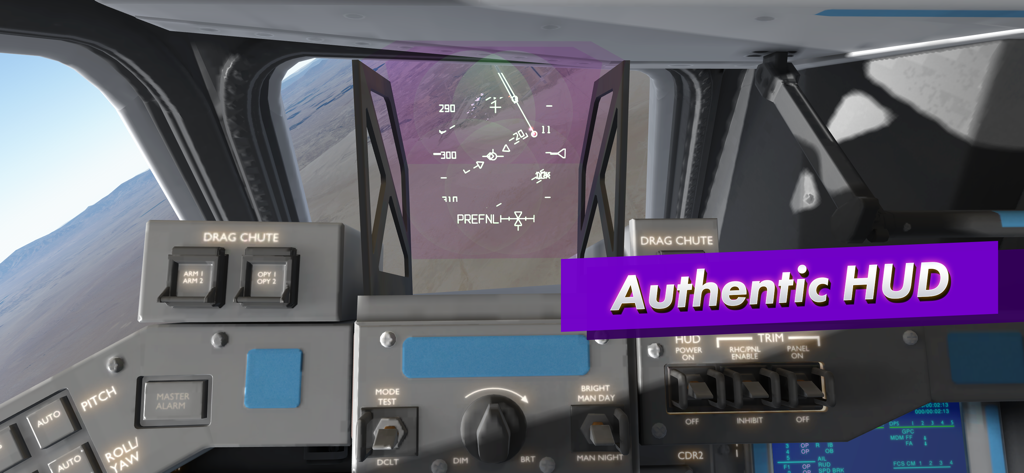
F-Sim|Space Shuttle 2 - 本物のヘッドアップディスプレイとフライトコントロールを示すF-Sim Space Shuttle 2コックピットの内部ビュー
本物のヘッドアップディスプレイとフライトコントロールを示すF-Sim Space Shuttle 2コックピットの内部ビュー

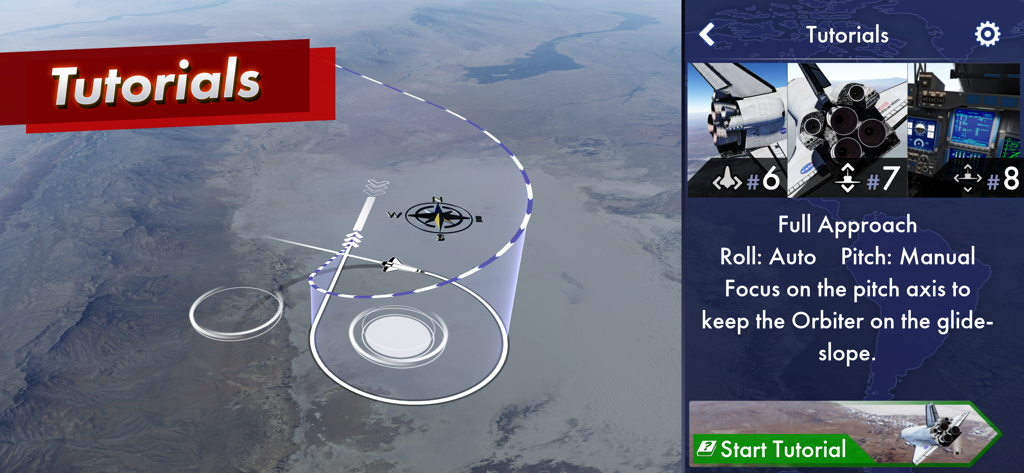
F-Sim|Space Shuttle 2 - オービターの進入経路と着陸指示を示す3D飛行経路を表示するF-Sim Space Shuttle 2のインタラクティブチュートリアル画面。
オービターの進入経路と着陸指示を示す3D飛行経路を表示するF-Sim Space Shuttle 2のインタラクティブチュートリアル画面。

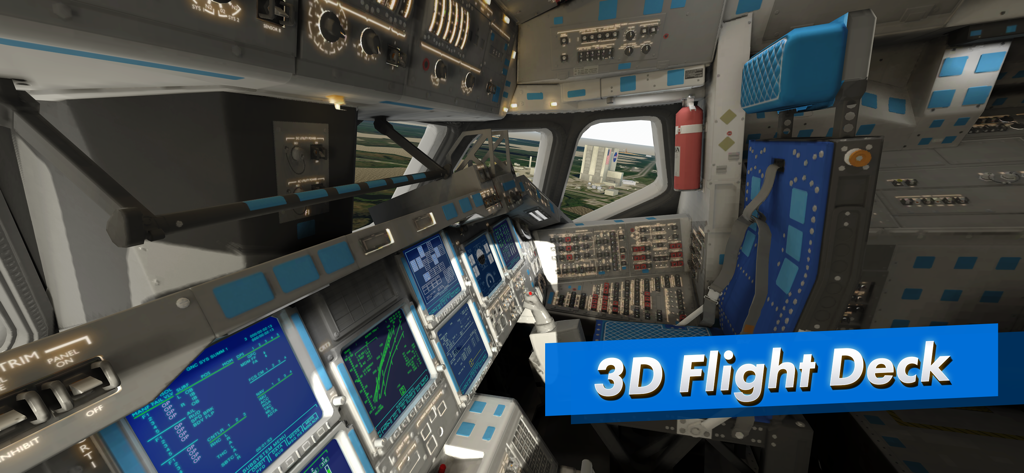
F-Sim|Space Shuttle 2 - F-Sim 2シミュレーターのスペースシャトル・フライトデッキの詳細な3D内部ビュー
F-Sim 2シミュレーターのスペースシャトル・フライトデッキの詳細な3D内部ビュー

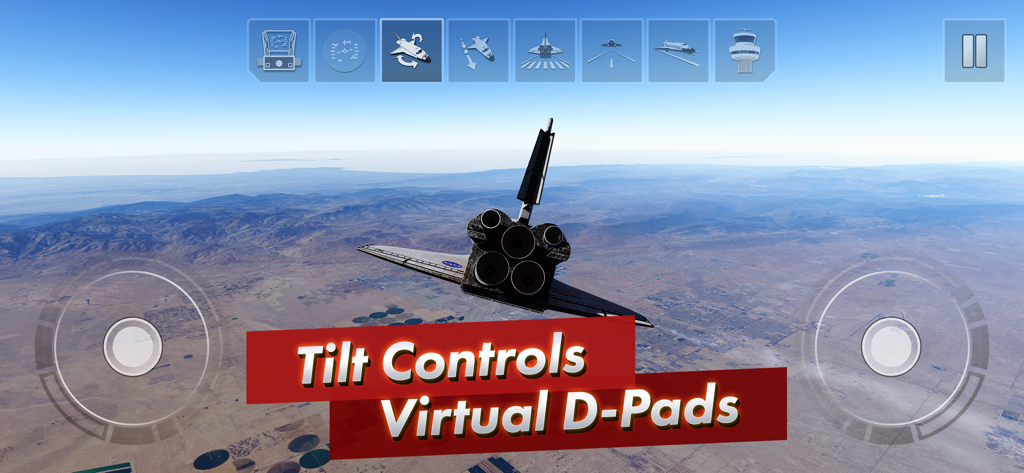
F-Sim|Space Shuttle 2 - 砂漠の風景に重なるチルトコントロールと仮想Dパッドを示すスペースシャトル・シミュレーターのゲームプレイ
砂漠の風景に重なるチルトコントロールと仮想Dパッドを示すスペースシャトル・シミュレーターのゲームプレイ

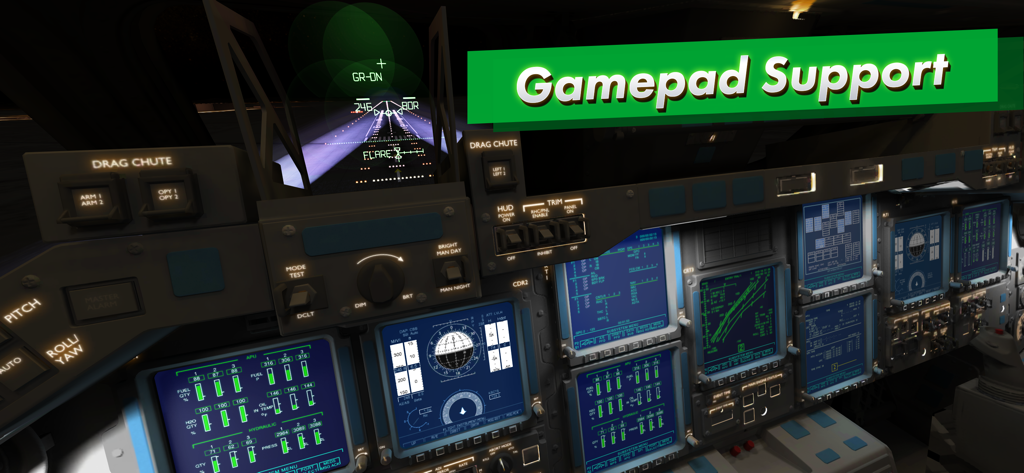
F-Sim|Space Shuttle 2 - デジタル航空計器とゲームパッドサポートのテキストを示す詳細なスペースシャトル・コックピットの内部ビュー
デジタル航空計器とゲームパッドサポートのテキストを示す詳細なスペースシャトル・コックピットの内部ビュー

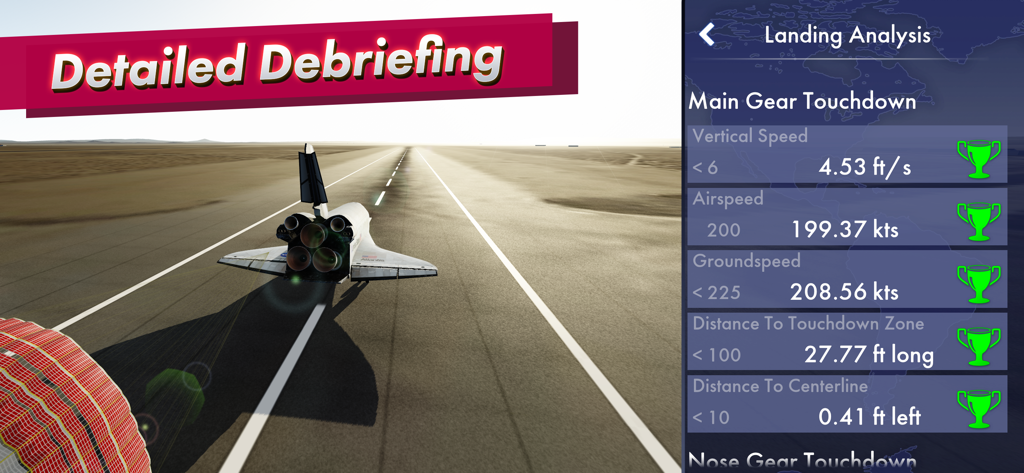
F-Sim|Space Shuttle 2 - 飛行メトリクスとパフォーマンスのトロフィーを表示するスペースシャトル着陸分析およびデブリーフィング画面

飛行メトリクスとパフォーマンスのトロフィーを表示するスペースシャトル着陸分析およびデブリーフィング画面

説明

Here is the long-awaited successor to our critically acclaimed flight simulator. It simulates the Space Shuttle approach and landing in incredible detail and accuracy. This is a remaster of our original F-Sim Space Shuttle, completely rewritten from scratch. New features include: - Console quality graphics - Interactive tutorials - White Sands as a third landing site option - Orbit mode F-Sim Space Shuttle combines realistic flight simulation with stunning graphics and fun gameplay. You’ve never landed a Space Shuttle before? We’ve got you covered: Included are several tutorials with varying degrees of autopilot assist. Our landing analysis and scoring system tells you exactly how to improve your next landing. It will make you come back and try again. Each flight starts at either 10,000 feet, already aligned with the runway, or at up to 50,000 feet, before banking into the heading alignment cone. During descent, the Orbiter is an unpowered glider, so you will only have one chance to get it right. Astronauts used to call it a flying brick: Because of its 200,000 lbs. gross weight and low lift over drag ratio, the approach is six times steeper and two times faster than a typical airliner approach. After your first safe touchdown, chase that perfect landing, compare your high scores online with your friends, earn medals, and unlock achievements. Experiment with different wind conditions, night approaches, and even emergency scenarios or system failures. At the end of each flight, watch a replay from different camera angles. You control the Orbiter’s pitch and roll axes by tilting your device. Alternatively, you may switch to on-screen analog sticks or use a gamepad. Rudder, speed brake, gear, and chute are usually handled by the autopilot, but you can have full manual control if you like. For beginners, we’ve added rectangles that visualize the desired approach path. Simply try to stay within the corridor of rectangles, and they’ll guide you right to the touchdown point. Advanced pilots can turn them off and rely on the instruments in the head-up display (HUD) instead. The simulated guidance, navigation and control (GNC) systems are authentic replications of their counterparts in the real Orbiter, and the HUD features all the instruments real Space Shuttle commanders used to employ to skillfully land this unique aircraft. Now it’s your turn to give it a try. A new orbit mode lets you take the Orbiter for a spin around the planet, and we’re working on a full atmospheric re-entry scenario, which, among other new features, will be released as free updates in the coming months. There are no ads or in app purchases, and we don’t collect any personal data.

Download

ダウンロード: App Store

このページはアプリまたはその開発者の公式ページではなく、情報提供および論評を目的として作成された独立した編集出版物です。明示的に別段の記載がない限り、アプリおよびその開発者は、MWM、Apple、Google Play、アプリのパブリッシャー、またはアプリの開発者と提携、承認、後援、認可、またはその他の公式的な関係はなく、このページのいかなる内容も、アプリがMWMのサービスを使用して開発されたことを意味するものではありません。すべての商標、ロゴ、スクリーンショット、その他のコンテンツはそれぞれの所有者の財産です。








