
このページはアプリまたはその開発者の公式ページではなく、情報提供および論評を目的として作成された独立した編集出版物です。明示的に別段の記載がない限り、アプリおよびその開発者は、MWM、Apple、Google Play、アプリのパブリッシャー、またはアプリの開発者と提携、承認、後援、認可、またはその他の公式的な関係はなく、このページのいかなる内容も、アプリがMWMのサービスを使用して開発されたことを意味するものではありません。すべての商標、ロゴ、スクリーンショット、その他のコンテンツはそれぞれの所有者の財産です。


Fidelity Online Banking
ナイジェリアの口座を安全に管理し、家族の支払いを済ませ、米国から即座に資金を送金できます。グローバルなライフスタイルに合わせて設計されたシームレスな銀行業務を体験してください。
ダウンロード
730K+ユーザー評価
評価数
6K+開発元
カテゴリ
Finance対応言語
1最新バージョン
5.75.11サイズ
97.8 MBリリース日
2015年11月3日ナイジェリアでの銀行業務への架け橋
安全なモバイルファーストの銀行体験により、米国のどこからでも資産を管理し、家族をサポートし、ナイジェリアの財務を管理できます。
即時の家族サポート
PHCNやDSTVなどの公共料金の支払いや、大切な人への通信料チャージをアプリから直接行い、サポートを即座に届けます。
リモートで資産を管理
普通預金、外貨預金、定期預金口座を簡単に監視。明細書を発行し、ナイジェリアのあらゆる銀行へ数秒で送金できます。
よくある質問
について知っておくべきこと Fidelity Online Banking
Fidelity Online Banking Appに登録するにはどうすればよいですか?
Fidelity Online Banking Appに登録するには、アプリをインストールし、「Sign Up Here」をクリックしてください。SMSアラート用に登録された携帯電話番号とFidelityデビットカードが必要です。画面の指示に従って登録を完了してください。
Fidelity Online Banking Appは生体認証ログインをサポートしていますか?
はい、Fidelity Online Banking Appは、より簡単で安全なログインのために生体認証/指紋認証をサポートしています。この機能は、セキュリティと利便性を高めるために、プロファイル設定内で利用できます。
Fidelity Online Banking Appでどのような種類の口座を確認できますか?
Fidelity Online Banking Appでは、普通預金、普通預金、定期預金、外貨預金、カード口座を確認できます。この包括的なビューにより、すべての財務を1か所で管理できます。
Fidelity Online Banking Appを使用して請求書の支払いはできますか?
はい、DSTV、GoTV、PHCN、携帯電話のポストペイド請求書、SWIFT、Smileなど、さまざまな請求書をFidelity Online Banking Appを使用して支払うことができます。アプリには、請求書支払い専用のセクションがあります。
Fidelity Online Banking Appを使用して他の銀行に送金できますか?
はい、Fidelity Online Banking Appは、ナイジェリア全土のどの銀行の口座にも送金できます。また、トークンなしで、他のFidelity口座へのワンクリック送金も可能です。
Fidelity Online Banking Appはビジネス口座に対応していますか?
はい、Fidelity Online Banking Appはビジネス口座をサポートしていますが、口座保有者が単独署名者である必要があります。ビジネス口座の登録はクレジットカードでは行えません。
Fidelity Online Banking Appから口座明細書を取得できますか?
Fidelity Online Banking Appから直接口座明細書を生成できます。この機能により、いつでもどこでも財務取引履歴に便利にアクセスできます。
Fidelity Online Banking Appは取引履歴と分析を提供していますか?
はい、Fidelity Online Banking Appは、分析と詳細な取引履歴を含む取引ダッシュボードの概要を提供します。合計取引数、金額、支出、収入が表示されます。
Fidelity Online Banking Appでプロファイル設定をカスタマイズできますか?
はい、Fidelity Online Banking App内でプロファイルをパーソナライズできます。オプションには、プロファイル写真の変更や、さまざまなセキュリティおよび設定の管理が含まれます。
以下のスクリーンショットと説明は、アプリの公式ストアリスティングから直接取得されたものであり、アプリ開発者の所有物です。
アプリストア
スクリーンショット
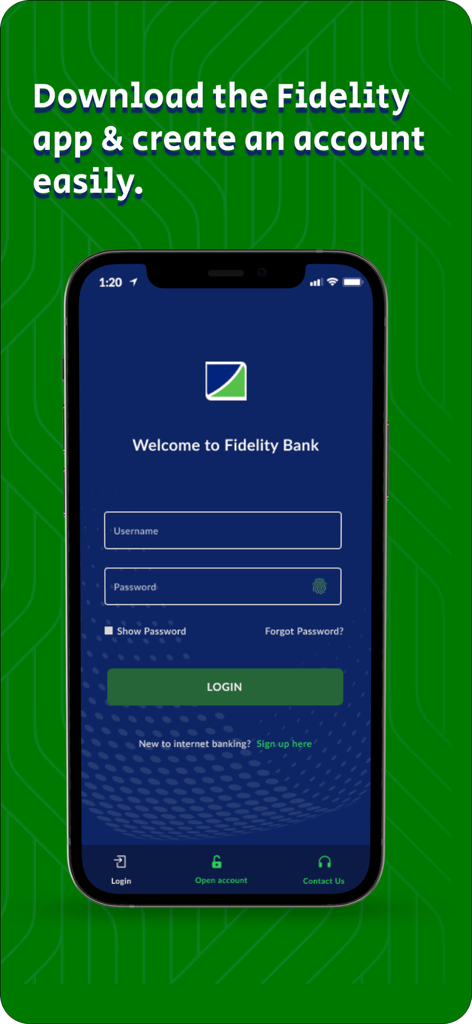
ユーザー名とパスワード入力フィールドが表示されたスマートフォンの Fidelity オンラインバンキング ログイン画面

Fidelity オンラインバンキングアプリの普通預金口座インターフェースを表示するスマートフォンを持った笑顔の男性
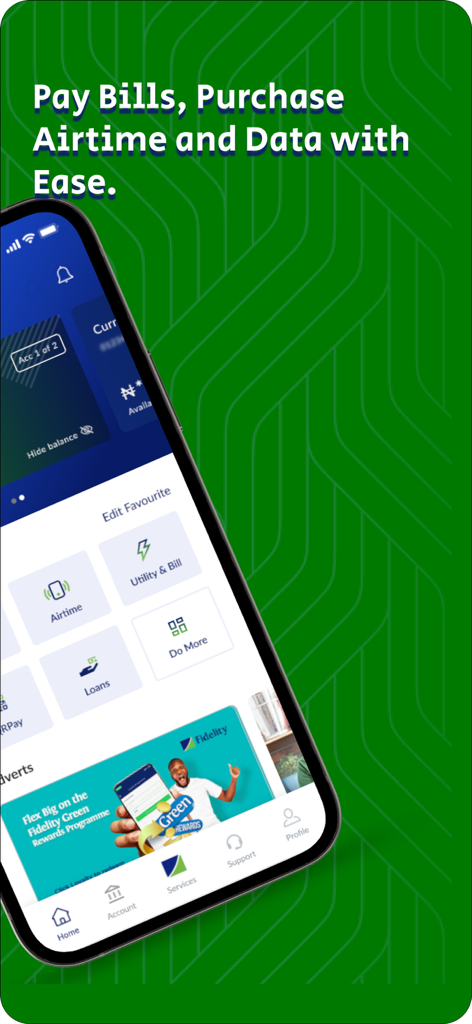
公共料金の支払いと通信料購入のオプションを表示する Fidelity オンラインバンキングアプリのインターフェース
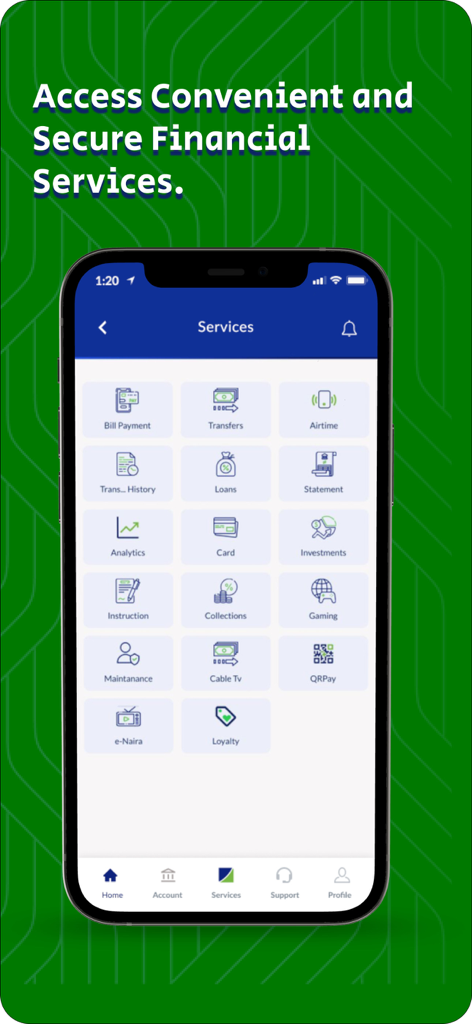
公共料金支払いの送金と通信料のアイコンが表示された Fidelity オンラインバンキングアプリのサービス画面
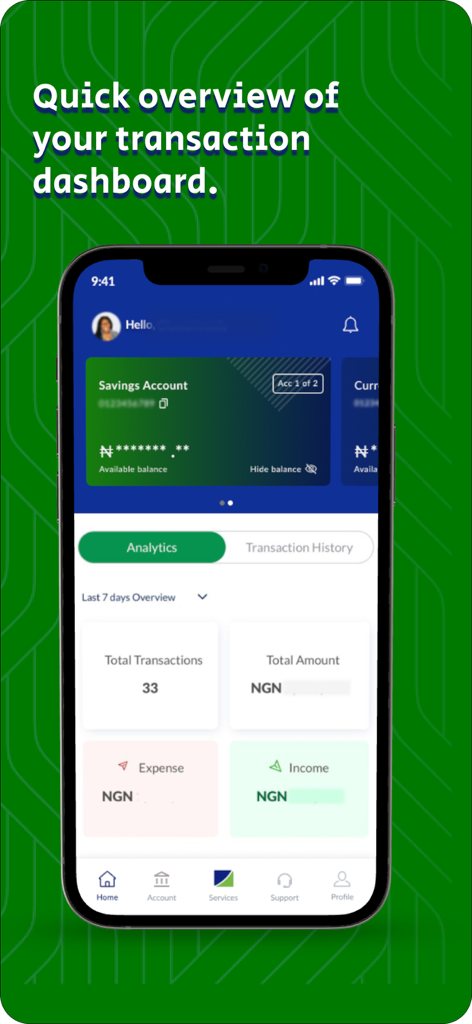
口座残高と取引分析を含む Fidelity オンラインバンキングアプリのダッシュボードを表示する携帯電話の画面
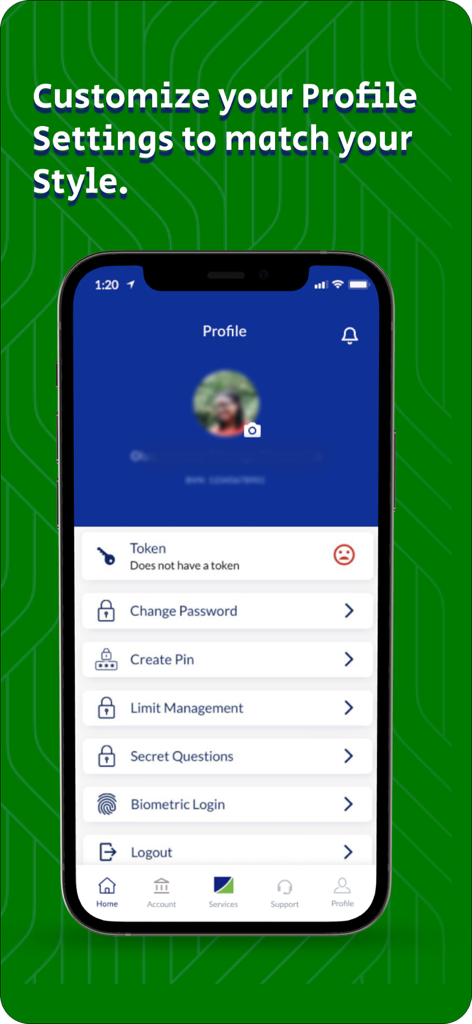
口座のセキュリティとパーソナライゼーション設定を表示する Fidelity オンラインバンキングアプリのプロフィール画面
説明
Download
類似アプリ
似た機能とユーザー体験を持つアプリ

Enpara Bank Cep Şube
Enpara Bank Anonim Sirketi

Alinma App - تطبيق الإنماء
Alinma Bank

Huntington Mobile Banking
The Huntington National Bank, Inc

國泰世華網路銀行CUBE
Cathay United Bank

中國信託行動銀行
CTBC Bank Co., Ltd.

FNB Banking App
FirstRand Bank Limited

Riyad Bank App
Riyad Bank

CIMB OCTO MY
CIMB Bank Berhad

Regions Mobile
Regions Financial
このページはアプリまたはその開発者の公式ページではなく、情報提供および論評を目的として作成された独立した編集出版物です。明示的に別段の記載がない限り、アプリおよびその開発者は、MWM、Apple、Google Play、アプリのパブリッシャー、またはアプリの開発者と提携、承認、後援、認可、またはその他の公式的な関係はなく、このページのいかなる内容も、アプリがMWMのサービスを使用して開発されたことを意味するものではありません。すべての商標、ロゴ、スクリーンショット、その他のコンテンツはそれぞれの所有者の財産です。