Find My Earbuds: Device Finder
ダウンロード: App Store

このページはアプリまたはその開発者の公式ページではなく、情報提供および論評を目的として作成された独立した編集出版物です。明示的に別段の記載がない限り、アプリおよびその開発者は、MWM、Apple、Google Play、アプリのパブリッシャー、またはアプリの開発者と提携、承認、後援、認可、またはその他の公式的な関係はなく、このページのいかなる内容も、アプリがMWMのサービスを使用して開発されたことを意味するものではありません。すべての商標、ロゴ、スクリーンショット、その他のコンテンツはそれぞれの所有者の財産です。

ロゴ: Find My Earbuds: Device Finder
ダウンロード: App Store

Find My Earbuds: Device Finder

探すのをやめて、見つけ始めましょう。バッテリーが切れる前に、高精度レーダー、方向コンパス、触覚フィードバックを使用して、AirPods、Fitbit、または任意のBluetoothデバイスの場所を特定します。

主要数値

ダウンロード

5K+

ユーザー評価

4.8/5

評価数

0

開発元

LSA MANAGEMENT SERVICES AUSTRALIA PTY LTD

カテゴリ

Utilities

対応言語

1

最新バージョン

1.5.4

サイズ

50.0 MB

リリース日

2023年5月22日
機能

探すのをやめて、見つけ始めましょう

EarBuddyは、iPhoneを高出力スキャナーに変え、バッテリーが切れる前に紛失したAirPods、Fitbit、トラッカーを探し出します。

ユニバーサルデバイス認識

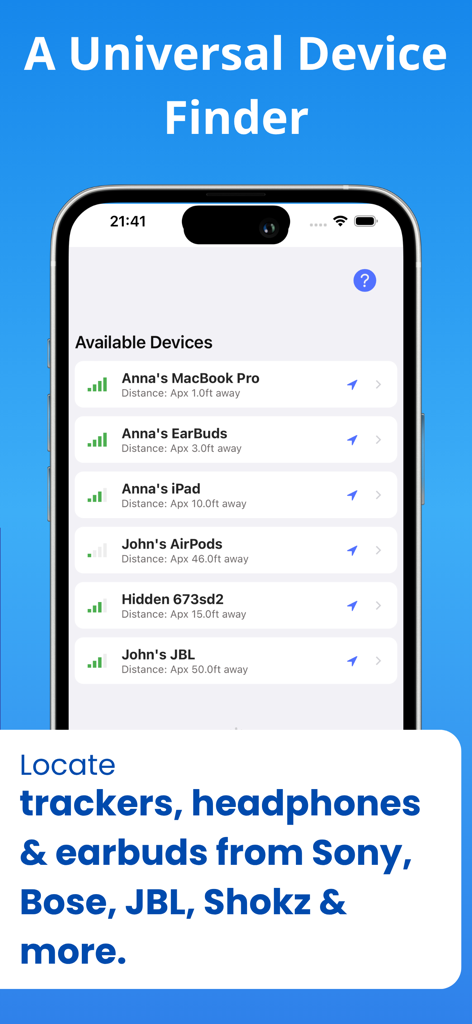
煩わしいMACアドレスではなく、Sony、Bose、Apple、Fitbitなど、デバイス名を認識します。

スマート方向コンパス

「ホットまたはコールド」レーダーと視覚的な矢印で推測を排除し、デバイスの正確な隠し場所まで直接案内します。

以下のスクリーンショットと説明は、アプリの公式ストアリスティングから直接取得されたものであり、アプリ開発者の所有物です。

アプリストア

スクリーンショット
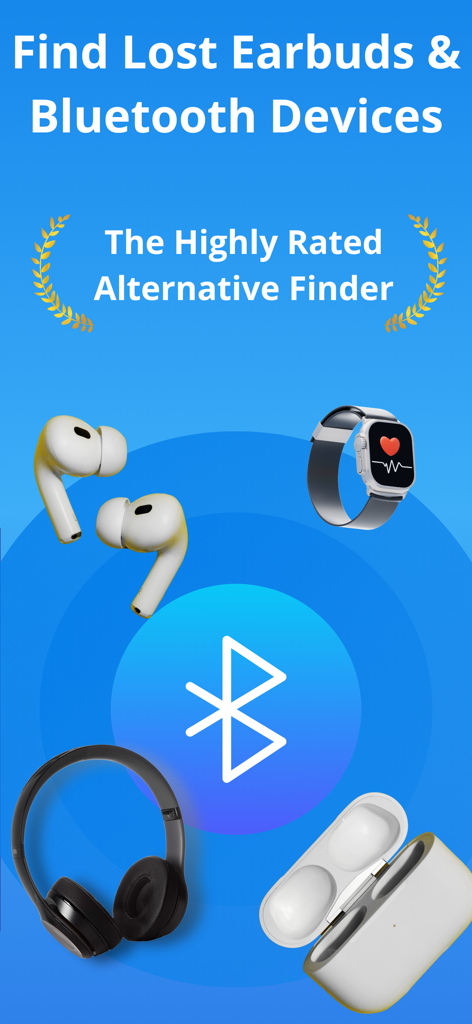
Find My Earbuds: Device Finder - 紛失したイヤホンとBluetoothデバイスを見つけるためのアプリ画面。ヘッドフォンとスマートウォッチのアイコンが表示されます
紛失したイヤホンとBluetoothデバイスを見つけるためのアプリ画面。ヘッドフォンとスマートウォッチのアイコンが表示されます

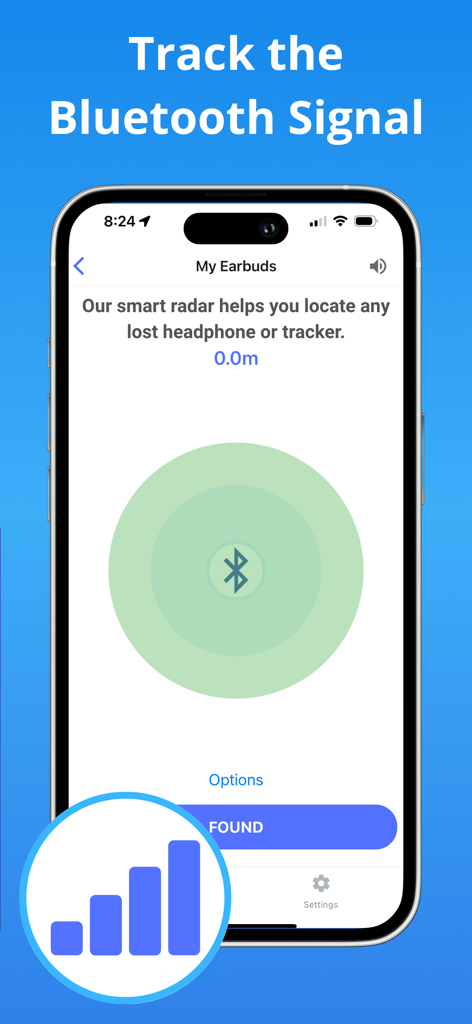
Find My Earbuds: Device Finder - 紛失したイヤホンを追跡するためのBluetooth信号レーダーインターフェースを示すスマートフォンの画面
紛失したイヤホンを追跡するためのBluetooth信号レーダーインターフェースを示すスマートフォンの画面

Find My Earbuds: Device Finder - EarBuddyアプリが、信号強度と距離とともに検出されたBluetoothデバイスのリストを表示
EarBuddyアプリが、信号強度と距離とともに検出されたBluetoothデバイスのリストを表示

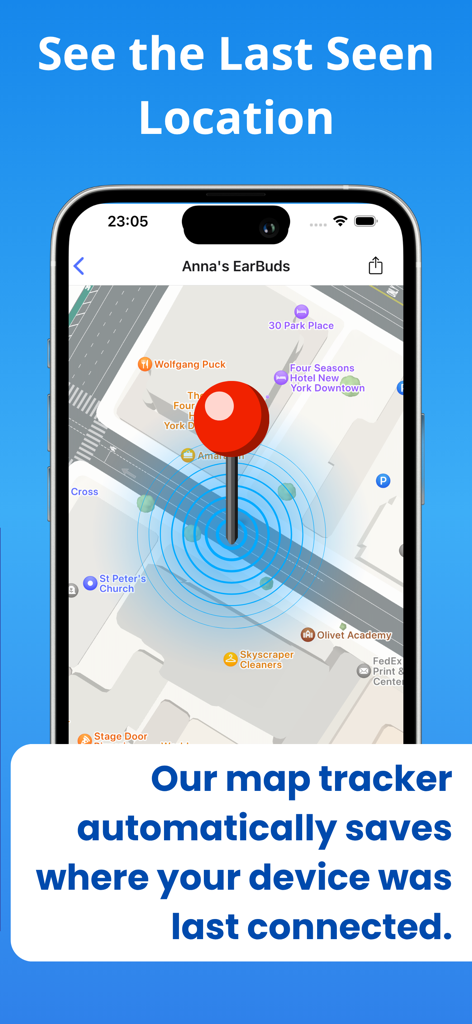
Find My Earbuds: Device Finder - 紛失したデバイスの最終位置を示す、アプリ内のマップビュー

紛失したデバイスの最終位置を示す、アプリ内のマップビュー

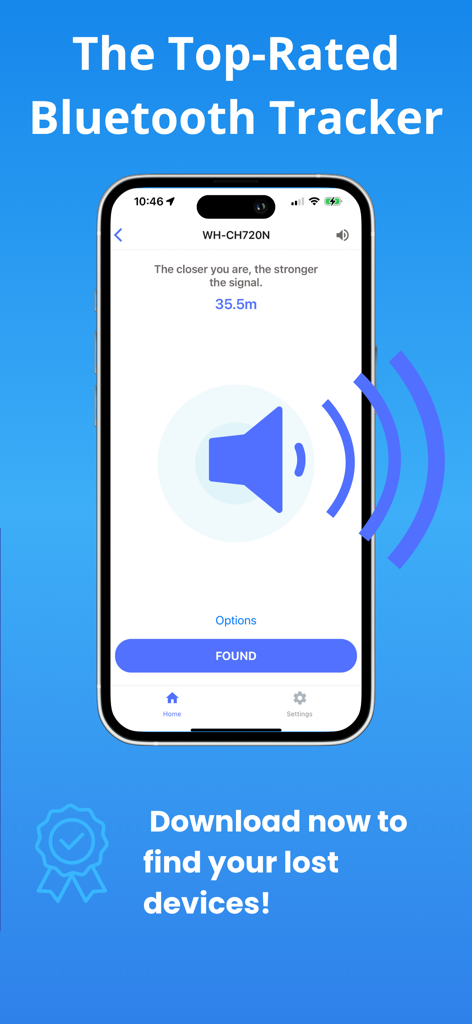
Find My Earbuds: Device Finder - 紛失したヘッドフォンの信号強度を示す、Find My Earbudsアプリの追跡インターフェース

紛失したヘッドフォンの信号強度を示す、Find My Earbudsアプリの追跡インターフェース

説明

FIND LOST HEADPHONES, WATCHES & TRACKERS IN SECONDS. Lost your AirPods? Can't find your Fitbit? Dropped a specialized earbud in the couch? EarBuddy turns your iPhone into a high-powered Bluetooth scanner to track down your lost device before the battery runs out. HOW TO FIND YOUR LOST DEVICE: Open & Scan: Launch EarBuddy and grant Bluetooth access. The app will immediately start scanning for nearby signals. Find Your Item: Look for your device name in the list. Tip: Use the "Headphones" or "Watches" tabs to filter the list. If you don't see your device, tap the filter button to "Show Unnamed" devices. Enable Precision: Tap on your device. For the best results, allow "Always" location access so EarBuddy can track your movement accurately on the map. Follow the Signal: Walk around slowly. Watch the Signal Radar — the circle fills up and turns green as you get closer. Use the Compass: Switch to the Compass tab. If the signal is stable, the arrow will point you directly to your lost item. Check the Map: Tap the Map view to see the device’s last known pin and track your own movement path towards it. Found It! Once you recover your device, tap the "Found" button. (And if we saved your day, we’d love a review!)Don't spend hundreds of dollars on a replacement. EarBuddy uses advanced Bluetooth Low Energy (BLE) physics to pinpoint the exact location of your device. WORKS WITH VIRTUALLY ANY BLUETOOTH DEVICE Unlike other apps that only work with Apple products, EarBuddy is a universal scanner. We have tuned our radar to track: Audio: AirPods (All Gens), Beats, Sony, Bose, JLab, Tozo, Skullcandy, Jabra, Samsung Galaxy Buds. Fitness: Fitbit (Versa, Charge, Inspire), Garmin, Xiaomi Mi Band, Whoop. Smart Tags: Tile, Chipolo, Pebblebee, Samsung SmartTags. Other: Apple Pencil, iPad, Apple Watch, and portable speakers. KEY FEATURES: DIRECTION COMPASS (NEW!) Stop walking in circles. Our new Compass Mode analyzes signal shifts to point you in the right direction. Just follow the arrow to your lost item. PRECISION "HOT/COLD" RADAR Watch the signal strength meter move from "Cold" to "Hot" as you walk. Our Smart Signal Smoothing technology removes the "jitter" found in other apps, giving you a steady, reliable reading. "LAST SEEN" PIN DROP EarBuddy runs efficiently in the background. If your device disconnects (e.g., you left it at the gym), we automatically drop a pin on the Apple Map so you know exactly where to start looking. INTELLIGENT DEVICE RECOGNITION Tired of seeing "Unknown Device" or random MAC addresses? EarBuddy decodes the signal to tell you exactly what is nearby (e.g., "JLab JBuds Air" or "Fitbit Charge 5"). HAPTIC & AUDIO FEEDBACK Search without looking at your screen. The "Geiger Counter" mode beeps and vibrates faster as you get closer to your device—perfect for finding earbuds wedged deep under car seats or beds. LOVED BY USERS "I thought my $200 earbuds were gone forever. The radar led me right to the coat pocket I forgot I wore yesterday." "Finally, a scanner that actually names my Tozo headphones instead of just showing numbers!" TRANSPARENT & SECURE We believe in earning your trust. No Accounts Required: Just open and scan. No Data Selling: Your location data stays on your phone. Subscription Control: Manage your premium features directly from the Settings menu (See Image 2). Download EarBuddy now and find what you lost! Terms of Use: https://find-48e69.web.app/terms.html Privacy Policy: https://find-48e69.web.app

Download

ダウンロード: App Store

このページはアプリまたはその開発者の公式ページではなく、情報提供および論評を目的として作成された独立した編集出版物です。明示的に別段の記載がない限り、アプリおよびその開発者は、MWM、Apple、Google Play、アプリのパブリッシャー、またはアプリの開発者と提携、承認、後援、認可、またはその他の公式的な関係はなく、このページのいかなる内容も、アプリがMWMのサービスを使用して開発されたことを意味するものではありません。すべての商標、ロゴ、スクリーンショット、その他のコンテンツはそれぞれの所有者の財産です。