Fingering Woodwinds for iPhone
ダウンロード: App Store

このページはアプリまたはその開発者の公式ページではなく、情報提供および論評を目的として作成された独立した編集出版物です。明示的に別段の記載がない限り、アプリおよびその開発者は、MWM、Apple、Google Play、アプリのパブリッシャー、またはアプリの開発者と提携、承認、後援、認可、またはその他の公式的な関係はなく、このページのいかなる内容も、アプリがMWMのサービスを使用して開発されたことを意味するものではありません。すべての商標、ロゴ、スクリーンショット、その他のコンテンツはそれぞれの所有者の財産です。

ロゴ: Fingering Woodwinds for iPhone
ダウンロード: App Store

Fingering Woodwinds for iPhone

学生や教育者にとって究極のコンパニオン。1つの強力なツールで、網羅的な運指チャート、超高音域の範囲、木管楽器ファミリー全体にわたる瞬時の移調にアクセスできます。

主要数値

ダウンロード

15K+

ユーザー評価

4.9/5

評価数

0

開発元

Patrick Kelly

カテゴリ

Music

対応言語

1

最新バージョン

7.0

サイズ

102.8 MB

リリース日

2010年6月4日
機能

自信を持ってあらゆる音符をマスター

学生からプロまで、最も包括的なリファレンツール。精密なチャートとリアルタイムのオーディオフィードバックで、木管楽器ファミリー全体をカバーします。

ポケットに15以上の楽器

フルートやオーボエからコントラバソンやサクソフォンまで、物理的な本の山を、1つのプロフェッショナルグレードのデジタルリファレンスに置き換えましょう。

スマート移調計算

記譜法とコンサートピッチ間を即座に切り替えます。複雑なオーケストラの楽譜を扱う学生やバンドディレクターに最適です。

以下のスクリーンショットと説明は、アプリの公式ストアリスティングから直接取得されたものであり、アプリ開発者の所有物です。

アプリストア

スクリーンショット
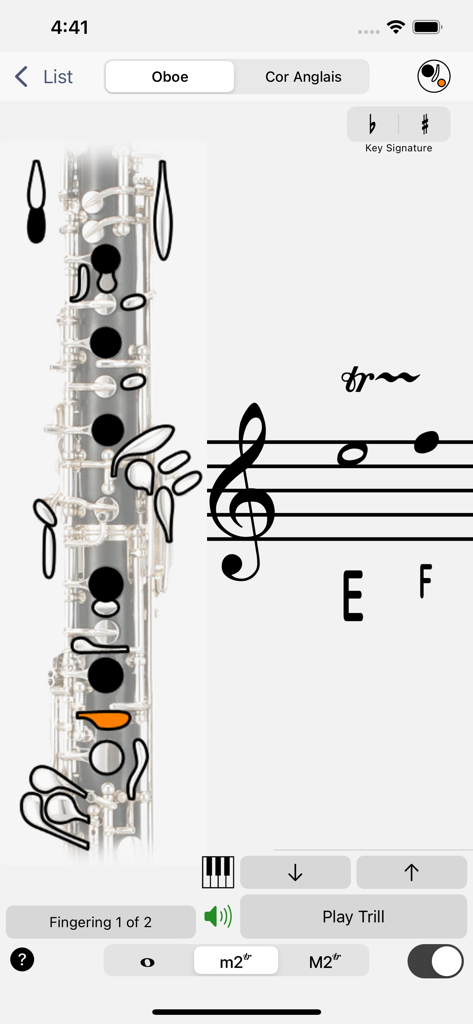
Fingering Woodwinds for iPhone - オーボエの装飾音の運指と五線譜が表示されたアプリのインターフェース

オーボエの装飾音の運指と五線譜が表示されたアプリのインターフェース

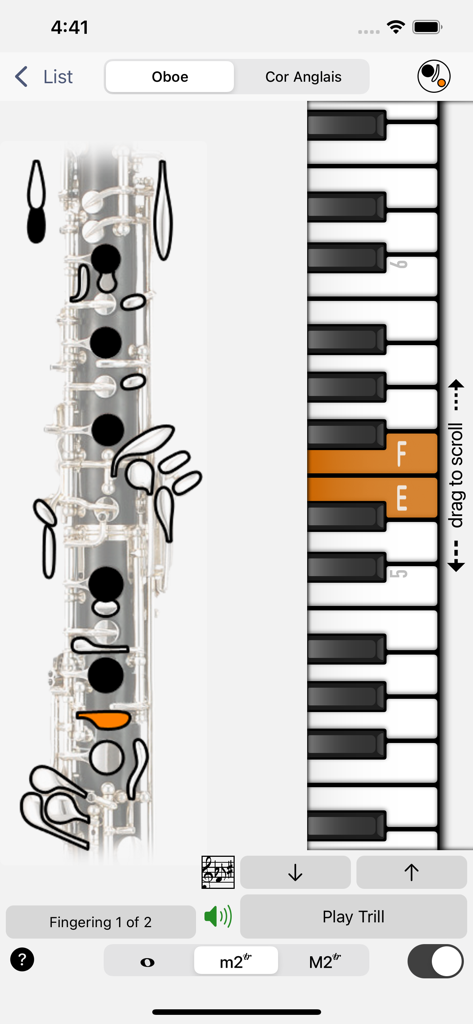
Fingering Woodwinds for iPhone - 木管楽器運指アプリのスクリーンショット。オーボエの運指チャートと参照用の垂直ピアノキーボードが表示されています。
木管楽器運指アプリのスクリーンショット。オーボエの運指チャートと参照用の垂直ピアノキーボードが表示されています。

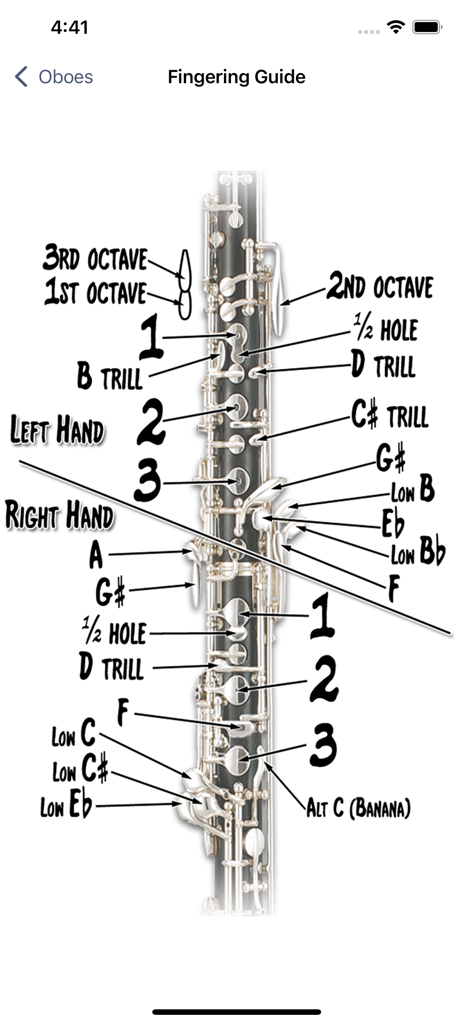
Fingering Woodwinds for iPhone - 木管楽器運指アプリ内のキー名と運指位置のラベルが付いたオーボエの詳細図。

木管楽器運指アプリ内のキー名と運指位置のラベルが付いたオーボエの詳細図。
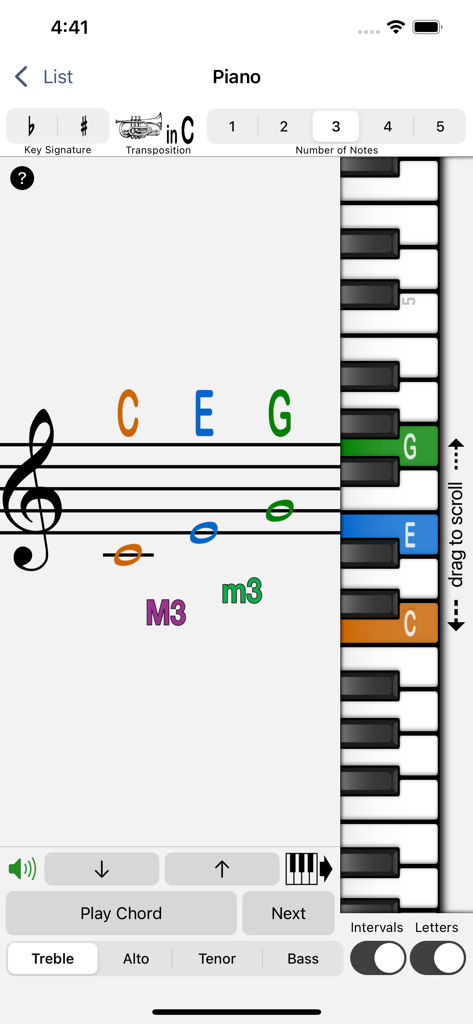
Fingering Woodwinds for iPhone - 木管楽器運指アプリの画面。五線譜上の音楽記譜法と垂直ピアノキーボードのキーが一致しています。
木管楽器運指アプリの画面。五線譜上の音楽記譜法と垂直ピアノキーボードのキーが一致しています。

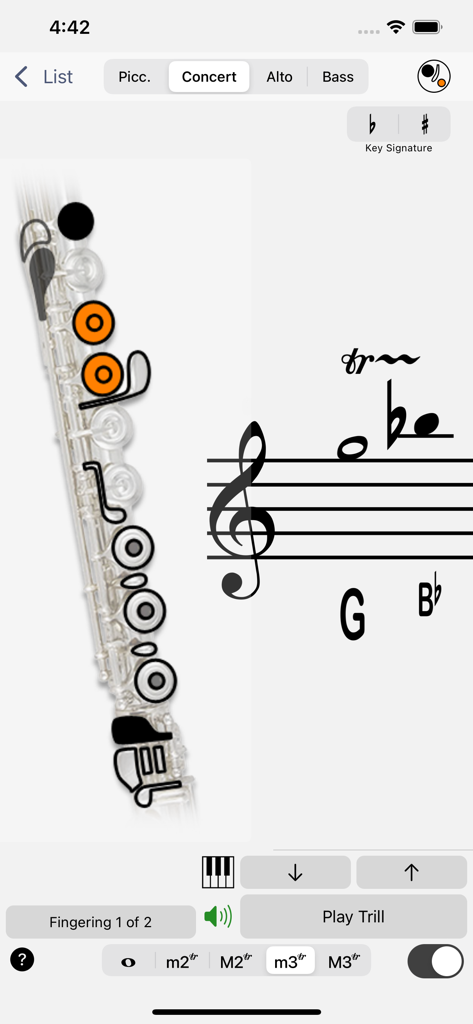
Fingering Woodwinds for iPhone - 木管楽器運指モバイルアプリのインターフェースに表示されるフルートの装飾音運指チャート
木管楽器運指モバイルアプリのインターフェースに表示されるフルートの装飾音運指チャート

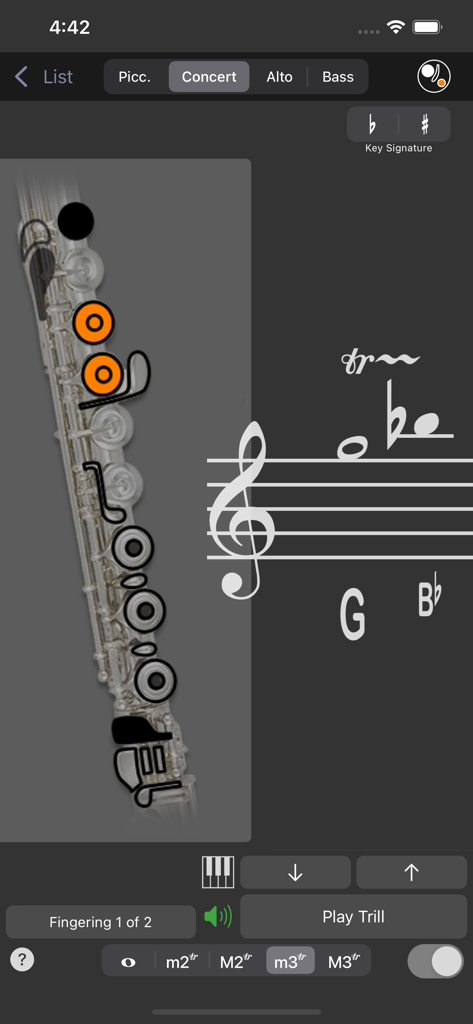
Fingering Woodwinds for iPhone - 木管楽器運指アプリのスクリーンショット。五線譜上のGからB♭への装飾音のオレンジ色のインジケーターが付いたフルート運指チャートが表示されています。
木管楽器運指アプリのスクリーンショット。五線譜上のGからB♭への装飾音のオレンジ色のインジケーターが付いたフルート運指チャートが表示されています。

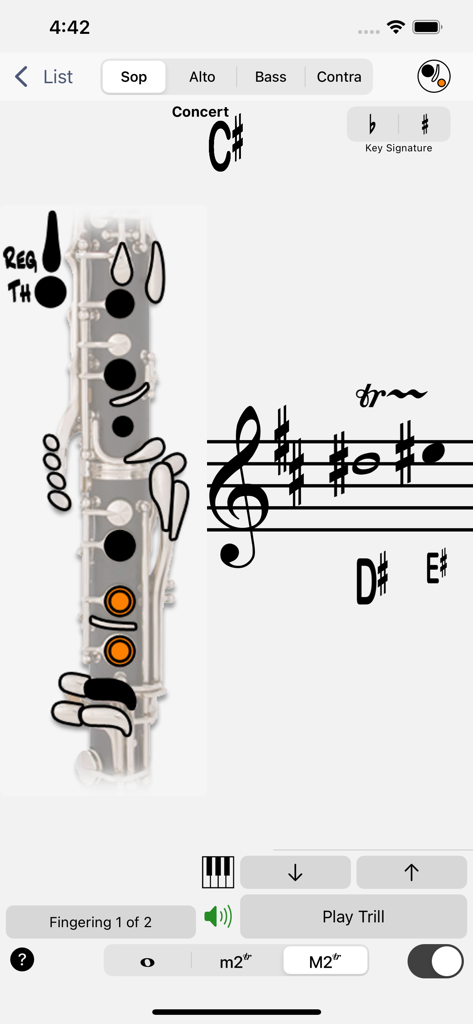
Fingering Woodwinds for iPhone - iPhone上のクラリネット運指チャートと装飾音の音楽記譜法を表示するデジタルインターフェース
iPhone上のクラリネット運指チャートと装飾音の音楽記譜法を表示するデジタルインターフェース

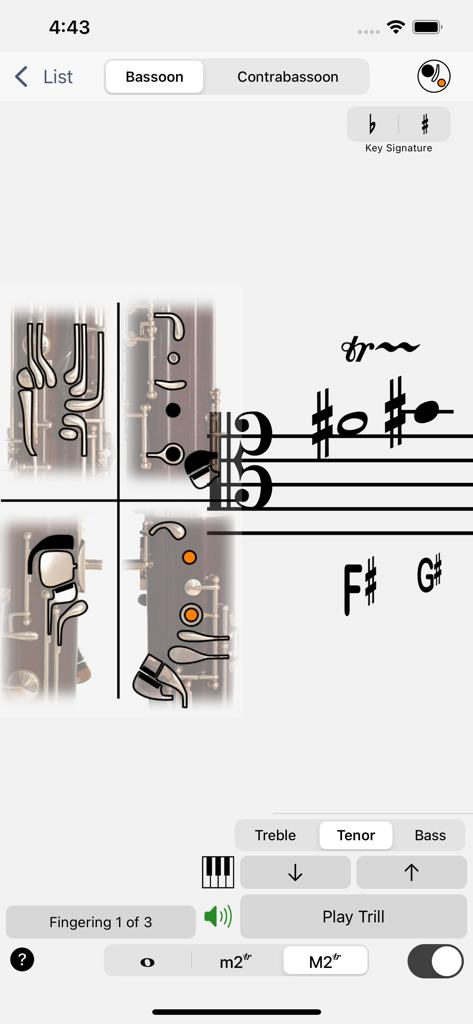
Fingering Woodwinds for iPhone - 木管楽器運指アプリのバスーン運指チャートのスクリーンショット。テナー譜とキーの位置が表示されています。
木管楽器運指アプリのバスーン運指チャートのスクリーンショット。テナー譜とキーの位置が表示されています。

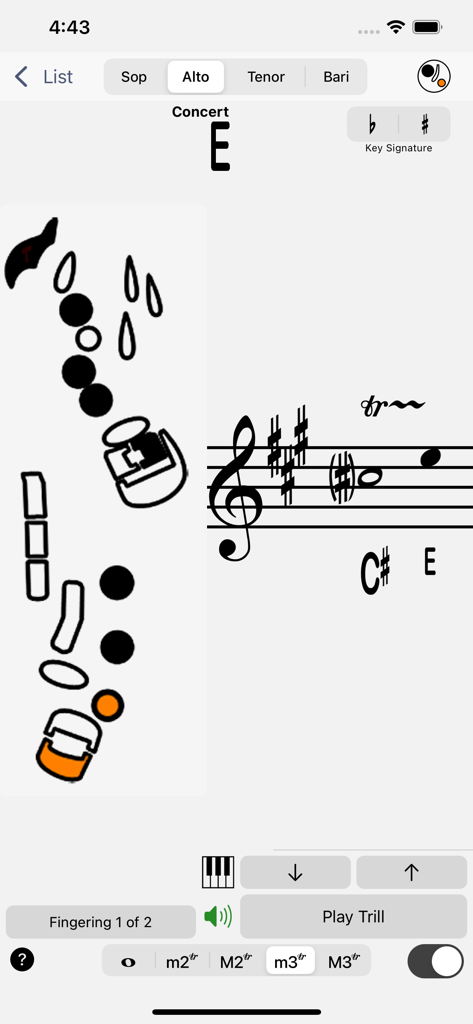
Fingering Woodwinds for iPhone - 木管楽器運指アプリのアルトサックス装飾音運指チャート

木管楽器運指アプリのアルトサックス装飾音運指チャート

説明

Immediate access to fingerings (with alternates and trills) for each instrument’s entire playable range. Get fingerings from the written or concert pitch. Instruments: Piccolo, Concert, Alto and Bass Flutes, Oboe and Cor Anglais, Soprano, Alto, Bass and Contrabass Clarinets, Bassoon and Contrabassoon, Soprano, Alto, Tenor and Baritone Saxophones The 'Piano' instrument simultaneously displays the note names, the locations on the piano, and the musical notations of up to 5 pitches in either Treble, Alto, Tenor or Bass clef. The Notation can be transposed for most all instrumental transpositions. • All woodwinds have trill fingerings for minor 2nd and major 2nd intervals. • Flutes and Saxophones have additional fingerings for minor 3rd and major 3rd trills. • Alto and Tenor Sax include altissimo fingerings up to written F, two octaves above the top line F of the treble clef. • All Woodwinds include visual guides to the key names and locations on the instrument to understand the fingering charts better. • Bassoon and Contrabassoon include Treble, Tenor and Bass clefs. How to Use: Pick a written note (touch the staff) and have the fingering displayed and concert pitch played. Touch a button and reveal the note on the piano. Play a concert pitch on the piano, and have that pitch's fingering displayed. Touch a button and reveal the transposed note written on the staff. • If there are alternate fingerings available for a note or trill, a button will allow you to navigate through them. • Use the 'Play Note' or 'Play Trill' button to repeatedly hear what's being displayed. • Use the mute button to access the fingerings without hearing the pitches. Selecting a Pitch: Using the Staff (transposed for the current instrument): Simply touch and slide up and down on the staff to select the note, slide to the right or left of the note for sharps and flats. Using the Piano (concert pitch): drag in the area below the keyboard to move the keyboard, touch to play notes, touch & slide to change the pitch. When you glissando up the keyboard, notes will be notated as a raised value (sharps), when you glissando down, notes will be notated as lowered values (flats). Use the up and down arrows to move chromatically up and down without touching the music staff or piano keyboard.

Download

ダウンロード: App Store

このページはアプリまたはその開発者の公式ページではなく、情報提供および論評を目的として作成された独立した編集出版物です。明示的に別段の記載がない限り、アプリおよびその開発者は、MWM、Apple、Google Play、アプリのパブリッシャー、またはアプリの開発者と提携、承認、後援、認可、またはその他の公式的な関係はなく、このページのいかなる内容も、アプリがMWMのサービスを使用して開発されたことを意味するものではありません。すべての商標、ロゴ、スクリーンショット、その他のコンテンツはそれぞれの所有者の財産です。