Flexi PDF

Flexi PDF

ダウンロード: App Store
ロゴ: Flexi PDF

Flexi PDF:モバイルライフスタイル向けに簡素化されたプロフェッショナルPDF管理

外出先でPDFを分割、結合、トリミングするための、高速で軽量なツール。ワークフローを合理化し、契約書、メモ、レポートを数秒で処理します。

開発元

JOIN SHIP TECH LIMITED

カテゴリ

Business

ダウンロード

1M+

ユーザー評価

3.7/5

評価数

400

対応言語

1

効率を実際に確認

このインターフェースを利用する 1M+ 人のユーザー.

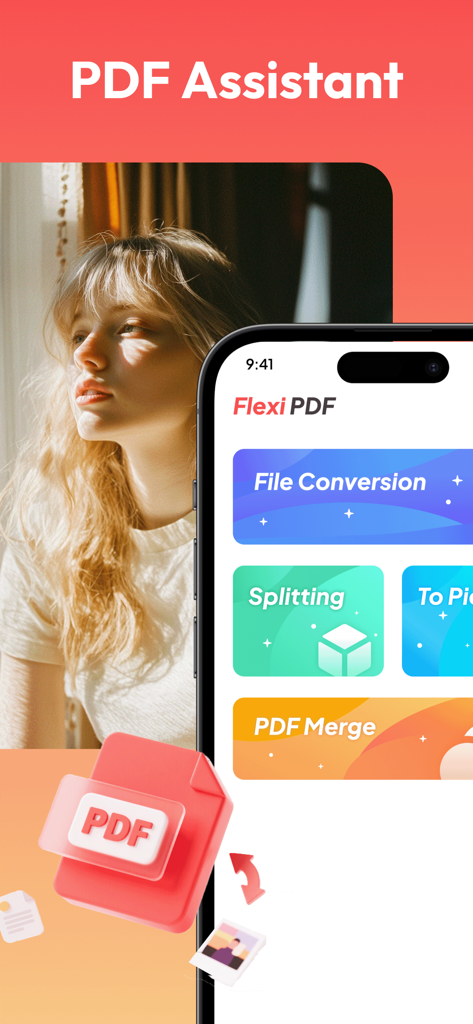
Flexi PDFアプリのインターフェイスがスマートフォン画面に表示され、ファイル変換、分割、結合のオプションが表示されています。

Flexi PDFアプリのインターフェイスがスマートフォン画面に表示され、ファイル変換、分割、結合のオプションが表示されています。

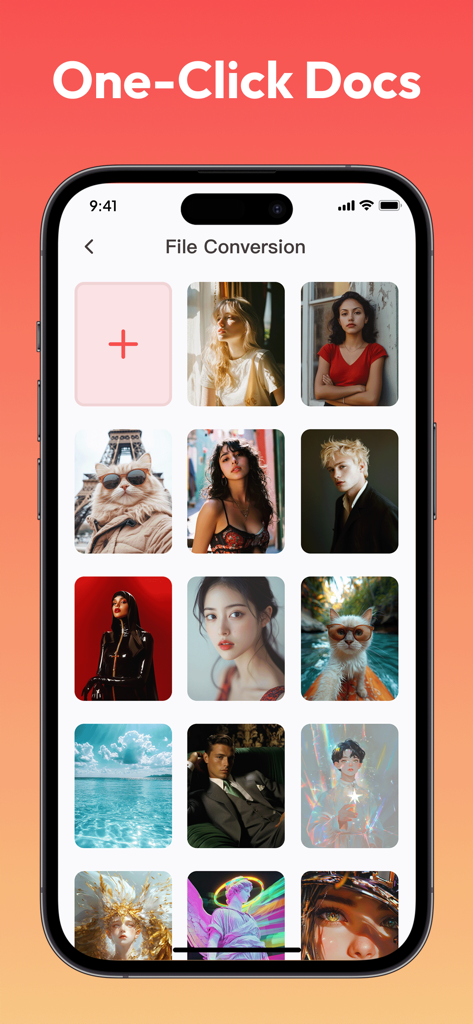
ドキュメント作成用の画像ギャラリーを表示するFlexi PDFアプリのファイル変換画面

ドキュメント作成用の画像ギャラリーを表示するFlexi PDFアプリのファイル変換画面

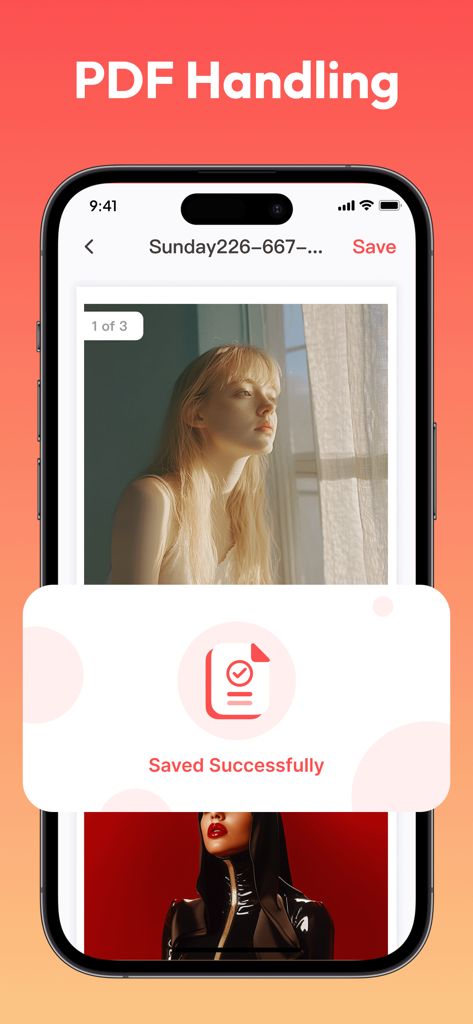
Flexi PDFアプリのインターフェイスが「保存成功」の確認メッセージとともに表示されているiPhone画面

Flexi PDFアプリのインターフェイスが「保存成功」の確認メッセージとともに表示されているiPhone画面

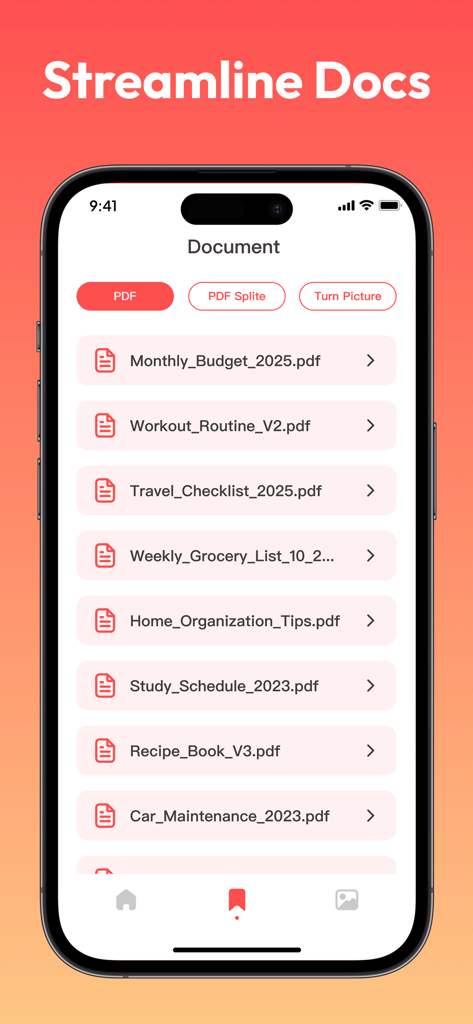
予算やワークアウトルーチンなどのドキュメントリストを表示するFlexi PDFアプリのインターフェイス

予算やワークアウトルーチンなどのドキュメントリストを表示するFlexi PDFアプリのインターフェイス

ポケットの中のプロフェッショナルPDFパワー

このアプリを際立たせるツール、 1M+ 人のユーザーが選択.

🔗

シームレスなドキュメント結合

散在するファイルやモバイルスキャンを数秒で1つのまとまったPDFに結合します。レポート、契約書、学習ノートのコンパイルに最適です。

✂️

プログレードの精密トリミング

空白の余白や不要なヘッダーを削除して、乱雑なスキャンをクリーンアップします。シンプルなボックス選択ツールで最も重要なものを強調します。

📂

スマートPDF分割

巨大なファイルから特定の章やページを即座に抽出します。大きなドキュメントを簡単に管理し、必要なセクションのみを共有します。

レビュー分析

ユーザーレビューの分析.

感情スコア

20%
ネガティブ

概要

This app receives overwhelmingly negative feedback, with users consistently reporting it as a scam due to misleading advertisements and a complete failure to deliver on its promise of free video content. Users are frustrated by constant, excessive ads and the inability to find or watch any movies or series, often being redirected to other app installations or irrelevant PDF files instead. The general consensus is that the app is fake, useless, and should not be downloaded, leading to a very low overall sentiment.

主なテーマ

Poor User Experience(25)
Misleading Advertisements/Scam(23)
Excessive Advertisements(20)
Lack of Accessible Content(18)
Data Access Concerns(1)

アプリについて

について知っておくべきこと Flexi PDF.

説明

Do you often find it difficult to handle PDF files? Flexi PDF can provide you with efficient solutions. This tool has comprehensive functions, easy operation, and can easily meet various PDF processing needs. 1. PDF Splitting: Accurately Extracting Content When faced with lengthy PDF files and the need to locate specific chapters or content, the splitting function of Flexi PDF can divide the file into independent parts according to requirements, making it easy to quickly obtain the required content and effectively improving file management efficiency. 2. PDF synthesis: Integrating multiple files In work and study, it is often necessary to summarize multiple PDF files. With the help of this tool, scattered files can be easily merged into a complete document in the specified order, achieving efficient integration of information. 3. Local PDF cropping: Remove excess parts When there are excess blank margins, headers, footers, or unnecessary content in a PDF file, use the cropping function to customize the cropping area through simple box selection operations, making the file page concise and highlighting key points. 4. Quick save and export: convenient for sharing and use After completing the above operations, Flexi PDF supports quick saving and exporting of processed files, and is compatible with multiple common formats, making it easy to transfer and use between different devices and platforms, seamlessly connecting work and learning processes. Choose Flexi PDF to experience efficient and convenient PDF processing services, easily handling various PDF processing tasks.

最新バージョン

1.0.6

サイズ

51.6 MB

リリース日

2025年4月23日

外出先でPDFをマスターする準備はできましたか?

Flexi PDFを使用して、ドキュメントを簡単に分割、結合、トリミングしている100万人以上のプロフェッショナルや学生に加わりましょう。今日のモバイルオフィスに、軽量でデスクトップグレードのツールをダウンロードしてください。

ダウンロード: App Store
FAQ

よくある質問

について知っておくべきこと Flexi PDF

Flexi PDFの主な機能は何ですか?

Flexi PDFは、PDFの分割、結合(合成)、ローカルクロッピング、および複数の一般的な形式でのクイック保存とエクスポートをサポートし、効率的なファイル管理を実現する包括的なPDF処理機能を提供します。

Flexi PDFはPDFドキュメントの分割を許可しますか?

はい、Flexi PDFには分割機能が含まれています。長いPDFファイルを独立した部分に正確に分割し、ユーザーが特定のコンテンツや章を抽出して管理効率を向上させることができます。

Flexi PDFで複数のPDFファイルを結合するにはどうすればよいですか?

Flexi PDFはPDF合成(結合)機能を提供します。ユーザーは、散在するPDFファイルを指定された順序で効率的に情報を統合しながら、単一の完全なドキュメントに簡単に結合できます。

Flexi PDFはPDFページから不要な部分を削除できますか?

はい、Flexi PDFはローカルPDFクロッピングをサポートしています。ユーザーは、簡単なボックス選択操作を通じてクロッピング領域をカスタマイズすることにより、余分な空白の余白、ヘッダー、フッター、またはその他の不要なコンテンツを削除できます。

Flexi PDFはどのファイル形式のエクスポートをサポートしていますか?

Flexi PDFは、処理されたファイルのクイック保存とエクスポートをサポートしています。複数の一般的な形式と互換性があり、さまざまなデバイスやプラットフォーム間での簡単な転送と使用を保証します。

Flexi PDFはファイルを画像に変換しますか?

はい、Flexi PDFはファイル変換用の「To Pic」機能を提供しています。この機能により、ユーザーはPDFコンテンツを画像に変換でき、さまざまなユースケースや互換性のニーズに対応できます。

App information, icons, screenshots, and descriptions displayed on this page are sourced from the Apple App Store and are the property of their respective developers. Download estimates and rankings are based on MWM's proprietary models and may not reflect actual figures. This page is provided for informational and analytical purposes only.

Believe this page infringes your intellectual property? File a dispute