Flowchart AI

Flowchart AI

ダウンロード: App Storeダウンロード: Google Play
ロゴ: Flowchart AI

Flowchart AI: アイデアを数秒でプロフェッショナルな図に変換

手作業でのレイアウトに時間を浪費するのはやめましょう。プロセスを説明するだけで、AI が洗練されたフローチャート、プロジェクトマップ、ワークフローを即座に生成します。登録不要で、現代のプロフェッショナルに純粋な生産性をもたらします。

開発元

YUKI TANAIKE

カテゴリ

Business

ダウンロード

6K+

ユーザー評価

1.0/5

評価数

0

対応言語

2

効率を実践で

このインターフェースを利用する 6K+ 人のユーザー.

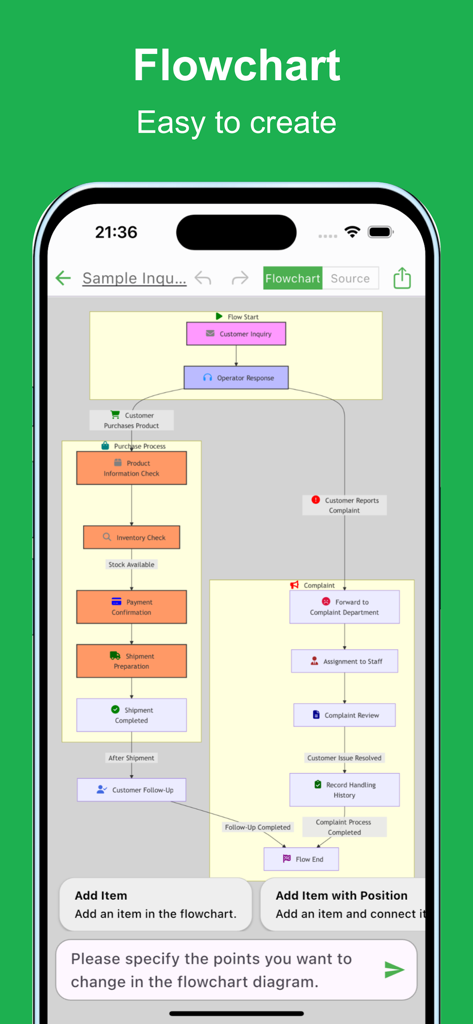
購入と苦情処理を示すフローチャートAIモバイルアプリのインターフェイスに表示される複雑なビジネスフローチャート
購入と苦情処理を示すフローチャートAIモバイルアプリのインターフェイスに表示される複雑なビジネスフローチャート

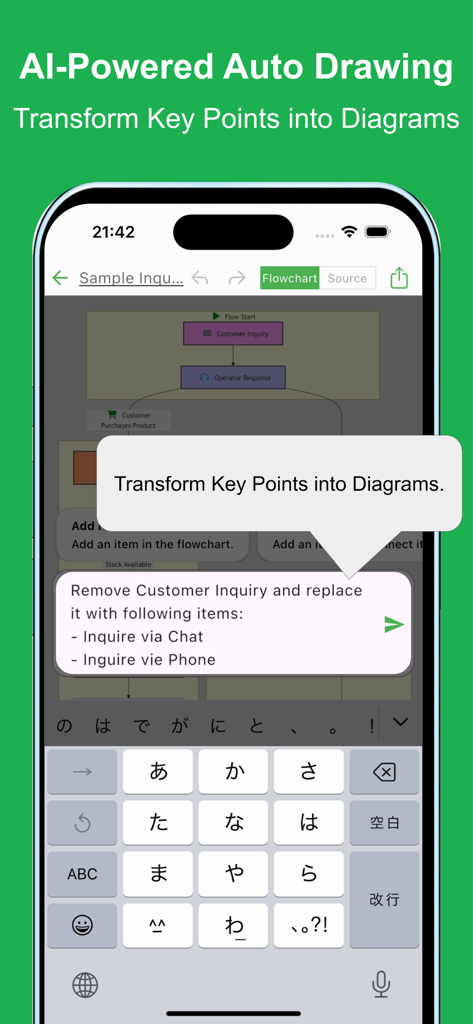
テキストプロンプトからAIパワーによる自動フローチャート生成を示すモバイルアプリのインターフェイス。
テキストプロンプトからAIパワーによる自動フローチャート生成を示すモバイルアプリのインターフェイス。

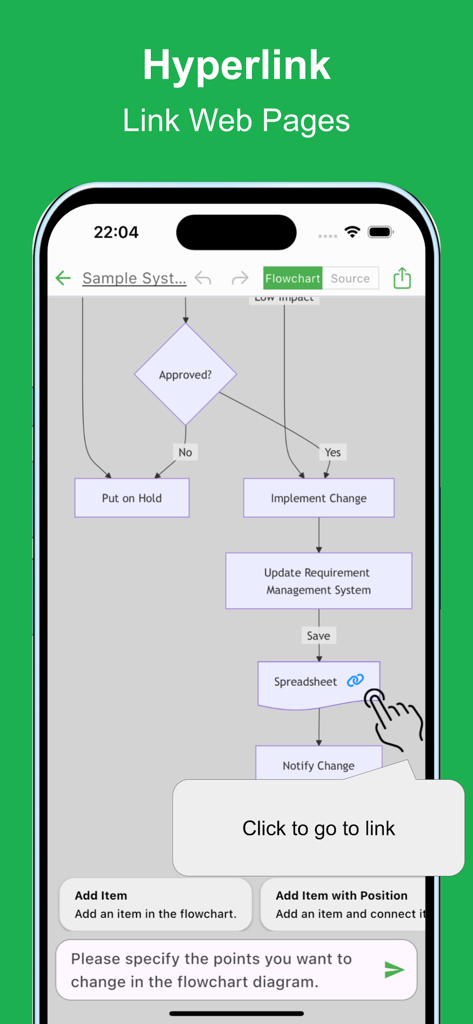
スプレッドシートへのハイパーリンクと、リンクに移動するためのクリックツールチップが表示されたフローチャートを示すモバイルアプリのインターフェイス
スプレッドシートへのハイパーリンクと、リンクに移動するためのクリックツールチップが表示されたフローチャートを示すモバイルアプリのインターフェイス

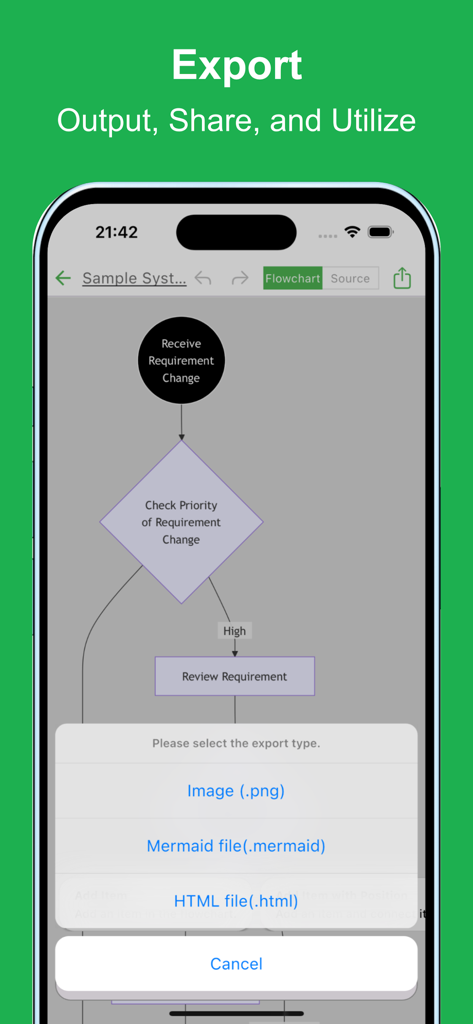
画像、Mermaidファイル、またはHTMLファイルとして保存するオプションを表示するフローチャートAIアプリのエクスポートメニュー。
画像、Mermaidファイル、またはHTMLファイルとして保存するオプションを表示するフローチャートAIアプリのエクスポートメニュー。

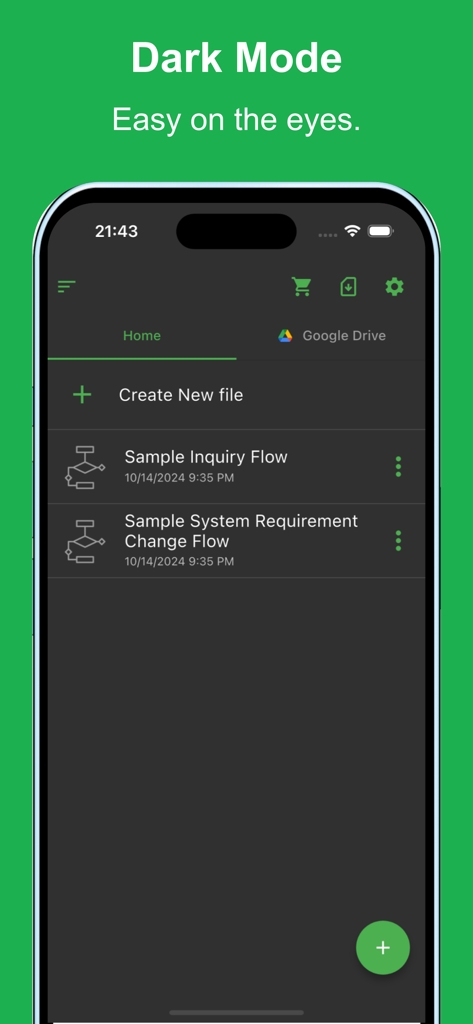
ダークモードテーマと保存されたフローチャートファイルのリストが表示されたフローチャートAIモバイルアプリのインターフェイス。

ダークモードテーマと保存されたフローチャートファイルのリストが表示されたフローチャートAIモバイルアプリのインターフェイス。

現代のプロフェッショナルのために構築

このアプリを際立たせるツール、 6K+ 人のユーザーが選択.

🤖

AI パワード自動化

生成 AI テクノロジーを使用して、ラフなアウトラインを構造化された図に即座に変換します。

🚀

ゼロ・フリクション・エントリー

登録プロセスをスキップします。アプリを開いて、すぐに作成を開始できます。

💻

開発者向けツール

Mermaid 表記にエクスポートし、Google Drive 経由で同期して、プロフェッショナルでクロスデバイスのワークフローを実現します。

アプリについて

について知っておくべきこと Flowchart AI.

説明

Creating flowcharts is crucial for organizing and visualizing processes. However, making a flowchart can be time-consuming and tedious. With this app, you can create flowcharts effortlessly using the latest AI technology. Simply describe the process you want, and the AI will automatically generate the chart. Flowchart visualization plays an important role in organizing complex ideas and ensuring that all stakeholders are on the same page. Flowcharts are used in various scenarios across industries, but the creation process can often be labor-intensive. With this app, you can generate flowcharts quickly and efficiently. Even with a rough outline, the app will automatically generate a flowchart, and you can make detailed adjustments as needed. It is used in various situations such as: - Optimizing and visualizing business processes - Managing and sharing project progress - Designing sales processes and workflows - Structuring customer support and service operations - Planning and managing projects from conception to execution - Managing new product or service launch processes - Visualizing budget planning and funding processes - Organizing internal approval flows and decision-making processes - Creating training programs and operational manuals - Planning and executing marketing strategies Please try it out whenever you need to create a flowchart. [Features] - Intuitive operability Ease of use is the most important factor. It runs smoothly, and you can intuitively edit your maps. - Ready to use You can use it immediately without registering an account. - Multi-device support It supports Google Drive integration, allowing seamless editing across multiple devices. - Export and Share You can export and share your Flowchart, and even edit them on a PC. - Import Exported files can be imported and edited. - Text-based editing Edit your Flowchart directly using Mermaid notation. - Dark theme support Since it supports a dark theme, it is also ideal for use at night.

最新バージョン

2.1.13

サイズ

62.8 MB

リリース日

2024年10月14日

描くのをやめ、AI でフローさせよう。

プロセスを視覚化する最速の方法を体験してください。登録不要です。今すぐダウンロードして、ラフなアイデアを瞬時にプロフェッショナルなフローチャートに変換しましょう。

ダウンロード: App Storeダウンロード: Google Play

App information, icons, screenshots, and descriptions displayed on this page are sourced from the Apple App Store and are the property of their respective developers. Download estimates and rankings are based on MWM's proprietary models and may not reflect actual figures. This page is provided for informational and analytical purposes only.

Believe this page infringes your intellectual property? File a dispute