Fluix Docs

Fluix Docs

ダウンロード: App Store
ロゴ: Fluix Docs

Fluix Docs:どこでもフィールドワーク、安全、コンプライアンスを効率化

モバイルファーストのチェックリスト、オフラインでのデータ収集、自動化されたワークフローで、デスクレスチームの能力を強化しましょう。ペーパーによる手間をプロフェッショナルグレードのデジタル点検に置き換え、常に監査準備を整えましょう。

ダウンロード: App Store

開発元

Readdle Technologies Limited

カテゴリ

Business

ダウンロード

31K+

ユーザー評価

4.3/5

評価数

100

対応言語

7

あなたのフィールドオフィスを可視化

このインターフェースを利用する 31K+ 人のユーザー.

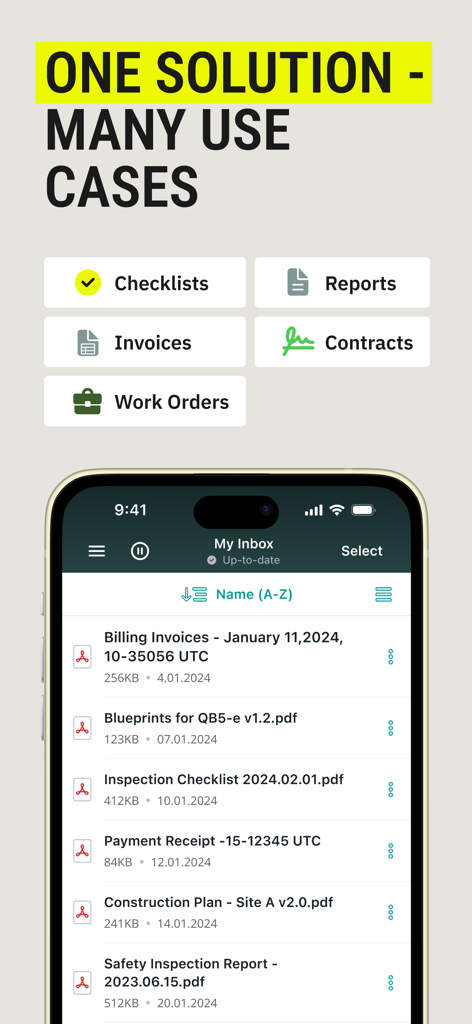
Fluix DocsアプリにドキュメントカテゴリとPDFレポートや請求書の受信トレイが表示されています

Fluix DocsアプリにドキュメントカテゴリとPDFレポートや請求書の受信トレイが表示されています

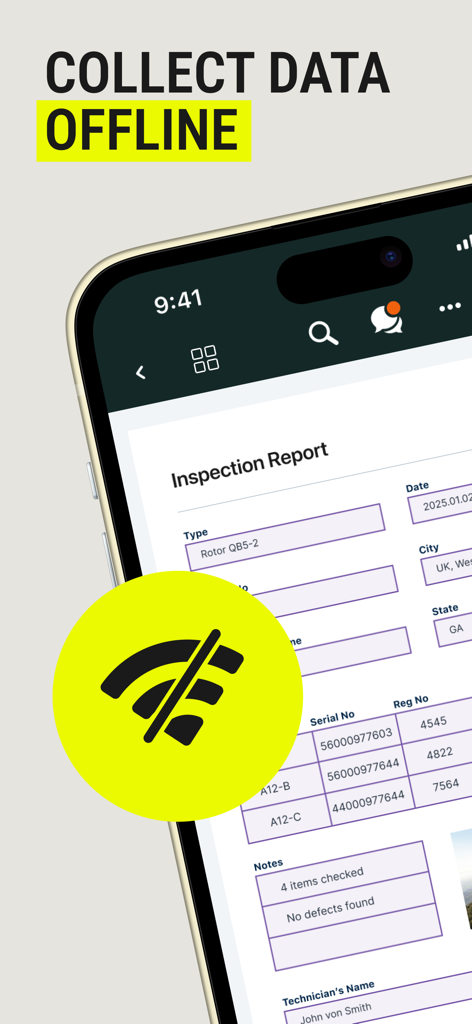
Fluix Docsモバイルアプリに、オフライン機能を示すWi-Fiなしアイコンが付いた検査レポートフォームが表示されています。

Fluix Docsモバイルアプリに、オフライン機能を示すWi-Fiなしアイコンが付いた検査レポートフォームが表示されています。

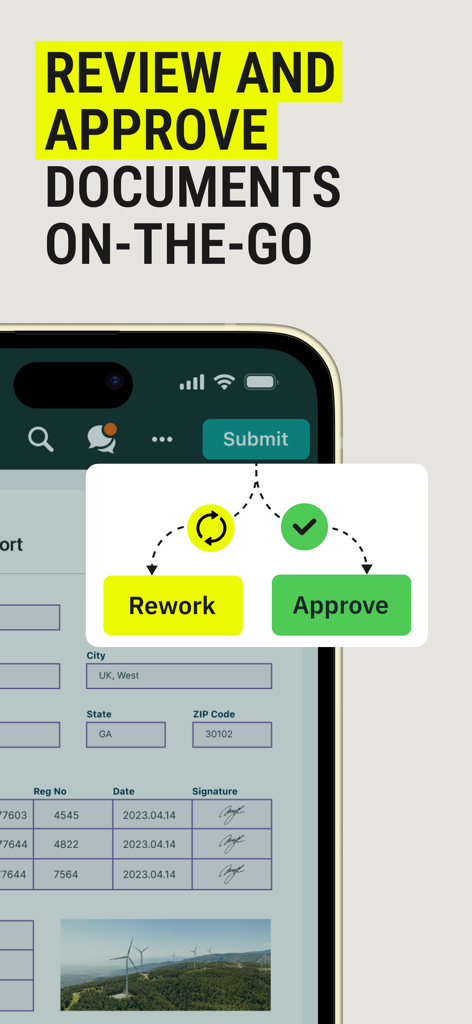
モバイルアプリのインターフェースに、再作業または承認のオプションが表示されたドキュメント承認ワークフローが表示されています

モバイルアプリのインターフェースに、再作業または承認のオプションが表示されたドキュメント承認ワークフローが表示されています

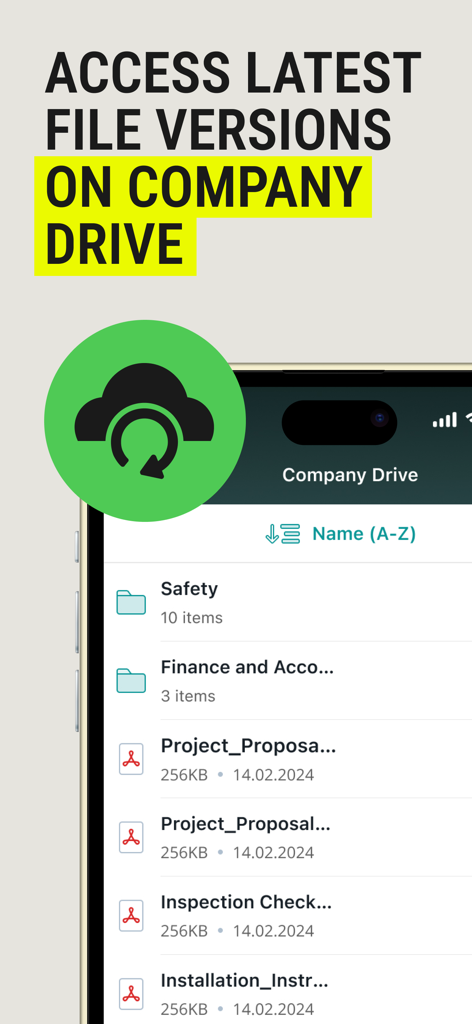
Fluix Docsアプリのインターフェースに、最新の会社ファイルバージョンとプロジェクトフォルダへのアクセスが表示されています

Fluix Docsアプリのインターフェースに、最新の会社ファイルバージョンとプロジェクトフォルダへのアクセスが表示されています

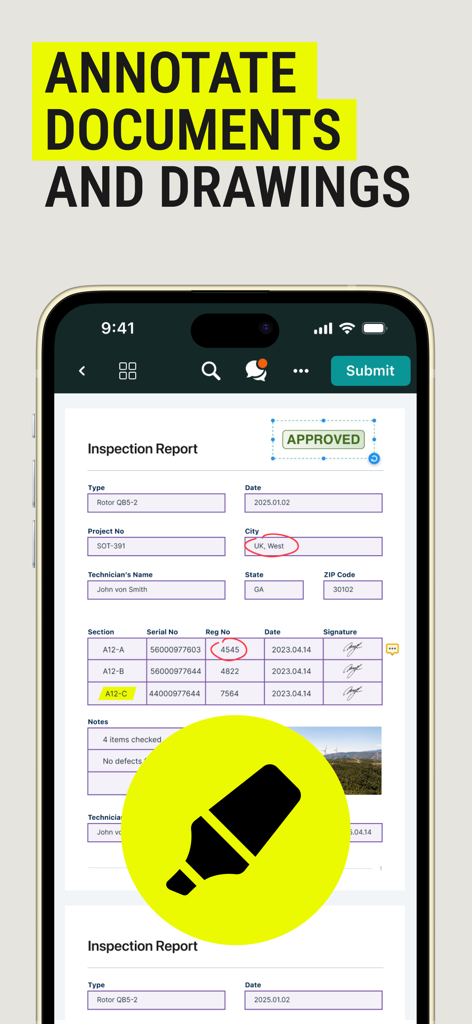
Fluix Docsモバイルアプリの画面に、デジタルドキュメント注釈と検査レポートのマークアップが表示されています。

Fluix Docsモバイルアプリの画面に、デジタルドキュメント注釈と検査レポートのマークアップが表示されています。

フィールドでの効率を向上させる

このアプリを際立たせるツール、 31K+ 人のユーザーが選択.

📵

シームレスなオフラインデータ収集

Wi-Fiがない遠隔地でも、複雑なフォームやチェックリストに記入できます。接続を再開すると、作業は自動的に同期されます。

インスタント複数ステップ承認

点検や契約を適切な関係者に自動的にルーティングし、安全な電子署名を行うことで、ボトルネックを解消します。

🛡️

監査準備の組み込み

デジタル監査証跡、ジオタグ付き写真、安全なクラウドストレージでビジネスを保護し、OSHAや規制コンプライアンスを簡素化します。

アプリについて

について知っておくべきこと Fluix Docs.

説明

Fluix is a mobile-first platform that helps field teams work faster, safer, and stay compliant - even offline. Easily fill out checklists, collect data, complete tasks, and collaborate in real time. Automate workflows like safety management, inspections, and training for full visibility at every stage. Instantly generate and share professional reports with internal and external stakeholders - all in one streamlined platform. KEY FEATURES: • Digital checklists and mobile data collection with an offline mode • Drawings, annotations, and comments • Geolocation, timestamps & photo documentation • Workflow automation with multi-step approvals • Real-time notifications & reminders • Non-conformance reporting • File version control and audit trails • Document history and document management • External user access for vendors and contractors • Cloud storage with form recovery options • Reports by collected data and account performance • Built-in integrations • Secure access with role-based permissions and SSO USE CASES: SAFETY MANAGEMENT • Conduct mobile safety inspections and audits • Collect data with gadgets in the field • Report incidents and near-misses with photos and notes • Distribute safety protocols and SOPs • Access and manage safety documentation in the field • Complete risk assessments and job hazard analyses • Assign and monitor corrective and preventive actions INSPECTION MANAGEMENT • Replace paper forms with mobile-ready digital templates • Automate and standardize inspections • Perform inspections on-site, even offline • Document issues instantly using photos, geotags and notes • Schedule inspections and automate reminders • Analyze inspection data to identify trends and risks • Generate and share professional inspection reports with stakeholders FIELD COMPLIANCE • Track completion of required forms, checklists, and audits • Ensure teams follow SOPs, safety standards, and regulatory guidelines • Capture and submit compliance data directly from the field • Automatically route documents for review and approval • Maintain version control and access history for audit readiness • Flag and follow up on non-compliance issues with corrective actions • Store compliance records securely with cloud backup TRAINING • Use editable templates or import your own training content • Distribute training manuals and SOPs • Automate training workflows • Track who’s completed training • Stay audit-ready with up-to-date training records • Set expiration dates for certifications and schedule re-training • Provide role-based access to training content APPROVAL MANAGEMENT • Create multi-step approval workflows • Route documents and tasks automatically • Set automated reminders to prevent delays • Track approval status in real time • Capture e-signatures • Maintain a full audit trail of all approval actions • Speed up approvals while reducing manual follow-ups CONTRACT MANAGEMENT • Digitize contract forms and template • Automatically prefill contract forms with existing data • Assign roles and permissions to manage edits • Track version history and document changes • Collect e-signatures on-site or remotely • Store contracts securely • Ensure compliance with regulated document retention policies Fluix is designed for teams in construction, aviation, energy, HVAC, and other field-intensive industries. It fits both small businesses and large enterprises, offering scalable solutions to fit complex and unique workflows. The platform is ISO 27001 and SOC2 certified, ensuring secure and compliant data handling.

最新バージョン

4.7

サイズ

69.4 MB

リリース日

2014年7月10日

ペーパーをなくし、フィールドオペレーションをマスターする準備はできましたか?

安全でオフライン対応の点検と自動化されたワークフローのためにFluix Docsを信頼する何千人ものフィールド専門家にご参加ください。今日、完全なコンプライアンスと効率への第一歩を踏み出しましょう。

ダウンロード: App Store
FAQ

よくある質問

について知っておくべきこと Fluix Docs

Fluix Docsとは何ですか?

Fluix Docsは、フィールドチームがチェックリストを管理し、データを収集し、ワークフローを自動化し、オフラインでもレポートを生成できるように設計されたモバイルファーストのプラットフォームです。さまざまな業界の業務を効率化します。

Fluix Docsはオフラインでのデータ収集をサポートしていますか?

はい、Fluix Docsはオフラインでのデータ収集をサポートしています。フィールドチームは、インターネット接続なしでチェックリストに簡単に記入し、情報を収集できるため、継続的な生産性を確保できます。

ユーザーはFluix Docs内でドキュメントに注釈を付けられますか?

はい、Fluix Docsでは、プラットフォーム内で直接ドキュメントや図面に注釈を付けることができます。この機能により、コラボレーションが強化され、さまざまなファイルに対する明確なフィードバックが得られます。

Fluix Docsはドキュメントの承認をどのように管理しますか?

Fluix Docsは、複数ステップの承認ワークフローを自動化します。ドキュメントとタスクをルーティングし、リマインダーを設定し、ステータスを追跡し、電子署名をキャプチャして、承認プロセスを迅速化します。

Fluix Docsは大企業に適していますか?

はい、Fluix Docsは中小企業と大企業の両方に対応しています。さまざまなフィールド集約型の業界で、複雑でユニークなワークフローに適合するように設計されたスケーラブルなソリューションを提供します。

Fluix Docsはどのようなセキュリティ認証を取得していますか?

Fluix DocsはISO 27001およびSOC2認証を取得しています。これにより、すべてのユーザーに対して安全で準拠したデータ処理が保証され、国際的に認められたセキュリティ基準が遵守されます。

Fluix Docsは契約管理に使用できますか?

はい、Fluix Docsは包括的な契約管理機能を提供します。ユーザーはフォームをデジタル化し、データを事前入力し、バージョンを追跡し、電子署名を収集し、契約を安全に保存できます。

Fluix Docsはファイルバージョン管理を提供していますか?

はい、Fluix Docsにはファイルバージョン管理と監査証跡が含まれています。この機能により、ドキュメントの変更履歴が維持され、ユーザーは常に最新バージョンにアクセスできます。

Fluix Docsはどのような種類のレポートを生成できますか?

Fluix Docsは、収集されたデータとアカウントのパフォーマンスに基づいてプロフェッショナルなレポートを生成します。また、検査、安全、請求書、領収書などの特定のレポートもサポートしています。

Fluix Docsは外部ユーザーのアクセスを許可しますか?

はい、Fluix Docsはベンダーや請負業者に外部ユーザーのアクセスを許可します。この機能により、外部のステークホルダーとのコラボレーションと情報共有が安全に促進されます。

App information, icons, screenshots, and descriptions displayed on this page are sourced from the Apple App Store and are the property of their respective developers. Download estimates and rankings are based on MWM's proprietary models and may not reflect actual figures. This page is provided for informational and analytical purposes only.

Believe this page infringes your intellectual property? File a dispute