Flyer Maker · Poster Maker

Flyer Maker · Poster Maker

ダウンロード: App Store
ロゴ: Flyer Maker · Poster Maker

フライヤーメーカー · ポスターメーカー:数分でプロフェッショナルなビジュアルをデザイン

5,000以上の見事なテンプレートで、あなたのブランドや副業を格上げしましょう。デザインスキル不要で、インパクトのあるフライヤー、映画ポスター、ソーシャルメディアコンテンツをiPhoneから直接作成できます。

ダウンロード: App Store

開発元

Tausif Akram

カテゴリ

Graphics & Design

ダウンロード

503K+

ユーザー評価

4.5/5

評価数

900

対応言語

33

際立つビジュアル

このインターフェースを利用する 503K+ 人のユーザー.

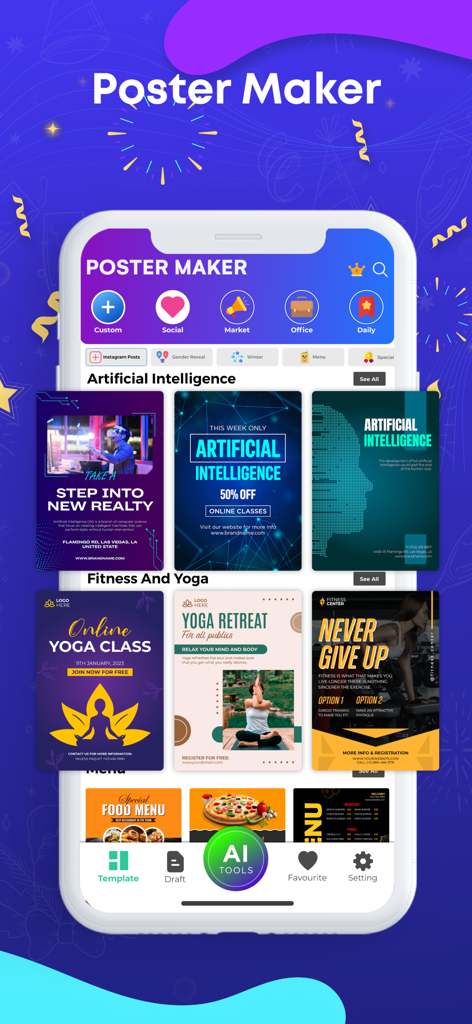
ビジネスやソーシャルメディア向けの様々なデザインテンプレートを表示するポスターメーカーアプリのインターフェースを示すスマートフォン画面
ビジネスやソーシャルメディア向けの様々なデザインテンプレートを表示するポスターメーカーアプリのインターフェースを示すスマートフォン画面

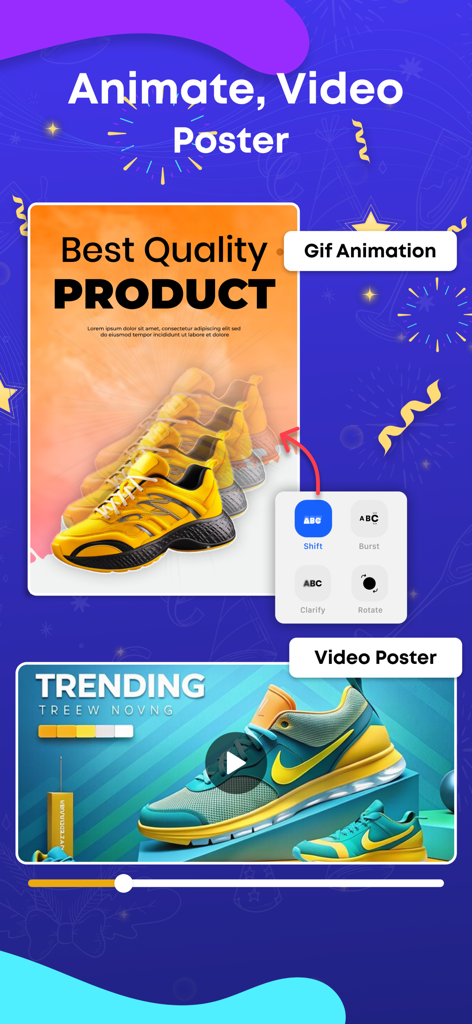
スニーカーをフィーチャーした製品広告用の動画ポスターを作成する方法を示すインターフェース
スニーカーをフィーチャーした製品広告用の動画ポスターを作成する方法を示すインターフェース

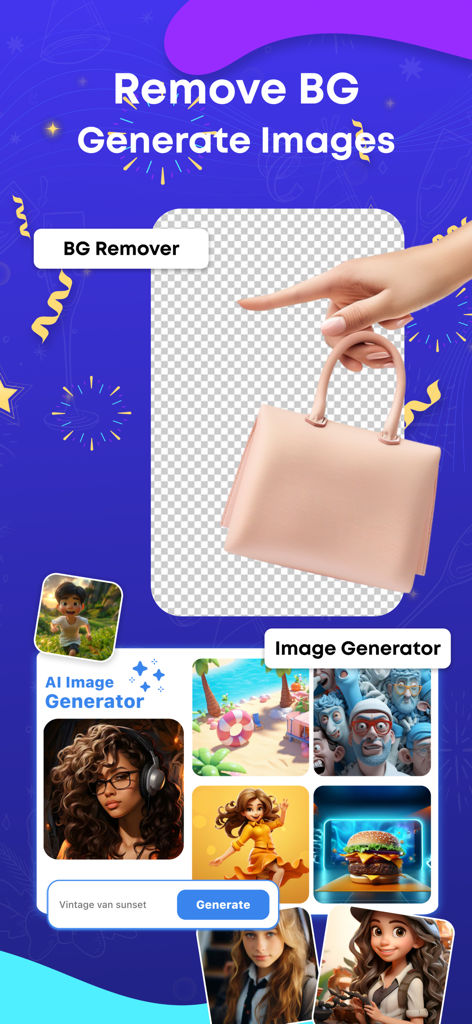
製品の背景削除とクリエイティブなサンプルを備えたAI画像ジェネレーターを示すアプリ画面
製品の背景削除とクリエイティブなサンプルを備えたAI画像ジェネレーターを示すアプリ画面

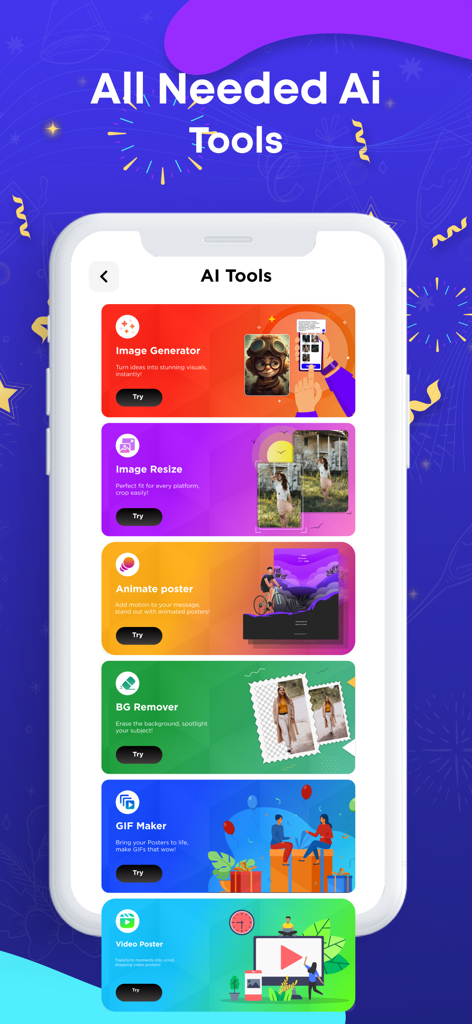
画像ジェネレーターや背景リムーバーなどの様々なAIツールを示すフライヤーメーカーアプリのインターフェース
画像ジェネレーターや背景リムーバーなどの様々なAIツールを示すフライヤーメーカーアプリのインターフェース

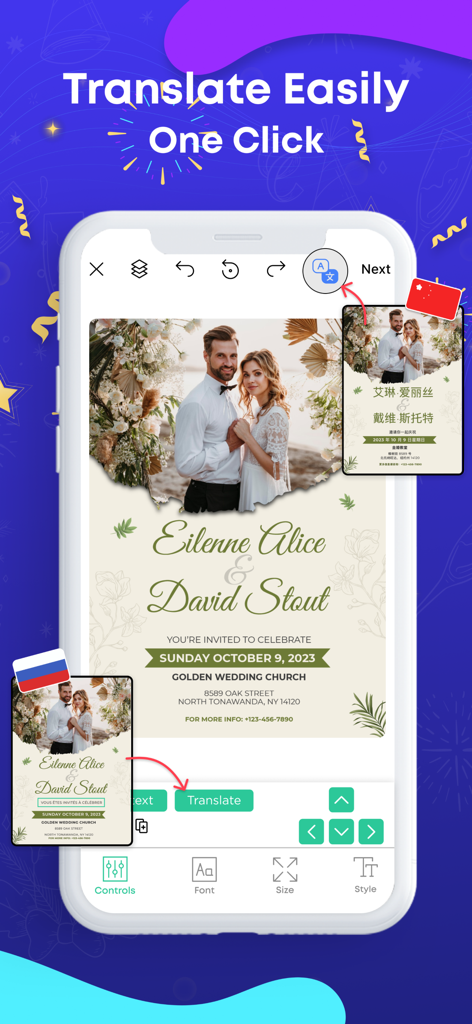
結婚式の招待状のワンクリック翻訳機能を実演するポスターメーカーアプリのインターフェース
結婚式の招待状のワンクリック翻訳機能を実演するポスターメーカーアプリのインターフェース

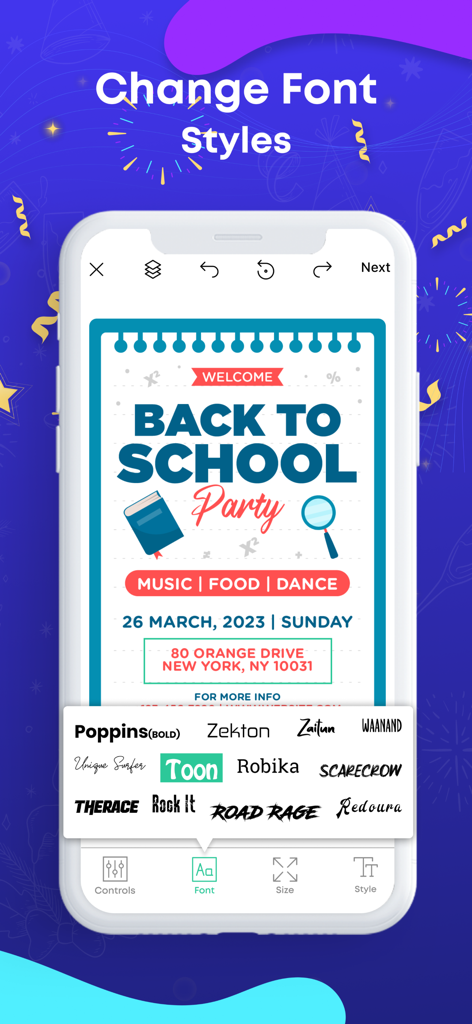
「Back to School Party」ポスターテンプレートの様々なフォント選択オプションを示すフライヤーメーカーアプリのインターフェース
「Back to School Party」ポスターテンプレートの様々なフォント選択オプションを示すフライヤーメーカーアプリのインターフェース

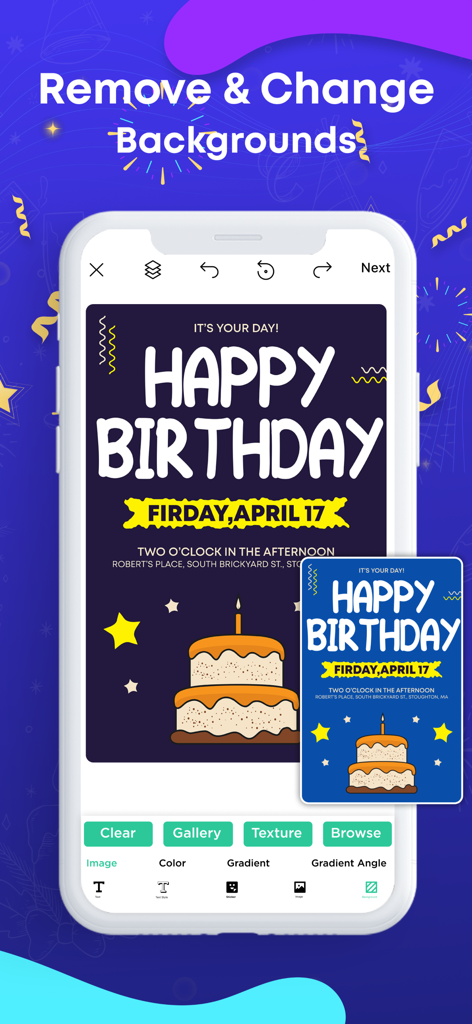
誕生日ポスターテンプレートの背景削除とカスタマイズを示すモバイルアプリのインターフェース
誕生日ポスターテンプレートの背景削除とカスタマイズを示すモバイルアプリのインターフェース

様々なソーシャルメディアプラットフォームでのフィットネスポスターのリサイズおよび共有機能を示すフライヤーメーカーアプリのスクリーンショット
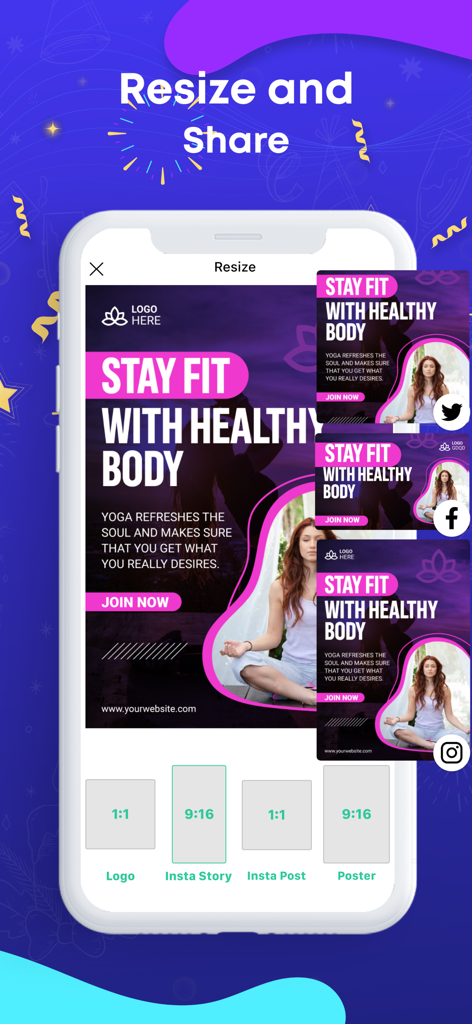
様々なソーシャルメディアプラットフォームでのフィットネスポスターのリサイズおよび共有機能を示すフライヤーメーカーアプリのスクリーンショット

カスタム2025年のお祝い用壁紙デザインを表示するiPhone画面
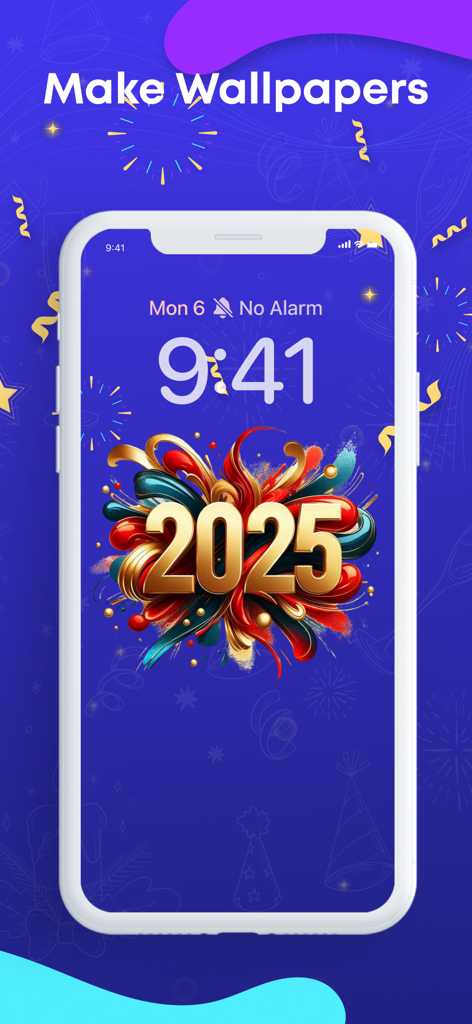
カスタム2025年のお祝い用壁紙デザインを表示するiPhone画面

ポスター用の様々な背景画像やテクスチャのライブラリを示すフライヤーメーカーアプリの画面

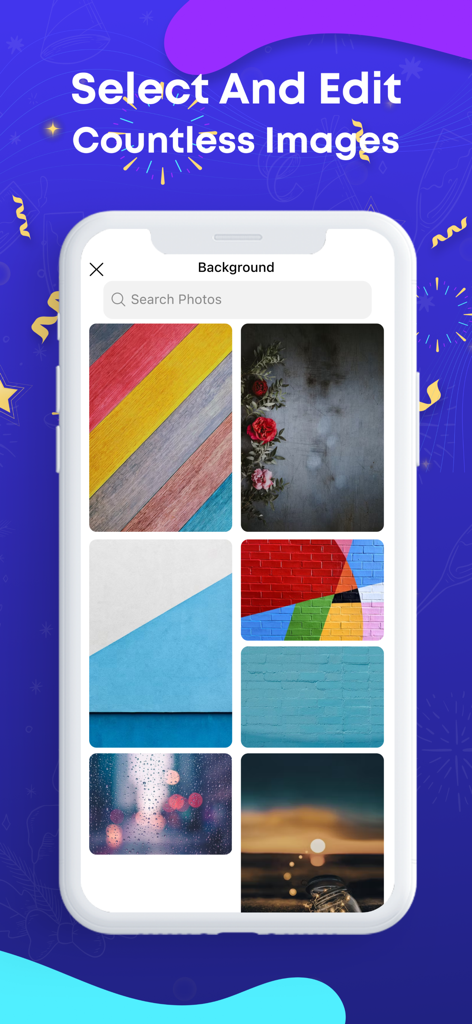
ポスター用の様々な背景画像やテクスチャのライブラリを示すフライヤーメーカーアプリの画面

経験不要、プロのようにデザイン

このアプリを際立たせるツール、 503K+ 人のユーザーが選択.

🖼️

5,000以上のプロテンプレート

ゼロから始める必要はありません。あらゆるイベント、フラッシュセール、コミュニティプロジェクトのための膨大な高品質テンプレートライブラリを閲覧できます。

🛠️

シンプルな編集ツール

数回のタップで、写真に文字を追加したり、色を入れ替えたり、独自の画像を取り込んだりして、あらゆるデザインをあなただけのものにできます。

📲

インスタントソーシャル共有

作成したものを高品質でダウンロードし、Instagram、Facebook、または地域のコミュニティグループに直接共有できます。

レビュー分析

ユーザーレビューの分析.

感情スコア

27%
ネガティブ

概要

This app receives mixed feedback, with many users praising its ease of use and the availability of creative templates for designing posters and flyers. However, a significant number of critical reviews highlight severe issues, primarily concerning billing and subscriptions, where users report being charged for trials, subscriptions not being recognized, and difficulties with cancellation. The app is also frequently criticized for instability, including crashing during use and leading to data loss, alongside a general lack of essential usability features like copy/paste, text size/color changes, and comprehensive tutorials. Additionally, some users experience the app not opening or getting stuck after updates, and report poor customer support responsiveness.

主なテーマ

Subscription & Billing Issues(18)
Ease of Use(10)
Missing Features & Usability(8)
Crashing & Data Loss(7)
Templates & Creative Options(4)
Customer Support(3)

アプリについて

について知っておくべきこと Flyer Maker · Poster Maker.

説明

Poster Maker iOS App Using well-designed posters is becoming increasingly important in this competitive digital world. Posters, being an integral medium for advertisement and promotions, contain immense value for businesses. Just like many other people, you may also like to design posters on your own. For this purpose, we have brought the poster maker app to meet your needs. Whether you want to promote a product, service, or event, our brilliant poster maker machine has got you covered. With over 5000 poster templates in multiple categories, you can find the perfect poster design in this app that matches your requirements. Write on Photos with Ease When you create posters on your own, you often face difficulty in writing on them. You need the perfect text editing tools to execute this task efficiently. If you are struggling to write on photos, then you don’t need to worry anymore. The poster maker app allows you to write on photos with ease. How to Use a Poster Maker App? You don’t need to follow any intricate procedure to use the poster maker app. It allows you to create a poster design by following the simple steps given below: Firstly, select a poster template from the available options. After choosing a poster design, customize it as per your requirements. Finally, tap the save button to download the poster design on your device in desired quality. How to Change the Font Color on Poster Maker? You can change the font color on this poster maker app quite easily. On the selected poster template, you can simply tap the text on which you need to change color. Once it’s selected, the editing options will appear in the bottom bar. How Do You Add Photos on Poster Maker? You can add photos on poster maker through its import feature. The import feature is available to add photos of backgrounds or shapes. Types of Posters You Can Create with Poster Maker The poster maker covers a wide range of needs through its remarkable poster templates. Wanted The wanted poster maker provides you with a way to have fun with friends. You can create a wanted poster by adding a photo of your friend and share it easily on social media platforms. It will help you make your friends laugh through this witty poster idea. Movie Are you going to organize a movie night at your institute? If yes, then there won’t be a better way to spread its word by designing a stunning poster with our movie poster maker. The movie poster templates can help you make your movie night a success. Custom Our custom poster maker allows you to ditch the usage of templates and create a custom poster from scratch. Even if you choose this option for creating posters, it won’t take more than 15 minutes to complete this job on this canvas poster maker. The paid subscription plans for our Poster Maker application are offered in the following ways: — Weekly Subscription — Monthly Subscription with a 3-day free trial — Yearly Subscription Note: The price for each plan may vary according to the country from where a user gets subscribed. The actual cost of the plan may get converted to the currency of the country you’re residing in. Payment will be charged to your iTunes account at confirmation of purchase. Your subscription will automatically renew unless auto-renew is turned off at least 24-hours before the end of the current subscription period. Your account will be charged for renewal within 24-hours prior to the end of the current subscription period. Automatic renewals will cost the same price you were originally charged for the subscription. You can manage your subscriptions and turn off auto-renewal by going to your Account Settings on the App Store after purchase. Read our terms of service and Privacy Policy for more information. Privacy policy: https://contentarcade.com/poster-maker-privacy Terms of use: https://www.contentarcade.com/poster-maker-terms

最新バージョン

9.9

サイズ

319.5 MB

リリース日

2020年11月3日

ブランディングをレベルアップしませんか?

50万人以上のクリエイターや中小企業オーナーに参加しましょう。今すぐダウンロードして、15分以内にアイデアをプロフェッショナルなフライヤーに変えましょう。

ダウンロード: App Store

App information, icons, screenshots, and descriptions displayed on this page are sourced from the Apple App Store and are the property of their respective developers. Download estimates and rankings are based on MWM's proprietary models and may not reflect actual figures. This page is provided for informational and analytical purposes only.

Believe this page infringes your intellectual property? File a dispute