Forex Strength Meter - Pro
ダウンロード: App Store

このページはアプリまたはその開発者の公式ページではなく、情報提供および論評を目的として作成された独立した編集出版物です。明示的に別段の記載がない限り、アプリおよびその開発者は、MWM、Apple、Google Play、アプリのパブリッシャー、またはアプリの開発者と提携、承認、後援、認可、またはその他の公式的な関係はなく、このページのいかなる内容も、アプリがMWMのサービスを使用して開発されたことを意味するものではありません。すべての商標、ロゴ、スクリーンショット、その他のコンテンツはそれぞれの所有者の財産です。


ロゴ: Forex Strength Meter - Pro
ダウンロード: App Store

Forex Strength Meter - Pro

リアルタイムの通貨強弱フィード、高度なチャート、プロレベルのアラートで、高確率のセットアップを即座に特定。探していた分析力でiPhoneから市場をマスターしましょう。

主要数値

ダウンロード

12K+

ユーザー評価

4.6/5

評価数

100

開発元

QM4 Investing Pty Ltd

カテゴリ

Finance

対応言語

1

最新バージョン

3.2.1

サイズ

121.3 MB

リリース日

2019年9月29日
機能

高確率のセットアップを特定

目隠しで取引するのはやめましょう。当社のプロレベルのストレングスメーターは、複雑な通貨相関を複数の時間枠にわたる実行可能なデータポイントに集約し、プロのデスクのような優位性を提供します。

ライブ通貨強弱

0〜10の正確なスコアリングシステムで、どの通貨が優勢でどの通貨が遅れているかをリアルタイムで低遅延で確認できます。

マルチタイムフレーム分析

6つの異なる時間枠で戦略を同期させましょう。プロのバーチャートとラインチャートを使用して、資本をリスクにさらす前にトレンドと相関を確認します。

以下のスクリーンショットと説明は、アプリの公式ストアリスティングから直接取得されたものであり、アプリ開発者の所有物です。

アプリストア

スクリーンショット
Forex Strength Meter - Pro - ダークテーマのインターフェースで、主要な外国為替ペアのリアルタイム通貨強弱ラインチャート
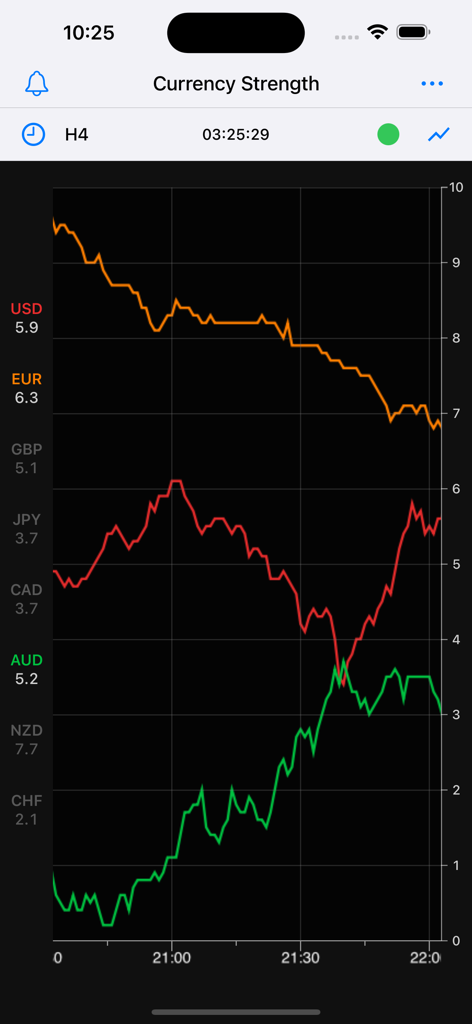
ダークテーマのインターフェースで、主要な外国為替ペアのリアルタイム通貨強弱ラインチャート

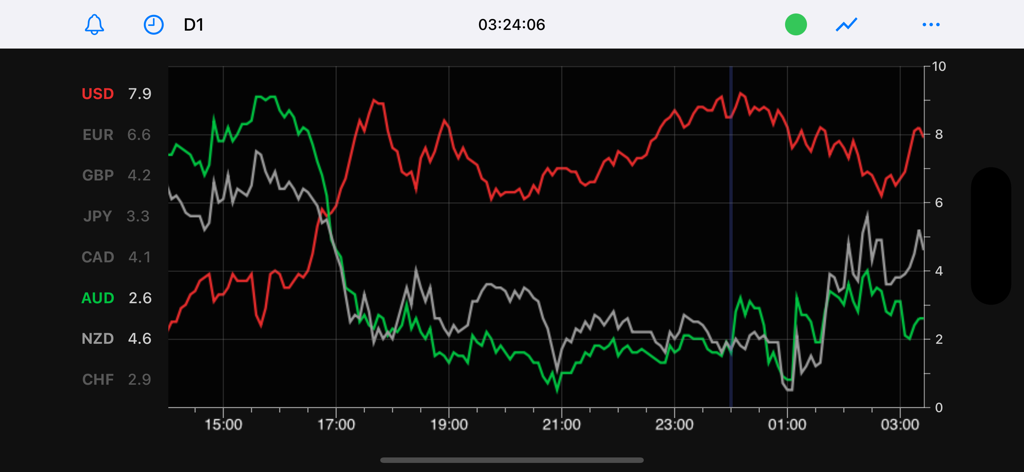
Forex Strength Meter - Pro - ダークインターフェースで、主要通貨の相対通貨強弱を示すForex Strength Meter Proアプリのラインチャート
ダークインターフェースで、主要通貨の相対通貨強弱を示すForex Strength Meter Proアプリのラインチャート

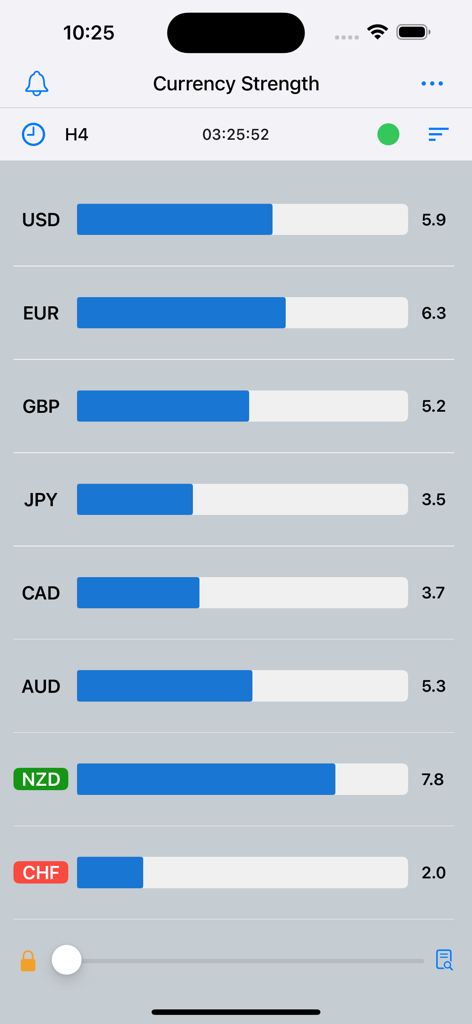
Forex Strength Meter - Pro - H4時間枠で主要な外国為替ペアの相対強弱バーを示す通貨強弱メーター

H4時間枠で主要な外国為替ペアの相対強弱バーを示す通貨強弱メーター

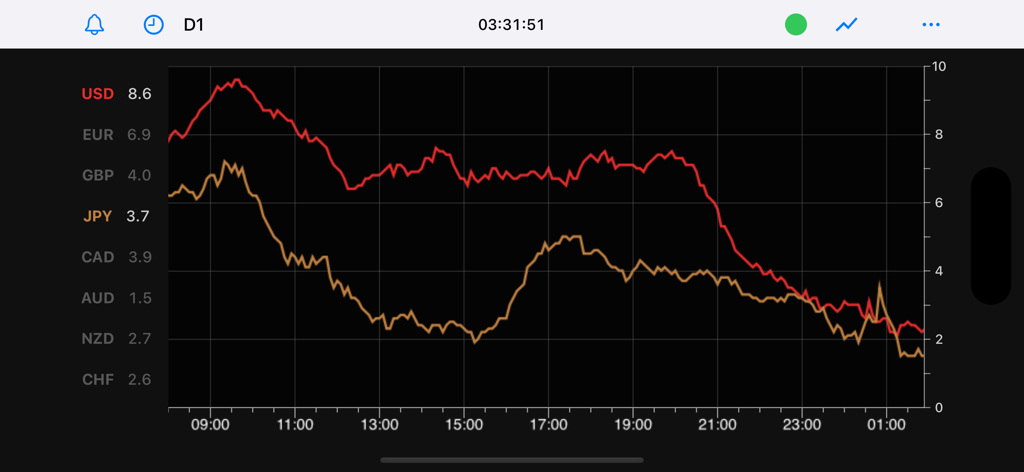
Forex Strength Meter - Pro - USDおよびJPYの通貨強弱トレンドを示すラインチャート

USDおよびJPYの通貨強弱トレンドを示すラインチャート

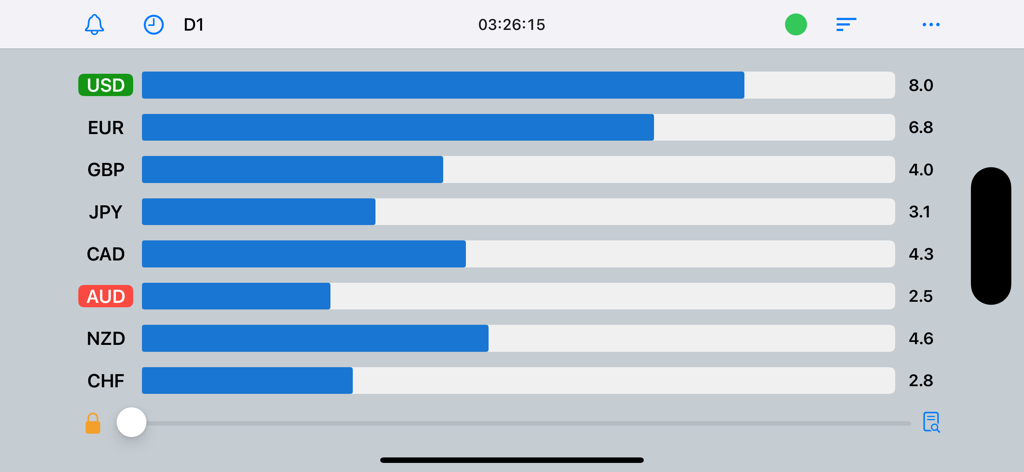
Forex Strength Meter - Pro - Forex Strength Meter Proアプリのバーチャート表示。ゼロから10のスケールで主要なグローバル通貨の相対強弱を示す
Forex Strength Meter Proアプリのバーチャート表示。ゼロから10のスケールで主要なグローバル通貨の相対強弱を示す

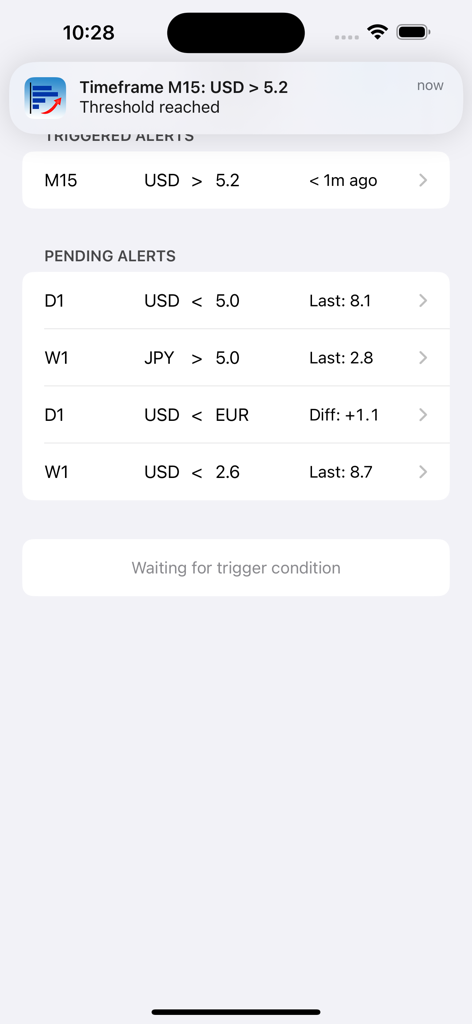
Forex Strength Meter - Pro - トリガーされたおよび保留中の通貨アラートを示すForex Strength Meter Proアプリのインターフェース
トリガーされたおよび保留中の通貨アラートを示すForex Strength Meter Proアプリのインターフェース

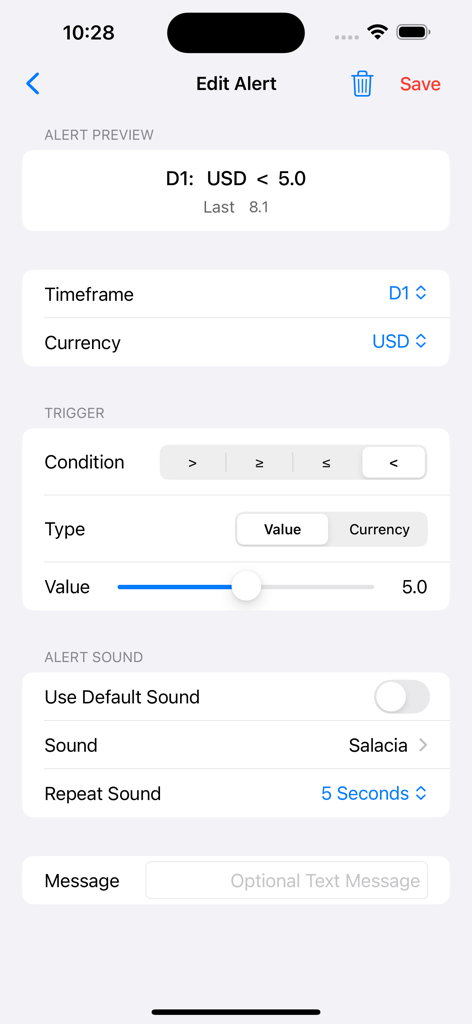
Forex Strength Meter - Pro - Forex Strength Meter Proアプリで通貨強弱アラートを編集する画面
Forex Strength Meter Proアプリで通貨強弱アラートを編集する画面

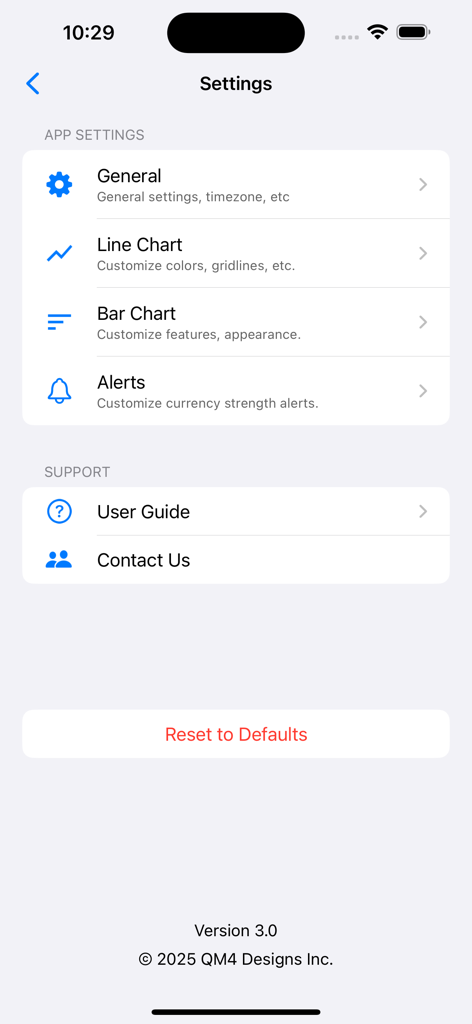
Forex Strength Meter - Pro - チャートとアラートのカスタマイズオプションを示すForex Strength Meter Proアプリの設定画面
チャートとアラートのカスタマイズオプションを示すForex Strength Meter Proアプリの設定画面

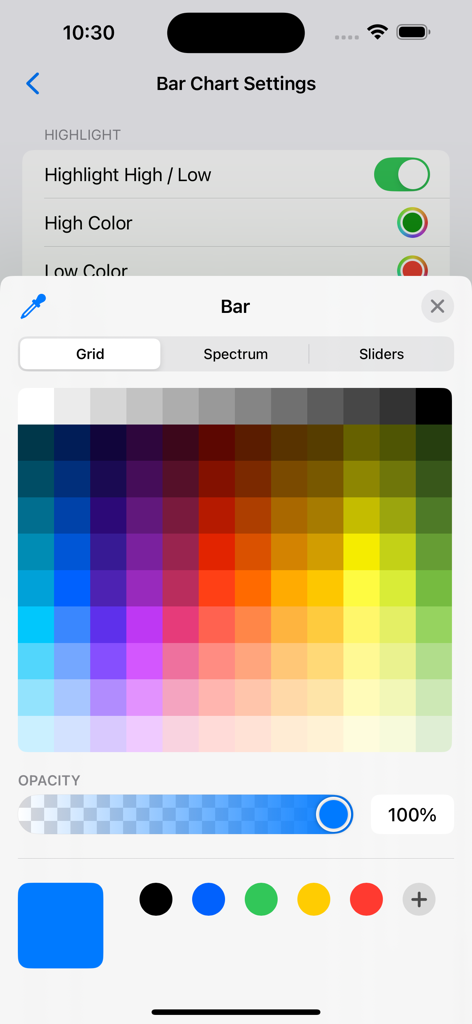
Forex Strength Meter - Pro - Forex Strength Meter Proアプリのバーチャート設定をカスタマイズするためのカラーピッカーインターフェース
Forex Strength Meter Proアプリのバーチャート設定をカスタマイズするためのカラーピッカーインターフェース

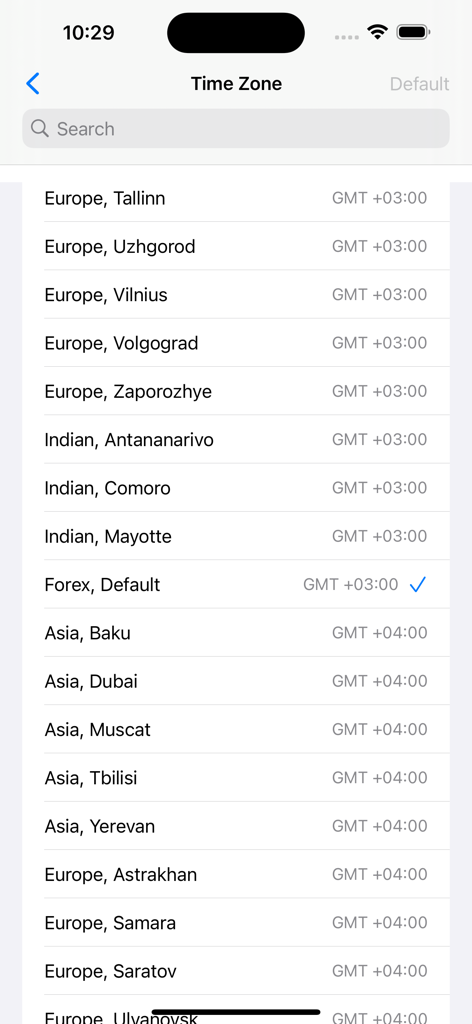
Forex Strength Meter - Pro - GMTオフセット付きのForex Strength Meterアプリのタイムゾーン選択画面

GMTオフセット付きのForex Strength Meterアプリのタイムゾーン選択画面

説明

Improve your Forex trading with this full featured Currency Strength Meter. Features a fast, accurate currency strength data feed, bar charting, line charting, currency strength alerts, multiple time-frames plus much more. 3-Day Free Trial This is a premium App, but we’re currently offering a free trial. The free trial gives you access to a full version of the App. There are no ads, or other limitations. You can cancel the trial at any time from your iTunes account. There'll be no charge if you cancel before the free trial ends. What is Currency Strength? Currency strength is a popular indicator used by Forex traders to make sense of price moves in the Forex market. It takes advantage of price correlation between various Forex pairs. Currency strength is measured for 8 currencies (USD, JPY, EUR, GBP, AUD, NZD, CHF & CAD) and is reported on a scale of 0 (weakest) to 10 (strongest). Currency strength data provides the trader with important insights into the forces at play causing a move on a particular Forex pair. For example, if GBP/USD suddenly trends upwards following an economic news announcement (e.g. US Non-Farm Payroll), the currency strength values would immediately indicate whether the move was due to generalized GBP strength or USD weakness. Features: Quality streaming data feed: fast updates, low latency, accurate currency strength data. 6 currency strength time-frames. Bar Charting: multiple time-frames, history look-back feature, real-time max/min highlighting. Line Charting: multiple time-frames, pinch & zoom, pan gestures. Customisable. Alerts: trigger on an absolute value or cross for any currency or time-frame. Extensive Settings e.g alerts sounds, colors, time-zone etc. Built-in Help / User Guide. Priority Support: contact us directly from within the App. Full portrait and landscape mode support. Works great on a wide range of screen sizes FAQ’s 1. Does this App Require an iTunes Subscription? Yes. We have multiple subscription options with different durations. Each subscription has a Free Trial Period. The idea is to give you time to decide whether the App will help you with your trading. You can easily cancel your subscription at any time directly from your iTunes account. 2. How do I cancel my subscription? Very easy.  To cancel your subscription open the App Store app on your device, click your profile icon, go to Manage Subscription and press Cancel on the subscription. Cancelling a subscription prevents all future payments, but you can still use the App for the remainder of the trial or subscription period. 3. How do I start a Free Trial? When you run the App for the first time you’ll be asked whether you want to start a free trial. Just follow the prompts. 4. If I cancel my subscription can I re-subscribe latter on? Yes. When you start the App again you’ll be asked if you want to re-subscribe. Just follow the prompts and the App will automatically reactivate. Privacy Policy: https://iphone.currencystrengthmeter.net/privacy/ Terms of Use: https://iphone.currencystrengthmeter.net/terms/

Download

ダウンロード: App Store

このページはアプリまたはその開発者の公式ページではなく、情報提供および論評を目的として作成された独立した編集出版物です。明示的に別段の記載がない限り、アプリおよびその開発者は、MWM、Apple、Google Play、アプリのパブリッシャー、またはアプリの開発者と提携、承認、後援、認可、またはその他の公式的な関係はなく、このページのいかなる内容も、アプリがMWMのサービスを使用して開発されたことを意味するものではありません。すべての商標、ロゴ、スクリーンショット、その他のコンテンツはそれぞれの所有者の財産です。