Frame Screenshots: Shareshot
ダウンロード: App Store

このページはアプリまたはその開発者の公式ページではなく、情報提供および論評を目的として作成された独立した編集出版物です。明示的に別段の記載がない限り、アプリおよびその開発者は、MWM、Apple、Google Play、アプリのパブリッシャー、またはアプリの開発者と提携、承認、後援、認可、またはその他の公式的な関係はなく、このページのいかなる内容も、アプリがMWMのサービスを使用して開発されたことを意味するものではありません。すべての商標、ロゴ、スクリーンショット、その他のコンテンツはそれぞれの所有者の財産です。

ロゴ: Frame Screenshots: Shareshot
ダウンロード: App Store

Frame Screenshots: Shareshot

ピクセルパーフェクトなビジュアルアセットにスクリーンショットを数秒で変換します。開発者、デザイナー、Appleパワーユーザー向けにカスタマイズされた受賞歴のあるデザイン。

主要数値

ダウンロード

12K+

ユーザー評価

4.6/5

評価数

100

開発元

Montana Floss Co. Ltd.

カテゴリ

Graphics & Design

対応言語

1

最新バージョン

1.4.2

サイズ

134.9 MB

リリース日

2024年8月13日
機能

数秒でプロフェッショナルなビジュアルを

生の、洗練されていないスクリーンショットの共有はやめましょう。Shareshotは、フォロワーやクライアントを感動させるように設計された、忠実度の高いApple対応アセットにキャプチャを変換します。

パワーユーザー自動化

Siriショートカットとバッチ処理を活用して、数十枚のスクリーンショットを瞬時にフレーム化します。次のアプリのローンチやポートフォリオの更新に最適です。

ピクセルパーフェクトな精度

画像が伸びたり、トリミングが不格好になったりすることはありません。フレームはデバイスの解像度に自動的に一致し、常に鮮明でハイエンドな仕上がりになります。

以下のスクリーンショットと説明は、アプリの公式ストアリスティングから直接取得されたものであり、アプリ開発者の所有物です。

アプリストア

スクリーンショット
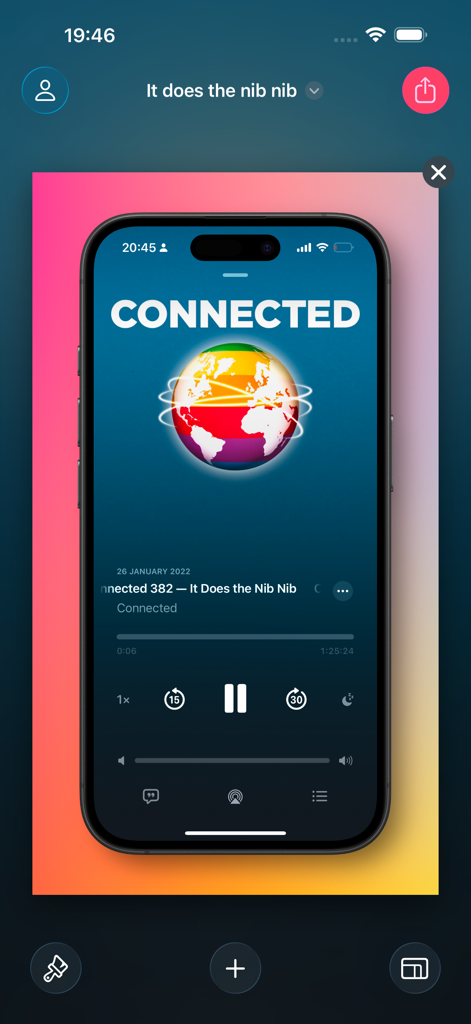
Frame Screenshots: Shareshot - 鮮やかなピンクと黄色のグラデーションの背景の上に、デバイスフレーム内のiPhoneスクリーンショットを表示するShareshotアプリのインターフェイス。
鮮やかなピンクと黄色のグラデーションの背景の上に、デバイスフレーム内のiPhoneスクリーンショットを表示するShareshotアプリのインターフェイス。

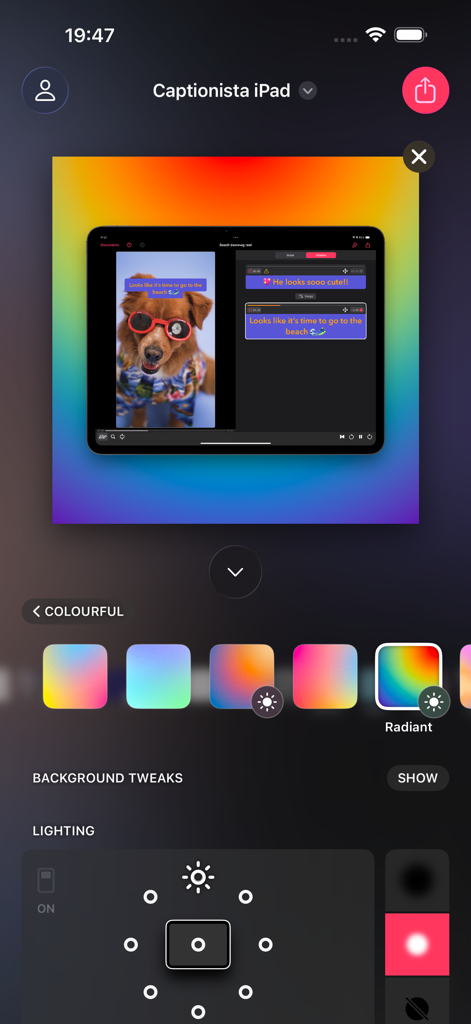
Frame Screenshots: Shareshot - 光沢のあるグラデーションの背景と照明調整コントロールを備えたiPadデバイスフレームを示すShareshotアプリのインターフェイス。
光沢のあるグラデーションの背景と照明調整コントロールを備えたiPadデバイスフレームを示すShareshotアプリのインターフェイス。

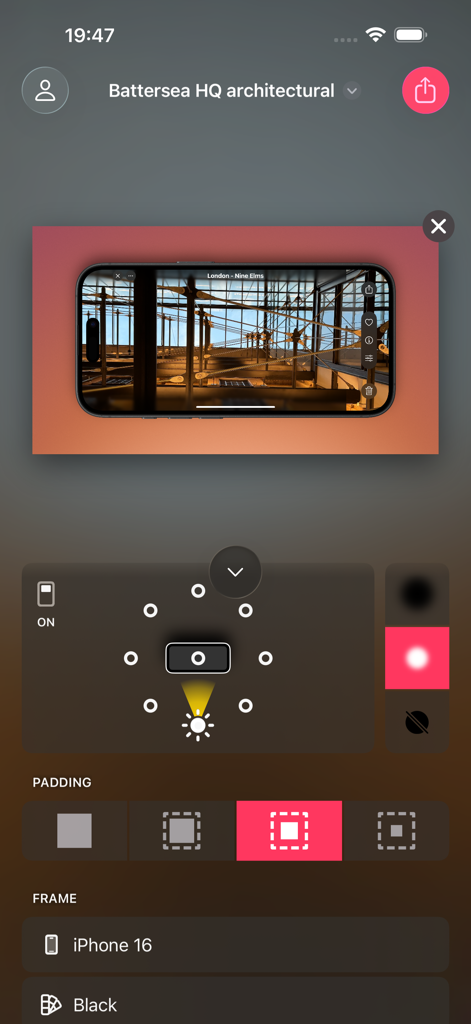
Frame Screenshots: Shareshot - 背景の照明とパディングコントロールを備えたiPhone 16フレーム内に風景建築のスクリーンショットを示すShareshotモバイルアプリのインターフェイス。
背景の照明とパディングコントロールを備えたiPhone 16フレーム内に風景建築のスクリーンショットを示すShareshotモバイルアプリのインターフェイス。

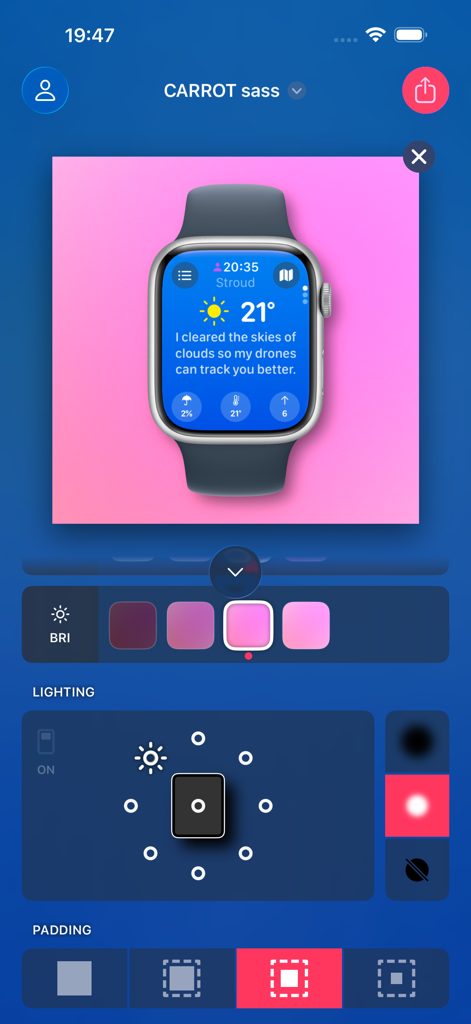
Frame Screenshots: Shareshot - 背景の照明コントロールを備えた天気アプリのスクリーンショットとApple Watchフレームを示すShareshotアプリのインターフェイス。
背景の照明コントロールを備えた天気アプリのスクリーンショットとApple Watchフレームを示すShareshotアプリのインターフェイス。

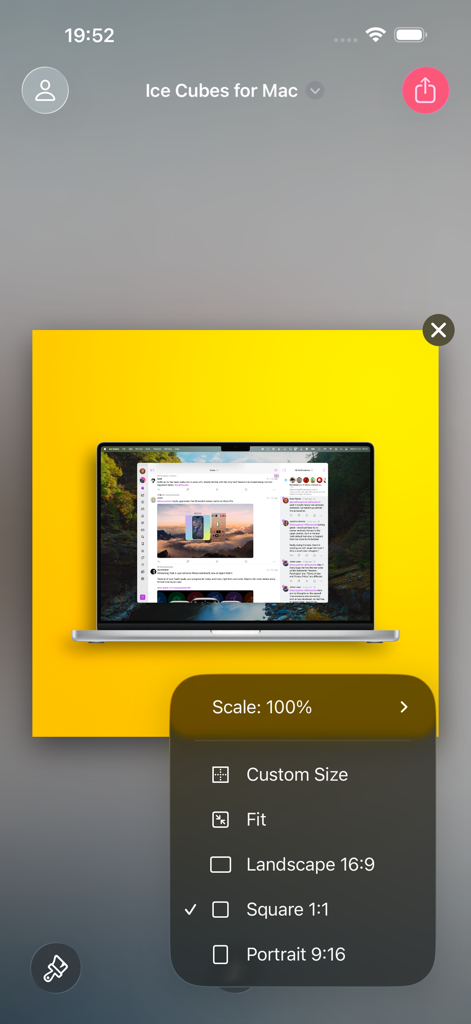
Frame Screenshots: Shareshot - アスペクト比を選択するためのメニューと、フレーム化されたMacBookスクリーンショットを示すShareshotアプリのインターフェイス。
アスペクト比を選択するためのメニューと、フレーム化されたMacBookスクリーンショットを示すShareshotアプリのインターフェイス。

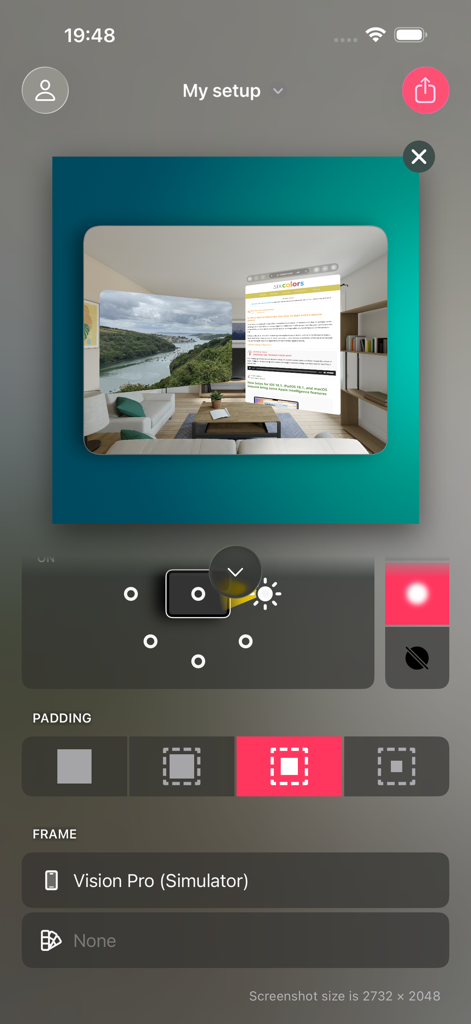
Frame Screenshots: Shareshot - Apple Vision Proシミュレーターのスクリーンショット編集ツールを示すShareshotアプリのインターフェイス。
Apple Vision Proシミュレーターのスクリーンショット編集ツールを示すShareshotアプリのインターフェイス。

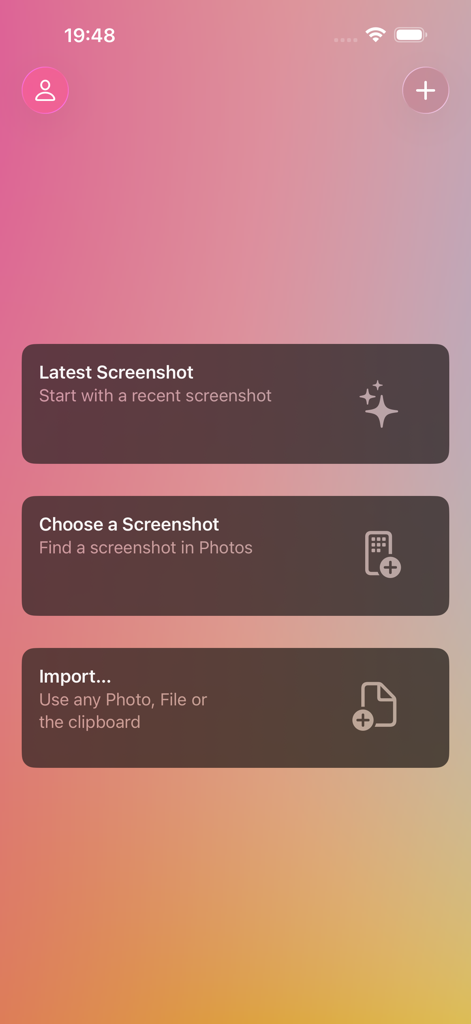
Frame Screenshots: Shareshot - 最新のスクリーンショットを選択し、写真から選択し、またはファイルをインポートするオプションを示すShareshotアプリのメインインターフェイス。

最新のスクリーンショットを選択し、写真から選択し、またはファイルをインポートするオプションを示すShareshotアプリのメインインターフェイス。

説明

~~ Winner of MacStories Selects "Best Design" 2024 ~~ Add a beautiful background and perfectly fitted device frame to screenshots from iPhone, iPad, Mac, Apple Watch, and more. Choose a screenshot, select the output size, background and lighting effects — then share in seconds. Perfect for sharing home screen layouts! Shareshot is free to use with a watermark and some style limitations. Get a Pro subscription to remove restrictions and get full access to lighting controls, custom background images and custom frame support for the perfect screenshot! All bezels are included without paying. BACKGROUNDS * Add a pretty background — with thousands of gradient variations, striped patterns, and solidarity flags to show off your screenshot. * Highlight your screenshot with the light position control for shadow and lighting effects in the background. (*) * Use any image as a background. (*) * Take a solid colour from your brand as a background. * Support for a clear background when adding a frame for use in other workflows. (*) * Use the current Apple Music artwork as a background. THE PERFECT FRAME * The frame always fits the resolution of the screenshot, no janky stretched or cropped images. * Frame gaming screenshots from Nintendo Switch & playdate. * "Fit Frame" mode for web & other media where you need to place a screenshot. * Add your own custom frame with a clear area where the screenshot should be — frame any images! * Use any image if no frame is required, or choose "No frame" if you prefer to go without. INTELLIGENCE * Any newly added screenshot is automatically detected. * A very recent screenshot will be opened at app launch. * Style memory remembers every background setting between sessions. * Frame Memory recalls the last used frame variant for each device. SHORTCUTS & SIRI * Automate batch processing with powerful Shortcuts actions to frame each screenshot in the input. * "Frame last screenshot" action takes the last screenshot in your Photo library, will add a frame to it and add the background and styling you choose. * "Open Shareshot with most recent screenshot" opens the app with the latest screenshot, as part of a Shortcuts workflow. * "Frame Screenshots" takes screenshot images as input, will add the correct frame and style the background of them all. * "Frame Screenshots with a custom background" uses a background image you pass in. * Siri "App Shortcut" support for saying "New Shareshot" to frame the last screenshot, opens the app ready for you to tweak the background. ADVANCED FEATURES * Control Widget for framing the last screenshot taken. * Export scale control including 100% for pixel-perfect exports. * Export to custom fixed sizes or fixed widths to fit your website content. * Keyboard shortcuts, drag & drop, copy & paste of images into and out of the app. 
(*) - Requires Pro For Terms of Use see: https://www.apple.com/legal/internet-services/itunes/dev/stdeula/

Download

ダウンロード: App Store

このページはアプリまたはその開発者の公式ページではなく、情報提供および論評を目的として作成された独立した編集出版物です。明示的に別段の記載がない限り、アプリおよびその開発者は、MWM、Apple、Google Play、アプリのパブリッシャー、またはアプリの開発者と提携、承認、後援、認可、またはその他の公式的な関係はなく、このページのいかなる内容も、アプリがMWMのサービスを使用して開発されたことを意味するものではありません。すべての商標、ロゴ、スクリーンショット、その他のコンテンツはそれぞれの所有者の財産です。







