Geo Elevation: Path Analyzer
ダウンロード: App Store

このページはアプリまたはその開発者の公式ページではなく、情報提供および論評を目的として作成された独立した編集出版物です。明示的に別段の記載がない限り、アプリおよびその開発者は、MWM、Apple、Google Play、アプリのパブリッシャー、またはアプリの開発者と提携、承認、後援、認可、またはその他の公式的な関係はなく、このページのいかなる内容も、アプリがMWMのサービスを使用して開発されたことを意味するものではありません。すべての商標、ロゴ、スクリーンショット、その他のコンテンツはそれぞれの所有者の財産です。

ロゴ: Geo Elevation: Path Analyzer
ダウンロード: App Store

Geo Elevation: Path Analyzer

インタラクティブな標高プロファイルとプロレベルのデータで地形をマスターしましょう。iPhone、Mac、Vision Proで、次のハイキング、ライディング、冒険を正確に計画しましょう。

主要数値

ダウンロード

51K+

ユーザー評価

3.5/5

評価数

100

開発元

ObjectGraph LLC

カテゴリ

Navigation

対応言語

-

最新バージョン

1.6

サイズ

4.3 MB

リリース日

2012年3月24日
機能

出発前にあらゆる坂道をマスターしよう

マップデータを実行可能な洞察に変えましょう。挑戦的な頂上への登頂を計画している場合でも、景色の良いサイクリングを計画している場合でも、Geo Elevationは自信を持って探索するために必要な高忠実度の地形プロファイルを提供します。

視覚的なパス分析

わかりにくい等高線にさよならを。ルートを描いて、旅に沿ったすべてのピークと谷を強調するリアルタイムの標高チャートを表示します。

シームレスなApple連携

あなたのライフスタイルに合わせて設計されています。Macで計画し、Vision Proで空間的な3Dで視覚化し、iPhoneで標高データをポケットに入れて持ち運びましょう。

以下のスクリーンショットと説明は、アプリの公式ストアリスティングから直接取得されたものであり、アプリ開発者の所有物です。

アプリストア

スクリーンショット
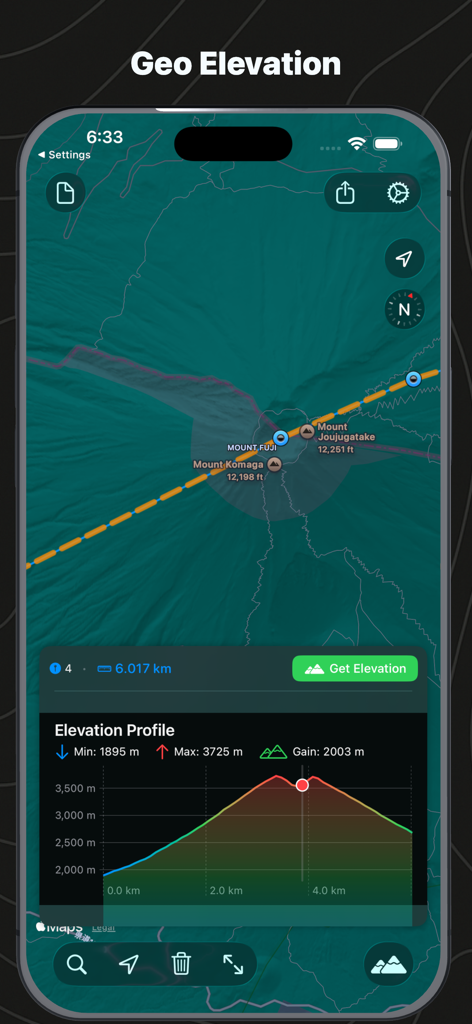
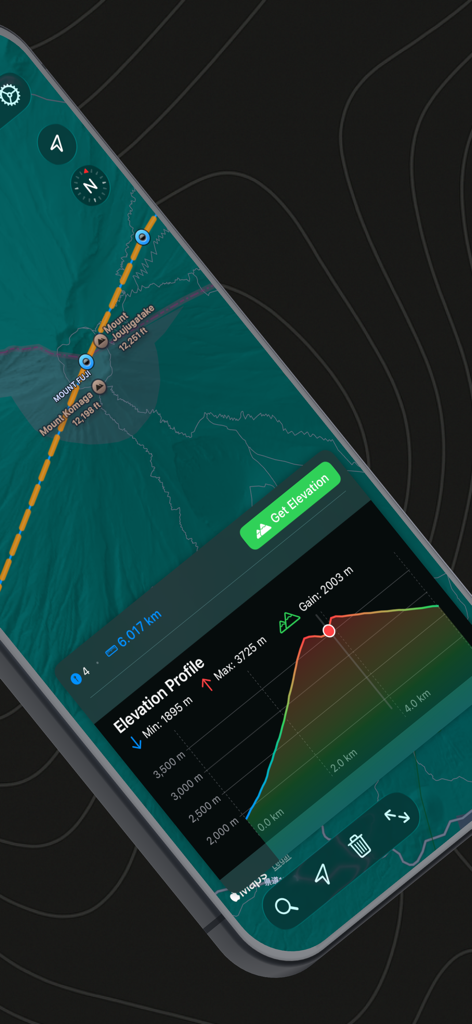
Geo Elevation: Path Analyzer - 富士山の地図と対応する標高プロファイルチャートを示すインターフェイス

富士山の地図と対応する標高プロファイルチャートを示すインターフェイス

Geo Elevation: Path Analyzer - 地形の背景に描かれたパスを示すGeo Elevationアプリのスプラッシュスクリーン
地形の背景に描かれたパスを示すGeo Elevationアプリのスプラッシュスクリーン

Geo Elevation: Path Analyzer - Geo Elevationアプリの富士山の標高プロファイルとマップビュー

Geo Elevationアプリの富士山の標高プロファイルとマップビュー

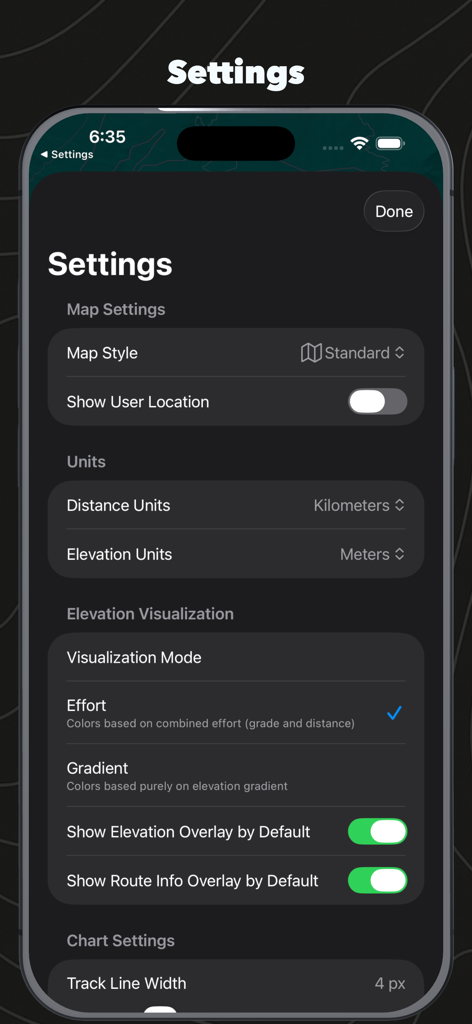
Geo Elevation: Path Analyzer - マップスタイルの単位設定と標高視覚化オプションを示すGeo Elevationアプリの設定メニュー
マップスタイルの単位設定と標高視覚化オプションを示すGeo Elevationアプリの設定メニュー

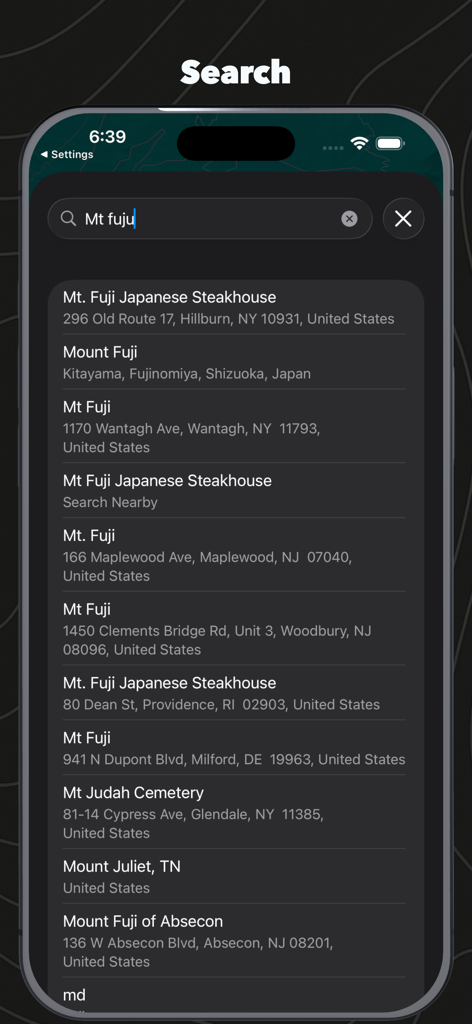
Geo Elevation: Path Analyzer - 富士山の結果を示すGeo Elevation Path Analyzerの場所検索インターフェイス

富士山の結果を示すGeo Elevation Path Analyzerの場所検索インターフェイス

説明

Geo Elevation - Elevation Profile Visualizer Create beautiful elevation profiles by drawing paths on a map. Simply tap to add points along your route and instantly see a detailed elevation chart showing the terrain profile. Perfect for hikers, cyclists, runners, and anyone curious about topography. Visualize how mountains rise, valleys descend, and coastlines meet the sea - all with interactive charts that sync with your map view. [Key Features] • Universal app - Works seamlessly on iPhone, iPad, Mac, Apple TV, and Vision Pro • Interactive split view - Map on top, elevation chart below • Smart sampling - Automatically calculates optimal sample points based on path distance (1 sample per 100m) • Multiple elevation sources - Choose between ASTER 30m and MapZen data • Real-time interaction - Tap or hover on the chart to highlight the corresponding location on your map • Comprehensive statistics - View min/max elevation and total elevation gain • Flexible units - Configure distance (km, mi, m, ft, nmi, yd) and elevation (m, ft) units independently • Zoom controls - Drag to zoom on the elevation chart (macOS), double-tap to reset • Location search - Quickly find and navigate to any location • Current location support - Start mapping from where you are • Multiple map types - Switch between standard, satellite, and hybrid views [Use Cases] • Trail Planning: Understand the difficulty of hiking or biking routes by visualizing elevation changes • Education: Explore Earth's topography - from mountain peaks to ocean trenches • Fitness Training: Plan running or cycling routes based on elevation profiles • Geography Learning: Investigate how terrain changes from mountains to coastlines • Adventure Planning: Assess elevation challenges before your next outdoor adventure [How It Works] 1. Tap or click points on the map to create your path 2. View the elevation profile instantly in the chart below 3. Interact with the chart to explore specific points along your route 4. Adjust units and map types to suit your needs Experience the world's topography in a whole new way. Whether you're planning your next adventure or exploring from your couch, Geo Elevation makes understanding terrain profiles simple and intuitive. Note: Elevation data requires an internet connection and is sourced from high-quality global elevation databases.

Download

ダウンロード: App Store

このページはアプリまたはその開発者の公式ページではなく、情報提供および論評を目的として作成された独立した編集出版物です。明示的に別段の記載がない限り、アプリおよびその開発者は、MWM、Apple、Google Play、アプリのパブリッシャー、またはアプリの開発者と提携、承認、後援、認可、またはその他の公式的な関係はなく、このページのいかなる内容も、アプリがMWMのサービスを使用して開発されたことを意味するものではありません。すべての商標、ロゴ、スクリーンショット、その他のコンテンツはそれぞれの所有者の財産です。