GetPodcast - Podcast Player
ダウンロード: App Store

このページはアプリまたはその開発者の公式ページではなく、情報提供および論評を目的として作成された独立した編集出版物です。明示的に別段の記載がない限り、アプリおよびその開発者は、MWM、Apple、Google Play、アプリのパブリッシャー、またはアプリの開発者と提携、承認、後援、認可、またはその他の公式的な関係はなく、このページのいかなる内容も、アプリがMWMのサービスを使用して開発されたことを意味するものではありません。すべての商標、ロゴ、スクリーンショット、その他のコンテンツはそれぞれの所有者の財産です。


ロゴ: GetPodcast - Podcast Player
ダウンロード: App Store

GetPodcast - Podcast Player

効率性を重視したミニマルなプレーヤーで、ノイズを排除しましょう。スマートなストレージ管理、オフライン再生、CarPlayとのシームレスな連携で、90万以上のポッドキャストにアクセスできます。すべて無料です。

主要数値

ダウンロード

48K+

ユーザー評価

4.6/5

評価数

400

開発元

radio.de GmbH

カテゴリ

News

対応言語

10

最新バージョン

5.11.4

サイズ

51.1 MB

リリース日

2020年7月29日
機能

毎日のリスニング習慣をマスターする

GetPodcastは、90万以上のポッドキャストを、無駄なく効率的に管理するために必要な専門ツールを提供します。

スマートストレージコントロール

完了したエピソードの自動削除と、データ節約のためのWi-Fi限定ダウンロードオプションで、スマートフォンのスペースを節約しましょう。

シームレスなロード統合

Apple CarPlayとSiriショートカットを使用して、ハンズフリーで日々のニュースやビジネスアップデートを安全に操作しましょう。

以下のスクリーンショットと説明は、アプリの公式ストアリスティングから直接取得されたものであり、アプリ開発者の所有物です。

アプリストア

スクリーンショット

GetPodcast - Podcast Player - GetPodcastアプリのウェルカムスクリーン。ポッドキャストを簡単に再生、というスローガンを表示。
GetPodcastアプリのウェルカムスクリーン。ポッドキャストを簡単に再生、というスローガンを表示。

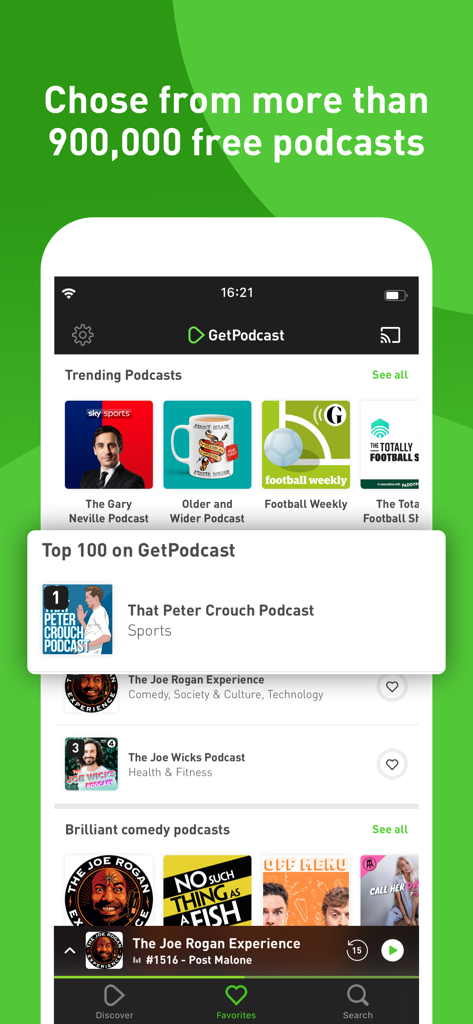
GetPodcast - Podcast Player - GetPodcastアプリのディスカバリー画面。トレンドの番組とトップポッドキャストチャートを表示。
GetPodcastアプリのディスカバリー画面。トレンドの番組とトップポッドキャストチャートを表示。

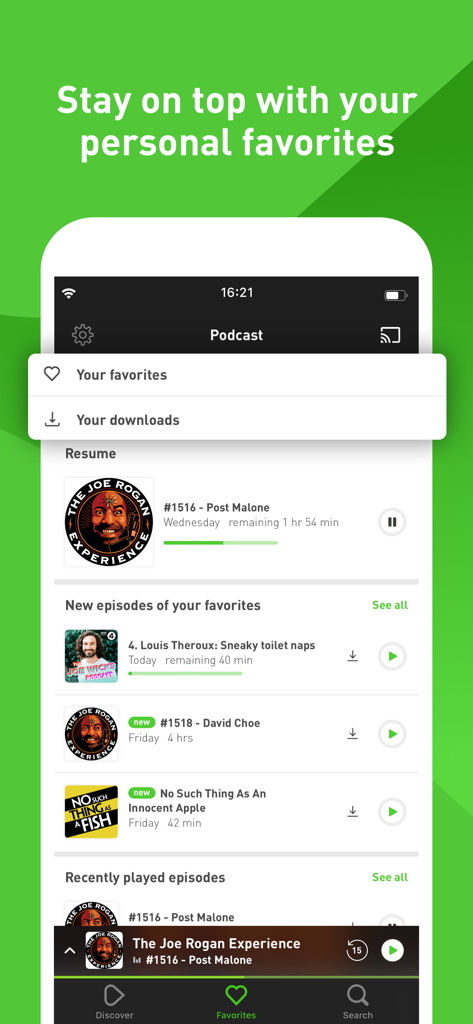
GetPodcast - Podcast Player - GetPodcastモバイルアプリのインターフェース。お気に入りのポッドキャストと新しいエピソードのリストを表示。
GetPodcastモバイルアプリのインターフェース。お気に入りのポッドキャストと新しいエピソードのリストを表示。

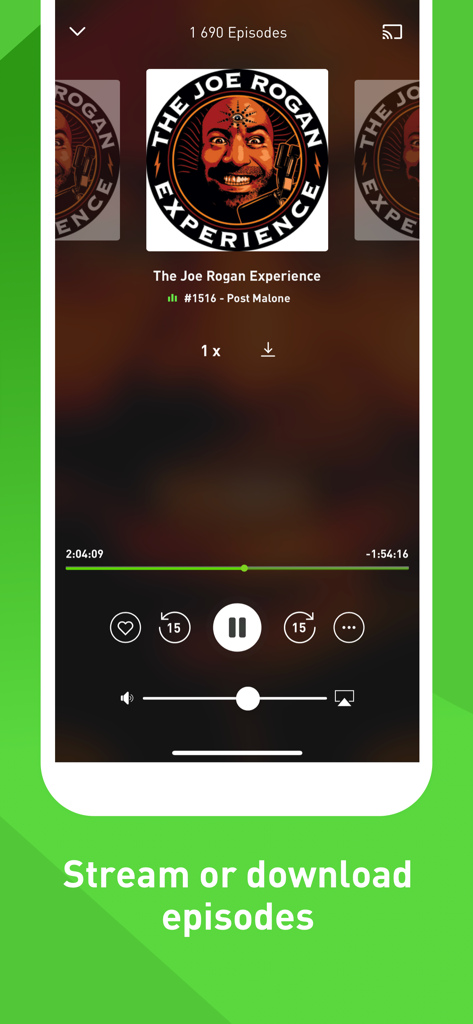
GetPodcast - Podcast Player - GetPodcastアプリのモバイルインターフェース。ストリーミングまたはダウンロードオプション付きのポッドキャストエピソードの再生コントロールを表示。
GetPodcastアプリのモバイルインターフェース。ストリーミングまたはダウンロードオプション付きのポッドキャストエピソードの再生コントロールを表示。

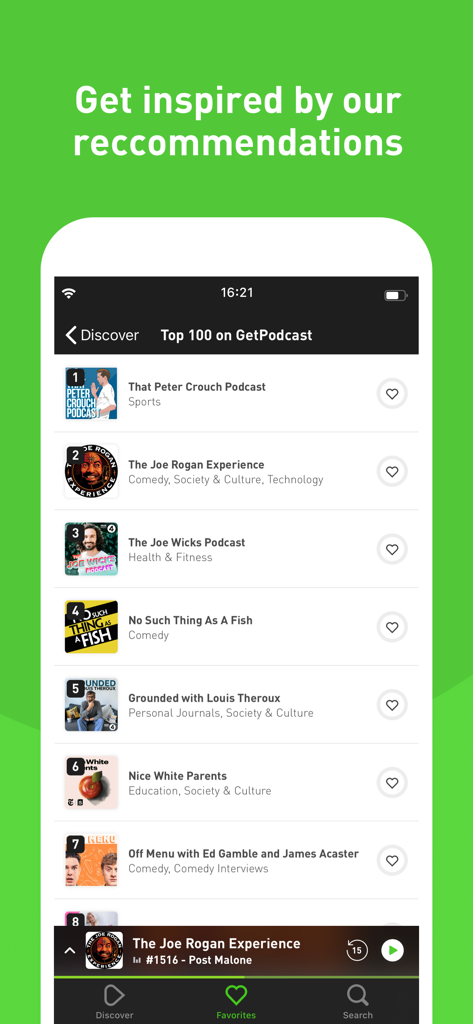
GetPodcast - Podcast Player - GetPodcastアプリのインターフェース。トップ100のポッドキャストおすすめリストを表示。
GetPodcastアプリのインターフェース。トップ100のポッドキャストおすすめリストを表示。

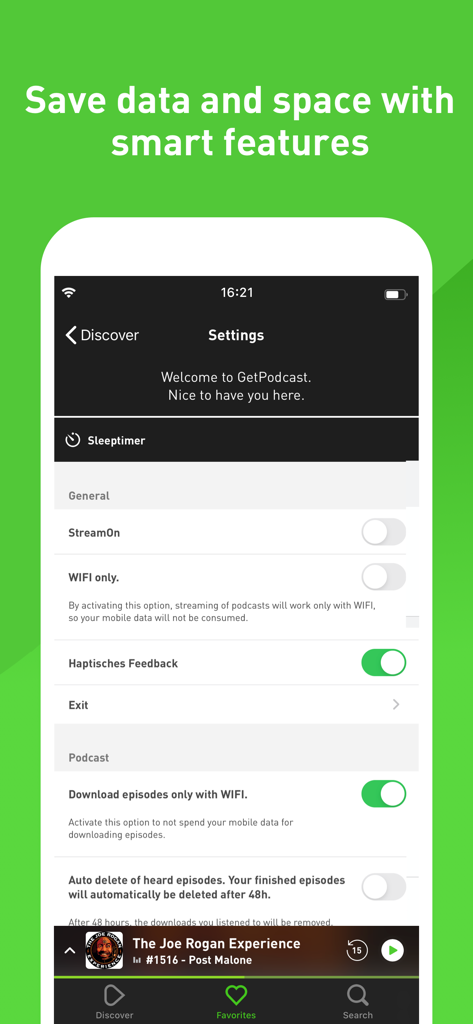
GetPodcast - Podcast Player - GetPodcastアプリの設定画面。Wi-Fi限定ダウンロードや自動削除などのストレージとデータ節約機能を表示。

GetPodcastアプリの設定画面。Wi-Fi限定ダウンロードや自動削除などのストレージとデータ節約機能を表示。

説明

GetPodcast - The simple & intuitive podcast player. All your favorite podcasts in one app - Discover a variety of podcasts and episodes with the GetPodcast app. Completely free. YOUR PODCAST FUNCTIONS AT A GLANCE • Listen to your podcasts online and offline • Over 900,000 podcasts available to listen and subscribe to for free • Supports Apple CarPlay, Airplay and DarkMode • Clear search for categories, topics and content • Easily manage your podcasts • Discover exciting content through our editorial team • The auto-delete option helps you save space • Receive notifications of new episodes • Decide for yourself whether new episodes can only be downloaded in the WLAN THE PODCAST PLAYER Our podcast player allows you to adjust the playback speed according to your individual listening pleasure. You can subscribe to each episode directly via the podcast player or download it for offline listening. Do you want to hear a passage from an episode again? Then you can use the 15 second rewind function and if you want to fall asleep with GetPodcast, just use the sleep timer. Our podcast player has everything your heart desires. DISCOVER NEW PODCASTS On the Discover page, you will always receive new podcast suggestions through curated lists and recommendations from our editorial team. With the GetPodcast app you can also browse clear categories such as music, news, comedy, business and science to discover new content. APPLE CARPLAY The GetPodcast app also accompanies you when you drive, so you can listen to your favorite podcasts anytime, anywhere. With the Apple CarPlay integration, you can operate the GetPodcast app safely and intuitively while driving. CLEAR SEARCH With the GetPodcast Search you will always find the right content, you can search for podcasts, episodes, content and topics. In addition, you can get inspiration for which podcasts are trending right now by displaying frequent searches. WLAN DOWNLOAD & WLAN STREAMING With the smart WiFi functions, you can save your smartphone's mobile data consumption. If you have activated the WiFi download & streaming function, podcasts are only streamed with a WiFi connection or new episodes are downloaded. AUTO-DELETE & AUTO-PLAY You can activate the automatic playback for uninterrupted listening pleasure, so the next episode of the current podcast is always started automatically. If you have activated the auto-delete function, episodes that have ended after 48 hours are automatically deleted. SEAMLESS HEARING ENJOYMENT With Apple's HandOff feature, you can seamlessly continue listening to your podcasts on your Apple devices. SIRI SHORT COMMANDS You can add your podcasts as a Siri shortcut so that you can easily play your favorite podcast by voice command. VOICE OVER GetPodcast supports the VoiceOver function and supports the gesture-based screen reading function from Apple.

Download

ダウンロード: App Store

このページはアプリまたはその開発者の公式ページではなく、情報提供および論評を目的として作成された独立した編集出版物です。明示的に別段の記載がない限り、アプリおよびその開発者は、MWM、Apple、Google Play、アプリのパブリッシャー、またはアプリの開発者と提携、承認、後援、認可、またはその他の公式的な関係はなく、このページのいかなる内容も、アプリがMWMのサービスを使用して開発されたことを意味するものではありません。すべての商標、ロゴ、スクリーンショット、その他のコンテンツはそれぞれの所有者の財産です。