GolfGPS WinGolf-Golf Navi GPS
ダウンロード: App Store

このページはアプリまたはその開発者の公式ページではなく、情報提供および論評を目的として作成された独立した編集出版物です。明示的に別段の記載がない限り、アプリおよびその開発者は、MWM、Apple、Google Play、アプリのパブリッシャー、またはアプリの開発者と提携、承認、後援、認可、またはその他の公式的な関係はなく、このページのいかなる内容も、アプリがMWMのサービスを使用して開発されたことを意味するものではありません。すべての商標、ロゴ、スクリーンショット、その他のコンテンツはそれぞれの所有者の財産です。


ロゴ: GolfGPS WinGolf-Golf Navi GPS
ダウンロード: App Store

GolfGPS WinGolf-Golf Navi GPS

日本No.1のカートナビシステムをあなたの手首に。ショットレーダー、グリーンの等高線、高精度GPS距離追跡で、あらゆるホールをマスターしましょう。

主要数値

ダウンロード

369K+

ユーザー評価

2.7/5

評価数

600

開発元

Techno Craft.CO.,LTD.

カテゴリ

Sports

対応言語

3

最新バージョン

4.10.4

サイズ

83.8 MB

リリース日

2013年11月19日
機能

カートグレードの精度でコースをマスター

日本No.1のプロフェッショナルナビゲーション技術をあなたのゲームにもたらし、あらゆるショットの推測をなくしましょう。

ブラインドホールを攻略

独自のショットレーダーとアジャストメントラインを使用して、視界外にあるグリーン方向とハザードを可視化しましょう。

手首でのパフォーマンス

携帯電話はバッグにしまいましょう。Apple Watchでグリーンセンターとハザードまでの距離を即座に取得し、より速いプレーペースを実現します。

以下のスクリーンショットと説明は、アプリの公式ストアリスティングから直接取得されたものであり、アプリ開発者の所有物です。

アプリストア

スクリーンショット
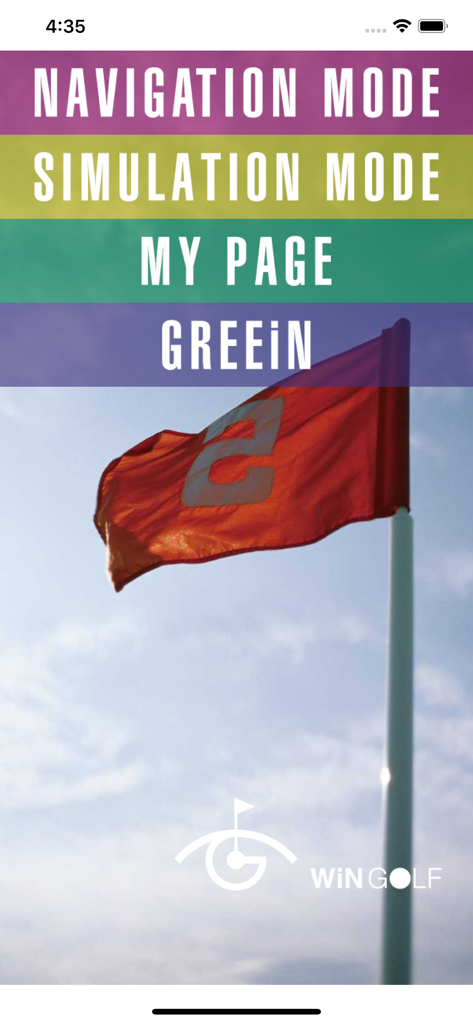
GolfGPS WinGolf-Golf Navi GPS - WinGolf GPSアプリのホーム画面メニュー、ナビゲーションとシミュレーションオプション付き
WinGolf GPSアプリのホーム画面メニュー、ナビゲーションとシミュレーションオプション付き

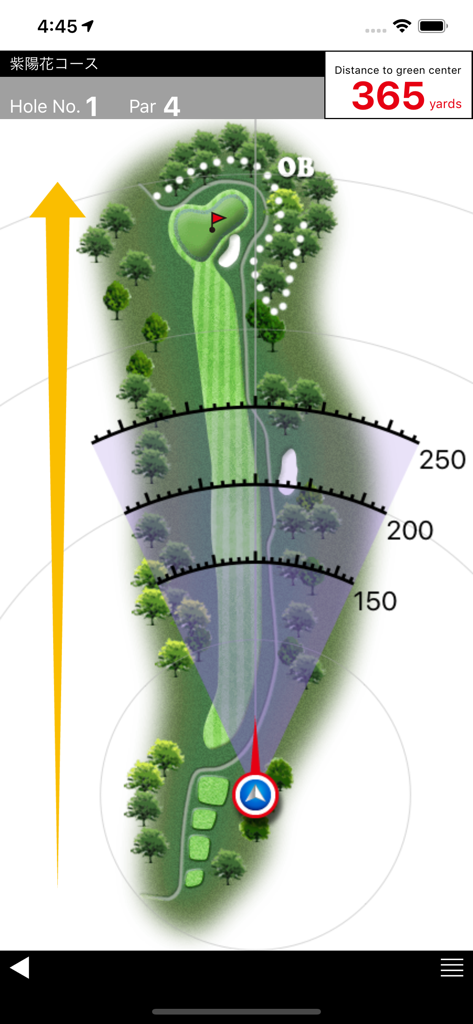
GolfGPS WinGolf-Golf Navi GPS - ゴルフナビゲーションアプリ、フェアウェイマップとグリーンまでの距離を表示

ゴルフナビゲーションアプリ、フェアウェイマップとグリーンまでの距離を表示

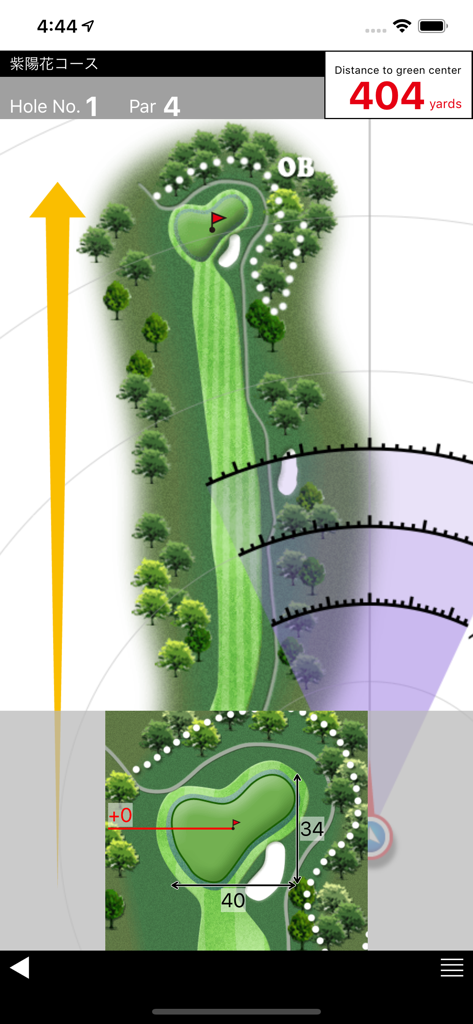
GolfGPS WinGolf-Golf Navi GPS - WinGolfアプリのゴルフコースレイアウト、距離アークとグリーンまでの距離を表示

WinGolfアプリのゴルフコースレイアウト、距離アークとグリーンまでの距離を表示

説明

■WiNGOLF is produced by Technocraft, Inc. makers of Marshall Navi, Japan’s #1 golf cart navigation system for safe and efficient golf course management. ■ WiNGOLF is a Golf GPS with distance to greens and hazards and clearly visible course layouts. It gives golfers the guidance they need to navigate the course. Use Adjustment Line and Shot Radar functions together to get a clear picture of green direction, so that you can get around those tricky blind holes that play havoc with your score. ■Current Location Displays your current location within the course map of each hole using GPS. ■Shot Radar Shows direction of the green from your current location. ■Adjustment Line Matches map direction to your actual direction. ■Distance to Green Center Displays distance to the center of the green. ■Distance to Hazards Uses Shot Radar function to estimate distance to hazards. ■Course Data Preload Allows you to download course data ahead of time. Check course maps from home, office, or anywhere. ■Green Detail Zooms in for enlarged view of the green. ■Green Contour Displays information about the contour of the green. (Provided by the course) Features updated regularly!! Compatibility Requires iOS 12 or later. Location: This app may use your location even when it isn’t open, which can decrease device battery life. About play with Apple Watch (What you can do with Apple Watch) ・ It is a paid service that WinGOLF can also be used with Apple Watch. ・ Because we share golf course data with iPhone, data is always up to date ・ Simple to sync with iPhone before round (Notes concerning charges) Subscription method: A system that selects a certain period and uses it. ・ 1 month: 1.99 USD ■ Details ・ Payment will be charged to your iTunes account. ・ To purchase in the period, we use the automatic continued charging function (Auto Renewable Subscription). ・ Charges for automatic renewal will be made between 24 hours before the end of the validity period and the end. ■ How to cancel automatic updating You can change / cancel automatic updating with "Settings" - "iTunes & App Store" - "Apple ID" - "View Apple ID" - "SUBSCRIPTIONS Manage" - "Auto-Renewal". Automatic updating can be stopped by setting "Auto-Renewal off" from "setting" more than 24 hours before the expiration of the validity period. ■ Privacy policy https://www.smartgolfnavi.com/HP/en/privacy_policy.html ■ Terms of service https://www.smartgolfnavi.com/HP/en/license_agreement.html (About Apple Watch compatible models) ・ Apple Watch Series 5 or later ・ Watch OS 5 or later Note about GPS: ・Set the Location Information (GPS) settings of your device to ON before use. ・Weather conditions and obstacles such as electric cables may cause data errors. ・Continued use of GPS can dramatically decrease battery life. To reduce battery loss change Wi-Fi settings to OFF during play. ・GPS data satellite transmissions may take several minutes. ・Functionality of GPS is relative to your device and OS. We cannot respond to any requests for refund or payment due to trouble arising from limited GPS functionality or any loss or damage arising from the use of this application.

Download

ダウンロード: App Store

このページはアプリまたはその開発者の公式ページではなく、情報提供および論評を目的として作成された独立した編集出版物です。明示的に別段の記載がない限り、アプリおよびその開発者は、MWM、Apple、Google Play、アプリのパブリッシャー、またはアプリの開発者と提携、承認、後援、認可、またはその他の公式的な関係はなく、このページのいかなる内容も、アプリがMWMのサービスを使用して開発されたことを意味するものではありません。すべての商標、ロゴ、スクリーンショット、その他のコンテンツはそれぞれの所有者の財産です。