GOToronto: GO Transit Sidekick

GOToronto: GO Transit Sidekick

ダウンロード: App Store
ロゴ: GOToronto: GO Transit Sidekick

GOToronto: GOトランジットの味方 — GTA通勤の究極のアドバンテージ

ライブプラットフォームアップデート、リアルタイムステータス、オフライン時刻表でGOネットワークをナビゲート。定時性とシームレスな移動体験を求めるパワフルな通勤者のために設計されています。

開発元

Edward Lam

カテゴリ

Navigation

ダウンロード

146K+

ユーザー評価

4.7/5

評価数

1K+

対応言語

1

究極の通勤者の優位性

このインターフェースを利用する 146K+ 人のユーザー.

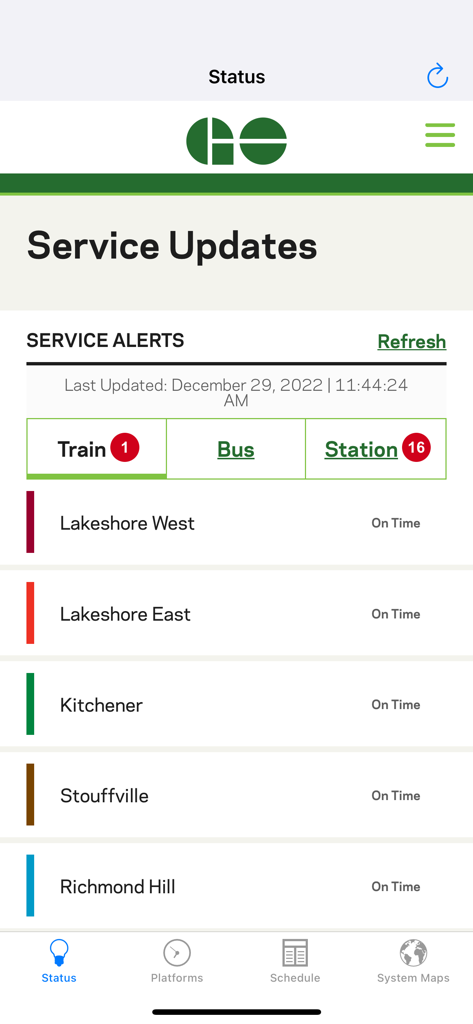
GOTorontoアプリの運行情報と電車のステータス

GOTorontoアプリの運行情報と電車のステータス

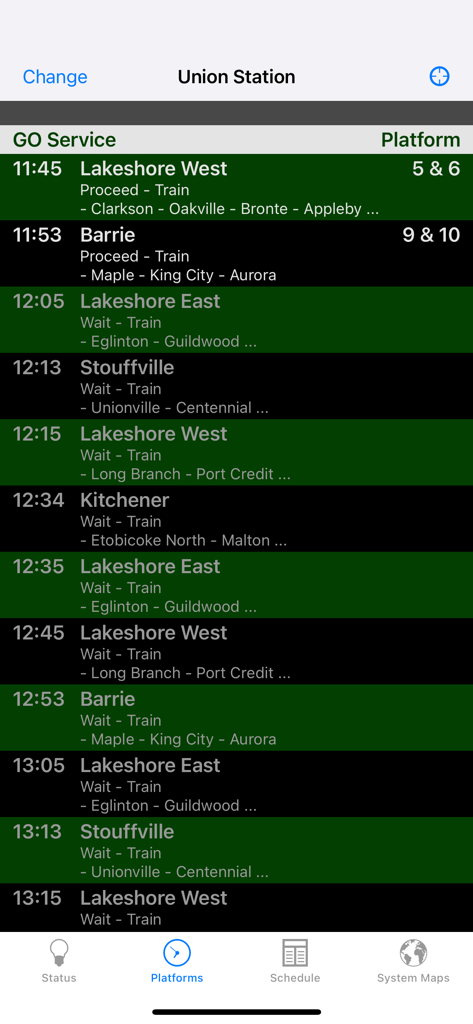
GOTorontoアプリがユニオン駅のライブ電車の出発ステータスとプラットフォーム番号を表示している画面
GOTorontoアプリがユニオン駅のライブ電車の出発ステータスとプラットフォーム番号を表示している画面

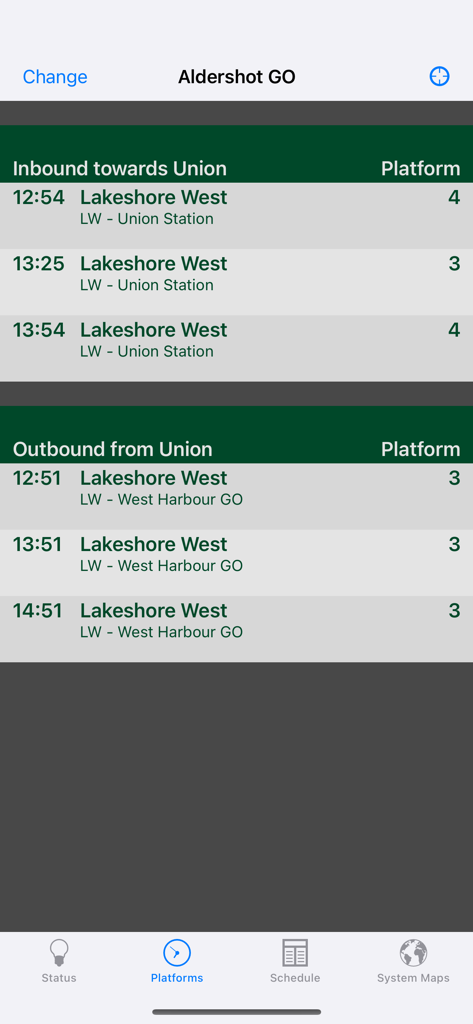
アルダーショットGO駅のレイクショアウエスト線、電車の出発時刻とプラットフォーム番号を表示するモバイル画面
アルダーショットGO駅のレイクショアウエスト線、電車の出発時刻とプラットフォーム番号を表示するモバイル画面

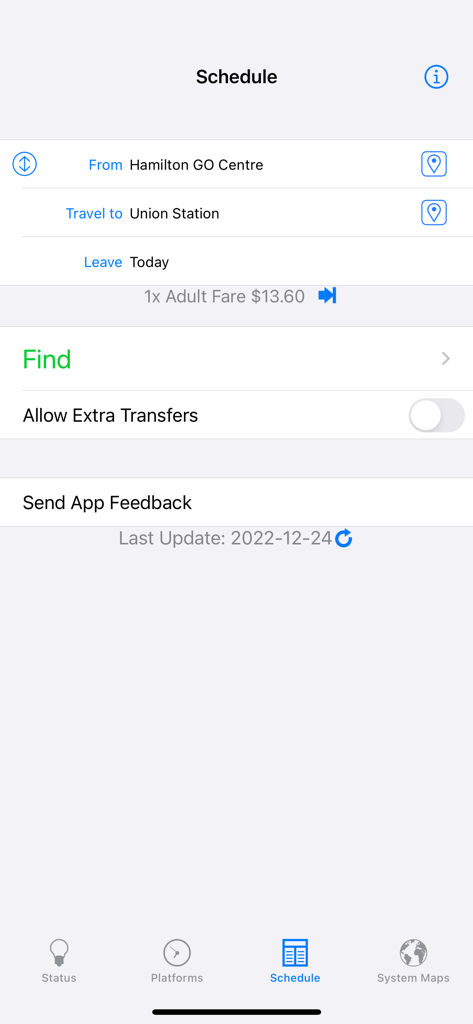
GOTorontoアプリの経路計画画面、ハミルトンからユニオン駅までの経路を表示
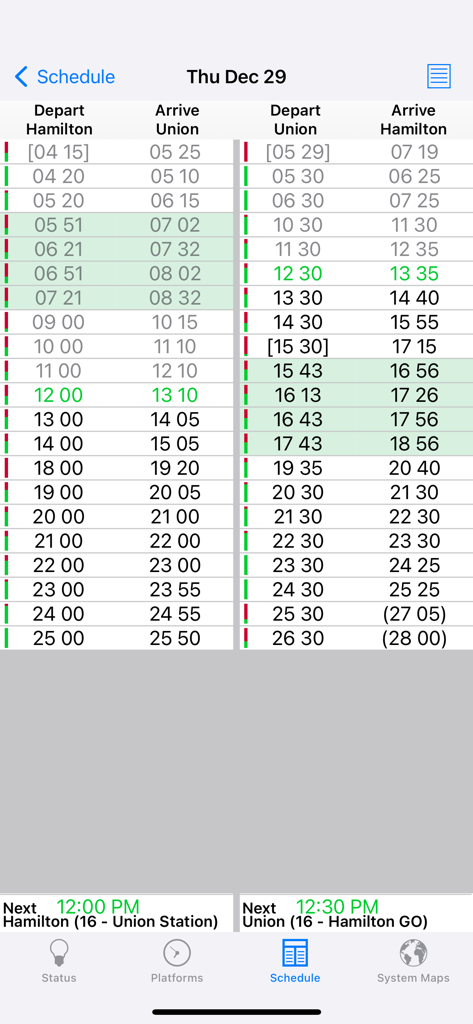
GOTorontoアプリの経路計画画面、ハミルトンからユニオン駅までの経路を表示

トロントのハミルトンとユニオン駅間のGOトランジットの電車の時刻表とバスの出発・到着時刻を表示する表
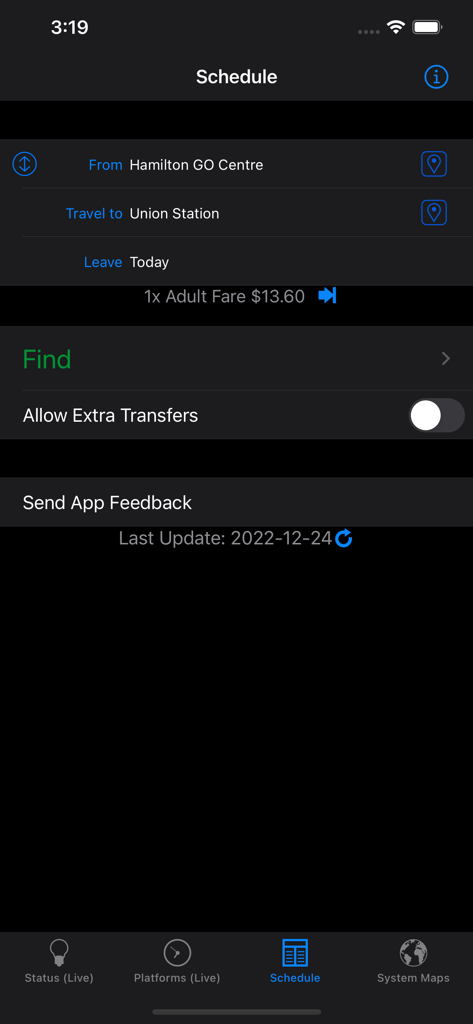
トロントのハミルトンとユニオン駅間のGOトランジットの電車の時刻表とバスの出発・到着時刻を表示する表

GOTorontoアプリの時刻表画面、ハミルトンからユニオン駅までの経路計画を表示
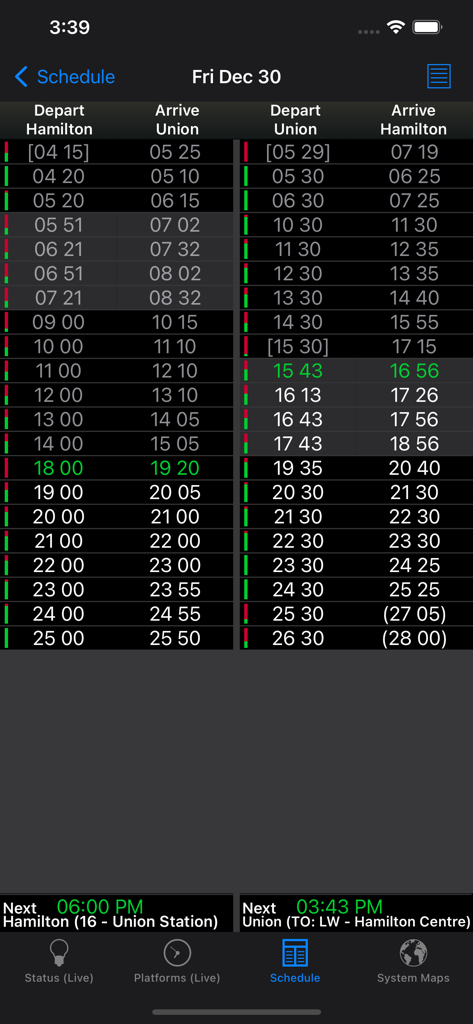
GOTorontoアプリの時刻表画面、ハミルトンからユニオン駅までの経路計画を表示

ハミルトンとユニオン駅間の出発・到着時刻を表示する交通機関の時刻表
ハミルトンとユニオン駅間の出発・到着時刻を表示する交通機関の時刻表

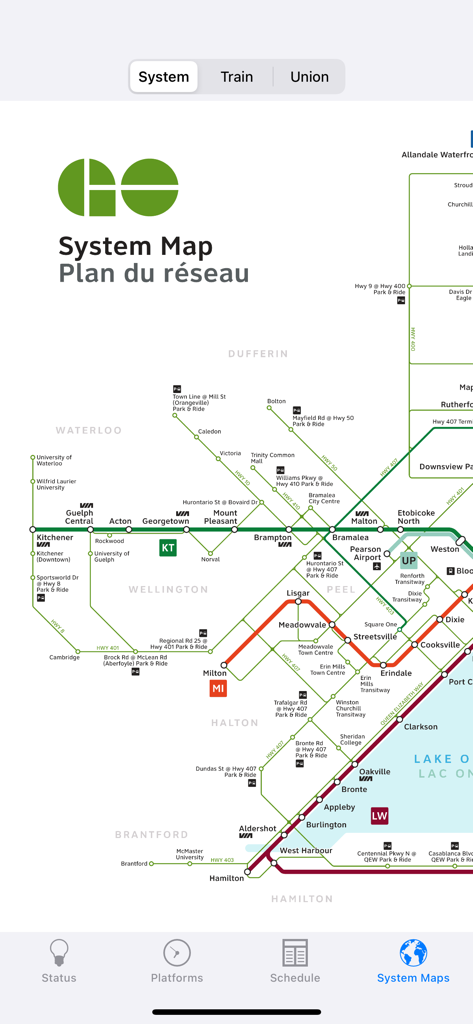
グレータートロントエリアの様々な鉄道・バス路線を示すGOTorontoアプリ内の詳細なGOトランジット路線図
グレータートロントエリアの様々な鉄道・バス路線を示すGOTorontoアプリ内の詳細なGOトランジット路線図

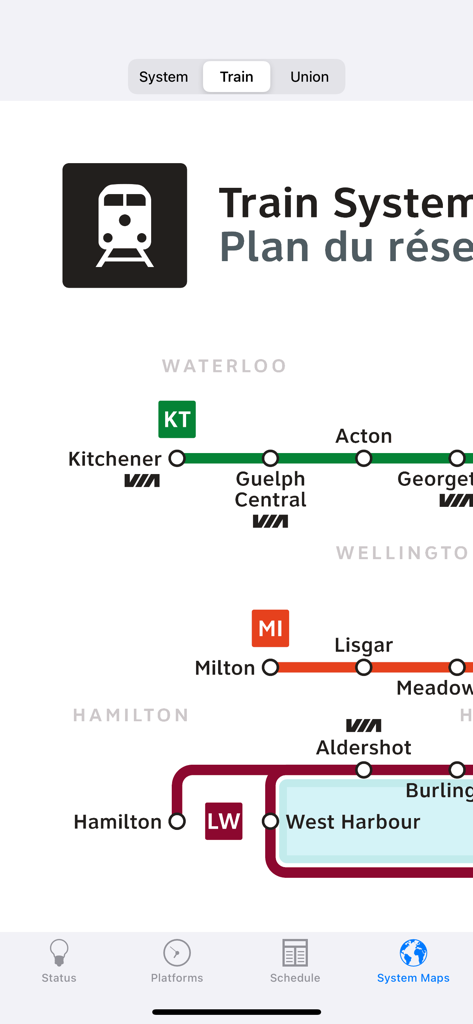
様々な路線と駅を示すGOトランジットの電車路線図の一部
様々な路線と駅を示すGOトランジットの電車路線図の一部

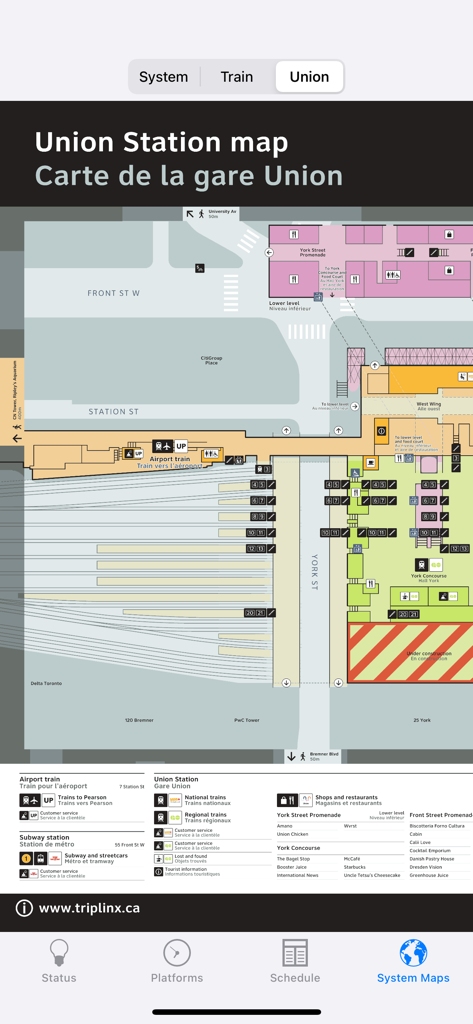
トロントのユニオン駅の詳細な地図、プラットフォーム、地上階、近くのランドマークを表示するGOTorontoモバイルアプリ内

トロントのユニオン駅の詳細な地図、プラットフォーム、地上階、近くのランドマークを表示するGOTorontoモバイルアプリ内

GTAでの通勤をマスター

このアプリを際立たせるツール、 146K+ 人のユーザーが選択.

🚉

リアルタイムプラットフォーム情報

ライブ出発アップデートと電車のステータスを瞬時に画面に配信し、駅での不安を解消します。

📵

信頼性の高いオフラインナビゲーション

トンネル内や電波の届かない場所でも、完全な時刻表と大人運賃にアクセスできます。安心のためにデータ接続は不要です。

ワンタップでの経路計画

最大2回の乗り換えを含む最も効率的な経路を数秒で見つけます。効率を重視するプロフェッショナルに最適です。

アプリについて

について知っておくべきこと GOToronto: GO Transit Sidekick.

説明

A full featured, yet easy to use app for GO Transit riders in the Greater Toronto Area (GTA) in Ontario, Canada. Get live statuses over the Internet, and regardless of connection, find the fastest trips for your destination (up to 2 transfers). Buy once for both the iPhone and iPad. FEATURES ● Current status for both trains and buses as reported by GOTransit.com ● Live platform departure status for ALL train stations ● Find times by departure/arrival stops for trips (up to 2 transfers) without needing an Internet connection. Automatically checks for new schedules to download within the app when launched with an Internet connection. ● Adult fares for all planned trips without an Internet connection. Full fare info if you do. ● Quick table view of the shortest trips ● Find the closest stop to your current location. Easily launch the Maps app with directions loaded for getting to your selected stop. Take a look at the screenshots to see how easy and useful this app is! TESTIMONIALS "I know designing a good search interface is hard, but yours is already pretty good. Having schedules is what makes the app worth purchasing, so you’ve got the right idea there. I’ve always been frustrated with the GO website, your app is already easier to use!" -Michael "Your app is awesome. A fantastic idea. It shows how to use technology to improve our lives." -Miguel USAGE TIPS ● Tap on the "From"/"Travel to" table cells to set your trip departure/arrival. ● In the trips view, use the icon in the upper-right corner to switch between details and overview mode. ● Use the "Info" button at the top-right of the Search screen to get explanations on the schedules. SUPPORT Send any problems via e-mail to tripleQuadSupport@gmail.com ● If you experience crashing when starting up after an upgrade, delete the app and download again (free of charge) from the App Store. ● To get the latest schedule, connect to the Internet first, then launch GOToronto and go to the Schedule screen. A prompt should come up automatically asking to be downloaded. If not prompted, then tap the "refresh" icon at the bottom next to the Last Updated message. If you experience problems downloading, try again after restarting your device (turn it off and on). Try using a different internet connection (eg. non-corporate network) if you are still having download issues. --- GOToronto is not affiliated nor endorsed by GO Transit. Data used in this product or service is provided with the permission of Metrolinx. Metrolinx makes no representations or warranties of any kind, express or implied, and assumes no responsibility for the accuracy or currency of the data used in this product or service.

最新バージョン

2.9.15

サイズ

4.3 MB

リリース日

2010年4月3日

通勤をコントロール

146,000人以上のGTA通勤者に加わり、ライブプラットフォームアップデートと信頼性の高いオフライン時刻表で、フラストレーションをスキップし、よりスマートに移動しましょう。

ダウンロード: App Store

App information, icons, screenshots, and descriptions displayed on this page are sourced from the Apple App Store and are the property of their respective developers. Download estimates and rankings are based on MWM's proprietary models and may not reflect actual figures. This page is provided for informational and analytical purposes only.

Believe this page infringes your intellectual property? File a dispute