
このページはアプリまたはその開発者の公式ページではなく、情報提供および論評を目的として作成された独立した編集出版物です。明示的に別段の記載がない限り、アプリおよびその開発者は、MWM、Apple、Google Play、アプリのパブリッシャー、またはアプリの開発者と提携、承認、後援、認可、またはその他の公式的な関係はなく、このページのいかなる内容も、アプリがMWMのサービスを使用して開発されたことを意味するものではありません。すべての商標、ロゴ、スクリーンショット、その他のコンテンツはそれぞれの所有者の財産です。

GOV.UK One Login
政府のデジタル手続きは、あなたの顔認証で瞬時に完了する。このアプリは、本人確認の煩わしさを過去のものとする。
ダウンロード
2.5M+ユーザー評価
評価数
116.8K開発元
カテゴリ
Utilities対応言語
2最新バージョン
1.19.1サイズ
43.3 MBリリース日
2025年6月9日英国のオンライン政府サービス利用者向けデジタル本人確認ソリューションの評価
GOV.UK One Login アプリの主要機能分析
プライバシーとデータセキュリティ
提供された個人情報はアプリやデバイスに保存されず、不要になったデータは安全に削除されるため、高度なプライバシー保護とデータセキュリティが保証されます。
GOV.UKサービスへの安全なデジタル本人確認
ユーザーはGOV.UKウェブサイト上で本人確認が求められる様々な政府サービスに、本アプリを通じて安全かつ効率的にアクセスできます。
既存のGOV.UK One Loginとの統合
本アプリは、既存のGOV.UK One Loginアカウントとシームレスに連携し、ウェブサイトでの本人確認プロセスをスムーズに継続させます。
広範な本人確認書類への対応
英国パスポート、生体認証チップ付き非英国パスポート、英国運転免許証、BRPなど、多様な写真付きIDをサポートし、幅広い居住者が利用できる柔軟性を提供します。
顔認識技術による本人認証
スマートフォンカメラを使用してユーザーの顔をスキャンし、提出された写真付きIDと照合することで、精度の高い本人認証プロセスを実行します。
生体認証チップの読み取り機能
パスポートやBRPなどの生体認証チップをスマートフォンで直接スキャンすることにより、本人確認の信頼性と正確性が強化されます。
HM陸海空軍退役軍人カードのデジタル保存
HM陸海空軍退役軍人カードのデジタル版をスマートフォンに安全に保存し、必要に応じて提示できる利便性を提供します。
将来的なデジタルドキュメント保存の拡張
将来的には、運転免許証などの他のデジタルドキュメントもアプリに保存できるようになる予定であり、より包括的なデジタルウォレットとしての進化が期待されます。
よくある質問
について知っておくべきこと GOV.UK One Login
What is the GOV.UK One Login app used for?
The GOV.UK One Login app allows users to prove their identity for government services and save a digital version of their HM Armed Forces Veteran Card. It will also support other digital documents in the future.
How does GOV.UK One Login verify my identity?
The GOV.UK One Login app verifies identity by matching your face to your photo ID. It involves taking a photo of the ID, scanning its biometric chip (if applicable), and scanning your face with the selfie camera.
What types of photo ID are accepted by the GOV.UK One Login app?
The GOV.UK One Login app accepts UK passports, non-UK passports with biometric chips, UK photocard driving licences, UK biometric residence permits (BRP), UK biometric residence cards (BRC), and UK Frontier Worker permits (FWP).
Can I use an expired ID with GOV.UK One Login?
Yes, you can use an expired UK biometric residence permit (BRP), UK biometric residence card (BRC), or UK Frontier Worker permit (FWP) for up to 18 months after its expiry date.
What are the device requirements for the GOV.UK One Login app?
The GOV.UK One Login app requires an iPhone 8 or newer and iOS 16.7 or higher. Users also need a well-lit area for taking photographs and an original photo ID.
Does the GOV.UK One Login app save my personal identity information?
No, the GOV.UK One Login app does not save personal identity information on the app or your phone. The data is collected securely and deleted when no longer needed.
Can I save digital documents in the GOV.UK One Login app?
Yes, the GOV.UK One Login app allows you to save digital documents. Currently, it supports the HM Armed Forces Veteran Card, with future plans for documents like driving licences. Saved digital documents reside on your phone.
What happens after submitting information in the GOV.UK One Login app?
After submitting your information in the GOV.UK One Login app, you must return to the GOV.UK website. This allows you to complete the identity verification and access the desired service.
How do I sign in to the GOV.UK One Login app?
You need to sign in to the GOV.UK One Login app using your existing GOV.UK One Login details. This links the app to the GOV.UK website, allowing you to continue proving your identity.
以下のスクリーンショットと説明は、アプリの公式ストアリスティングから直接取得されたものであり、アプリ開発者の所有物です。
アプリストア
スクリーンショット
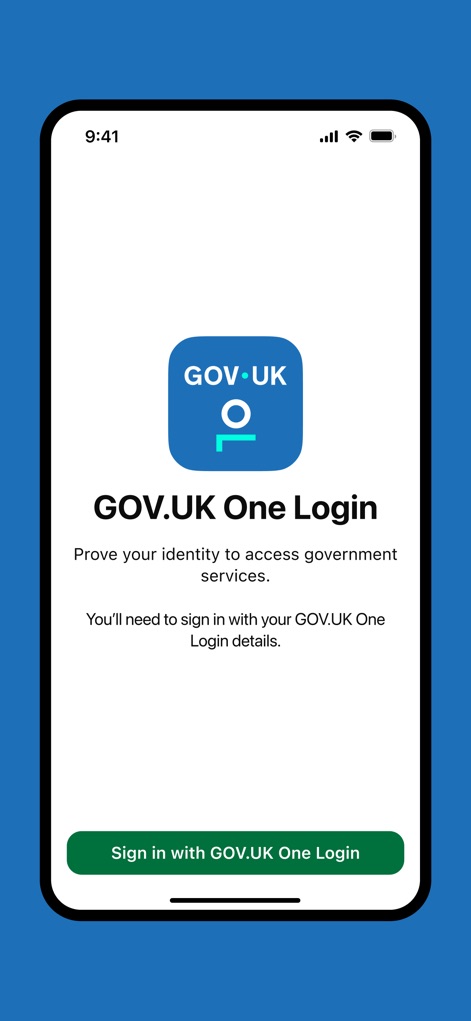
本アプリは、GOV.UK One Loginのロゴとアプリ名を表示し、ユーザーが政府サービスに安全にアクセスできるよう促します。画面下部には、統一された認証プロセスを開始するための「Sign in with GOV.UK One Login」ボタンが配置されています。
安全な認証開始

この画面では、パスポートの顔写真ページを正確に撮影するための詳細な手順がユーザーに提供されます。画面中央には、撮影ガイドラインと、次のステップに進むための「Continue」ボタンが表示されています。
パスポート撮影ガイド
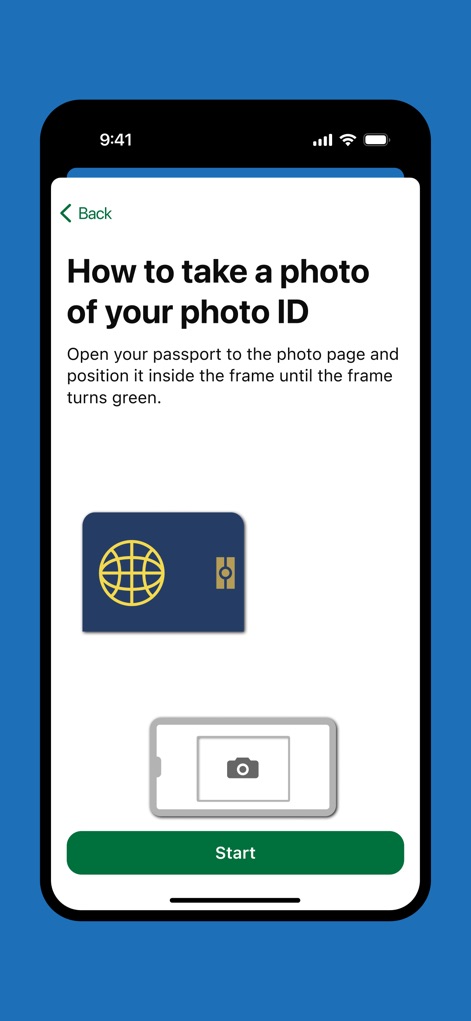
身分証明書の撮影方法を視覚的にガイドする画面で、パスポートのアイコンとスマートフォンのカメラのイラストが配置されています。ユーザーは、中央に表示された「Start」ボタンをタップして撮影プロセスを開始できます。
直感的な撮影準備
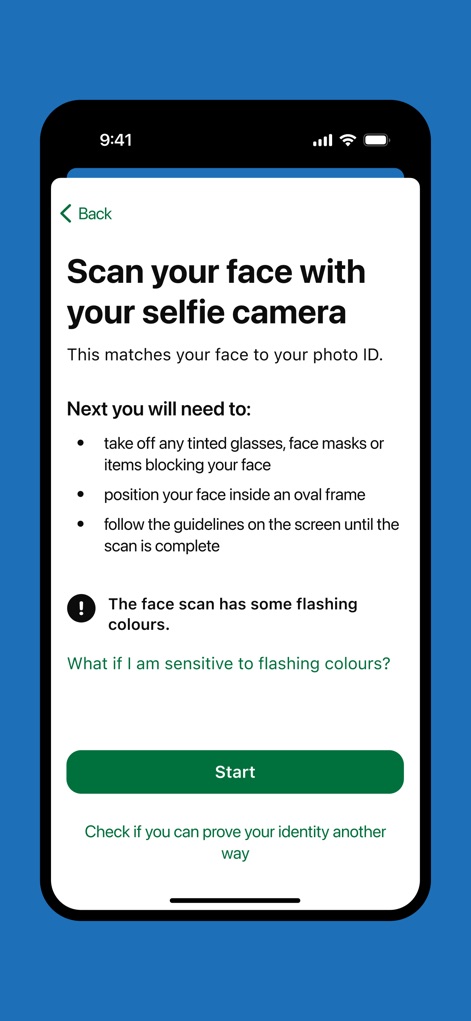
ユーザーはセルフィーカメラを使用して顔をスキャンし、身分証明書と照合するための詳細な指示を受け取ります。注意喚起として、顔スキャン時に点滅する色に関する警告文が表示されています。
顔認証ステップ
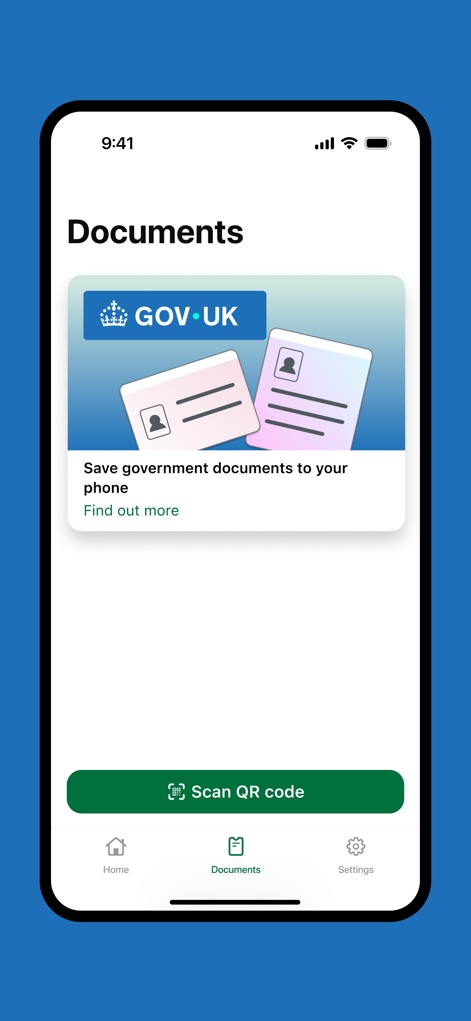
「Documents」タブでは、政府文書をスマートフォンに安全に保存できる機能がカード形式で提示されています。さらに、下部には様々な連携を可能にする「Scan QR code」ボタンが配置されています。
デジタル文書管理
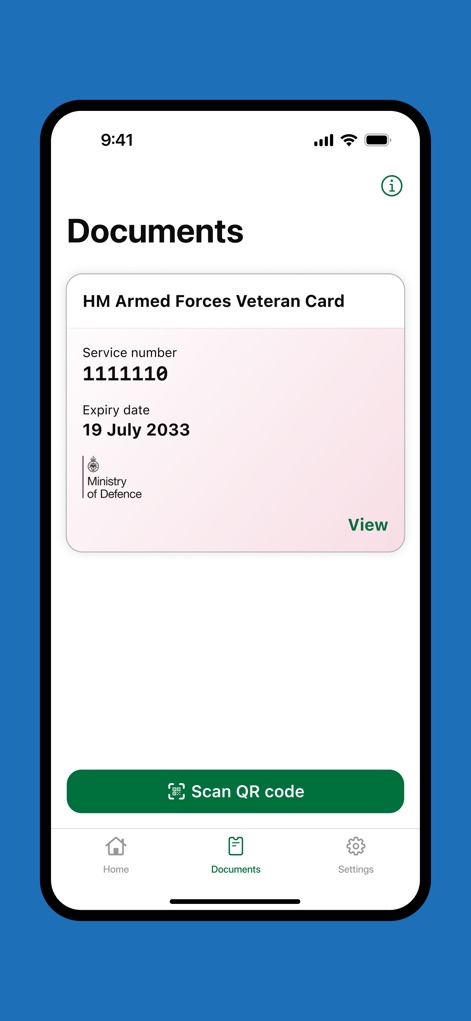
この画面では、デジタル化されたHM Armed Forces Veteran Cardが詳細とともに表示され、ユーザーはサービス番号と有効期限を確認できます。画面下部には、引き続き「Scan QR code」ボタンが利用可能です。
退役軍人カード
説明
Download
類似アプリ
似た機能とユーザー体験を持つアプリ

HPO
HD SAISON FINANCE CO.,LTD

ALDI TALK Registrierung
MEDION AG
GOV.UK ID Check
Government Digital Service

IDnow AutoIdent
IDnow Gmbh

ID-Pal
ID-Pal Ltd.

MyID O'zbekiston
Center UZINFOCOM SUE

Ockto
Ockto B.V.

Experian Candidate RTW
T4 Communications UK Limited

Datakeeper
Datakeeper B.V.
このページはアプリまたはその開発者の公式ページではなく、情報提供および論評を目的として作成された独立した編集出版物です。明示的に別段の記載がない限り、アプリおよびその開発者は、MWM、Apple、Google Play、アプリのパブリッシャー、またはアプリの開発者と提携、承認、後援、認可、またはその他の公式的な関係はなく、このページのいかなる内容も、アプリがMWMのサービスを使用して開発されたことを意味するものではありません。すべての商標、ロゴ、スクリーンショット、その他のコンテンツはそれぞれの所有者の財産です。