GPS Camera - GPS Video Camera
ダウンロード: App Store

このページはアプリまたはその開発者の公式ページではなく、情報提供および論評を目的として作成された独立した編集出版物です。明示的に別段の記載がない限り、アプリおよびその開発者は、MWM、Apple、Google Play、アプリのパブリッシャー、またはアプリの開発者と提携、承認、後援、認可、またはその他の公式的な関係はなく、このページのいかなる内容も、アプリがMWMのサービスを使用して開発されたことを意味するものではありません。すべての商標、ロゴ、スクリーンショット、その他のコンテンツはそれぞれの所有者の財産です。

ロゴ: GPS Camera - GPS Video Camera
ダウンロード: App Store

GPS Camera - GPS Video Camera

正確なGPS座標、タイムスタンプ、マップオーバーレイで写真や動画を簡単に撮影。検証可能な現場記録やアウトドアアドベンチャーの記録に最適なツールです。

主要数値

ダウンロード

51K+

ユーザー評価

3.3/5

評価数

0

開発元

Metasol Technologies

カテゴリ

Travel

対応言語

1

最新バージョン

1.2.7

サイズ

106.3 MB

リリース日

2023年6月22日
機能

あらゆるディテールを正確に記録

位置情報追跡、マップ表示、プロフェッショナルな写真撮影を組み合わせて、プロジェクトやアウトドアアドベンチャーを絶対的な精度で記録します。

プロフェッショナルなジオタグ付け

座標、タイムスタンプ、住所を自動的に埋め込み、確固たる作業証明やプロジェクト記録を作成します。

インタラクティブな写真マッピング

ライブマップで旅を可視化し、場所ごとにギャラリーを閲覧して、お気に入りの思い出をその場所で追体験しましょう。

以下のスクリーンショットと説明は、アプリの公式ストアリスティングから直接取得されたものであり、アプリ開発者の所有物です。

アプリストア

スクリーンショット
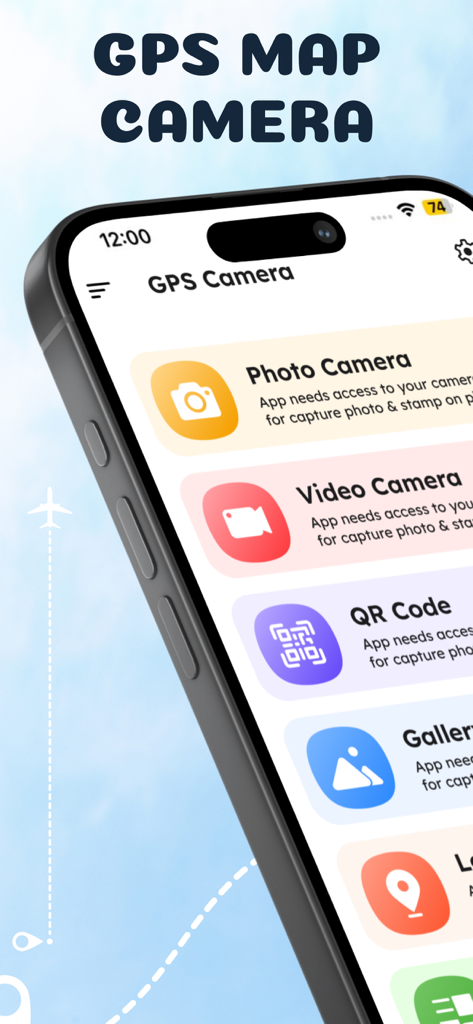
GPS Camera - GPS Video Camera - GPS Map Cameraアプリのメインメニュー。写真とビデオのジオタグ付けオプションが表示されています。
GPS Map Cameraアプリのメインメニュー。写真とビデオのジオタグ付けオプションが表示されています。

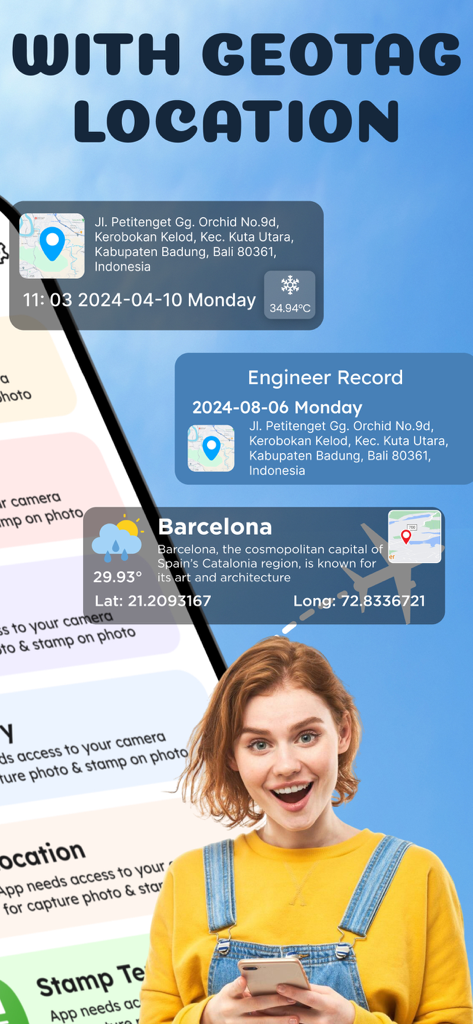
GPS Camera - GPS Video Camera - スマートフォンを手に持ち、写真のジオタグ付き位置情報や天気スタンプを表示している女性。
スマートフォンを手に持ち、写真のジオタグ付き位置情報や天気スタンプを表示している女性。

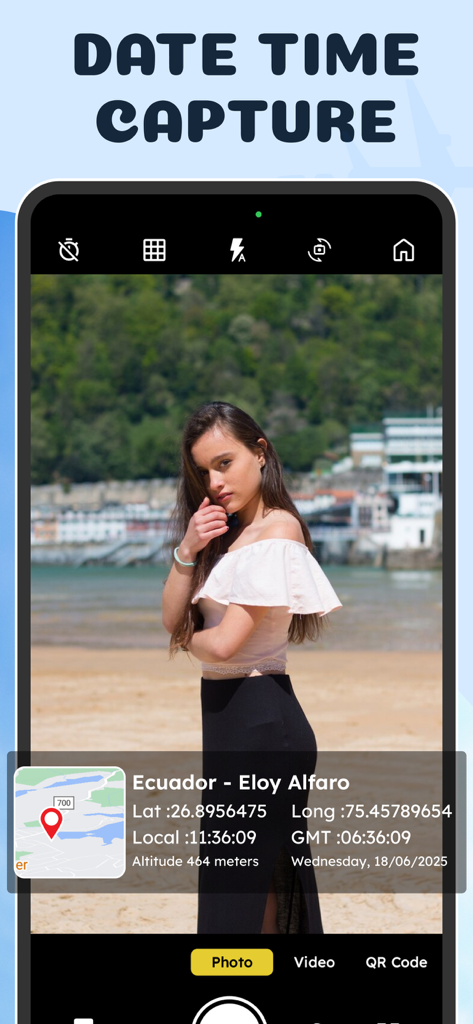
GPS Camera - GPS Video Camera - GPS Cameraアプリのインターフェース。位置情報、地図、タイムスタンプのオーバーレイが表示された写真。
GPS Cameraアプリのインターフェース。位置情報、地図、タイムスタンプのオーバーレイが表示された写真。

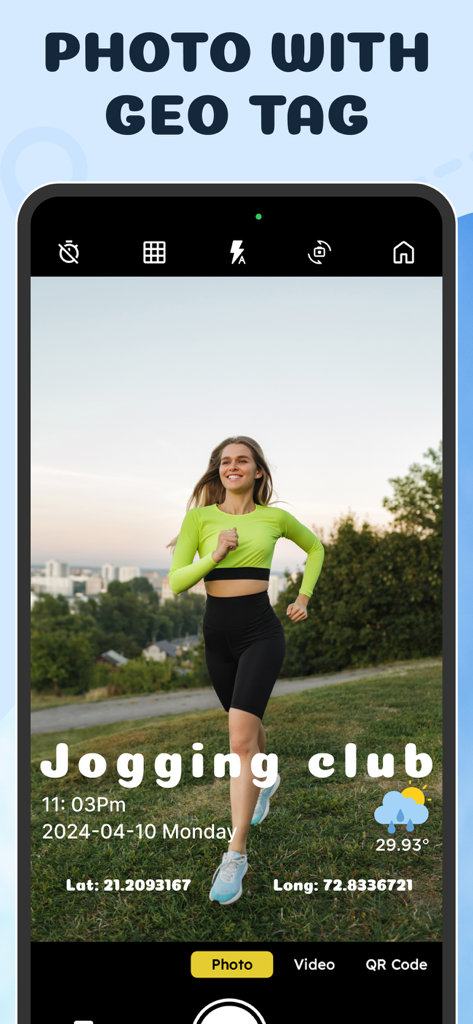
GPS Camera - GPS Video Camera - ジョギングしている女性の写真と、座標や日付を含むGPSジオタグオーバーレイが表示されたスマートフォンのアプリ画面。
ジョギングしている女性の写真と、座標や日付を含むGPSジオタグオーバーレイが表示されたスマートフォンのアプリ画面。

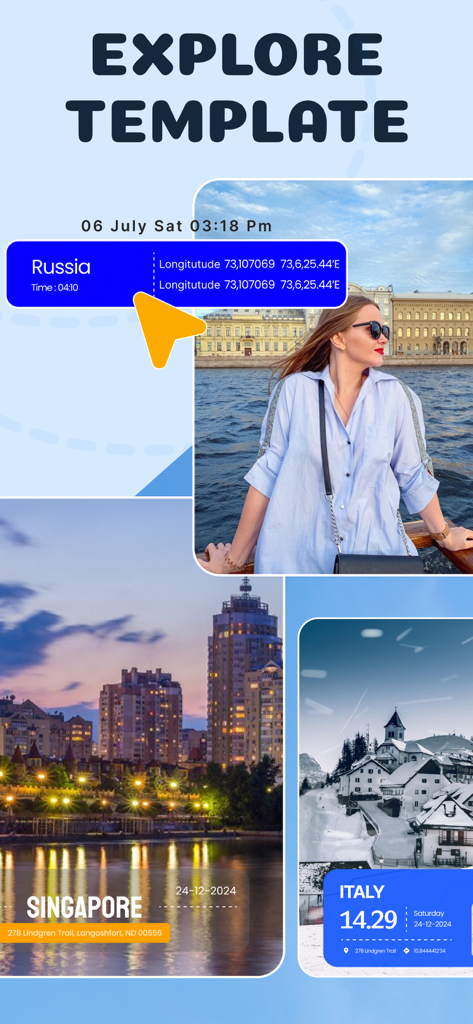
GPS Camera - GPS Video Camera - GPS Cameraアプリのエクスプローラーテンプレートを使用して、位置情報とタイムスタンプのオーバーレイが付いたジオタグ付き写真のショーケース。
GPS Cameraアプリのエクスプローラーテンプレートを使用して、位置情報とタイムスタンプのオーバーレイが付いたジオタグ付き写真のショーケース。

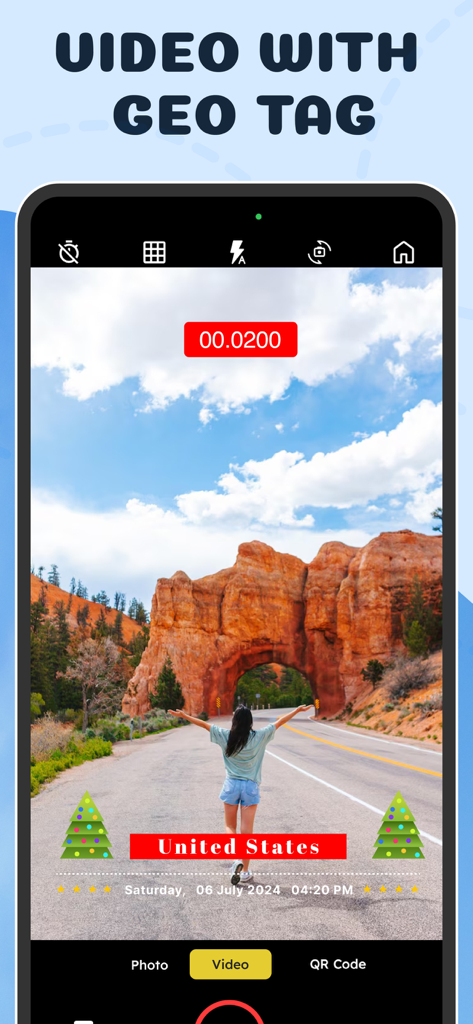
GPS Camera - GPS Video Camera - GPS Video Cameraアプリが、美しい風景の上に埋め込まれた位置スタンプとタイムスタンプ付きのビデオを録画しているスマートフォン画面。

GPS Video Cameraアプリが、美しい風景の上に埋め込まれた位置スタンプとタイムスタンプ付きのビデオを録画しているスマートフォン画面。

説明

The GPS Map Camera is a versatile mobile application that combines the functionalities of a GPS tracker, map viewer, and camera. It is designed to enhance outdoor adventures, travel experiences, and location-based activities by allowing users to easily capture and share geotagged photos. The GPS Map Camera Lite Application provides concise options while still offering all the useful features. With the GPS Photo Location & Map feature, users can take photos and automatically embed precise GPS coordinates, date, time, and other location information into the image's metadata. This is particularly useful for remembering the exact location where a photo was taken or sharing it with others who might be interested. The GPS Map Camera app utilizes the device's built-in GPS capabilities to accurately track the user's location in real-time. It displays the current coordinates on a map interface, providing a clear overview of the surroundings and helping with navigation. Users can choose from different map styles, such as street maps, satellite imagery, or terrain views, based on their preferences. In addition to capturing geotagged photos, the Photo Map GPS Camera offers various features to enhance the photography experience. It includes camera settings like focus modes, exposure adjustments, gridlines, and flash control, enabling users to capture stunning images in any lighting condition. Users can also apply filters, add text or stickers, and crop or rotate photos directly within the app. The GPS Map Camera's gallery organizes geotagged photos by date or location, making it easy to browse and search for specific images. Users can view the photos on the map to visualize the exact locations where they were taken and share them with others through social media or messaging platforms. The GPS Map Camera is an ideal companion for hikers, travelers, explorers, photographers, and anyone who wants to document their journeys and preserve memories with accurate location information. Whether on a road trip, hiking in the mountains, exploring new cities, or simply taking photos in the neighborhood, the PhotoMap GPS Location app helps users capture and share moments with a geospatial context. - Payment charged to iTunes account on purchase confirmation - Auto-renews unless turned off 24 Hrs before the current period ends - Account charged for renewal 24 Hours before the current period ends - Manage subscriptions in Account Settings - Cancellations/refunds handled by the store - Unused free trial portion forfeited on subscription purchase End User License Agreement: https://www.apple.com/legal/internet-services/itunes/dev/stdeula/ Privacy Policy : https://sites.google.com/view/mobile-numbertracker-locator/home

Download

ダウンロード: App Store

このページはアプリまたはその開発者の公式ページではなく、情報提供および論評を目的として作成された独立した編集出版物です。明示的に別段の記載がない限り、アプリおよびその開発者は、MWM、Apple、Google Play、アプリのパブリッシャー、またはアプリの開発者と提携、承認、後援、認可、またはその他の公式的な関係はなく、このページのいかなる内容も、アプリがMWMのサービスを使用して開発されたことを意味するものではありません。すべての商標、ロゴ、スクリーンショット、その他のコンテンツはそれぞれの所有者の財産です。








