GPS Speedometer – MPH Tracker
ダウンロード: App Store

このページはアプリまたはその開発者の公式ページではなく、情報提供および論評を目的として作成された独立した編集出版物です。明示的に別段の記載がない限り、アプリおよびその開発者は、MWM、Apple、Google Play、アプリのパブリッシャー、またはアプリの開発者と提携、承認、後援、認可、またはその他の公式的な関係はなく、このページのいかなる内容も、アプリがMWMのサービスを使用して開発されたことを意味するものではありません。すべての商標、ロゴ、スクリーンショット、その他のコンテンツはそれぞれの所有者の財産です。

ロゴ: GPS Speedometer – MPH Tracker
ダウンロード: App Store

GPS Speedometer – MPH Tracker

高精度な速度追跡、シームレスなナビゲーション、そしてあらゆる旅であなたを安全、情報通、そして整理された状態に保つように設計されたインテリジェントなAIアシスタントを体験してください。

主要数値

ダウンロード

40K+

ユーザー評価

4.4/5

評価数

100

開発元

MAKA PELKA LTD

カテゴリ

Navigation

対応言語

21

最新バージョン

2.1.1

サイズ

126.4 MB

リリース日

2024年2月24日
機能

オールインワンダッシュボードで道路をマスター

アプリ疲れはもう終わり。超高精度な速度追跡、スマートナビゲーション、AIコパイロットを、プロのドライバーやロードトリッパー向けに設計された1つの高コントラストインターフェースに統合しました。

精密追跡でチケットを回避

超高精度のGPS速度監視で安全かつチケットフリーに。高コントラストの大型デジタル表示は、バイクや明るい日差しの下でも、どんな速度でも一目で確認できます。

あなたのパーソナルAIコパイロット

最も安いガソリンを見つけたり、隠れた駐車スペースを見つけたり、旅行の要約を瞬時に取得したりできます。内蔵AIアシスタントがハンズフリーで質問に答えるため、運転に集中できます。

以下のスクリーンショットと説明は、アプリの公式ストアリスティングから直接取得されたものであり、アプリ開発者の所有物です。

アプリストア

スクリーンショット
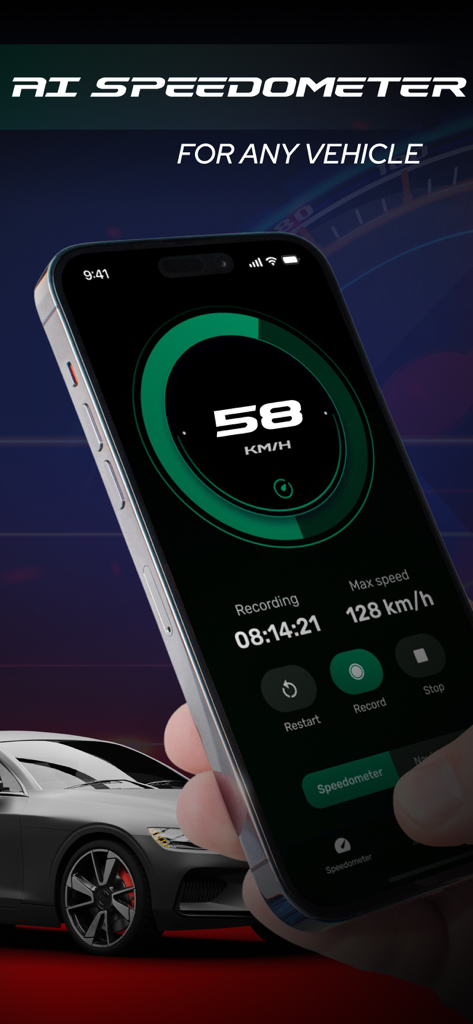
GPS Speedometer – MPH Tracker - あらゆる車両のデジタル速度追跡を示すスマートフォンのGPSスピードメーター – MPHトラッカーアプリのインターフェース
あらゆる車両のデジタル速度追跡を示すスマートフォンのGPSスピードメーター – MPHトラッカーアプリのインターフェース

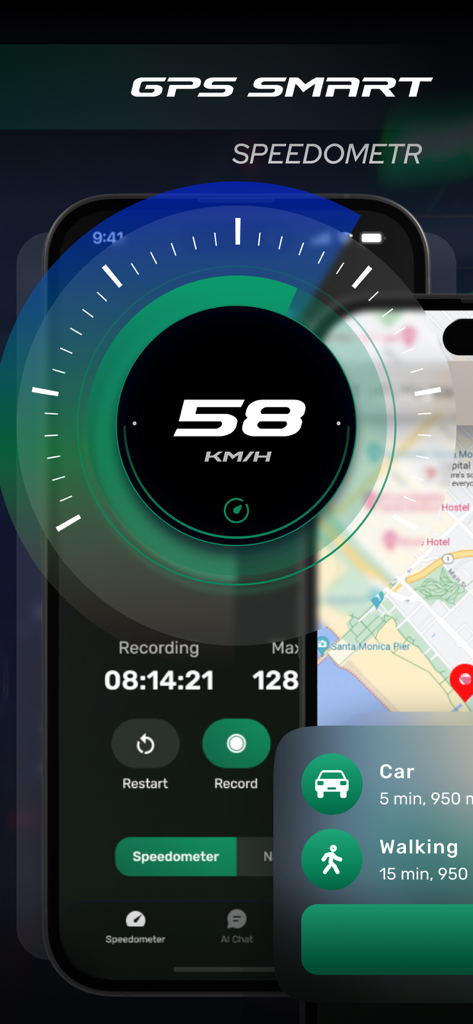
GPS Speedometer – MPH Tracker - 旅行記録統計と地図ビューを備えたキロメートル毎時の速度を示す高コントラストデジタルスピードメーターインターフェース
旅行記録統計と地図ビューを備えたキロメートル毎時の速度を示す高コントラストデジタルスピードメーターインターフェース

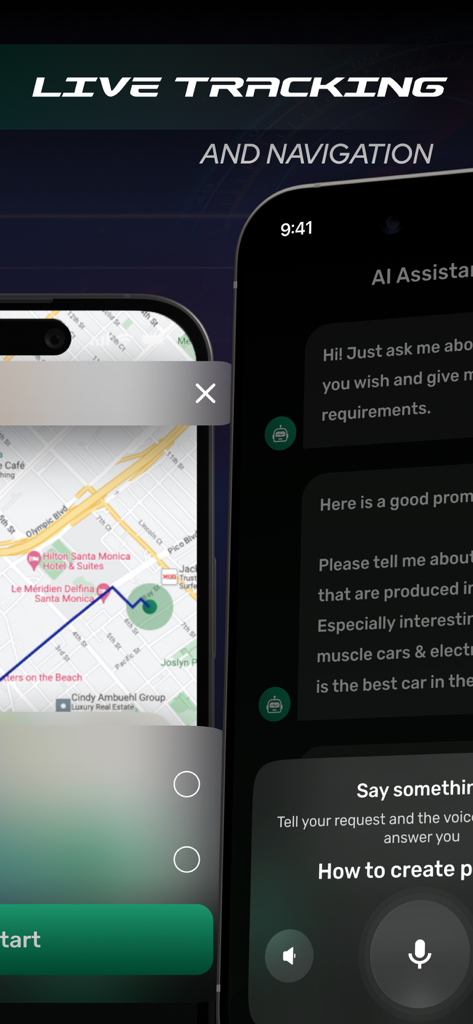
GPS Speedometer – MPH Tracker - GPSスピードメーターアプリ内のライブ追跡ナビゲーションマップとAIアシスタントボイスチャット機能を示すスクリーンショット
GPSスピードメーターアプリ内のライブ追跡ナビゲーションマップとAIアシスタントボイスチャット機能を示すスクリーンショット

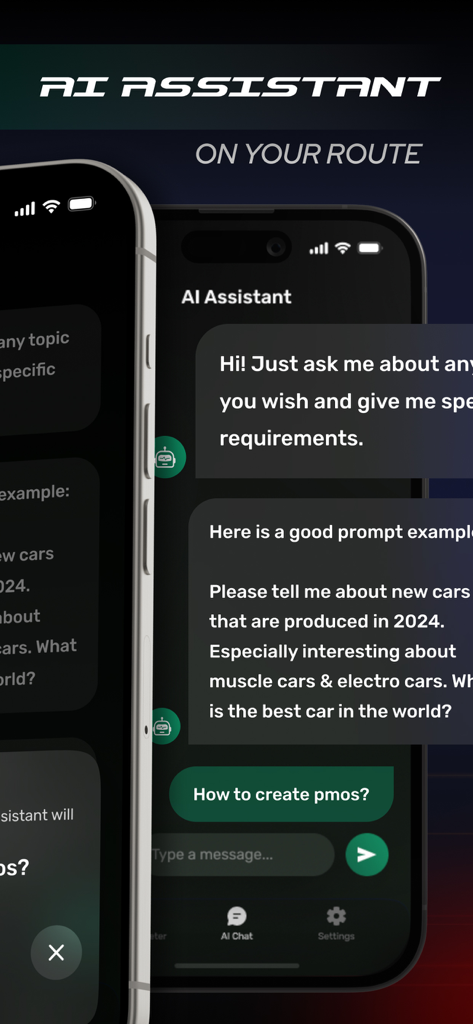
GPS Speedometer – MPH Tracker - GPSスピードメーターアプリのAIアシスタント機能を示すモバイルアプリ画面
GPSスピードメーターアプリのAIアシスタント機能を示すモバイルアプリ画面

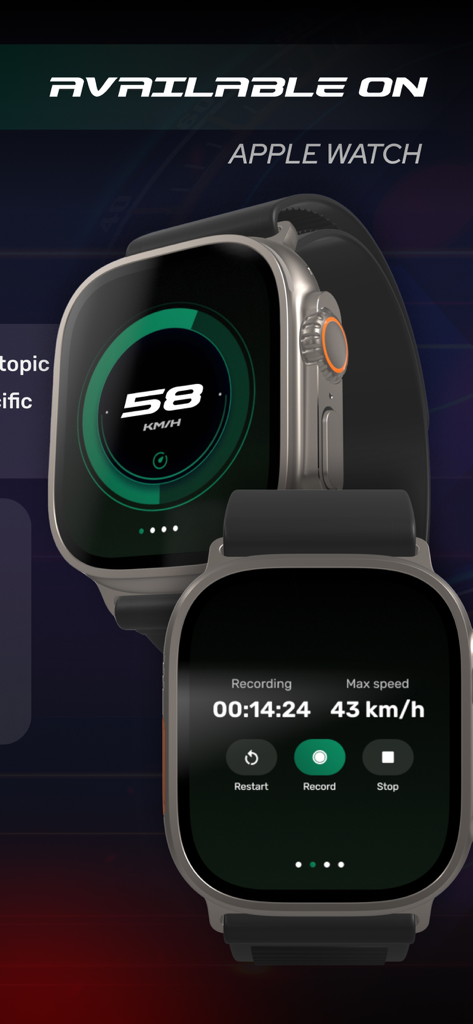
GPS Speedometer – MPH Tracker - Apple Watch上のGPSスピードメーターおよびMPHトラッカーインターフェース

Apple Watch上のGPSスピードメーターおよびMPHトラッカーインターフェース

説明

AI Speedometer — speedometer, navigator, and AI chat in one app Speedometer combines an accurate GPS speedometer, convenient turn-by-turn navigation, and a smart chat assistant. Monitor your speed, build routes, get tips and answers — all in one interface that remains clear and safe while driving. Speedometer – Accurate GPS speed with instant response – Choice of measurement units – Average and maximum speed per trip – Distance traveled and travel time – Large digits and high-contrast theme for better readability – Direction indicator – One-tap fixation of key stats Navigator – Route building to addresses and points of interest – Quick search through recent and favorite places – Automatic rerouting when deviating from the route – Informative map with clear markings and pinch-to-zoom – Direction indicator AI Chatbot – Free-form answers to your questions on the go – Route hints: gas stations, cafés, parking spots along the way – Explanation of road terms and travel planning tips – To-do lists and reminders before your trip – Trip summaries generated on request Performance & Reliability – Optimized resource usage during long trips – Stable performance when network coverage changes or reconnecting – Smooth animation and clean typography for minimal distraction Who It’s For – Car drivers for everyday city and highway trips – Motorcyclists for speed control and convenient route navigation – Couriers and delivery services for quick route adjustments – Travelers for planning stops and keeping a trip log Advantages – One app instead of three separate tools – Intuitive interface: key functions are available with one tap – Clear visualization and large controls – Smart AI tips help you make decisions on the road – Thought-out presets and flexible settings for any scenario Important Notes – Always follow traffic laws and do not get distracted while driving – Speedometer and navigation accuracy depend on GPS signal quality and surroundings – Use voice guidance and mount your device securely in a holder Speedometer helps you keep track of speed, quickly find places you need, and get the right answers — making every trip calm, predictable, and safe. Subscription Information – AI Speedometer offers subscriptions; – Payment will be charged to your Apple ID account upon confirmation of purchase; – Subscription automatically renews unless auto-renew is turned off at least 24 hours before the end of the current period; – The account will be charged for renewal within 24 hours prior to the end of the current period, with the cost of renewal provided; – You can manage subscriptions and turn off auto-renew after purchase by going to your App Store account settings; – Subscription can be canceled at any time in your Apple ID settings; – All prices include applicable local sales taxes; – If subscriptions with a 3-day free trial are offered, then after the 3-day trial the subscription will automatically renew at the specified rate unless canceled before the trial ends; – Any unused portion of a free trial period, if offered, will be forfeited when a subscription is purchased. Privacy Policy: banautapp.com/policy.html Terms of Use: banautapp.com/terms.html

Download

ダウンロード: App Store

このページはアプリまたはその開発者の公式ページではなく、情報提供および論評を目的として作成された独立した編集出版物です。明示的に別段の記載がない限り、アプリおよびその開発者は、MWM、Apple、Google Play、アプリのパブリッシャー、またはアプリの開発者と提携、承認、後援、認可、またはその他の公式的な関係はなく、このページのいかなる内容も、アプリがMWMのサービスを使用して開発されたことを意味するものではありません。すべての商標、ロゴ、スクリーンショット、その他のコンテンツはそれぞれの所有者の財産です。








