GPS-Tracker Pro
GPS-Tracker Pro
ダウンロード: App Store

このページはアプリまたはその開発者の公式ページではなく、情報提供および論評を目的として作成された独立した編集出版物です。明示的に別段の記載がない限り、アプリおよびその開発者は、MWM、Apple、Google Play、アプリのパブリッシャー、またはアプリの開発者と提携、承認、後援、認可、またはその他の公式的な関係はなく、このページのいかなる内容も、アプリがMWMのサービスを使用して開発されたことを意味するものではありません。すべての商標、ロゴ、スクリーンショット、その他のコンテンツはそれぞれの所有者の財産です。


ロゴ: GPS-Tracker Pro
ダウンロード: App Store

GPS-Tracker Pro

データ主導の探求者向け高度ユーティリティ。高忠実度メトリクス、ダイナミック速度マップ、プログレードのGPX、KML、CSVエクスポートで、あらゆるハイキング、ドライブ、フライトを記録します。

主要数値

ダウンロード

374K+

ユーザー評価

3.8/5

評価数

200

開発元

Marvin Wagner

カテゴリ

Navigation

対応言語

2

最新バージョン

1.8

サイズ

1.9 MB

リリース日

2015年7月17日
機能

あらゆる旅のための高精度トラッキング

山のトレイルから飛行経路まで、プログレードのGPSロギングと高度なデータ視覚化で、アクティビティのあらゆる詳細をキャプチャします。

包括的なデータインサイト

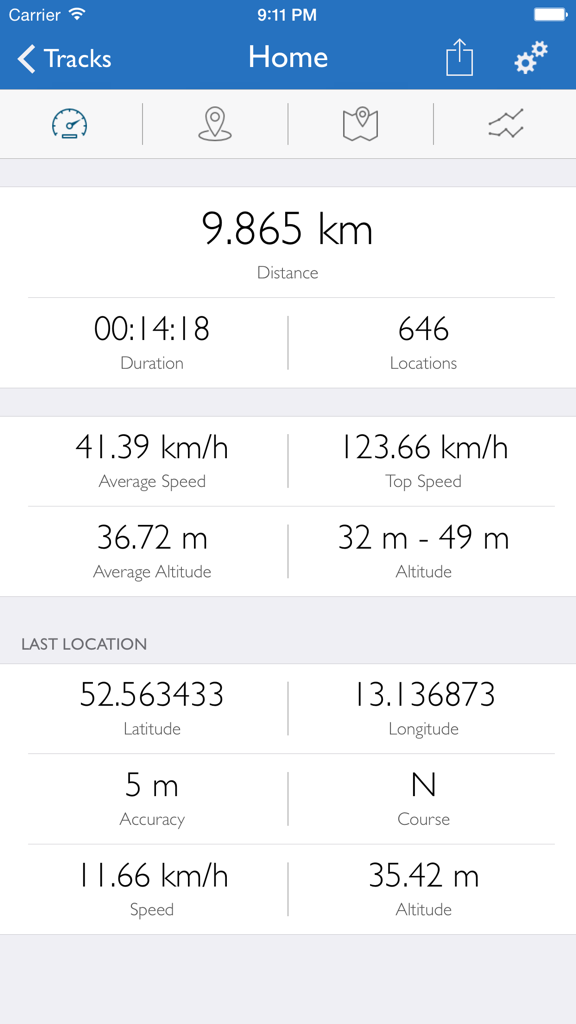
あらゆるアクティビティでのパフォーマンス分析に役立つ、正確な統計情報でリアルタイムの速度、高度、距離を監視します。

視覚的な速度マッピング

速度の変化を地図上に直接表示する、ダイナミックでマルチカラーの経路表示でペースを視覚化します。

プログレードのデータポータビリティ

GPX、KML、またはCSV形式でのシームレスなエクスポートでデータを制御します。iPadやデスクトップソフトウェアでの分析に最適です。

以下のスクリーンショットと説明は、アプリの公式ストアリスティングから直接取得されたものであり、アプリ開発者の所有物です。

アプリストア

スクリーンショット
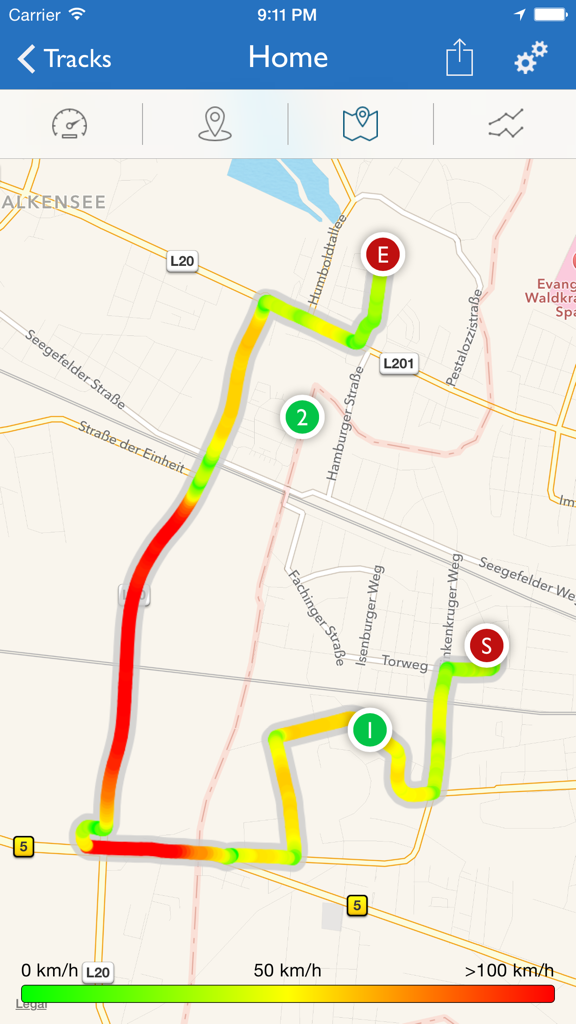
GPS-Tracker Pro - GPS-Tracker Proアプリの地図上に表示されたマルチカラーのルートトラック。経路に沿った速度の変化を示しています。
GPS-Tracker Proアプリの地図上に表示されたマルチカラーのルートトラック。経路に沿った速度の変化を示しています。

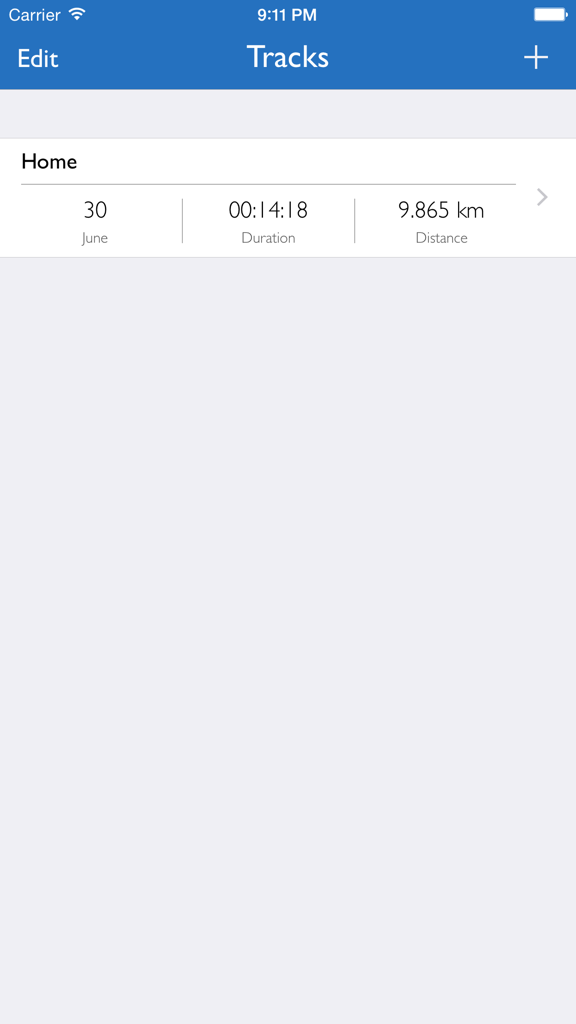
GPS-Tracker Pro - GPS-Tracker Proアプリのインターフェース。走行時間や距離などの旅行詳細が表示された記録されたGPSトラックのリストを表示しています。
GPS-Tracker Proアプリのインターフェース。走行時間や距離などの旅行詳細が表示された記録されたGPSトラックのリストを表示しています。

GPS-Tracker Pro - GPS-Tracker Proダッシュボード。距離、速度、高度、地理座標の追跡データが表示されています。
GPS-Tracker Proダッシュボード。距離、速度、高度、地理座標の追跡データが表示されています。

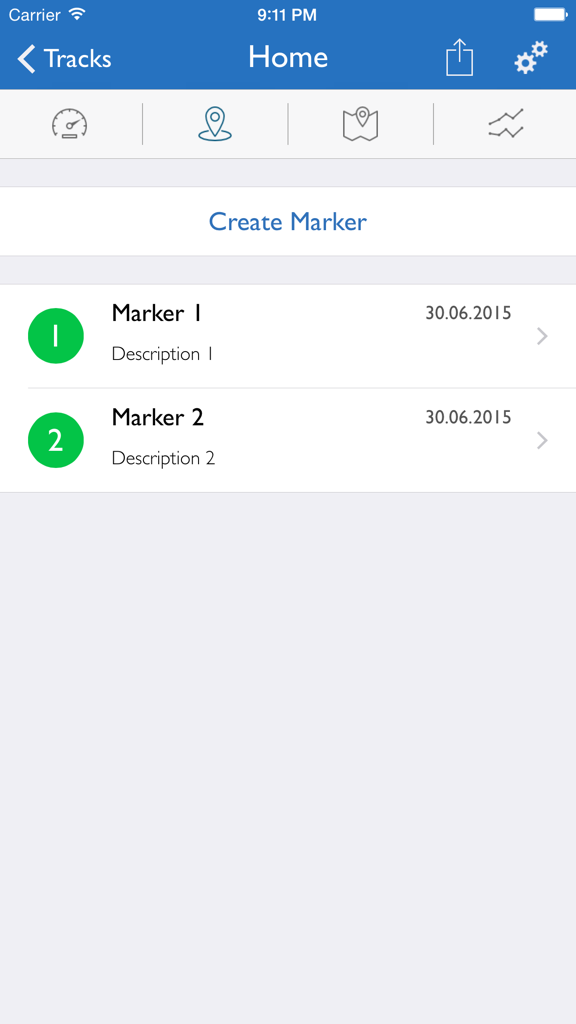
GPS-Tracker Pro - GPS-Tracker Pro画面。日付と説明が表示されたカスタムロケーションマーカーのリストを表示しています。
GPS-Tracker Pro画面。日付と説明が表示されたカスタムロケーションマーカーのリストを表示しています。

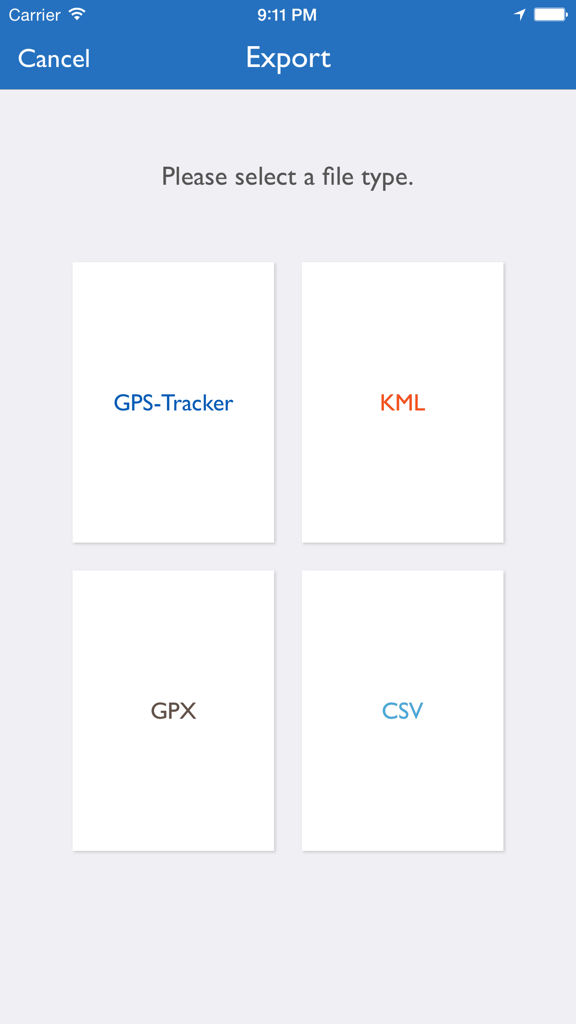
GPS-Tracker Pro - GPS-Tracker Proのエクスポートインターフェース。KML、GPX、CSVファイル形式の選択オプションが表示されています。

GPS-Tracker Proのエクスポートインターフェース。KML、GPX、CSVファイル形式の選択オプションが表示されています。

説明

Turn your iDevice with the GPS Tracker Pro in one of the advanced GPS tracker. Whether you hike, bicycle, motorcycle or driving a car or even fly, record your activities and watch them at a later date to at rest. Once you have started the recording, you can track your route live on the map. The recording can be paused at any time and continued at a later date. It is not recorded only your current location, but also additionally your current speed and altitude. During and after recording you always following values ​​are in the index are available:  - Put up  - Duration  - Number of recorded locations  - Average speed  - Maximum speed  - Average height  - Lowest height  - Highest level Create additionally markers on the map to save interesting places that you want to remember. Furthermore, you are free to choose whether the route should be one or more colors (shown on the map The color depends on your speed, choose between a static scale (0 km / h -.. 50 km / h -100 km / h ) and a dynamic scale (depending on your speed). To get a better view of a recording, you can, for example, Send to your iPad. The following settings can at any time, even during a recording, be adjusted individually:  - Notification of inactivity  - Notification of poor reception  - Interval of a status report  - GPS accuracy Desired  - Removing filter  - Map type  - View the current position on the map  - Display of the starting point  - Display of the end point  - Display of marks  - Use of a background path  - Use of a multi-colored path  - Use of a dynamic scale Share. Your recordings with your friends via AirDrop, by email or iMessage The following formats are available for export:  - GPS Tracker Pro  - KML  - GPX  - CSV NOTE: If you do not have GPS enabled device and still want to start recording, then you need an additional GPS receiver. When you watch the recordings no GPS receiver is required. WARNING: Continued use of GPS running in the background can dramatically decrease battery life.

Download

ダウンロード: App Store

このページはアプリまたはその開発者の公式ページではなく、情報提供および論評を目的として作成された独立した編集出版物です。明示的に別段の記載がない限り、アプリおよびその開発者は、MWM、Apple、Google Play、アプリのパブリッシャー、またはアプリの開発者と提携、承認、後援、認可、またはその他の公式的な関係はなく、このページのいかなる内容も、アプリがMWMのサービスを使用して開発されたことを意味するものではありません。すべての商標、ロゴ、スクリーンショット、その他のコンテンツはそれぞれの所有者の財産です。








