Gpx Viewer-Converter&Tracking
ダウンロード: App Store

このページはアプリまたはその開発者の公式ページではなく、情報提供および論評を目的として作成された独立した編集出版物です。明示的に別段の記載がない限り、アプリおよびその開発者は、MWM、Apple、Google Play、アプリのパブリッシャー、またはアプリの開発者と提携、承認、後援、認可、またはその他の公式的な関係はなく、このページのいかなる内容も、アプリがMWMのサービスを使用して開発されたことを意味するものではありません。すべての商標、ロゴ、スクリーンショット、その他のコンテンツはそれぞれの所有者の財産です。

ロゴ: Gpx Viewer-Converter&Tracking
ダウンロード: App Store

Gpx Viewer-Converter&Tracking

探検家のための必須ツールキット。過酷なトレイル向けに設計されたリアルタイムナビゲーションとオフラインマップで、GPXファイルを簡単にインポート、追跡、変換できます。

主要数値

ダウンロード

176K+

ユーザー評価

1.8/5

評価数

0

開発元

p swagath

カテゴリ

Navigation

対応言語

1

最新バージョン

3.0.3

サイズ

10.6 MB

リリース日

2016年5月12日
機能

オフグリッドナビゲーションをマスターする

バックカントリーで信頼性の高いパフォーマンスを必要とする探検家のために設計された、GPXデータの閲覧、追跡、変換を行うオールインワンユーティリティ。

シームレスなマップ統合

メール、WhatsApp、iCloudからGPXファイルをインポートし、高解像度マップで次の冒険を可視化します。

オフラインGPS追跡

速度や標高などのライブ統計とともに経路を記録。電波が届かない場所でも道に迷うことはありません。

以下のスクリーンショットと説明は、アプリの公式ストアリスティングから直接取得されたものであり、アプリ開発者の所有物です。

アプリストア

スクリーンショット
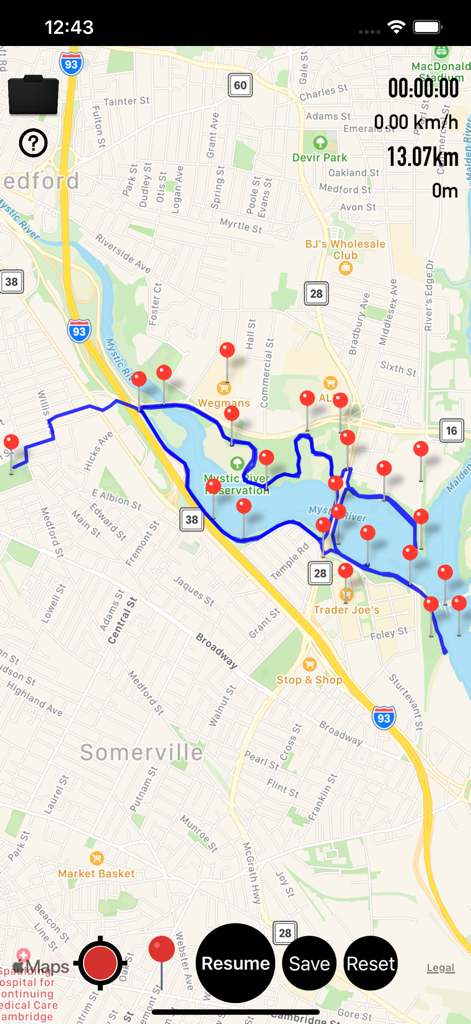
Gpx Viewer-Converter&Tracking - 複数の赤いウェイポイントとナビゲーションデータを含む、青いGPSトラックを表示するモバイルマップインターフェース
複数の赤いウェイポイントとナビゲーションデータを含む、青いGPSトラックを表示するモバイルマップインターフェース

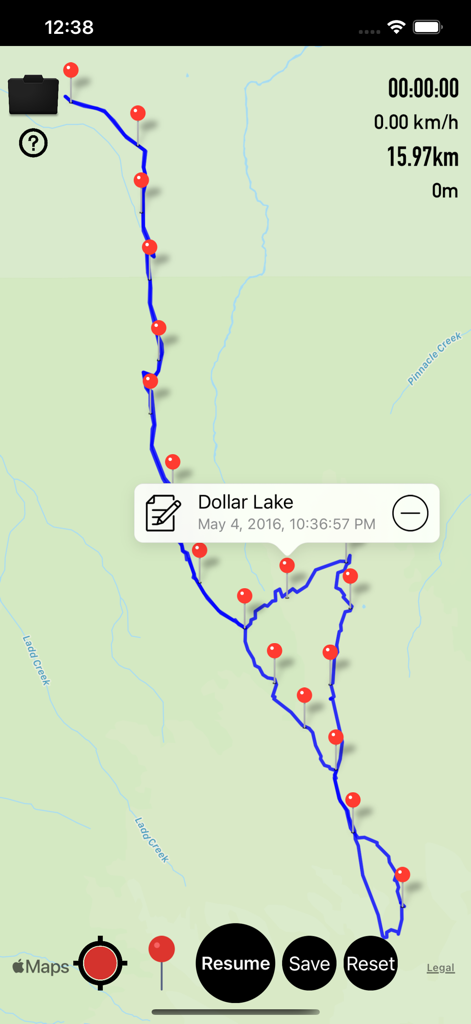
Gpx Viewer-Converter&Tracking - ダラー湖へのハイキングのための、赤いウェイポイントと追跡データを含む緑の地図上の青いGPXトレイルを表示するモバイルアプリインターフェース
ダラー湖へのハイキングのための、赤いウェイポイントと追跡データを含む緑の地図上の青いGPXトレイルを表示するモバイルアプリインターフェース

Gpx Viewer-Converter&Tracking - 複数の赤いウェイポイントマーカーでトレイルを表示するGPX追跡アプリのマップインターフェース
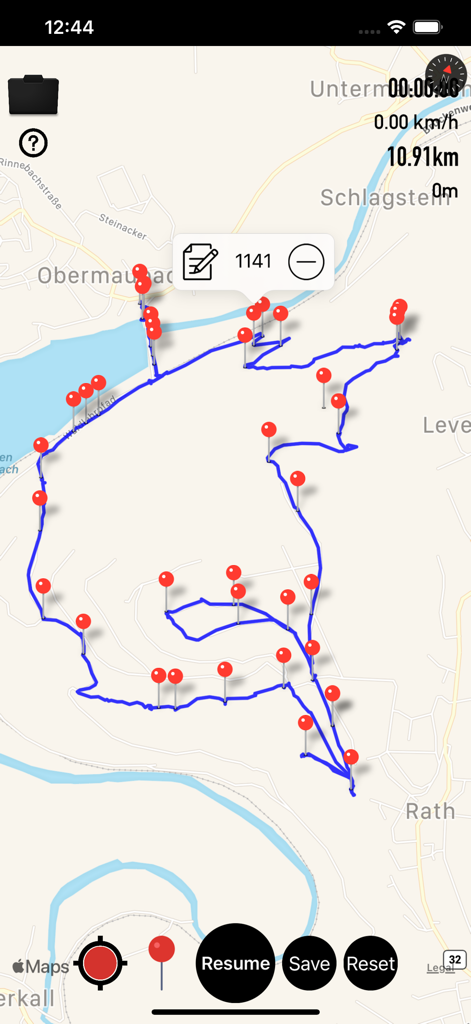
複数の赤いウェイポイントマーカーでトレイルを表示するGPX追跡アプリのマップインターフェース

Gpx Viewer-Converter&Tracking - 地図上に赤いウェイポイントと距離統計を含む記録されたトレイルを表示する、Gpx ViewerアプリのGPS追跡画面
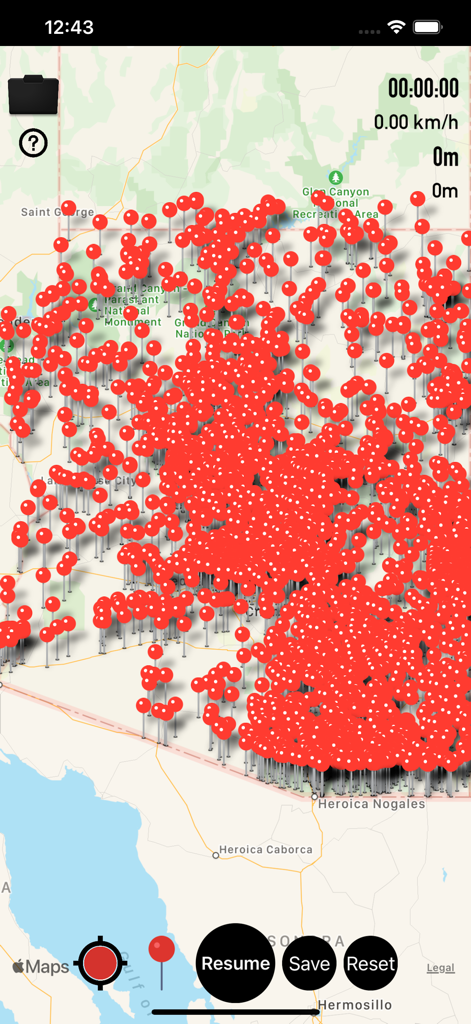
地図上に赤いウェイポイントと距離統計を含む記録されたトレイルを表示する、Gpx ViewerアプリのGPS追跡画面

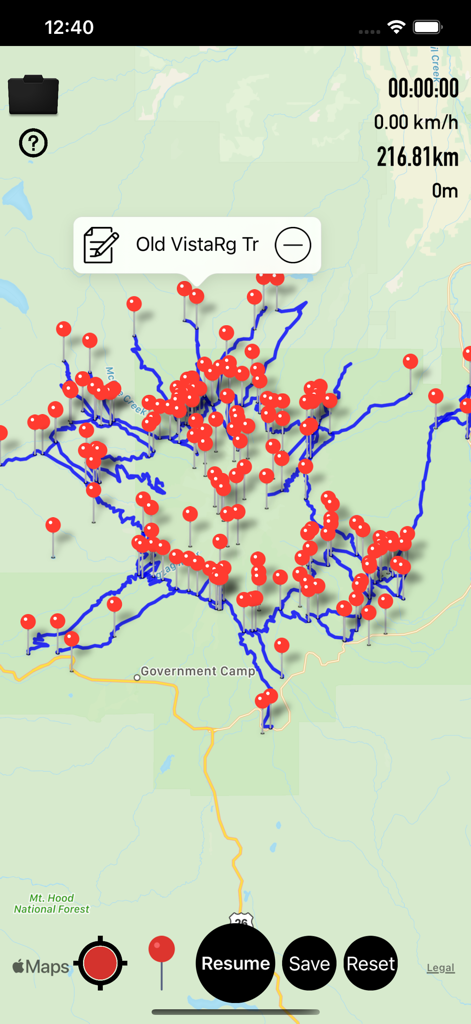
Gpx Viewer-Converter&Tracking - 多数の赤いウェイポイントマーカーと追跡コントロールで覆われた地図を表示するGpx Viewerのモバイルアプリインターフェース
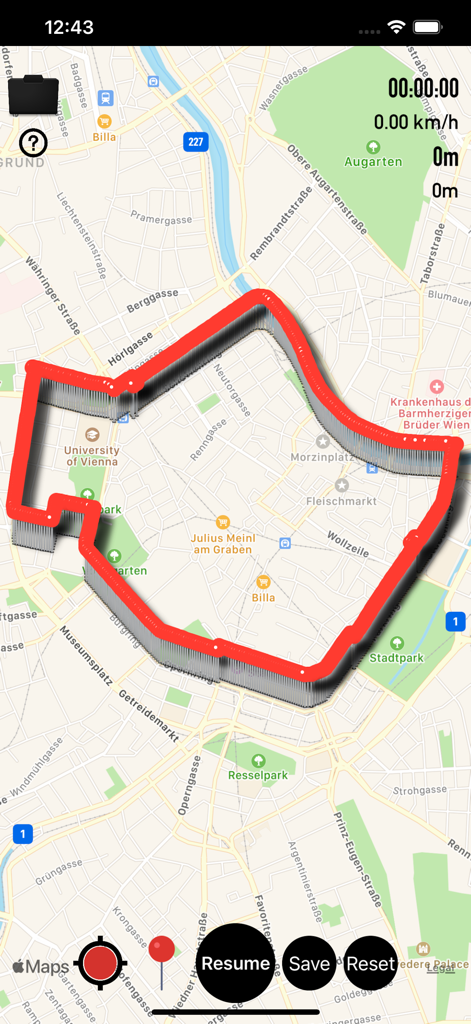
多数の赤いウェイポイントマーカーと追跡コントロールで覆われた地図を表示するGpx Viewerのモバイルアプリインターフェース

Gpx Viewer-Converter&Tracking - ナビゲーションコントロールを備えた都市地図上に赤い追跡パスを表示するGPX Viewerアプリのインターフェース
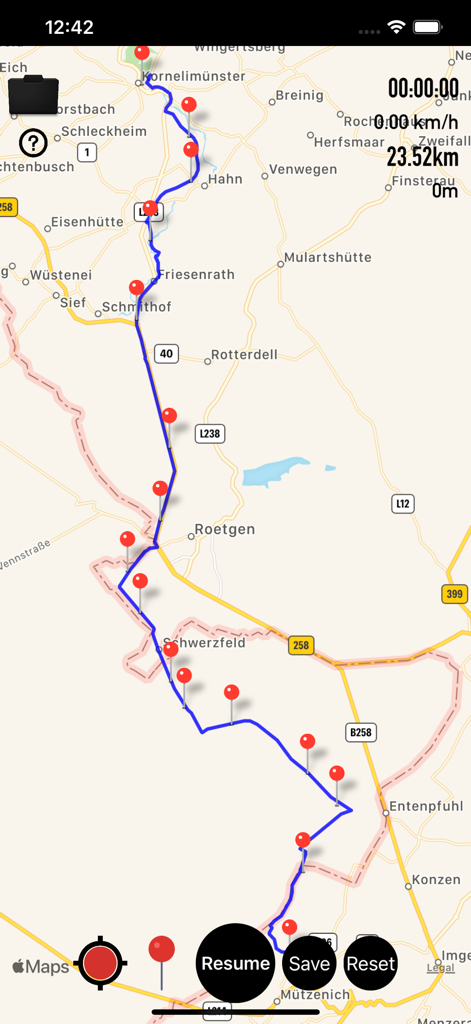
ナビゲーションコントロールを備えた都市地図上に赤い追跡パスを表示するGPX Viewerアプリのインターフェース

Gpx Viewer-Converter&Tracking - 複数の赤いウェイポイントと距離データを含む、地図上の青いナビゲーショントラックを表示するモバイル画面
複数の赤いウェイポイントと距離データを含む、地図上の青いナビゲーショントラックを表示するモバイル画面

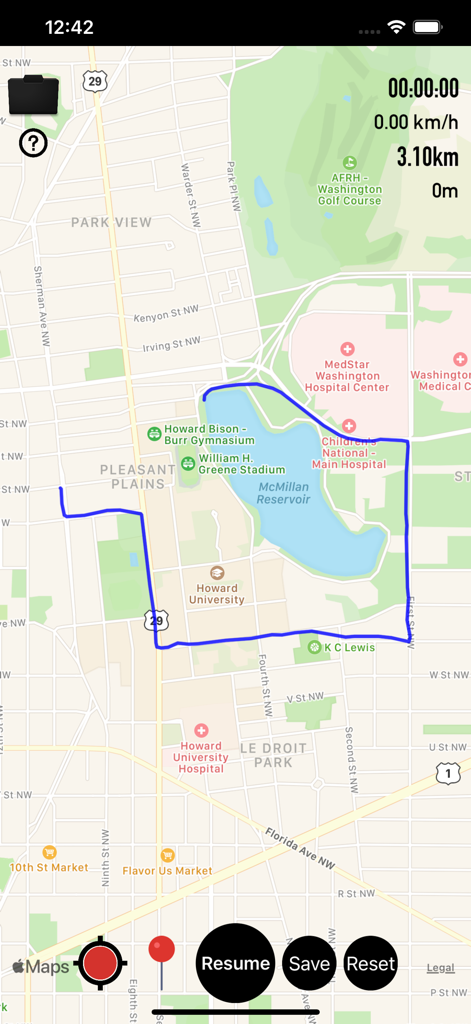
Gpx Viewer-Converter&Tracking - ナビゲーション統計を含むワシントンDCの地図上に青い追跡ルートを表示するGpx Viewerアプリのインターフェース
ナビゲーション統計を含むワシントンDCの地図上に青い追跡ルートを表示するGpx Viewerアプリのインターフェース

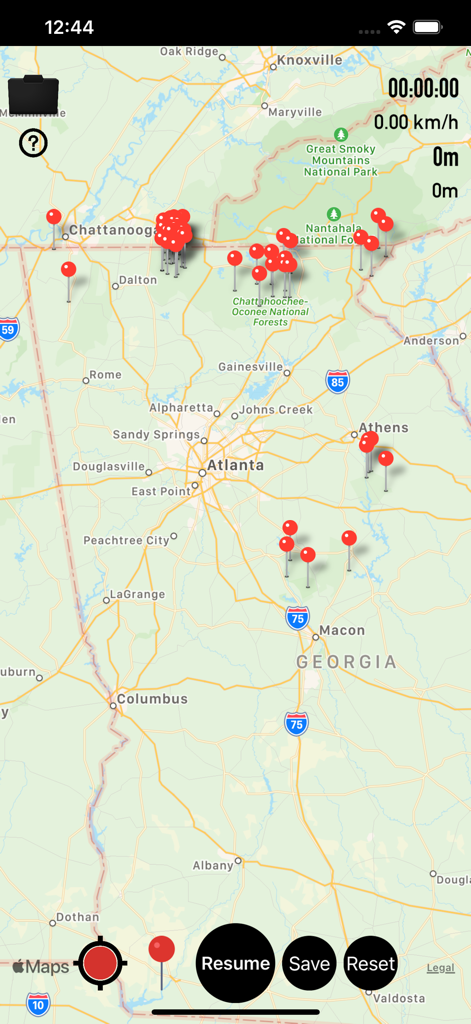
Gpx Viewer-Converter&Tracking - 複数の赤いウェイポイントマーカーと追跡統計を含むジョージア州の地図を表示するGpx Viewerアプリのインターフェース
複数の赤いウェイポイントマーカーと追跡統計を含むジョージア州の地図を表示するGpx Viewerアプリのインターフェース

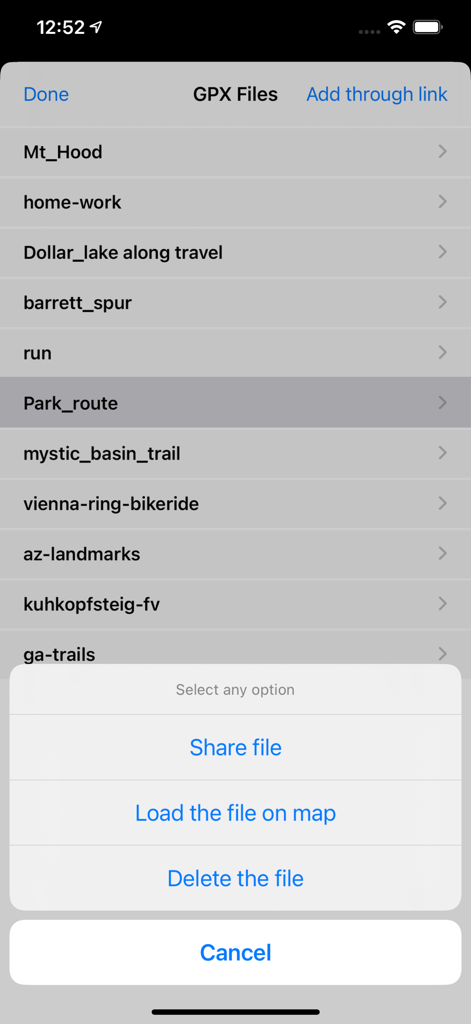
Gpx Viewer-Converter&Tracking - ルートのリストとファイルオプションメニューを表示するGPXファイル管理画面

ルートのリストとファイルオプションメニューを表示するGPXファイル管理画面

説明

Gpx Viewer-Gpx Converter-Gpx Tracking(All in one) is an application provides you to load the gpx files, convert gpx files and create gpx track over the map. GPX all in one app is a simple to use but powerful tool that helps you to load .gpx files, track your way and convert files. This app works for offline and online. features: To add or view .gpx files into the Application You can view, add or import .gpx files into the application in multiple ways 1) Keep the .gpx files to the mail, then long press on gpx file from mail that shows the application icon.click to import the file over the map. 2) Add files from other apps which will be similarly supported files like Email,WhatsApp,Add to Notes,Add to iCloud Drive,Save to files and other apps. 3) Click on folder icon on map.Then “Add through link” enter .gpx files link to add the files in to the application. 4) Connect your iPhone or iPad to System then iTunes will automatically opens an window.Click phone symbol on top left—>File Sharing—>Apps to see the Gpx viewer app then click on app icon to add .gpx files. To create Gpx Tarck —>first ON Gps to create Gpx track, This will draw a blue coloured line when you move from one location to another location. —>Once the tracking is started you can see “Time”, “Speed”, “Distance” values will changes.When you move one location to another location, you can see lots of data is tracking.You feel an Live experience. —>Pause / Resume tracking. —>You can add waypoints or Markers along the way. —>Long press on map to add waypoints or markers. —>Click Marker red icon on map to add waypoint along the Gpx track. —>Edit waypoint name. —>Drag & Drop waypoint Marker or pin. —>You can Remove waypoints. —>Load on map a saved Track and waypoints and continue with tracking. —>If you drive a car, riding on bike or walking along path or hiking tour, GPX tracking will be tracing your geo data. To convert Gpx file —>After successfully loading file over the map, you can convert the file. —>you can Share or send your favourite tracking and waypoints to your friends Through mail. —>Now you can share Gpx files to multiple apps similarly supported files. —>Easily Export Gpx files to Another application —>Easily Import Gpx files from Another application This app is universal app compatible with all iOS devices with GPS. This app requires a GPS-enabled device to be really useful.Without GPS on your device, you will be able to view GPX files and convert GPX files, but you will not able to use the GPS tracking. "Continued use of GPS running in the background can dramatically decrease battery life."

Download

ダウンロード: App Store

このページはアプリまたはその開発者の公式ページではなく、情報提供および論評を目的として作成された独立した編集出版物です。明示的に別段の記載がない限り、アプリおよびその開発者は、MWM、Apple、Google Play、アプリのパブリッシャー、またはアプリの開発者と提携、承認、後援、認可、またはその他の公式的な関係はなく、このページのいかなる内容も、アプリがMWMのサービスを使用して開発されたことを意味するものではありません。すべての商標、ロゴ、スクリーンショット、その他のコンテンツはそれぞれの所有者の財産です。








