
このページはアプリまたはその開発者の公式ページではなく、情報提供および論評を目的として作成された独立した編集出版物です。明示的に別段の記載がない限り、アプリおよびその開発者は、MWM、Apple、Google Play、アプリのパブリッシャー、またはアプリの開発者と提携、承認、後援、認可、またはその他の公式的な関係はなく、このページのいかなる内容も、アプリがMWMのサービスを使用して開発されたことを意味するものではありません。すべての商標、ロゴ、スクリーンショット、その他のコンテンツはそれぞれの所有者の財産です。

Grid Post Pic Collage Maker
ソーシャルメディアのフィードをプロフェッショナルなデジタルポートフォリオに。50種類以上の美しいグリッドスタイルを使用して、写真や動画をシームレスな巨大スクエアに分割。目立つデザインでフォロワーを増やしましょう。
ダウンロード
2M+ユーザー評価
評価数
22K+開発元
カテゴリ
Graphics & Design対応言語
2最新バージョン
3.6サイズ
71.8 MBリリース日
2015年8月4日プロフィールをデジタル作品に
標準的なフィードを超えましょう。プロフェッショナルなグリッドレイアウトを使用して、統一感のあるインパクトの強い美しさを生み出し、プロフィールの訪問者を忠実なフォロワーに変えましょう。
シームレスな巨大グリッド
50種類以上のグリッドスタイルから選択して、写真を素晴らしいフルプロフィールバナーに分割。プロフィールにアクセスした瞬間に注目を集めます。
ステップバイステップの投稿ガイド
スマートなナンバリングシステムで、次にどのタイルを投稿すべきかを正確に指示。当て推量を排除し、レイアウトが常に完璧に整うようにします。
よくある質問
について知っておくべきこと Grid Post Pic Collage Maker
Grid Post Pic Collage Makerとは何ですか?
Grid Post Pic Collage Makerは、写真を複数の部分に分割してユニークなソーシャルメディア投稿を作成できるアプリケーションです。これにより、ソーシャルネットワークプロフィールに大きく、まとまったバナーが形成されます。
Grid Post Pic Collage Makerでグリッド投稿に動画を追加できますか?
はい、Grid Post Pic Collage Makerではグリッド投稿に動画を追加できます。この機能は、ソーシャルメディアプロフィール用のダイナミックでクリエイティブなビデオバナーの作成に役立ちます。
Grid Post Pic Collage Makerにはいくつの種類のグリッドがありますか?
Grid Post Pic Collage Makerは、50種類以上のグリッドオプションと、何百ものレイアウトを提供しています。
Grid Post Pic Collage Makerは、投稿する画像の部分を提案してくれますか?
はい、Grid Post Pic Collage Makerアプリには、分割された画像の部分を1つずつ最適な順序で投稿することを提案するスマート機能が搭載されています。
Grid Post Pic Collage Makerには、写真編集機能が内蔵されていますか?
はい、Grid Post Pic Collage Makerには強力な写真編集ツールが搭載されています。アプリ内で直接画像をトリミングしたり、さまざまな色やフィルターオプションにアクセスしたりできます。
Grid Post Pic Collage Makerのサブスクリプションはどうすれば登録できますか?
Grid Post Pic Collage Makerのサブスクリプションは、アプリ内購入を通じて登録できます。購入の確認時に、iTunesアカウントに料金が請求されます。
Grid Post Pic Collage Makerのサブスクリプションをキャンセルするにはどうすればよいですか?
Grid Post Pic Collage Makerのサブスクリプションをキャンセルするには、現在の期間が終了する少なくとも24時間前に、iTunesアカウント設定で自動更新をオフにする必要があります。
アクティブな期間中にGrid Post Pic Collage Makerのサブスクリプションをキャンセルできますか?
いいえ、アクティブなサブスクリプション期間中に現在のGrid Post Pic Collage Makerサブスクリプションをキャンセルすることはできません。自動更新をオフにすることはできますが、アクティブな期間の返金は行われません。
Grid Post Pic Collage Makerの無料トライアルはありますか?
はい、Grid Post Pic Collage Makerは無料トライアル期間を提供しています。請求を避けるためには、トライアル期間が終了する少なくとも24時間前にiTunesアカウント設定で無料トライアルをキャンセルする必要があります。
Grid Post Pic Collage Makerのプライバシーポリシーはどこで確認できますか?
Grid Post Pic Collage Makerのプライバシーポリシーは、https://www.freeprivacypolicy.com/live/468be400-20f9-4aad-97e0-a2bfe6687be9 で確認できます。このリンクはアプリの説明に記載されています。
以下のスクリーンショットと説明は、アプリの公式ストアリスティングから直接取得されたものであり、アプリ開発者の所有物です。
アプリストア
スクリーンショット
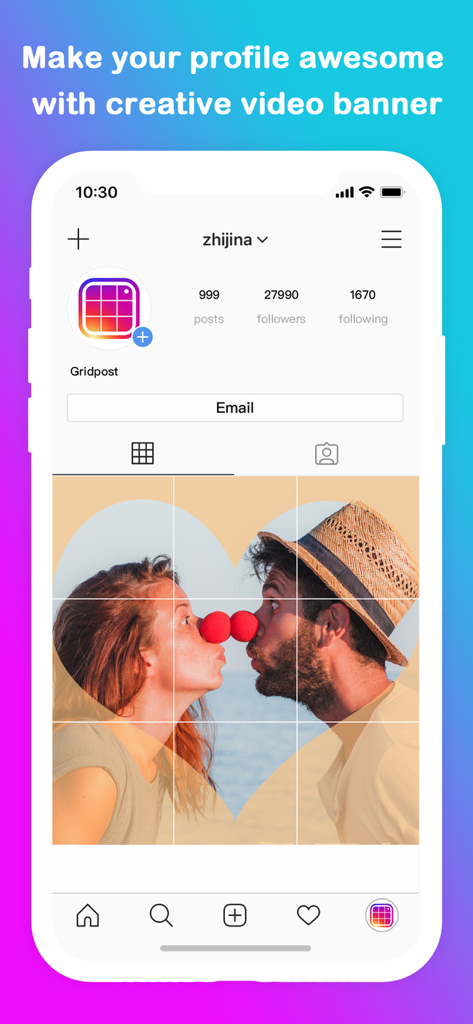
Instagramプロフィールページの巨大な3x3写真グリッドバナー
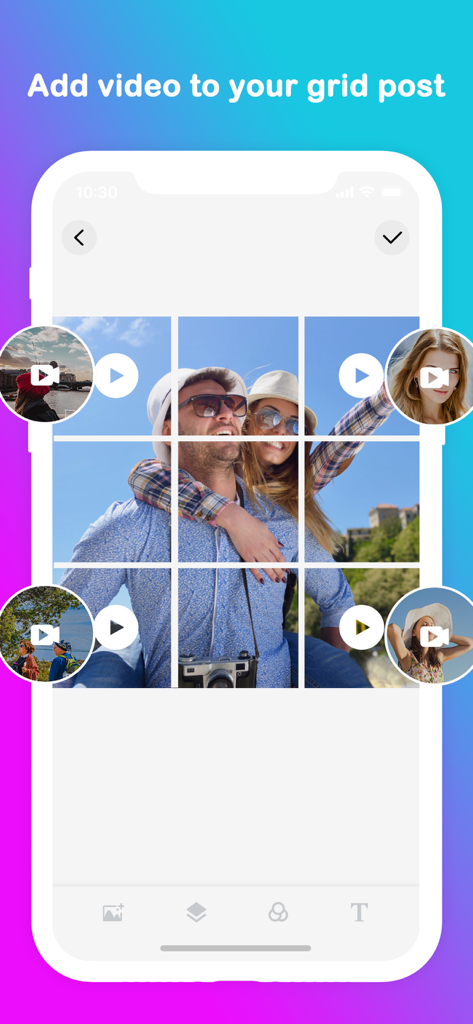
ソーシャルメディア向けの、上部に写真と動画のバブルがある3x3グリッドレイアウトを表示するモバイルアプリのインターフェース
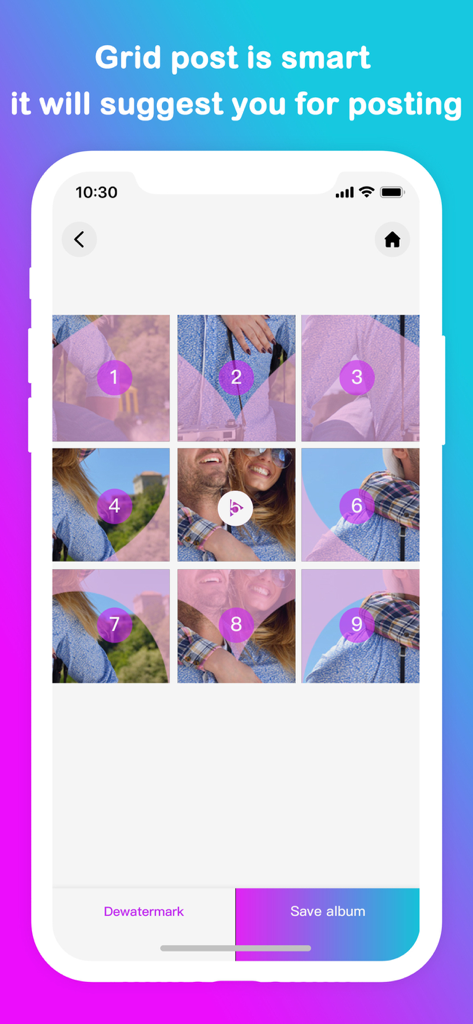
ソーシャルメディアに投稿する順序を示す番号が付いた3x3の写真グリッド
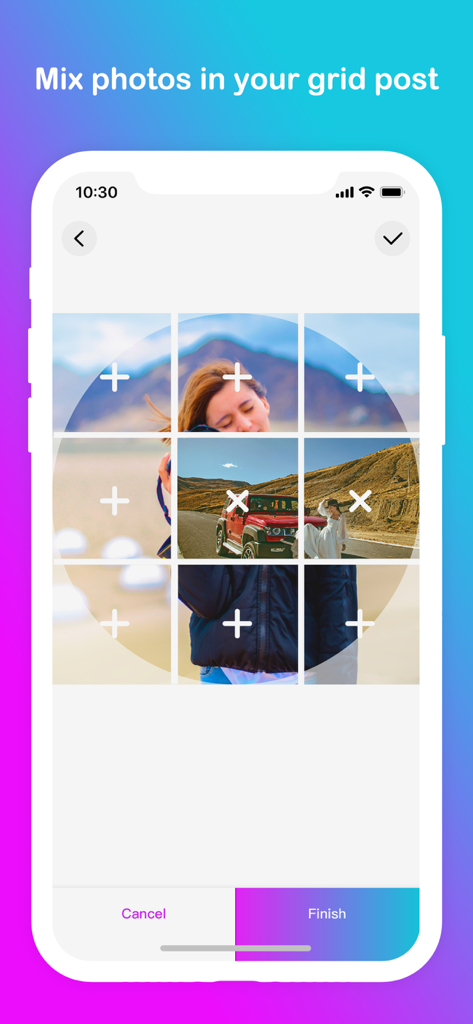
複数の写真を3x3グリッドレイアウトに混ぜる方法を示すGrid Postアプリのインターフェース
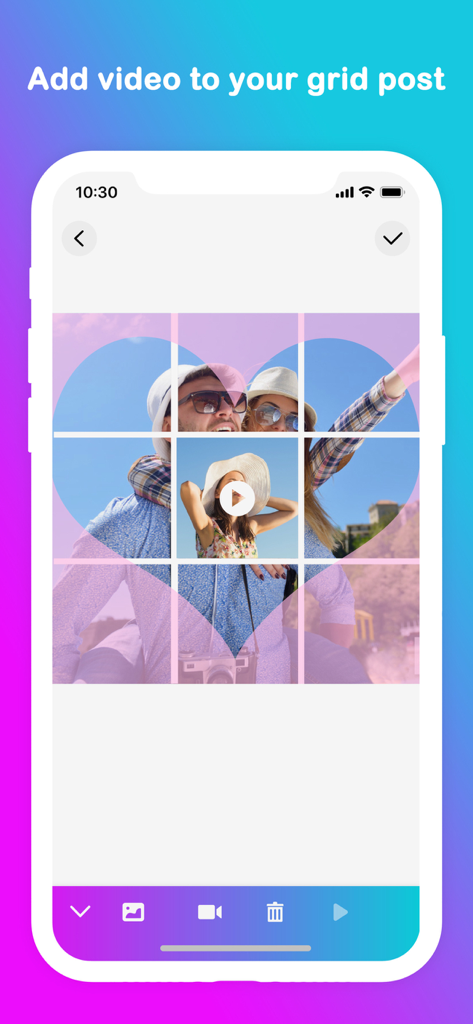
ハート型の写真オーバーレイと統合されたビデオ再生ボタンを備えた3x3グリッド投稿を表示するモバイルアプリのインターフェース
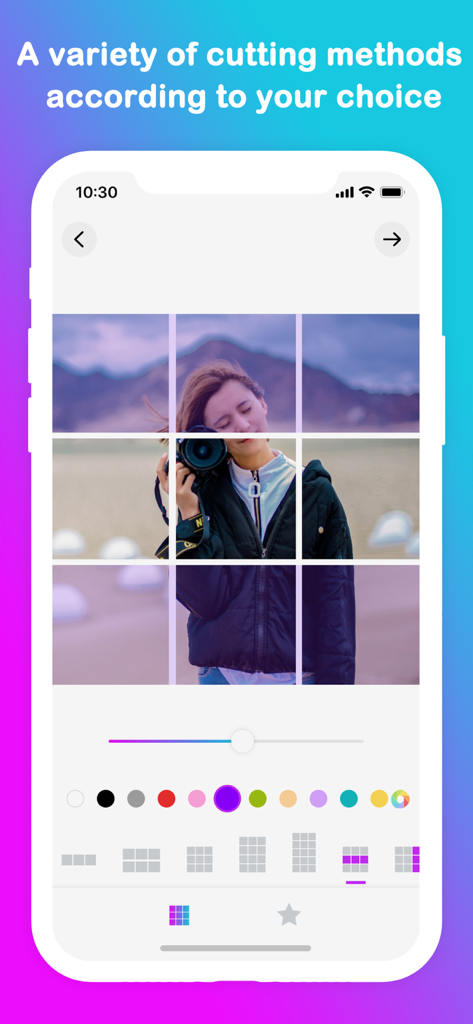
Instagramプロフィールデザイン用に分割された3x3写真グリッドを表示するモバイルアプリのインターフェース
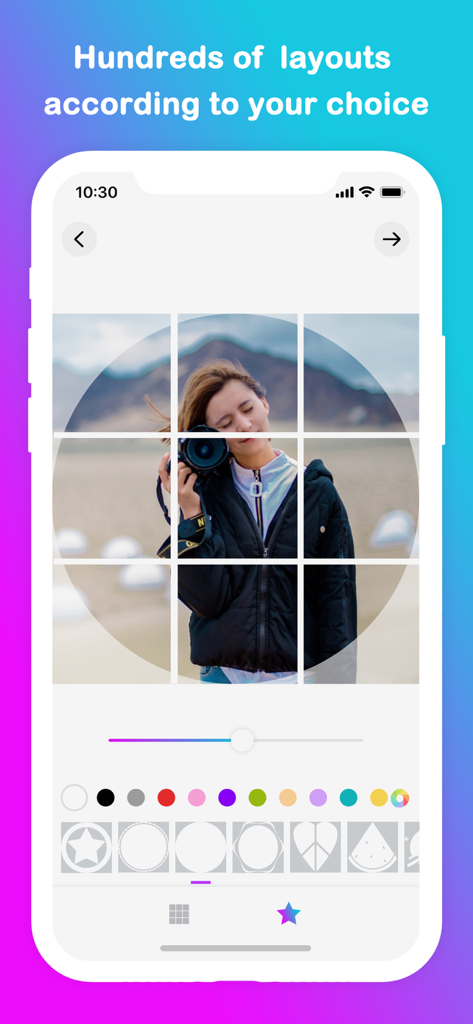
ソーシャルメディアデザイン用のカメラの被写体とさまざまな幾何学模様のオーバーレイがある3x3写真グリッドを表示するモバイルアプリのインターフェース
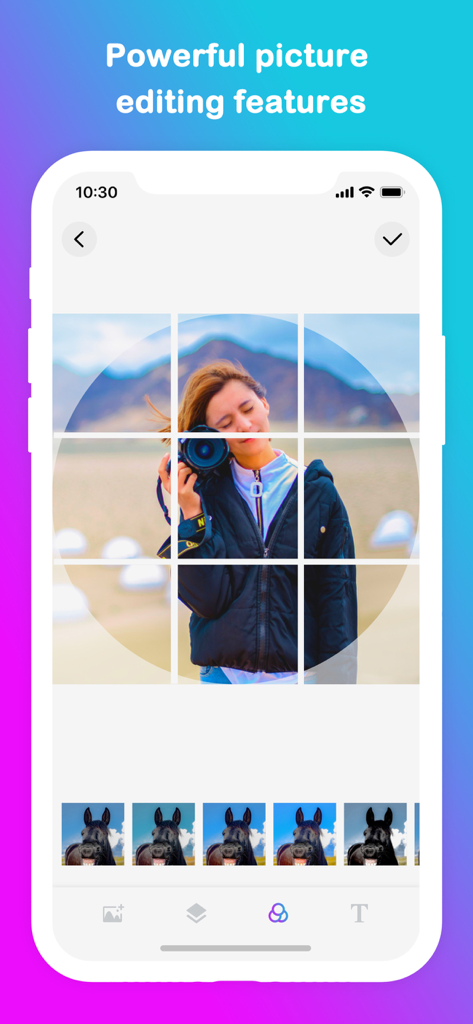
フィルターオプション付きの9マスグリッドレイアウトでカメラを持つ女性を表示するGrid Postアプリのモバイルインターフェース
説明
Download
類似アプリ
似た機能とユーザー体験を持つアプリ

Crsel: Carousel & Story Maker
Georgy Romelashvili

Layout for Instagram・Inpreview
Onelight Apps CY Ltd

Carousel Layout Maker・SwipeMix
Onelight Apps CY Ltd

PanoCut: Panorama Scroll Maker
Hashone Tech LLP

PhotoSplit for Instagram
Tech Positive Inc.

Setty: Photo Filters & Presets
A Color Story LLC

Preview Feed for Insta・Layout
Appslead Ltd

Feed Preview Planner IG・InPlan
Cubetix Ltd.

Feeds: Post & Template Maker
WNDR11 LTD
このページはアプリまたはその開発者の公式ページではなく、情報提供および論評を目的として作成された独立した編集出版物です。明示的に別段の記載がない限り、アプリおよびその開発者は、MWM、Apple、Google Play、アプリのパブリッシャー、またはアプリの開発者と提携、承認、後援、認可、またはその他の公式的な関係はなく、このページのいかなる内容も、アプリがMWMのサービスを使用して開発されたことを意味するものではありません。すべての商標、ロゴ、スクリーンショット、その他のコンテンツはそれぞれの所有者の財産です。