Harken Offline Music Player
ダウンロード: App Store

このページはアプリまたはその開発者の公式ページではなく、情報提供および論評を目的として作成された独立した編集出版物です。明示的に別段の記載がない限り、アプリおよびその開発者は、MWM、Apple、Google Play、アプリのパブリッシャー、またはアプリの開発者と提携、承認、後援、認可、またはその他の公式的な関係はなく、このページのいかなる内容も、アプリがMWMのサービスを使用して開発されたことを意味するものではありません。すべての商標、ロゴ、スクリーンショット、その他のコンテンツはそれぞれの所有者の財産です。


ロゴ: Harken Offline Music Player
ダウンロード: App Store

Harken Offline Music Player

人間工学に基づいたジェスチャーベースのインターフェースで音楽を再発見。片手での操作が楽にできるよう設計されています。サブスクリプションやアルゴリズムの煩雑さはありません。あなたのライブラリが、iPhoneとiPadのために美しくシンプルになりました。

主要数値

ダウンロード

6K+

ユーザー評価

4.5/5

評価数

0

開発元

Ben Thomas

カテゴリ

Music

対応言語

1

最新バージョン

5.0.0

サイズ

7.5 MB

リリース日

2013年5月3日
機能

あなたの音楽を、あなたの好きなように

人間工学に基づいた使いやすさとローカルライブラリの完全な制御のために設計された、集中型ジェスチャー駆動プレイヤーで、オフラインコレクションを再発見してください。

リーチしやすさを考慮した設計

親指の体操はもうやめましょう。すべての主要なナビゲーションは画面の下部に配置されており、あらゆるデバイスサイズで片手操作に最適です。

ハンズフリー ジェスチャーコントロール

シンプルなジェスチャーと大きく読みやすいテキストを使用してトラックを操作します。運転中、通勤中、またはワークアウト中に集中力を維持するのに最適です。

以下のスクリーンショットと説明は、アプリの公式ストアリスティングから直接取得されたものであり、アプリ開発者の所有物です。

アプリストア

スクリーンショット
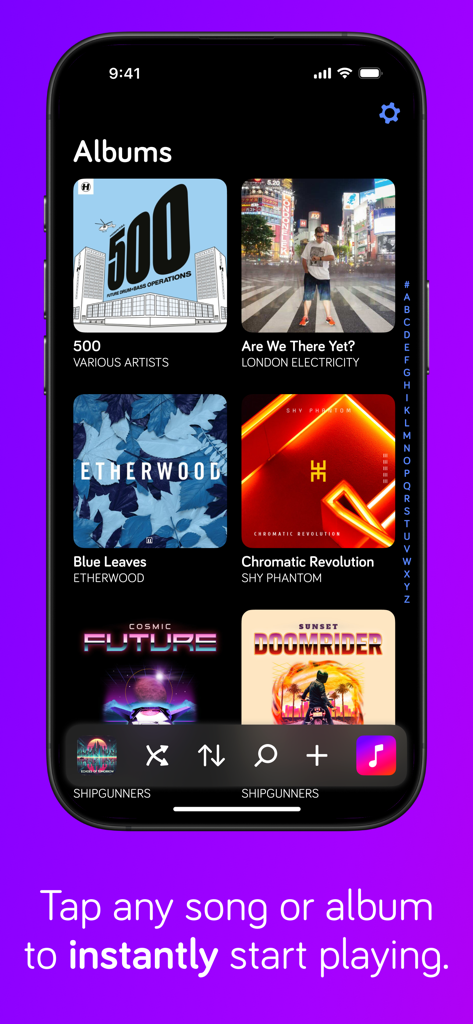
Harken Offline Music Player - iPhone上のHarkenアプリインターフェース。アルバムグリッドと下部ナビゲーションコントロールが表示されています。
iPhone上のHarkenアプリインターフェース。アルバムグリッドと下部ナビゲーションコントロールが表示されています。

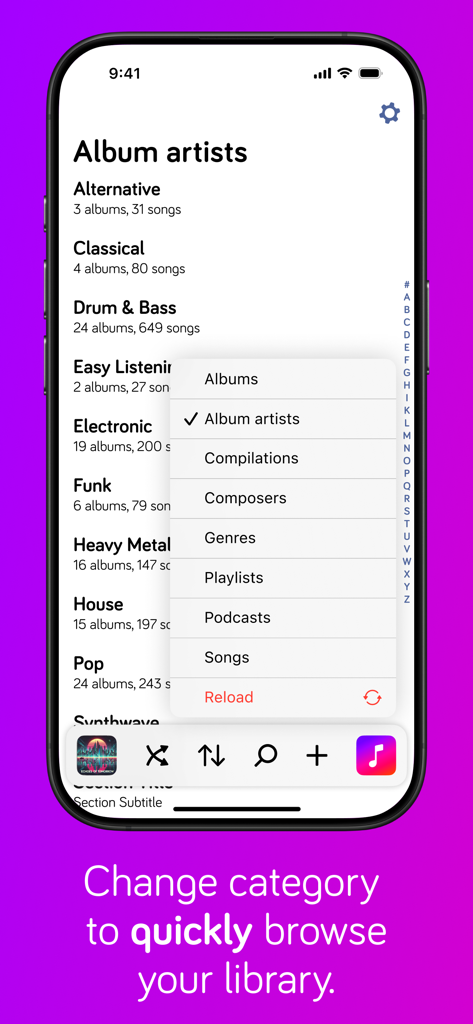
Harken Offline Music Player - Harkenミュージックプレイヤーのスクリーンショット。アルバムやアーティストなどのライブラリカテゴリを選択するためのポップアップメニューが表示されています。
Harkenミュージックプレイヤーのスクリーンショット。アルバムやアーティストなどのライブラリカテゴリを選択するためのポップアップメニューが表示されています。

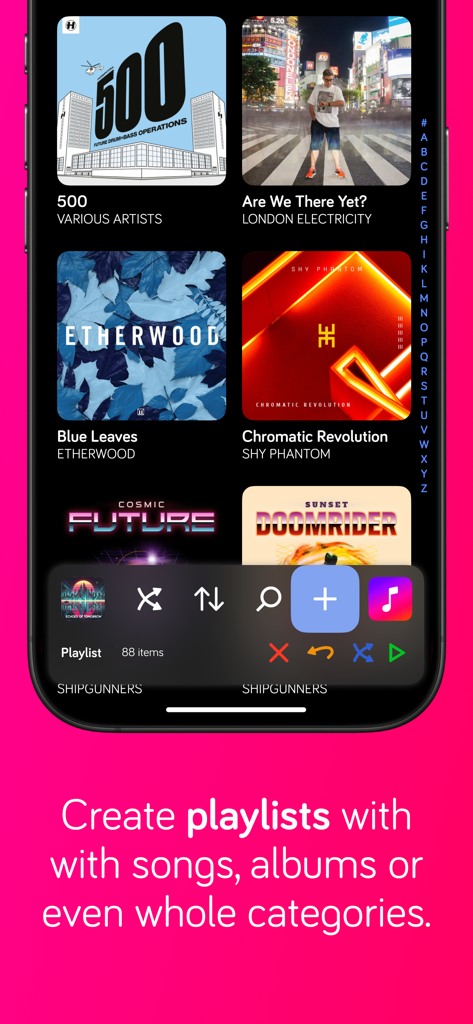
Harken Offline Music Player - Harkenアプリのプレイリスト作成インターフェース。下部ナビゲーションコントロールがあります。
Harkenアプリのプレイリスト作成インターフェース。下部ナビゲーションコントロールがあります。

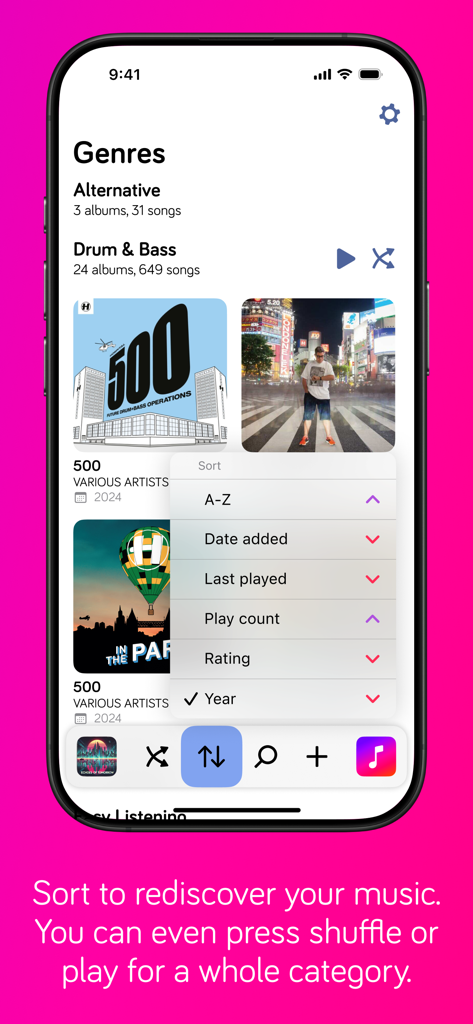
Harken Offline Music Player - Harkenアプリのジャンル画面。追加日や再生回数などのオプションを含む並べ替えメニューが表示されています。
Harkenアプリのジャンル画面。追加日や再生回数などのオプションを含む並べ替えメニューが表示されています。

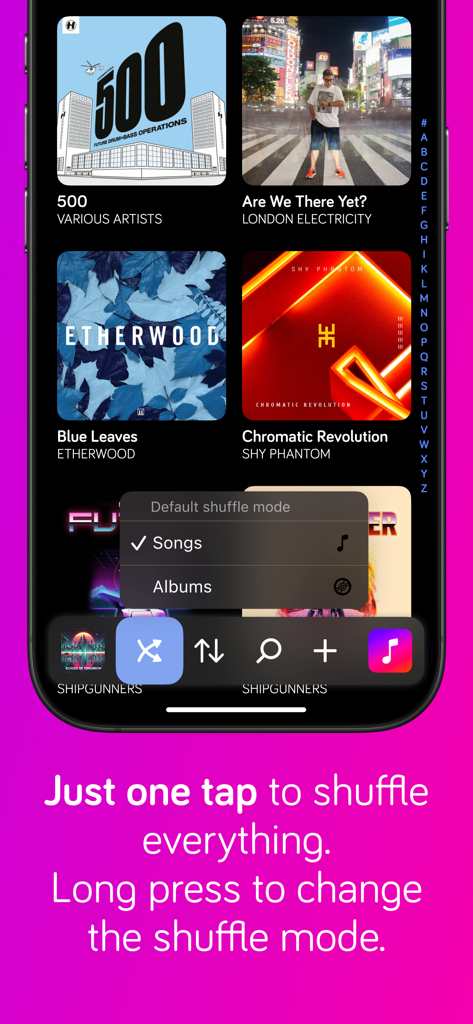
Harken Offline Music Player - Harkenオフラインミュージックプレイヤーのインターフェース。音楽ライブラリグリッドとシャッフルモード選択メニューが表示されています。
Harkenオフラインミュージックプレイヤーのインターフェース。音楽ライブラリグリッドとシャッフルモード選択メニューが表示されています。

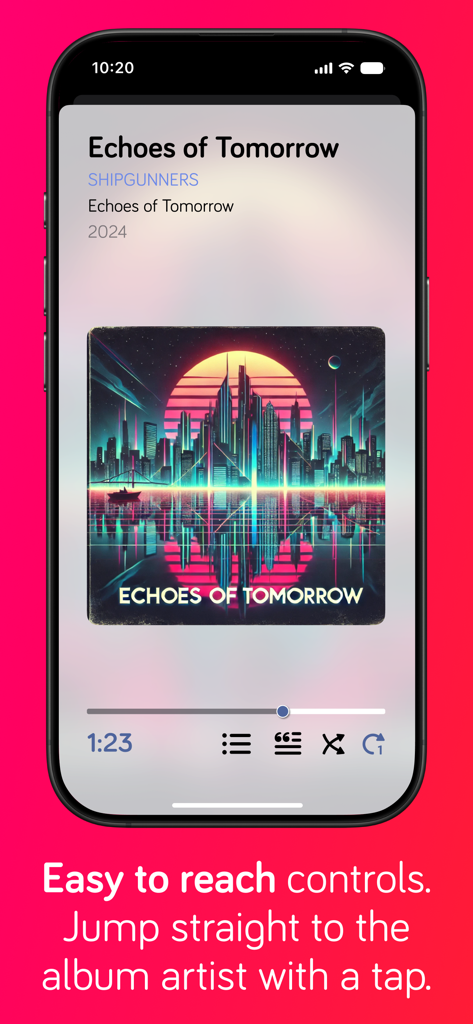
Harken Offline Music Player - Harkenミュージックプレイヤーのインターフェース。人間工学に基づいた下部ナビゲーションコントロールが表示された、再生中の画面が表示されています。
Harkenミュージックプレイヤーのインターフェース。人間工学に基づいた下部ナビゲーションコントロールが表示された、再生中の画面が表示されています。

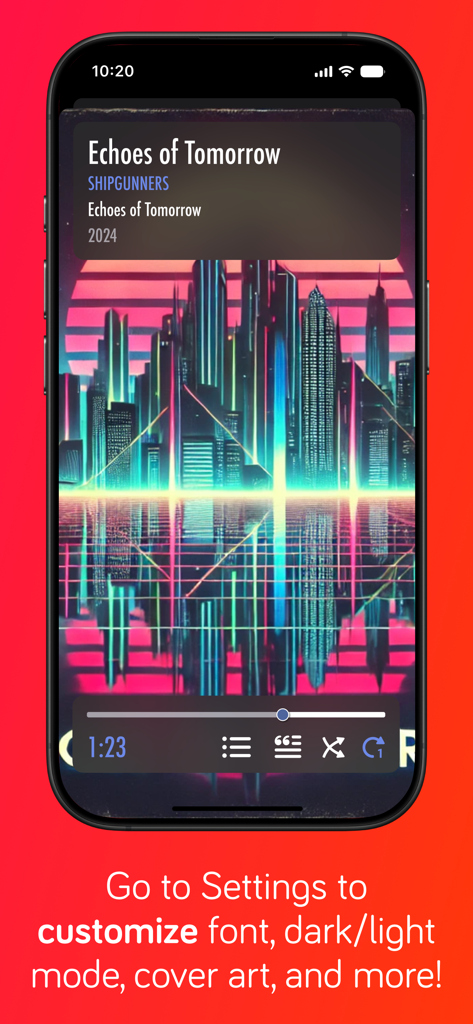
Harken Offline Music Player - Harkenミュージックプレイヤーのスクリーンショット。再生コントロールと、フォントやテーマのUIカスタマイズオプションに関するテキストが表示されています。

Harkenミュージックプレイヤーのスクリーンショット。再生コントロールと、フォントやテーマのUIカスタマイズオプションに関するテキストが表示されています。

説明

Rediscover your music collection with Harken, a beautiful yet simple music player for your iPhone or iPad that uses gestures to control playback of music and podcasts synched from Apple Music on your Mac or PC, or bought with the Apple Music app on your iPhone, iPod or iPad. Harken has a unique bottom-based navigation so you don't have to do gymnastics to reach buttons at the top of the screen - all the primary controls are located at the bottom of the screen. Get super fast access to your music with the minimum number of taps needed to listen to albums, artists, compilations, composers, genres, playlists, songs or podcast episodes. Create an on-the-go playlist* from a combination of albums, artists, compilations, composers, genres, playlists, songs or podcast episodes. Sort your library to find music you haven't listened to in ages, or by rating or recently played to quickly find your favourites. You can also shuffle all albums or songs by a single artist, composer or genre - see Settings to change between song and album shuffling. Does your music have lyrics? Tap the lyrics button to see them. Choose from dark or light themes, full-screen or small cover art, and even use your favourite font to make Harken *your* music player. Harken For iPhone and iPad is perfect for use in the car or when your device is sitting in a dock and connected to your home stereo: - playback controls are so easy to use you don't need to look at the phone to play, pause, or skip tracks - larger than standard text is easy to read when the phone is mounted in a cradle on your wind shield or dash board - the screen does not turn off automatically**, so you don't have to unlock the phone to control playback Podcast support - simply sync podcasts to your iPhone or iPad with the Apple Podcasts app. You can also play iTunes Match items, or hide them via the app's settings, but due to a restriction with Apple's support libraries, the music does not get saved to your phone. Nor is there an indicator of the download progress. Songs will start playing once they've downloaded enough. I'll add better support for iTunes Match as soon as possible but it will depend on Apple choosing to enhance their developer kit. Harken has loads of features, and I'm constantly adding new ones that my users request. *On-the-go playlists are not stored. Use iTunes if you want to create permanent playlists. **Battery usage will increase while the screen is on. If you have any feature requests or feedback, I can be reached on Twitter: @iosdevben. And if you like Harken, please take the time to rate and leave a review: it really helps independent developers like me.

Download

ダウンロード: App Store

このページはアプリまたはその開発者の公式ページではなく、情報提供および論評を目的として作成された独立した編集出版物です。明示的に別段の記載がない限り、アプリおよびその開発者は、MWM、Apple、Google Play、アプリのパブリッシャー、またはアプリの開発者と提携、承認、後援、認可、またはその他の公式的な関係はなく、このページのいかなる内容も、アプリがMWMのサービスを使用して開発されたことを意味するものではありません。すべての商標、ロゴ、スクリーンショット、その他のコンテンツはそれぞれの所有者の財産です。







