
このページはアプリまたはその開発者の公式ページではなく、情報提供および論評を目的として作成された独立した編集出版物です。明示的に別段の記載がない限り、アプリおよびその開発者は、MWM、Apple、Google Play、アプリのパブリッシャー、またはアプリの開発者と提携、承認、後援、認可、またはその他の公式的な関係はなく、このページのいかなる内容も、アプリがMWMのサービスを使用して開発されたことを意味するものではありません。すべての商標、ロゴ、スクリーンショット、その他のコンテンツはそれぞれの所有者の財産です。


Have a safe delivery
インターフェースではなく、お産に集中してください。直感的で広告のない陣痛タイマーが、ワンタップのシンプルさと専門的な安心感で、あらゆるステージをサポートします。
ダウンロード
416K+ユーザー評価
評価数
8K+開発元
カテゴリ
Medical対応言語
4最新バージョン
2.9サイズ
13.5 MBリリース日
2017年8月27日親になるまでの時間を刻む
妊娠後期向けに設計された直感的なタイマーが、ストレスなく正確に分娩の進み具合を記録し、病院へ行くタイミングを確実にお知らせします。
究極にシンプルな1ボタン
タップひとつで計測を開始・停止できます。操作に迷うことなく出産に集中できるよう、不要な機能はすべて排除しました。
スマートな病院アラート
陣痛周期が5分間隔になると自動的にアラームが鳴ります。データに基づいた明確な合図で、病院へ向かうタイミングを知らせます。
よくある質問
について知っておくべきこと Have a safe delivery
「Have a safe delivery」アプリとは何ですか?
「Have a safe delivery」アプリは、妊娠中の方向けの陣痛間隔タイマーです。シンプルなインターフェースで陣痛の頻度と持続時間を追跡し、病院受診の合図を提供します。
「Have a safe delivery」アプリで陣痛を記録するにはどうすればいいですか?
「Have a safe delivery」で陣痛を記録するには、陣痛が始まったら「陣痛開始」ボタンをタッチします。終了したら「陣痛終了」ボタンをタッチしてください。アプリがサイクルを記録します。
「Have a safe delivery」アプリには広告が含まれていますか?
いいえ、「Have a safe delivery」アプリにはポップアップ広告は表示されません。迷惑にならないよう、メイン画面の下部に広告バーのみが表示されます。
「Have a safe delivery」は、いつ病院に行くべきかどのように示しますか?
「Have a safe delivery」アプリは、平均陣痛間隔が5分未満になったときにアラームを提供します。これは病院に行くべき時期を示す指標となります。
「Have a safe delivery」で誤った陣痛記録を削除できますか?
はい、「Have a safe delivery」で誤った陣痛記録を削除できます。削除するには、該当する記録を左にスワイプすると、アプリがそれを削除します。
「Have a safe delivery」は医療アドバイスを提供しますか?
いいえ、「Have a safe delivery」は医療機器ではなく、医療アドバイスを提供するものではありません。標準的な指標に基づいた推奨事項を提供しますが、医師に相談する必要があります。
「Have a safe delivery」アプリのすべての陣痛データをクリアするにはどうすればいいですか?
「Have a safe delivery」アプリのすべてのデータをクリアするには、画面右上にある初期化ボタンである矢印ボタンをタッチします。
以下のスクリーンショットと説明は、アプリの公式ストアリスティングから直接取得されたものであり、アプリ開発者の所有物です。
アプリストア
スクリーンショット
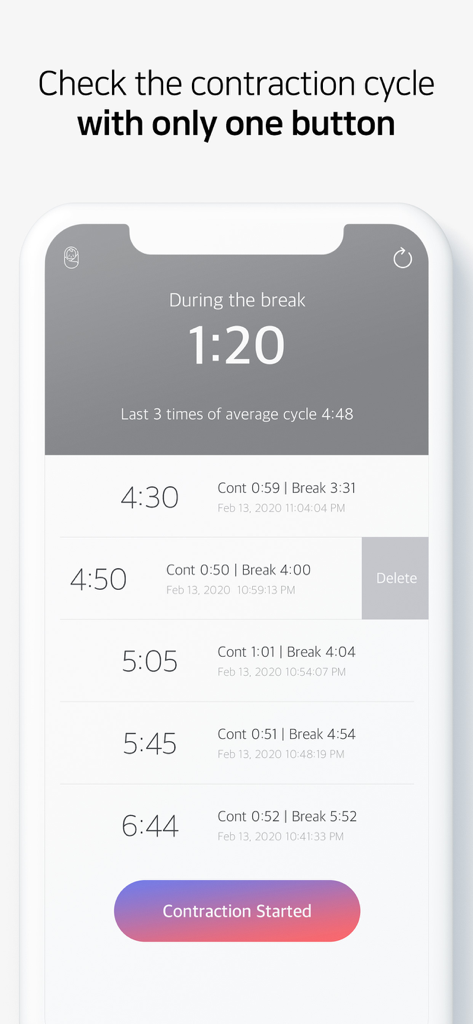
陣痛タイマーと記録された周期のリストが表示されている「無事な出産を」アプリのインターフェース。
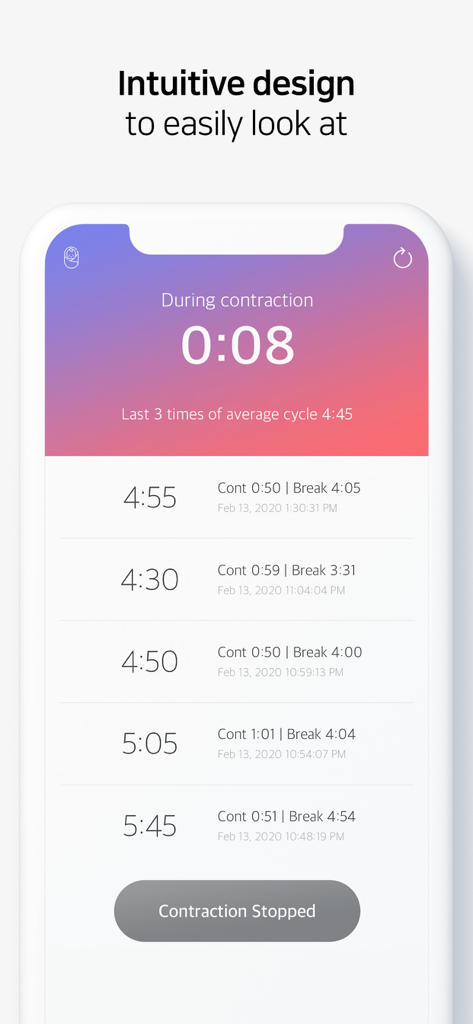
分娩周期と履歴を記録するためのシンプルなインターフェースを備えた陣痛タイマーが表示されているモバイルアプリの画面。
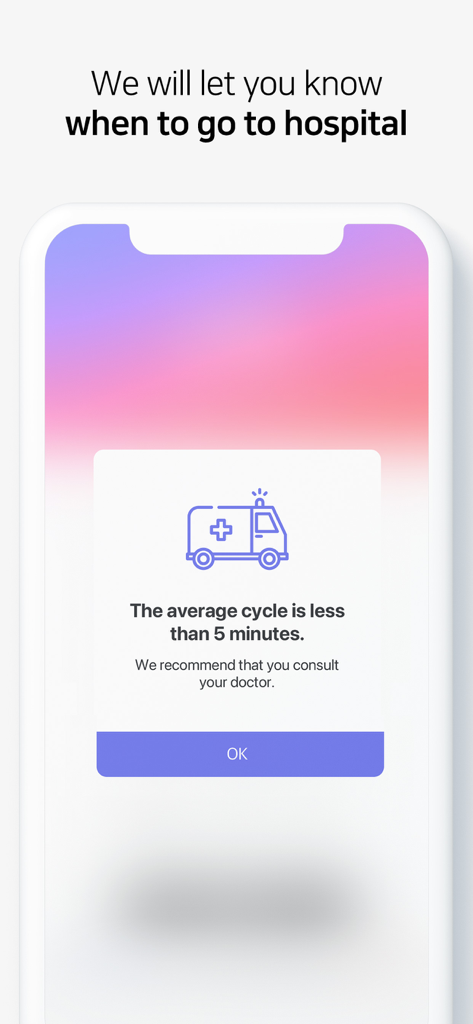
周期が5分未満になった際に病院への受診を勧める陣痛タイマーアプリの通知。
説明
Download
類似アプリ
似た機能とユーザー体験を持つアプリ

Contraction Timer & Counter 9m
Aleksei Neiman

Contraction Timer +
David Hendren

Contraction Timer & Trackerㅤ
Sophia Chen

Contraction timer, counter
Viktoriia Sergeeva

Freya • Surge Timer
The Positive Birth Company Ltd.

Storky - Contraction Timer
TappyTaps s.r.o.

Contraction Timer & Tracker
Going Merry LLC
このページはアプリまたはその開発者の公式ページではなく、情報提供および論評を目的として作成された独立した編集出版物です。明示的に別段の記載がない限り、アプリおよびその開発者は、MWM、Apple、Google Play、アプリのパブリッシャー、またはアプリの開発者と提携、承認、後援、認可、またはその他の公式的な関係はなく、このページのいかなる内容も、アプリがMWMのサービスを使用して開発されたことを意味するものではありません。すべての商標、ロゴ、スクリーンショット、その他のコンテンツはそれぞれの所有者の財産です。