Hi-Res music player-NePLAYER

Hi-Res music player-NePLAYER

ダウンロード: App Store
ロゴ: Hi-Res music player-NePLAYER

NePLAYER: ビットパーフェクトなハイレゾオーディオを体験

DSD、FLAC、USB-DACをサポートし、音楽ライブラリの可能性を最大限に引き出します。スタジオグレードの忠実度、プロフェッショナルEQ、完全な技術的制御を求めるオーディオファイルのために設計されました。

ダウンロード: App Store

開発元

radius co., ltd.

カテゴリ

Music

ダウンロード

161K+

ユーザー評価

4.0/5

評価数

2K+

対応言語

4

ハイファイを視覚化

このインターフェースを利用する 161K+ 人のユーザー.

NePLAYERアプリの紹介画面、ハイレゾ音楽品質のスローガン付き

NePLAYERアプリの紹介画面、ハイレゾ音楽品質のスローガン付き

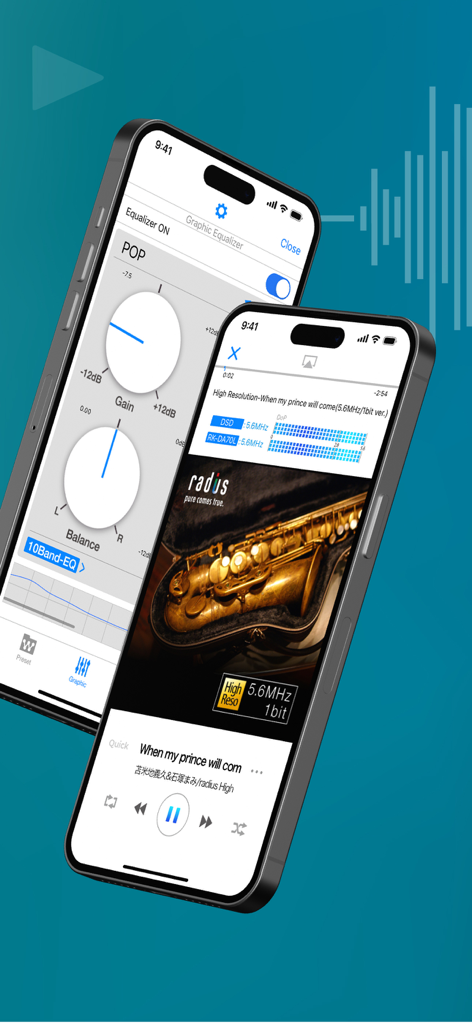
NePLAYERハイレゾミュージックプレーヤーのインターフェース、イコライザー設定と技術的なオーディオデータが表示された再生画面
NePLAYERハイレゾミュージックプレーヤーのインターフェース、イコライザー設定と技術的なオーディオデータが表示された再生画面

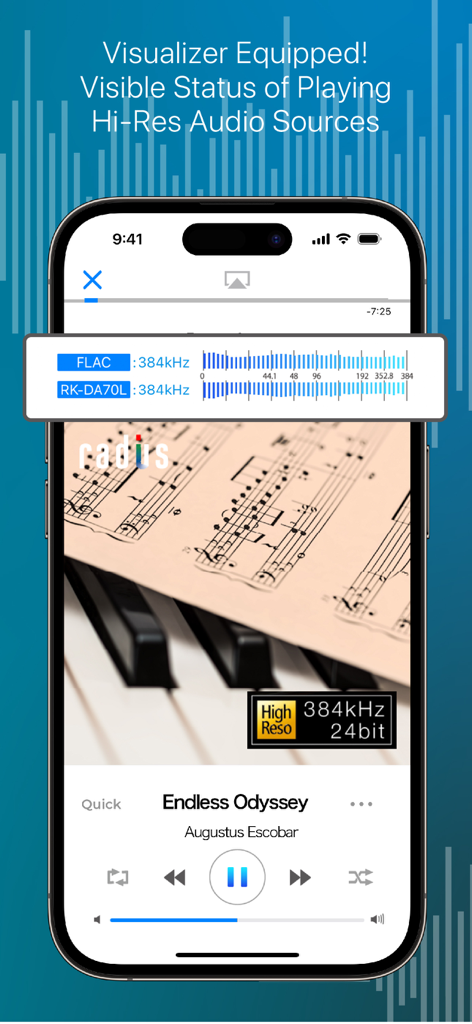
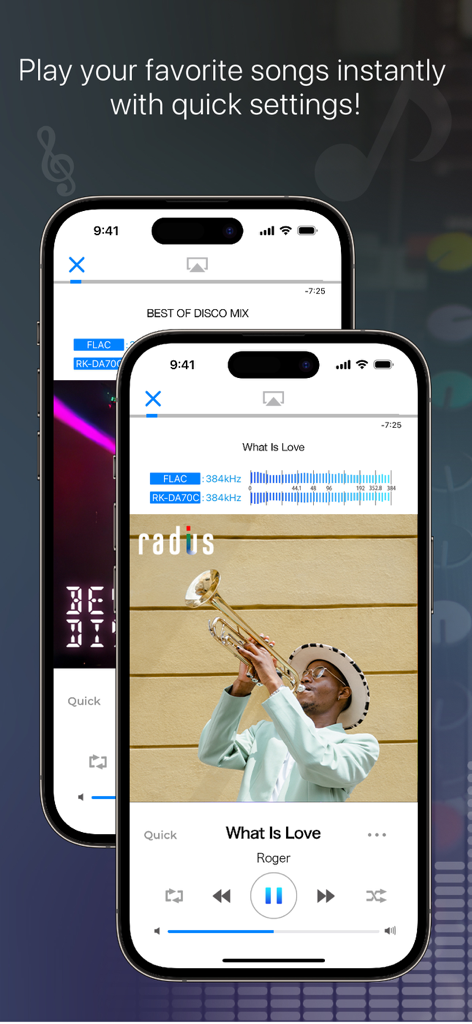
NePLAYERアプリのインターフェース、ハイレゾオーディオ再生ステータスとリアルタイムビジュアライザーを表示
NePLAYERアプリのインターフェース、ハイレゾオーディオ再生ステータスとリアルタイムビジュアライザーを表示

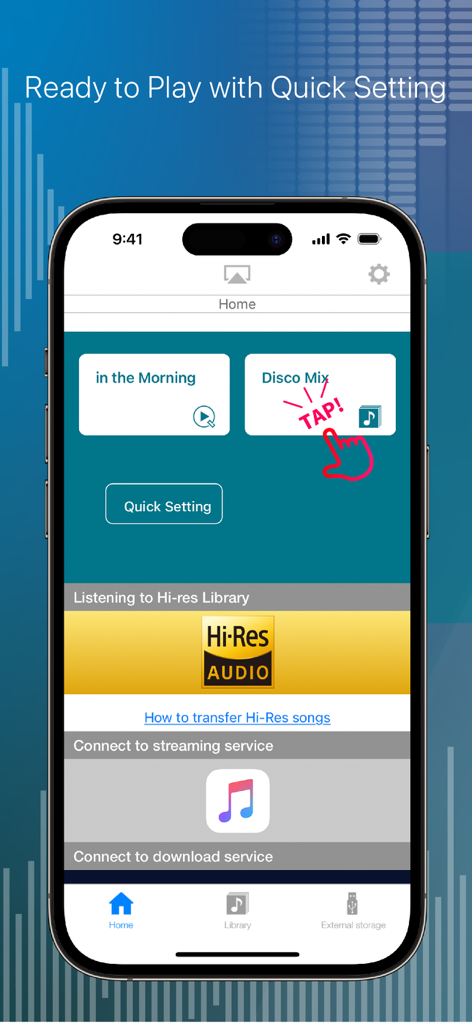
NePLAYERのホーム画面、音楽再生とハイレゾオーディオ統合のクイック設定を表示
NePLAYERのホーム画面、音楽再生とハイレゾオーディオ統合のクイック設定を表示

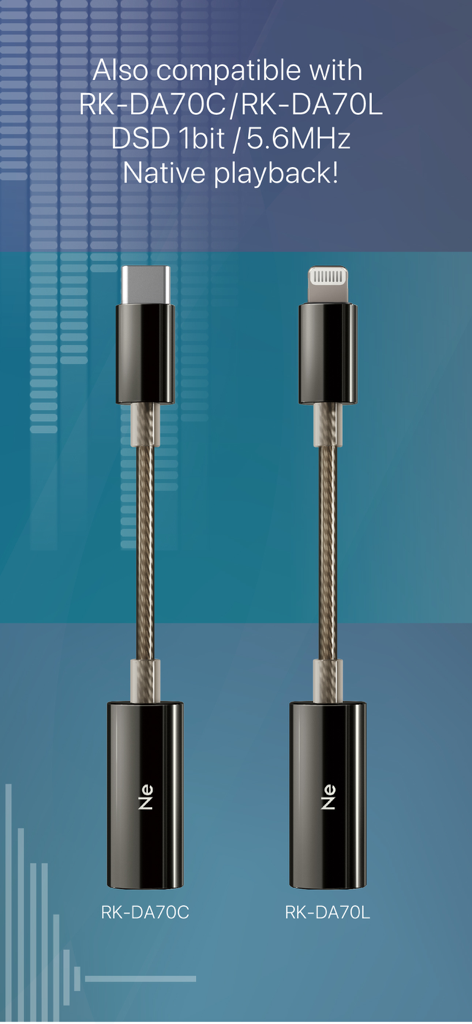
NePLAYERアプリでのネイティブDSD再生用のUSB-CおよびLightning DACアダプター
NePLAYERアプリでのネイティブDSD再生用のUSB-CおよびLightning DACアダプター

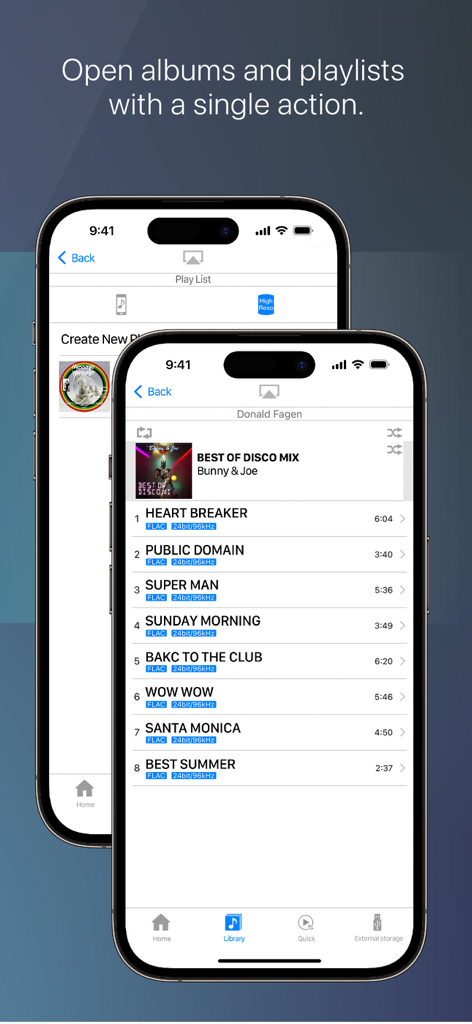
NePLAYERアプリのインターフェース、FLAC技術仕様を含むハイレゾ音楽トラックリストを表示
NePLAYERアプリのインターフェース、FLAC技術仕様を含むハイレゾ音楽トラックリストを表示

ハイレゾミュージックプレーヤーNePLAYERのインターフェース、技術的なオーディオデータと再生コントロールを表示
ハイレゾミュージックプレーヤーNePLAYERのインターフェース、技術的なオーディオデータと再生コントロールを表示

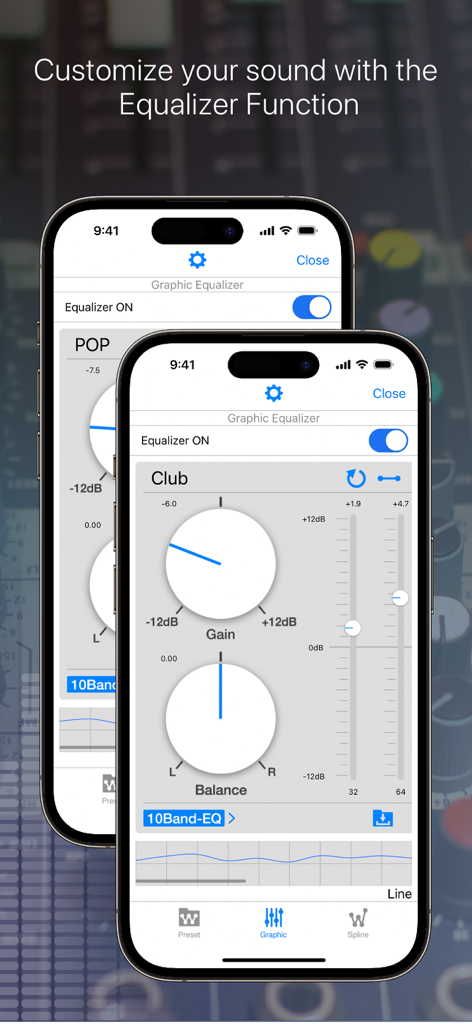
NePLAYERのグラフィックイコライザーインターフェース、オーディオカスタマイズのためのゲインとバランスコントロールを表示
NePLAYERのグラフィックイコライザーインターフェース、オーディオカスタマイズのためのゲインとバランスコントロールを表示

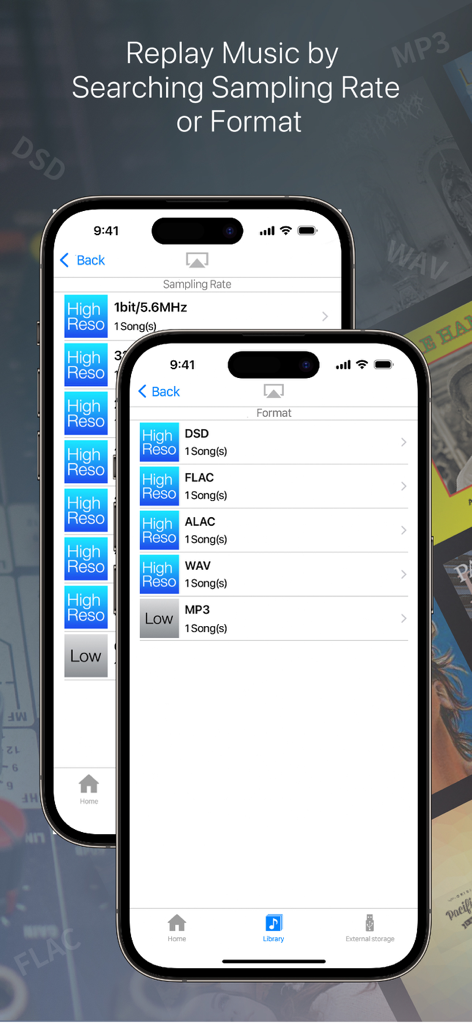
NePLAYERアプリのインターフェース、DSD、FLAC、ALACなどのサンプリングレートとファイル形式で並べ替えられた音楽ライブラリを表示
NePLAYERアプリのインターフェース、DSD、FLAC、ALACなどのサンプリングレートとファイル形式で並べ替えられた音楽ライブラリを表示

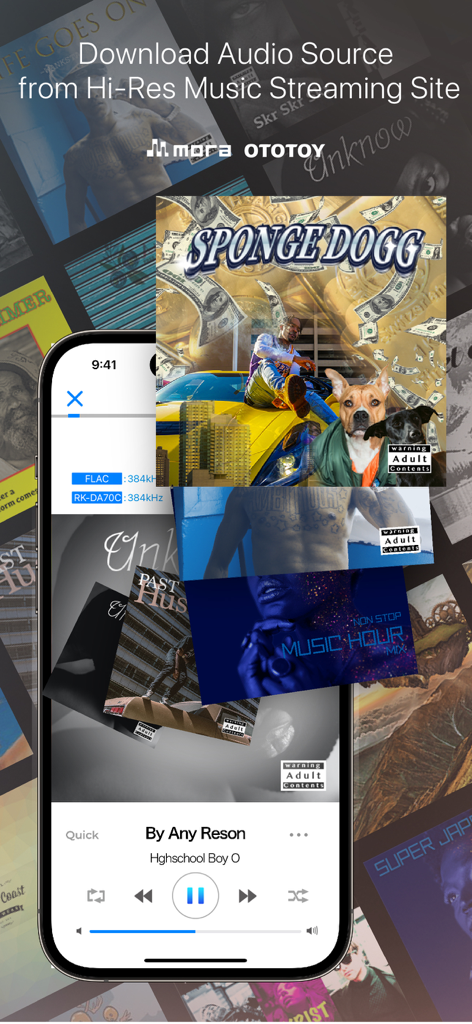
NePLAYERアプリのインターフェース、ハイレゾ音楽ダウンロードオプションと再生コントロールを表示

NePLAYERアプリのインターフェース、ハイレゾ音楽ダウンロードオプションと再生コントロールを表示

真のスタジオサウンドを体験

このアプリを際立たせるツール、 161K+ 人のユーザーが選択.

🎧

ビットパーフェクトハードウェアサポート

お気に入りのLightning USB-DACを接続し、最大32bit/768kHzのロスレス、ハイレゾ再生のためにDSD over PCM (DoP)をお楽しみください。

🌐

シームレスなネットワークストリーミング

ハイレゾライブラリ全体にワイヤレスでアクセスできます。オーディオ品質を損なうことなく、NASまたはDLNAデバイスから直接ストリーミングできます。

🎚️

プロフェッショナルなサウンドチューニング

15バンドグラフィックイコライザーで音響を微調整し、統合されたハイレゾビジュアライザーで信号をリアルタイムで監視します。

アプリについて

について知っておくべきこと Hi-Res music player-NePLAYER.

説明

■ Features (1) Play High-Resolution Sound on your iPhone! You can easily play high-res sound sources on your iPhone. It's not just a music player, it's also equipped with the following various functions. ■・Playing high-res AudioFile Equipped with a real-time visualizer, you can check the playback quality. Playing FLAC, WAV, ALAC and DSD AudioFile(Max 32bit/768kHz,11.2MHz) Support DSD playing both DoP and PCM playback, be enjoyed with PCM conversion playback at a sampling rate of 705.6kHz (integer multiples). *FLAC and ALAC formats are supported up to 32bit/384kHz. ■Play audio with USB device Supports output to Lightning USB-DAC. and, Support DSD over PCM (DoP) via USB. *Compatible equipment is required for DSD Native playback. ■Equalizer/Surround Effect Equalizer/ You can create your own sound using Preset EQ,10, 15Band Graphic EQ, and Spline EQ. Surround Effect/ You can add spatial effects from presets. (2) Quickly find songs with format sorting Even large libraries can be easily discovered. ■Sort by Audio format DSD, FLAC, WAV, AAC...etc. You can sort by Audio format. In addition, you can sort by "playlist", "album", "artist", "song", etc. Besides the iTunes/Apple ID sync library, the player has an internal song library. Each library is independent. (App library is synced via in-app file sharing) ■“Quick” playback function You can create a "Quick" shortcut on your home or tab bar. This feature allows you to customize file location selection and post-actions. You can control 'Open File Location', 'Open Location and Play', and 'Add to Next Song'. With one action, you can play your favorite song. (3)Network Play NePLAYER can play music from DLNA compatible devices, and play music from NAS. ■Use with DLNA Using DLNA, you can transmit and play high-resolution audio wirelessly without down-converting. You can also remotely control a NAS within the same network and play stored songs. (Maximum PCM: 24bit/192kHz) *DLNA is only compatible with iOS paid version apps *Supported format/maximum performance depends on the connected device. *Depending on the communication speed of the network used, the sound may be interrupted or the connection may be terminated. *DSD files do not support DLNA playback. [Other features] ---Audio ・High-resolution free song samples ・Audio upsampling function ・Song fade in/fade out ・Gapless playback ・Automatic playback after call ends ---Operation/Display ・Song search ・Create playlist,Import/Output *1 ・Shuffle, repeat play (1/all songs) ・Display next song list ・Connected device information display ・Display jacket image ・Display of song file information ・Lyrics display function (embedded lyrics data) ・Supports import via AirDrop ・Supports display in 3 languages: Japanese, English, Chinese (simplified/traditional) *1: Can be created for songs in each library. Playlists created within the application are not synced to iTunes. *If you delete a song within the application, you cannot restore the song from the application. We recommend that you always make a backup. ---External service cooperation ・Downloading songs of purchased from mora, OTOTOY ・Link to Apple Music *An active Apple Music account is required to use Apple Music service. *Equalizer, surround, and upsampling functions cannot be used together with the Apple Music streaming service. **Note: The Spotify linked service has ended on May 31, 2023. **Note: The e-onkyo music linked service has ended on Oct 16, 2024. [Supported file formats] DSD(.dff.dsf)/ALAC/FLAC/WAV/MP3/AAC/HE-AAC *Songs protected by DRM cannot be played. [Supported OS] iOS11 or later *We recommend using the latest version of iOS. *Note: There are legacy models on which the app can be installed, but since the CPU is largely unavailable during playback, playback problems may occur.

最新バージョン

2.6.5

サイズ

46.6 MB

リリース日

2015年4月7日

ハイレゾコレクションのパワーを解き放つ

ビットパーフェクトな32bit/768kHz再生とプロフェッショナルUSB-DACサポートを体験してください。今すぐNePLAYERをダウンロードして、iPhoneを究極のオーディオファイルプレーヤーに変えましょう。

ダウンロード: App Store

App information, icons, screenshots, and descriptions displayed on this page are sourced from the Apple App Store and are the property of their respective developers. Download estimates and rankings are based on MWM's proprietary models and may not reflect actual figures. This page is provided for informational and analytical purposes only.

Believe this page infringes your intellectual property? File a dispute