
このページはアプリまたはその開発者の公式ページではなく、情報提供および論評を目的として作成された独立した編集出版物です。明示的に別段の記載がない限り、アプリおよびその開発者は、MWM、Apple、Google Play、アプリのパブリッシャー、またはアプリの開発者と提携、承認、後援、認可、またはその他の公式的な関係はなく、このページのいかなる内容も、アプリがMWMのサービスを使用して開発されたことを意味するものではありません。すべての商標、ロゴ、スクリーンショット、その他のコンテンツはそれぞれの所有者の財産です。


Home Assistant
プライバシーとローカル制御を重視する100万人以上のパワーユーザーの仲間入りをしましょう。数千台のデバイスを接続し、クラウドを介さずに家全体を自動化。データは本来あるべき場所、つまりあなたの手元に保管されます。
ダウンロード
2M+ユーザー評価
評価数
15K+開発元
カテゴリ
Lifestyle対応言語
31最新バージョン
2026.1.1サイズ
178.0 MBリリース日
2017年4月15日あなたの家、あなたのルール
パワーユーザーのための究極のコマンドセンター。数千台のデバイスを統合し、ローカル制御でプライバシーを守り、クラウドなしで生活を自動化します。
ユニバーサルな統合
ベンダーロックインから解放されましょう。Sonos、Hue、Teslaなど1,000以上のブランドを、1つの高性能なダッシュボードに接続できます。
プライバシー第一のローカル制御
データは本来あるべき場所、自宅に保管してください。強制的なクラウド利用やトラッキングはなく、インターネットが切断されてもすべての機能が動作します。
よくある質問
について知っておくべきこと Home Assistant
Home Assistant Companionアプリとは何ですか?
Home Assistant Companionアプリは、Home Assistantスマートホームインスタンスへのモバイルアクセスを提供します。スマートフォンやタブレットからデバイスを制御し、エネルギーを監視し、自動化を管理できます。
Home Assistant Companionアプリはユーザーのプライバシーを優先しますか?
はい、Companionアプリを含むHome Assistantシステムはプライバシーに焦点を当てています。ローカルで実行され、自宅のデータを自宅内に保持することで、スマートデバイスを安全かつプライベートに制御できます。
ユーザーはHome Assistant Companionアプリを使用してスマートホームデバイスを制御できますか?
はい、Home Assistant Companionアプリを使用すると、ユーザーは家全体を制御できます。何千ものスマートデバイスやサービスに接続し、アプリから直接包括的な管理を可能にします。
Home Assistantはどのオープンなスマートホーム規格をサポートしていますか?
Home Assistantは、Z-Wave、Zigbee、Matter、Thread、Bluetoothなどのさまざまなオープン規格をサポートしています。ハードウェアアドオンと統合されており、スマートホームセットアップ内で広範なデバイス互換性があります。
Home Assistant Companionアプリでカスタム自動化を作成できますか?
はい、Home Assistant Companionアプリを使用すると、独自の自動化を作成できます。デバイスが連携するようにトリガーとアクションを設定できます。たとえば、照明を暗くしたり、暖房をオフにしたりできます。
Home Assistant CompanionアプリはApple CarPlayをサポートしていますか?
はい、Home Assistant CompanionアプリはCarPlay機能を提供しています。これにより、ユーザーは車のダッシュボードから直接、ガレージを開けたり、セキュリティシステムを無効にしたりするなどのデバイスを制御できます。
Home Assistant Companionアプリで自宅のエネルギー使用状況を把握できますか?
はい、Home Assistant Companionアプリは、エネルギー使用状況に関する詳細な洞察を提供します。ガス消費量、エネルギー分布(太陽光、ガス、グリッド)、家庭の電力消費量などのデータを表示します。
Home Assistant CompanionアプリはApple Watchと互換性がありますか?
はい、Home Assistant CompanionアプリはApple Watchと互換性があります。ユーザーは、ウォッチフェイスで家の温度を表示したり、Apple Watchから直接デバイスをすばやくアクティブにしたりできます。
Home Assistant Companionアプリは自宅に関する通知を送信できますか?
はい、Home Assistant Companionアプリは、自宅でのイベントに関する通知を送信できます。漏水検知やドアが開いたままになっているなどのアラートを受け取り、完全に制御できます。
自宅を離れているときにHome Assistantインスタンスにリモートでアクセスするにはどうすればよいですか?
Home Assistantへのリモートアクセスは可能です。最も安全で簡単な方法はHome Assistant Cloudを介することです。これにより、自宅から離れているときにインスタンスにアクセスできます。
以下のスクリーンショットと説明は、アプリの公式ストアリスティングから直接取得されたものであり、アプリ開発者の所有物です。
アプリストア
スクリーンショット
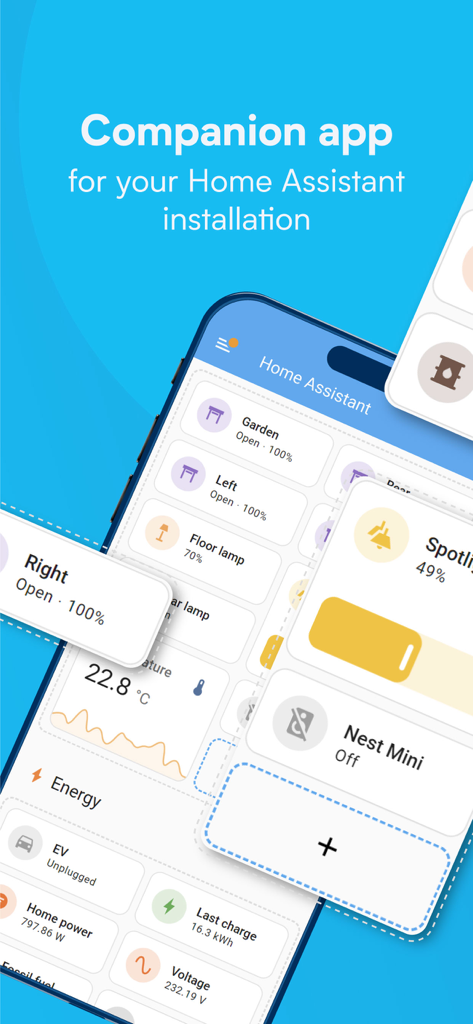
スマートホームのコントロールとエネルギー監視データを備えた、カスタマイズ可能なダッシュボードを表示するHome Assistantコンパニオンアプリのインターフェース。
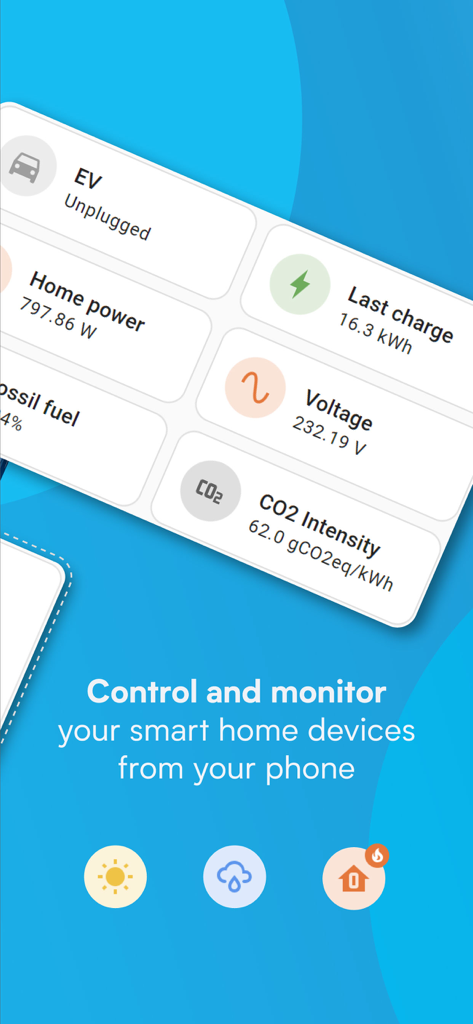
エネルギー使用量と電気自動車(EV)の充電指標を表示するHome Assistantモバイルアプリのダッシュボード。
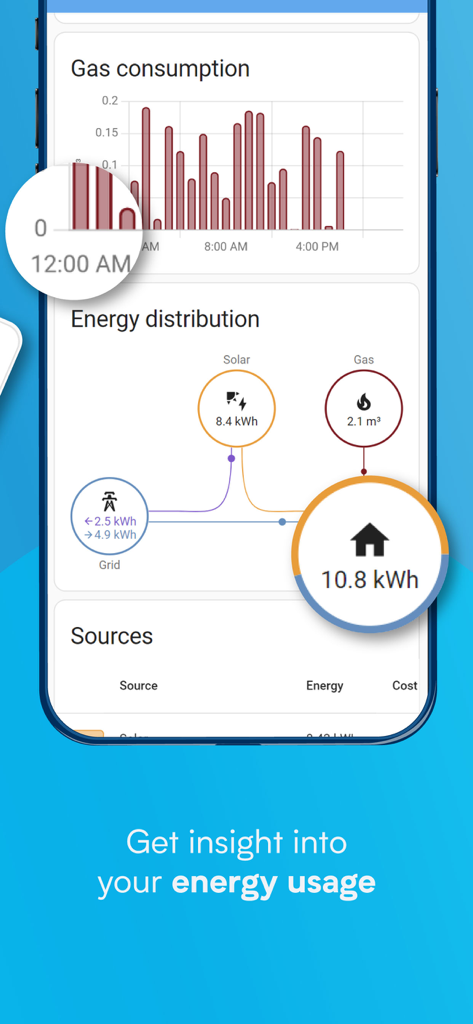
太陽光発電やガスなどのエネルギー配分と消費チャートを表示するHome Assistantアプリのインターフェース。
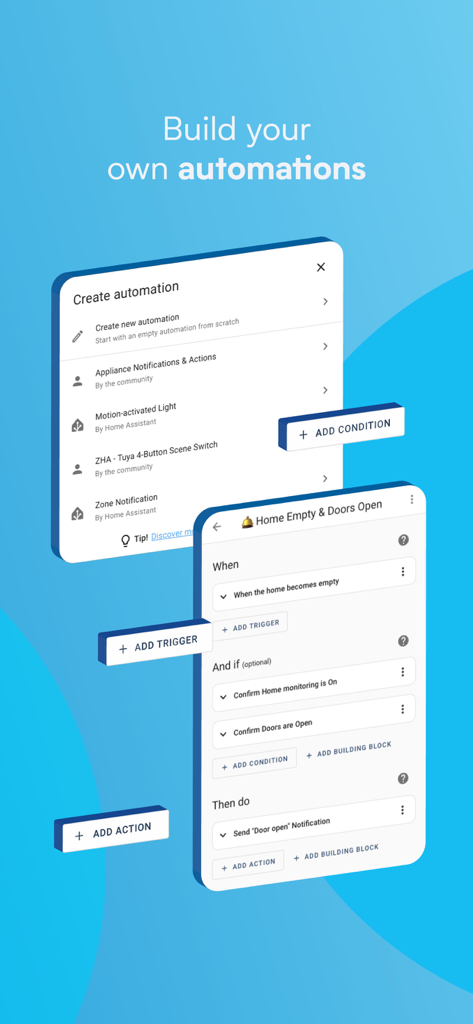
Home Assistantアプリでトリガーとアクションを使用してカスタムスマートホーム自動化を構築するためのインターフェース。
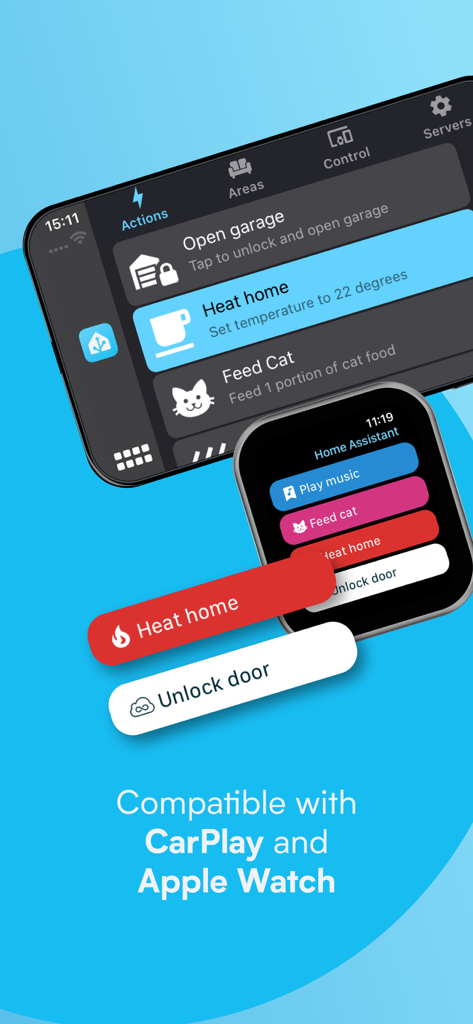
Home Assistantアプリ interface showing smart home controls on Apple CarPlay and Apple Watch displays.
説明
Download
類似アプリ
似た機能とユーザー体験を持つアプリ

TP-Link Tapo
TP-Link Systems Inc.

Дом с Алисой
DIRECT CURSUS COMPUTER SYSTEMS TRADING LLC

VeSync
Vesync Technology Corporation

Kasa Smart
TP-Link Systems Inc.

ecobee
ecobee Ltd.

Hubspace
Afero, Inc.

ADT Control ®
ADT LLC

First Alert by Resideo
Resideo Technologies, Inc.

Mibo Smart: Casa Inteligente
Intelbras S.A. Ind. de Telecom. Elet. Brasileira
このページはアプリまたはその開発者の公式ページではなく、情報提供および論評を目的として作成された独立した編集出版物です。明示的に別段の記載がない限り、アプリおよびその開発者は、MWM、Apple、Google Play、アプリのパブリッシャー、またはアプリの開発者と提携、承認、後援、認可、またはその他の公式的な関係はなく、このページのいかなる内容も、アプリがMWMのサービスを使用して開発されたことを意味するものではありません。すべての商標、ロゴ、スクリーンショット、その他のコンテンツはそれぞれの所有者の財産です。