Home Library Manager - Leto
ダウンロード: App Store

このページはアプリまたはその開発者の公式ページではなく、情報提供および論評を目的として作成された独立した編集出版物です。明示的に別段の記載がない限り、アプリおよびその開発者は、MWM、Apple、Google Play、アプリのパブリッシャー、またはアプリの開発者と提携、承認、後援、認可、またはその他の公式的な関係はなく、このページのいかなる内容も、アプリがMWMのサービスを使用して開発されたことを意味するものではありません。すべての商標、ロゴ、スクリーンショット、その他のコンテンツはそれぞれの所有者の財産です。


ロゴ: Home Library Manager - Leto
ダウンロード: App Store

Home Library Manager - Leto

散らかったブックトラッカーに代わる美しい選択肢。バーコードスキャンで物理的なコレクションを楽にカタログ化し、読書進捗を追跡し、すべてのAppleデバイスでパーソナルライブラリをキュレーションしましょう。

主要数値

ダウンロード

57K+

ユーザー評価

4.6/5

評価数

800

開発元

Alejandro Garcia Fernandez

カテゴリ

Books

対応言語

7

最新バージョン

2.3

サイズ

14.4 MB

リリース日

2021年4月18日
機能

あなたの物理的なライブラリのための美しい場所

モダンなコレクターのためにデザインされたLetoは、強力な整理ツールとクリーンでミニマリストな美学を組み合わせて、あなたの本の世界を追跡、管理、そして祝うのを助けます。

インスタントバーコードスキャン

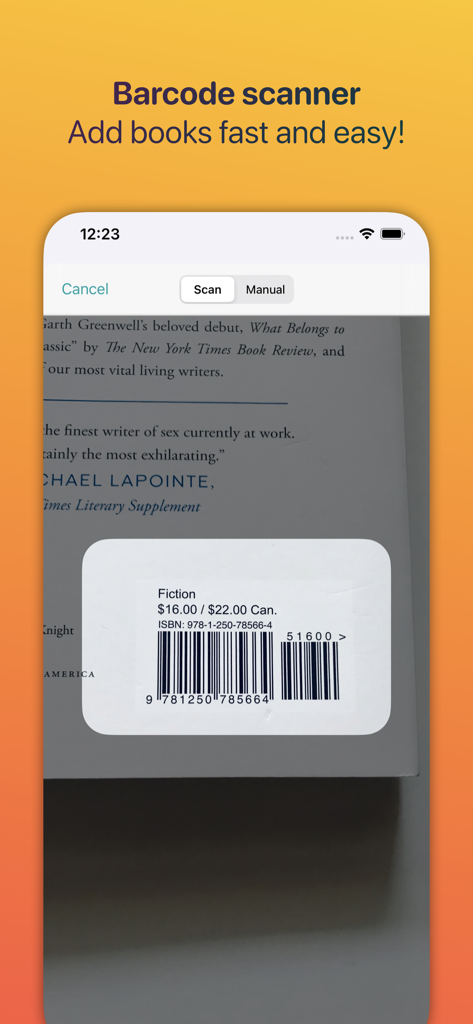
タイピングをやめてスキャンを始めましょう。バーコードをスキャンしてカバー、ページ数、豊富なメタデータを数秒で自動取得し、デジタルライブラリを楽に構築できます。

スマート&エレガントなコレクション

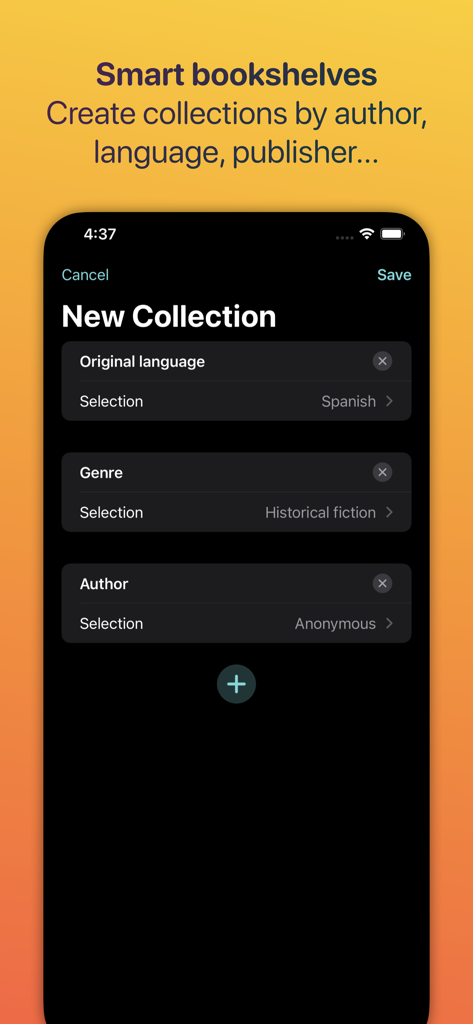
あなたの本をあなたらしくキュレーションしましょう。スマートフィルターを使用してジャンル、出版社、または読了ステータスで整理し、物理的な本棚と同じくらい整理されたデジタル本棚を作成しましょう。

進捗トラッキング&ウィジェット

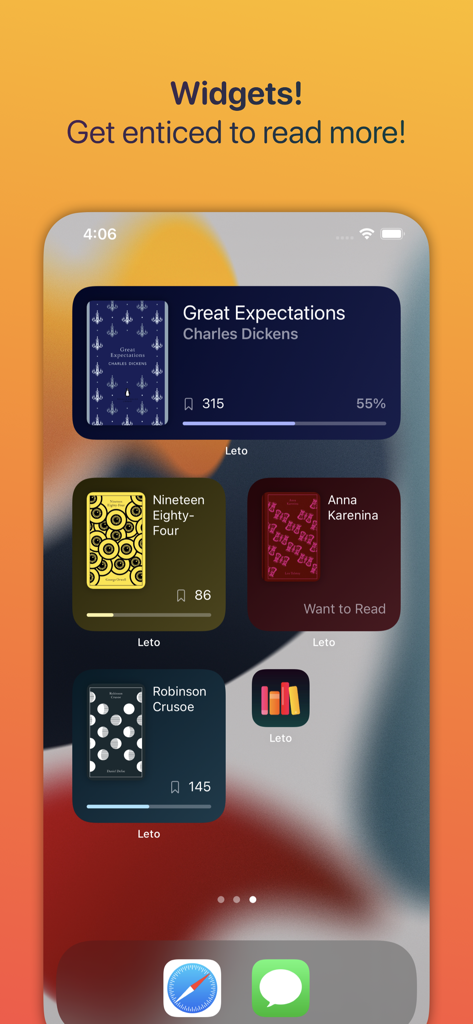
現在の読書状況を表示し、iCloud経由でiPhoneとiPad間で進捗をシームレスに同期する、見事なiOSウィジェットでモチベーションを維持しましょう。

以下のスクリーンショットと説明は、アプリの公式ストアリスティングから直接取得されたものであり、アプリ開発者の所有物です。

アプリストア

スクリーンショット
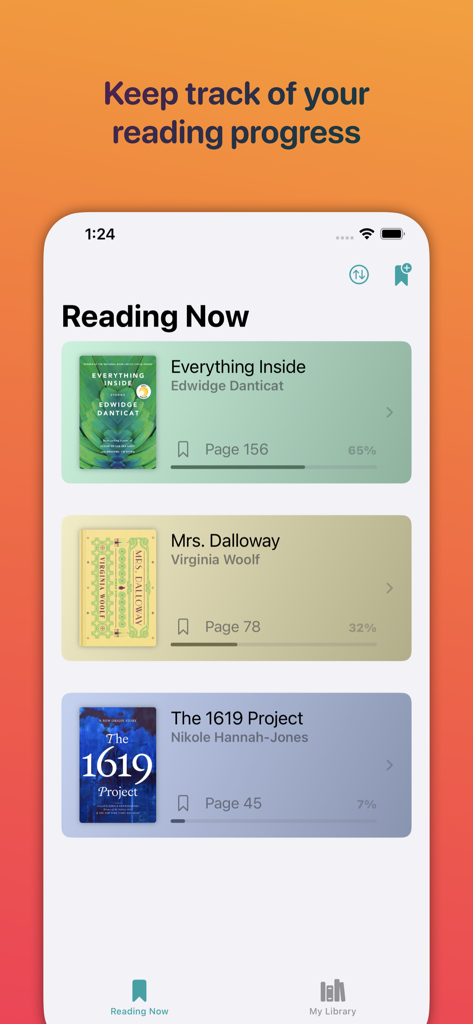
Home Library Manager - Leto - Letoアプリのインターフェース。複数の本の読書進捗と現在のページ数を表示しています。
Letoアプリのインターフェース。複数の本の読書進捗と現在のページ数を表示しています。

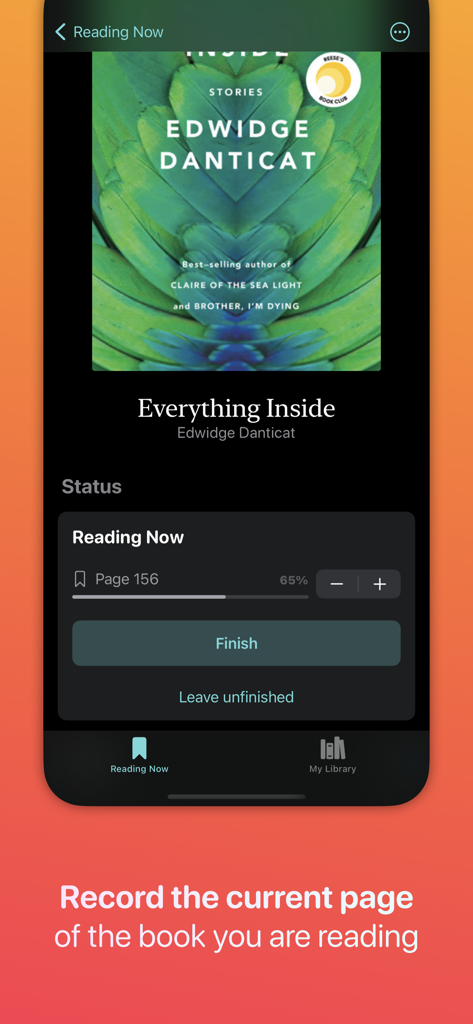
Home Library Manager - Leto - Letoアプリの読書進捗トラッカー。本の現在のページ数と完了率を表示しています。
Letoアプリの読書進捗トラッカー。本の現在のページ数と完了率を表示しています。

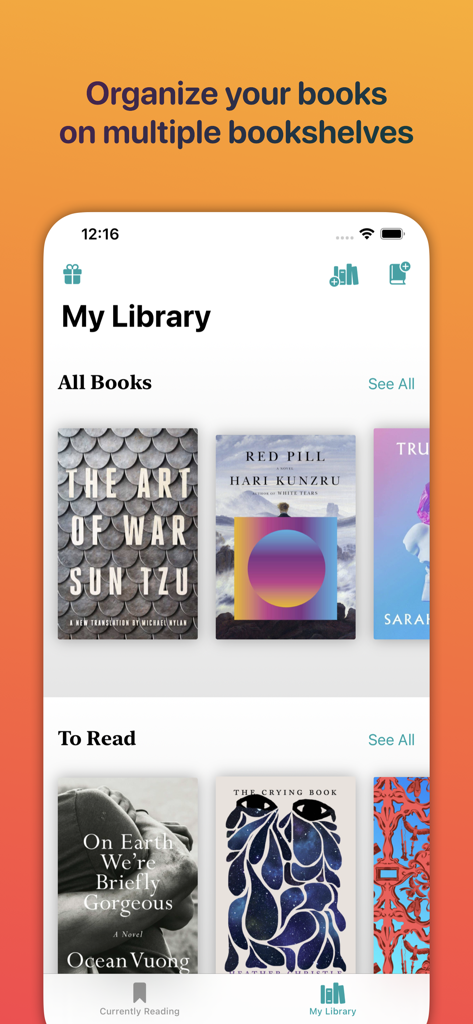
Home Library Manager - Leto - Letoアプリのインターフェース。デジタルブックコレクションと本棚を表示しています。
Letoアプリのインターフェース。デジタルブックコレクションと本棚を表示しています。

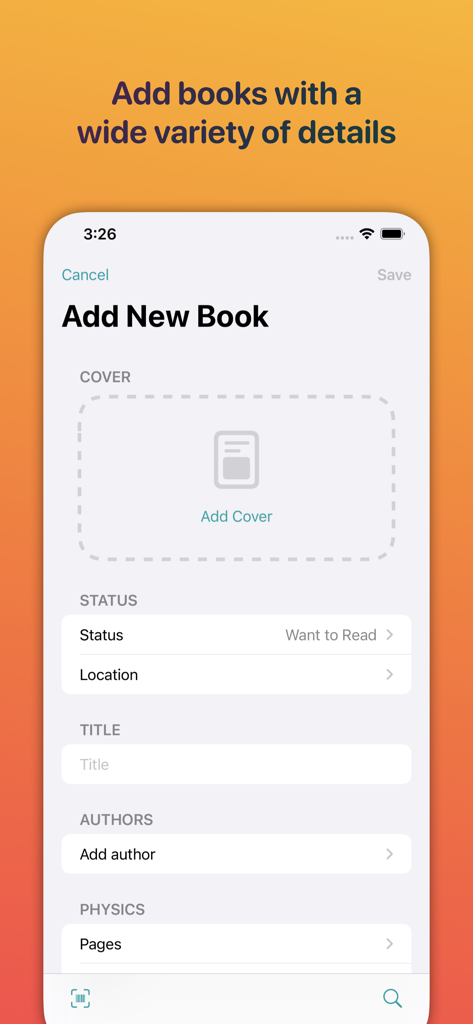
Home Library Manager - Leto - Letoアプリの「新規書籍追加」画面。タイトル、著者、読書ステータスのフィールドが表示されています。
Letoアプリの「新規書籍追加」画面。タイトル、著者、読書ステータスのフィールドが表示されています。

Home Library Manager - Leto - Letoアプリからの書籍の読書進捗とカバーを表示するiOSホーム画面ウィジェット。
Letoアプリからの書籍の読書進捗とカバーを表示するiOSホーム画面ウィジェット。

Home Library Manager - Leto - Letoアプリのインターフェース。本を素早く追加するためのバーコードスキャナー機能を表示しています。
Letoアプリのインターフェース。本を素早く追加するためのバーコードスキャナー機能を表示しています。

Home Library Manager - Leto - 言語、ジャンル、著者などのフィルターを使用して新しいスマートブックコレクションを作成するためのインターフェース。
言語、ジャンル、著者などのフィルターを使用して新しいスマートブックコレクションを作成するためのインターフェース。

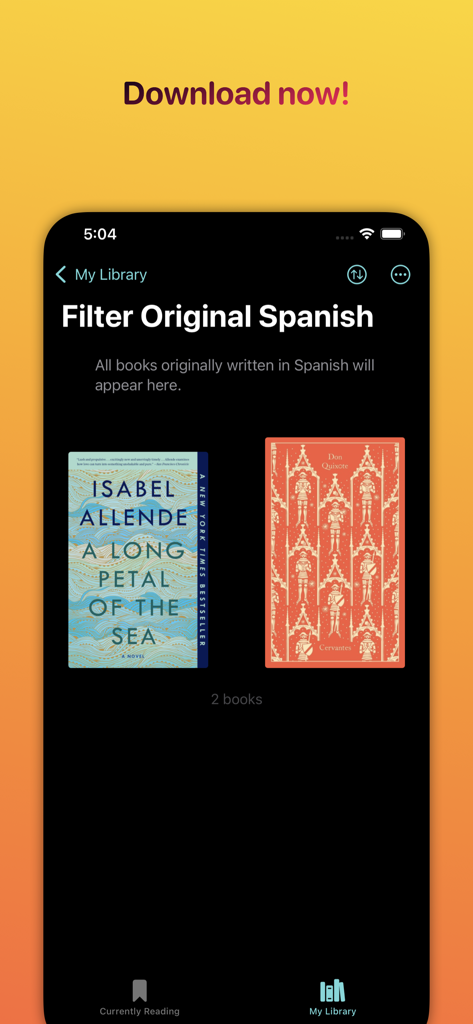
Home Library Manager - Leto - Letoアプリのインターフェース。スペイン語の原語でフィルターされたブックコレクションを表示しています。

Letoアプリのインターフェース。スペイン語の原語でフィルターされたブックコレクションを表示しています。

説明

Leto is a simple and beautiful book management app that helps you to easily keep track of the books you are currently reading, would like to read or already have. EASILY ADD BOOKS BY SCANNING THEIR BARCODE Adding books to Leto is super easy and fast. Just by scanning its barcode, the book cover, title, author and number of pages will be automatically added. You can also import your book collection from other sources such as Goodreads or Calibre. ADD RICH DESCRIPTIONS TO YOUR BOOKS When you add a new book, Leto allows you to specify a wide variety of details for a better description of the book. The available parameters range from the title and author of the work, to the genre, the original language of the text, whether it is written in verse or prose, identifiers such as ISBN and Thema codes, and even its dimensions and weight. It will not be necessary for you to include all that information at first, but you will have it at your disposal if you wish. ORGANIZE YOUR BOOKS IN SMART COLLECTIONS Leto allows you to create smart book collections based on a wide variety of parameters, so that you can have your books grouped according to the criteria that you consider the most appropriate. Specifically, you can keep your library organized by creating collections based on author, language, read-status, publisher, genre, and so on. KEEP TRACK OF THE BOOKS YOU ARE READING AND ITS CURRENT PAGE Each book you add to Leto has a read-status, which can be: “To Read”, “Reading”, “Finished” or “Left Unfinished”. Leto automatically creates different book collections based on their status so that you can have them well organized. In addition, you can keep track of your reading progress by indicating the current page of the books in question. SEAMLESSLY SYNC YOUR LIBRARY ACROSS DEVICES With Leto, you can keep all your books stored in iCloud and synced seamlessly across all of your iOS devices so you can access your library from your, iPhone and iPad. WIDGETS Widgets are a great way to keep track of the books you are reading. Add to your Home Screen as many widgets as you like, each one displaying a different book. Widgets makes it easy for you to see your progress at a glance and entice you to read more.

Download

ダウンロード: App Store

このページはアプリまたはその開発者の公式ページではなく、情報提供および論評を目的として作成された独立した編集出版物です。明示的に別段の記載がない限り、アプリおよびその開発者は、MWM、Apple、Google Play、アプリのパブリッシャー、またはアプリの開発者と提携、承認、後援、認可、またはその他の公式的な関係はなく、このページのいかなる内容も、アプリがMWMのサービスを使用して開発されたことを意味するものではありません。すべての商標、ロゴ、スクリーンショット、その他のコンテンツはそれぞれの所有者の財産です。








