Home V - Smart Camera
ダウンロード: App Store

このページはアプリまたはその開発者の公式ページではなく、情報提供および論評を目的として作成された独立した編集出版物です。明示的に別段の記載がない限り、アプリおよびその開発者は、MWM、Apple、Google Play、アプリのパブリッシャー、またはアプリの開発者と提携、承認、後援、認可、またはその他の公式的な関係はなく、このページのいかなる内容も、アプリがMWMのサービスを使用して開発されたことを意味するものではありません。すべての商標、ロゴ、スクリーンショット、その他のコンテンツはそれぞれの所有者の財産です。


ロゴ: Home V - Smart Camera
ダウンロード: App Store

Home V - Smart Camera

大切なものとつながり続けましょう。玄関の保護からペットの様子確認まで、カラーナイトビジョン、双方向通話、シームレスなAlexa連携で24時間安心をお届けします。

主要数値

ダウンロード

59K+

ユーザー評価

3.9/5

評価数

600

開発元

Puwell Technology Inc.

カテゴリ

Lifestyle

対応言語

20

最新バージョン

8.6.1

サイズ

150.2 MB

リリース日

2022年4月8日
機能

ポケットの中に、完全な安心を

Home Vは、スマートフォンを強力なDIYセキュリティハブに変え、家族の保護、ペットのモニタリング、配達物の安全確認を簡単に行えます。

フルカラーナイトビジョン

ザラザラした白黒映像に満足しないでください。鮮やかなカラーで細部まで識別でき、暗闇での配達荷物や予期せぬ訪問者の特定が容易になります。

インタラクティブ双方向通話

大切なものとつながり続けましょう。お子さんに宿題を促したり、寂しがっているペットをなだめたり、配達ドライバーに指示を出したりできます。

以下のスクリーンショットと説明は、アプリの公式ストアリスティングから直接取得されたものであり、アプリ開発者の所有物です。

アプリストア

スクリーンショット
Home V - Smart Camera - Home Vスマートカメラアプリの住宅用ホームセキュリティのスプラッシュスクリーン。
Home Vスマートカメラアプリの住宅用ホームセキュリティのスプラッシュスクリーン。

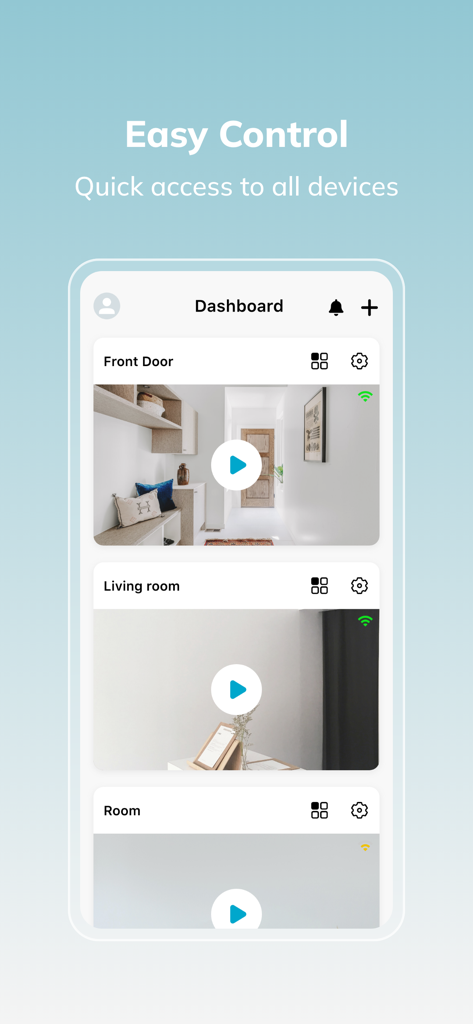
Home V - Smart Camera - Home Vスマートカメラモバイルアプリのダッシュボード。様々な部屋からのライブビデオフィードを表示。
Home Vスマートカメラモバイルアプリのダッシュボード。様々な部屋からのライブビデオフィードを表示。

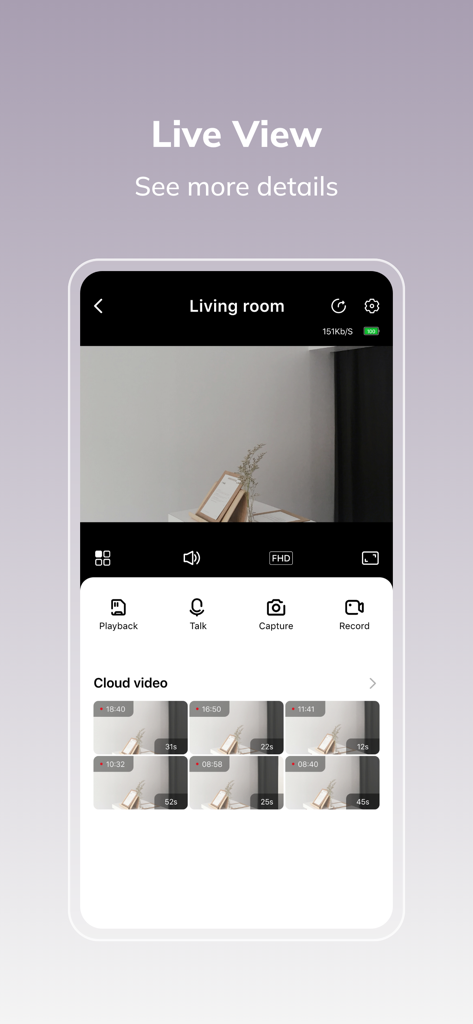
Home V - Smart Camera - Home Vスマートカメラアプリのインターフェース。リビングルームのライブビデオフィードとセキュリティコントロール、クラウドビデオ履歴を表示。
Home Vスマートカメラアプリのインターフェース。リビングルームのライブビデオフィードとセキュリティコントロール、クラウドビデオ履歴を表示。

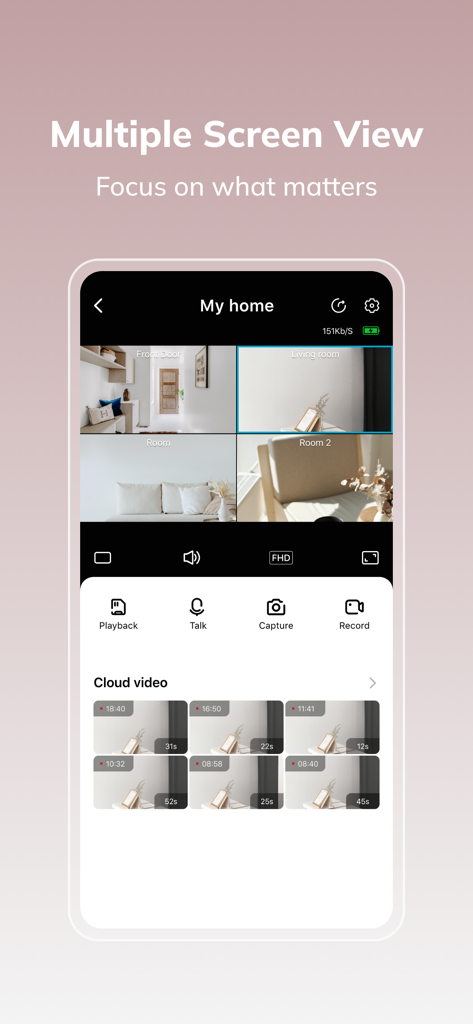
Home V - Smart Camera - Home Vアプリのインターフェース。複数のセキュリティカメラフィードとクラウドビデオ録画を表示。
Home Vアプリのインターフェース。複数のセキュリティカメラフィードとクラウドビデオ録画を表示。

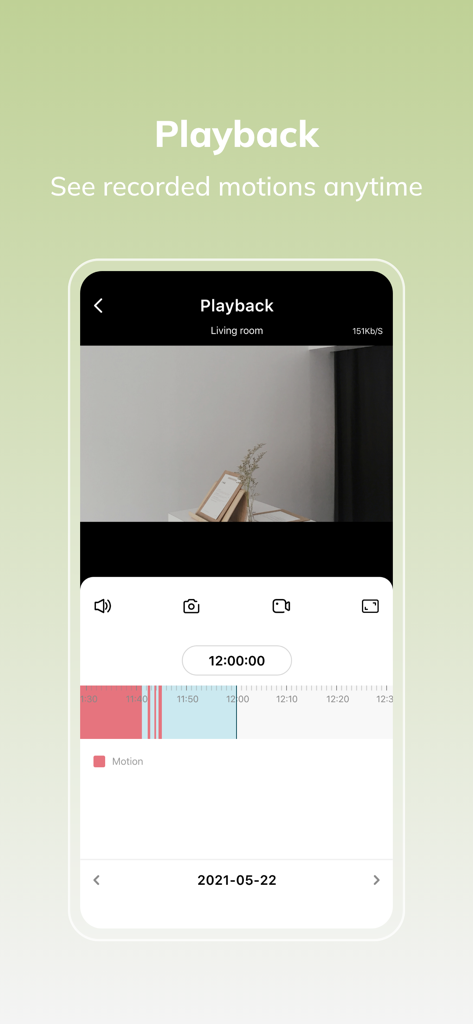
Home V - Smart Camera - Home Vアプリの再生インターフェース。ビデオタイムライン上のモーションイベント録画を表示。

Home Vアプリの再生インターフェース。ビデオタイムライン上のモーションイベント録画を表示。

説明

Home V App is an easy-to-use security system that keeps your family safe with interactive monitoring of your home. Advanced features include: stream live video, two-way communication, play recorded videos, instant motion alert, colorful night vision and works with Alexa. It covers your entire house and allows you to stay aware of what's happening 24/7. Automatic Renewal Service Rules If you click to subscribe, activate and use Cloud Plan automatic renewal service (hereinafter referred to as "this automatic renewal service"), it is deemed that you agree to these rules. You understand and agree: 1. If you subscribe to this automatic renewal service and you do not explicitly cancel this automatic renewal service during the subscription period, the relevant entities will be bound from the time you activate this automatic renewal service 1 day before each subscription period is about to expire. The service fee for the next subscription period will be automatically deducted from the balance of the account (hereinafter collectively referred to as "account") such as the pre-defined self-owned recharge account, bound third-party payment account, bank card, communication account, etc., thereby extending the membership validity period corresponding to the subscription period . You should pay attention to the status of the above accounts and deductible balances. The risks and/or losses such as failure to renew due to account problems or insufficient balance will be borne by you. 2.Subscription period: No expiry date unless you cancel the cloud plan subscription. 3. You confirm and agree that Puwell have the right to adjust service prices. If Puwell intends to adjust the service price when you activate the automatic renewal service, we will notify you in advance by appropriate means (including but not limited to announcements on the site, SMS, etc.). If you do not agree to the service price adjustment, you can cancel this automatic renewal service in accordance with these rules; if you do not cancel this automatic renewal service, the subsequent charges deducted by the relevant entity will be based on the adjusted service fee; if you are subscribing Cancellation within 24 hours before the expiration of the period, the relevant entity may deduct the service fee for the next subscription period based on the adjusted service fee, and then stop the withholding service. After this automatic renewal service is canceled, if you activate the automatic renewal service again, the service fee automatically deducted by the relevant entity shall be subject to the service fee displayed on the page at that time. 4. The method for automatic renewal users to unsubscribe is as follows: Apple in-app payment (IAP payment, in-app purchase): Open the Apple phone "Settings" --> enter "iTunes Store and App Store" --> click "Apple ID", select "View Apple ID", Go to the "Account Settings" page, click "Subscribe", and select your Cloud Plan subscription to cancel it. If you do not cancel the automatic renewal function 1 day before the subscription period expires, the subscription will be automatically renewed and deducted. Third party payment: You can cancel your subscription by going to the Cloud Services Subscription Management or by going to the third party payment platform. 5. Puwell can also stop continuing to provide you with automatic renewal services according to the needs of its operating strategy. Your Cloud Plan service period will terminate on the date of the expiration of the current service period. 6. Cloud Plan service agreement: https://appint.ipc365.com/Index/showFile?filetype=cloudterms&lan=en 7. Privacy agreement: https://appint.ipc365.com/Index/showFile?filetype=pravicy

Download

ダウンロード: App Store

このページはアプリまたはその開発者の公式ページではなく、情報提供および論評を目的として作成された独立した編集出版物です。明示的に別段の記載がない限り、アプリおよびその開発者は、MWM、Apple、Google Play、アプリのパブリッシャー、またはアプリの開発者と提携、承認、後援、認可、またはその他の公式的な関係はなく、このページのいかなる内容も、アプリがMWMのサービスを使用して開発されたことを意味するものではありません。すべての商標、ロゴ、スクリーンショット、その他のコンテンツはそれぞれの所有者の財産です。








