HUD Widgets

HUD Widgets

ダウンロード: App Store
ロゴ: HUD Widgets

HUD Widgets:ダッシュボードを未来的なヘッドアップディスプレイにアップグレード

プロ仕様のスピードメーター、リアルタイムの走行分析、エコドライブ指標を搭載。わき見運転を防ぎ、洗練されたドライブ体験を提供します。

開発元

HUDWAY LLC.

カテゴリ

Navigation

ダウンロード

1M+

ユーザー評価

3.6/5

評価数

400

対応言語

9

コックピット体験

このインターフェースを利用する 1M+ 人のユーザー.

車のフロントガラスに反射したスマートフォンの画面。安全運転のためのデジタルスピードメーターと運転指標を表示。
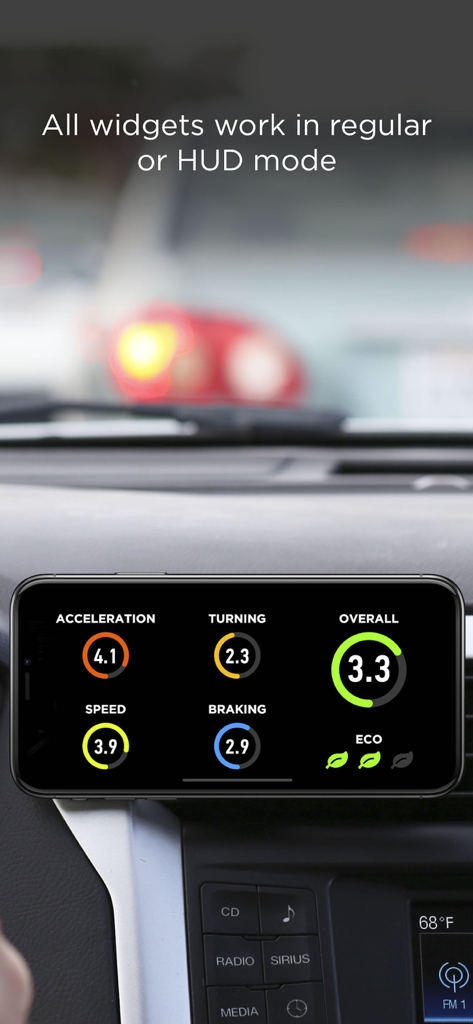
車のフロントガラスに反射したスマートフォンの画面。安全運転のためのデジタルスピードメーターと運転指標を表示。

車のダッシュボードに置かれたスマートフォン。HUD Widgetsの加速やブレーキのスコアなどの運転指標を表示。
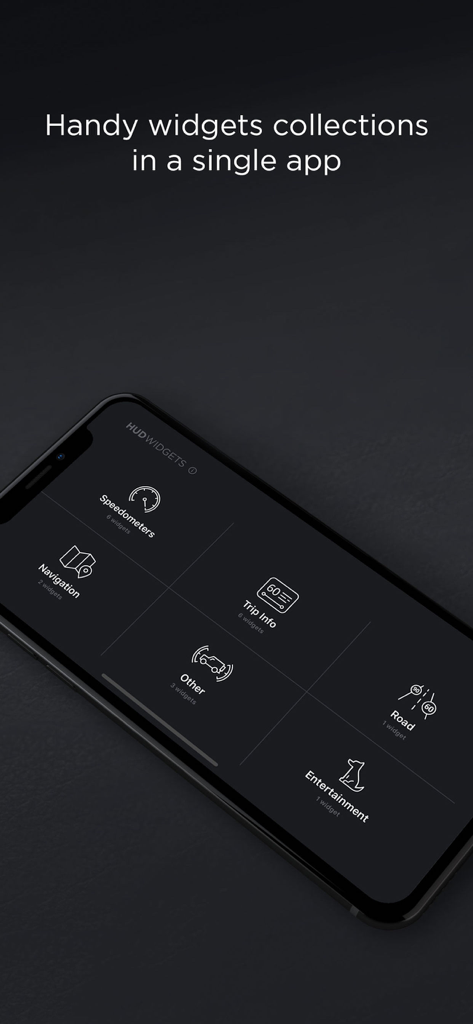
車のダッシュボードに置かれたスマートフォン。HUD Widgetsの加速やブレーキのスコアなどの運転指標を表示。

HUD Widgetsのアプリメニューを表示するスマートフォンの画面。スピードメーター、ナビゲーション、走行情報、エンターテインメントのオプションを選択可能。
HUD Widgetsのアプリメニューを表示するスマートフォンの画面。スピードメーター、ナビゲーション、走行情報、エンターテインメントのオプションを選択可能。

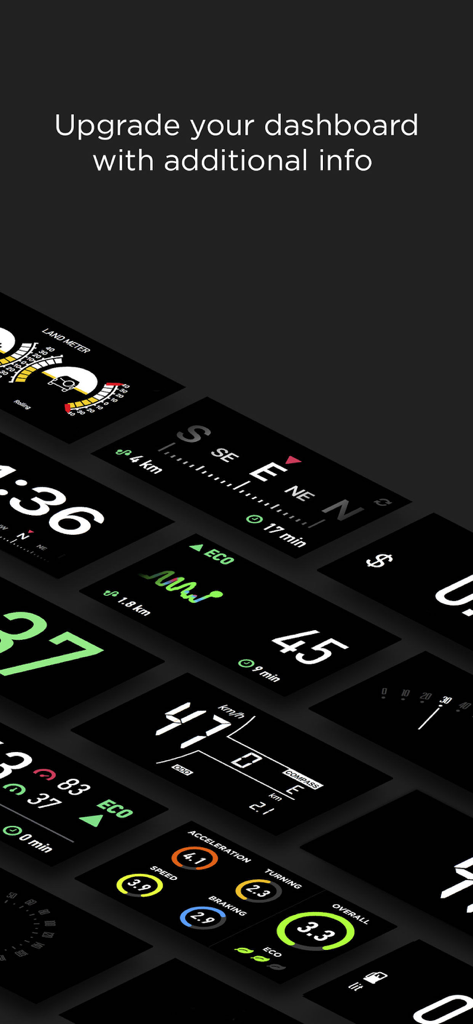
速度、ナビゲーション、運転指標などのデジタル車載ウィジェットのコレクション。
速度、ナビゲーション、運転指標などのデジタル車載ウィジェットのコレクション。

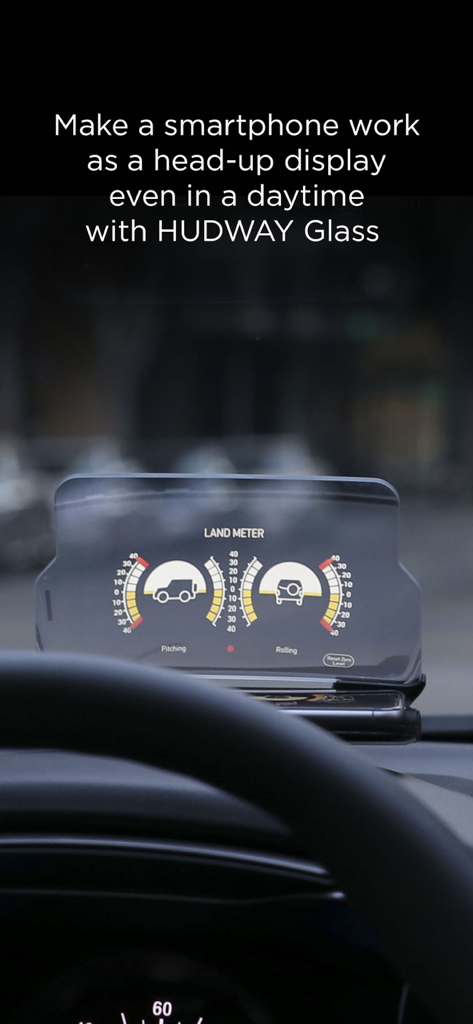
HUDWAY Glassヘッドアップディスプレイ・アクセサリーに表示された、車のピッチとロールを示すランドメーター・ウィジェット。

HUDWAY Glassヘッドアップディスプレイ・アクセサリーに表示された、車のピッチとロールを示すランドメーター・ウィジェット。

ドライブをアップグレード

このアプリを際立たせるツール、 1M+ 人のユーザーが選択.

🛸

ヘッドアップディスプレイ・モード

重要な統計情報をフロントガラスに投影。わき見を防ぐ安全な運転体験で、どんな車もハイテクなコックピットに。

📊

パフォーマンス追跡

運転スコア、燃費、走行コストを分析。通勤を最適化し、安全運転をゲーム感覚で楽しみましょう。

🚜

オールテレーン・ユーティリティ

プロ仕様のランドメーターでオフロードを攻略。車のピッチとロールをリアルタイムで監視。

アプリについて

について知っておくべきこと HUD Widgets.

説明

HUD Widgets app is a set of handy and popular navigation widgets, like speedometers, trip info, landmeter, weather, eco-driving, etc... All widgets work in regular or head-up display (HUD) mode. Speedometers: — Classic digital speedometer — Digital, with compass, odometer, and distance traveled (Chevrolet Aveo style) — A set of retro speedometers: Cadillac style, arched, circular GPS trip information: — See how safely you drive: the app calculates your driving score based on your acceleration, braking, turns, and speeding data. — Know your fuel consumption per each trip and the expenses on it. — Information on your current, maximum and average speed, distance and time traveled — Large compass — Eco-driving. Acceleration and deceleration graphs indicate driving efficiency Other: — Internet Radio — Land meter. Indicates the angle of car slope or tilt — pitching and rolling — Weather and clock Launch the app, select the widget, and place the smartphone close to the windshield (to use it in HUD mode, with the screen image reflected onto the windshield), or fix it in the mount. Attention! 1. On a clear day, the device screen brightness is typically insufficient to give a decent reflection for HUD mode. In that situation, you can use the app in standard mode with the phone fixed with some mount, OR stay HUD using our HUDWAY Glass accessory (more at hudwayglass.com or see bellow). At night, in dusk, or in dull weather the reflection is normally well-discernible. 2. Continuous use of geolocation services (GPS and GLONASS) may drain your device battery fast. 3. When driving, make sure that your smartphone or tablet is well fixed in some mount or on some sticky pad, and doesn't prevent you from clearly seeing the road. HUDWAY Glass car accessory makes smartphone work as a head-up display in any car even in daytime. Removes doubling, offers sharp enlarged reflection image. Learn more: http://hudwayglass.com Privacy Policy http://hudwayapp.com/privacy Terms of Use http://hudwayapp.com/en/terms/

最新バージョン

2.1.6

サイズ

53.8 MB

リリース日

2016年4月11日

ダッシュボードをハイテクなコックピットへ

100万人以上のドライバーが選ぶHUD Widgets。速度、燃費、走行データをフロントガラスに反射させて表示。

ダウンロード: App Store

App information, icons, screenshots, and descriptions displayed on this page are sourced from the Apple App Store and are the property of their respective developers. Download estimates and rankings are based on MWM's proprietary models and may not reflect actual figures. This page is provided for informational and analytical purposes only.

Believe this page infringes your intellectual property? File a dispute