‎iArtbook

‎iArtbook

ダウンロード: App Store
ロゴ: ‎iArtbook

iArtbook: プロフェッショナルなデジタルアート&アニメーションを楽しく

無制限レイヤー、カリグラフィー安定化、リアルタイムレッスンで創造性を解き放ちましょう。バイラルタイムラプスから壮大なアニメーションまで、iPadであなたのスキルをレベルアップさせるためのプログレードツールを手に入れましょう。

開発元

Alexander Kondrashov

カテゴリ

Graphics & Design

ダウンロード

16M+

ユーザー評価

4.0/5

評価数

33K+

対応言語

40

あなたのスタジオを、視覚的に

このインターフェースを利用する 16M+ 人のユーザー.

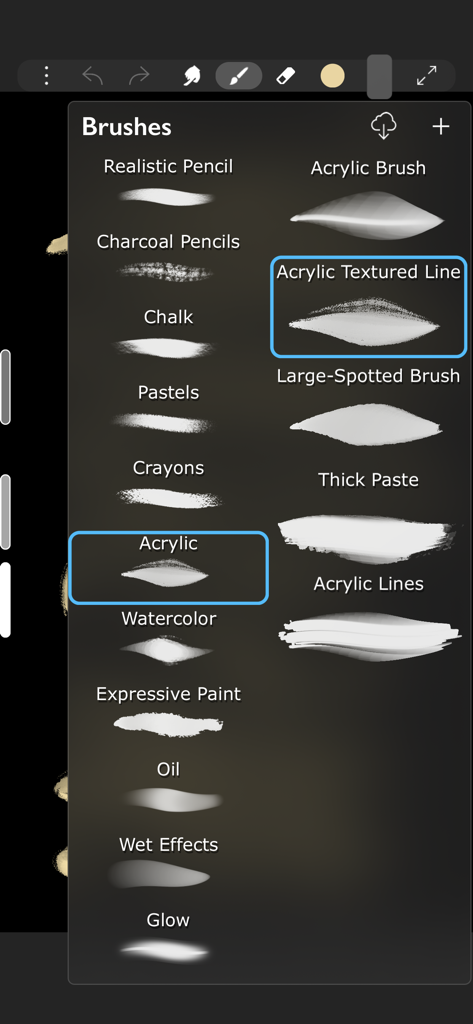
アクリル、水彩、チャコールなどのさまざまなデジタル描画ブラシを示すiArtbookアプリのメニュー。

アクリル、水彩、チャコールなどのさまざまなデジタル描画ブラシを示すiArtbookアプリのメニュー。

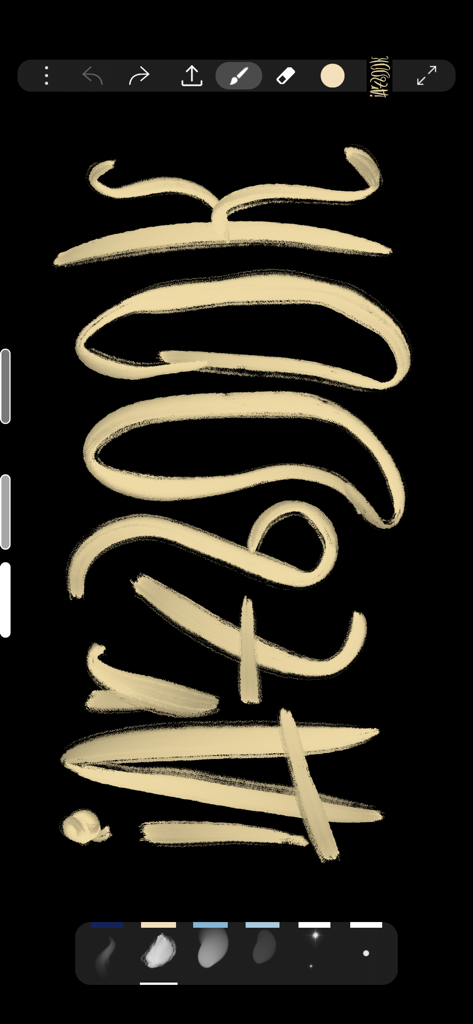
黒いキャンバスにデジタルカリグラフィーストロークを示すiArtbookインターフェース

黒いキャンバスにデジタルカリグラフィーストロークを示すiArtbookインターフェース

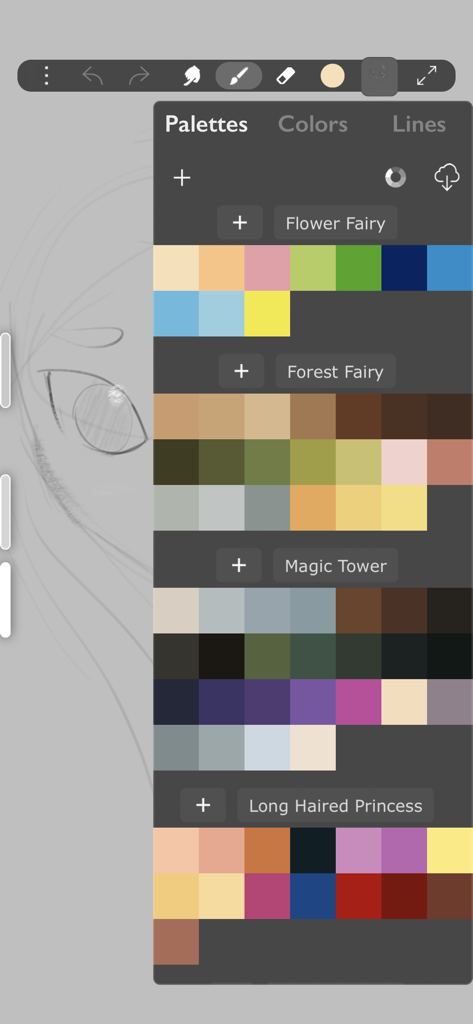
デジタルイラストレーション用のさまざまなカラーパレットを表示するiArtbookアプリのインターフェース。

デジタルイラストレーション用のさまざまなカラーパレットを表示するiArtbookアプリのインターフェース。

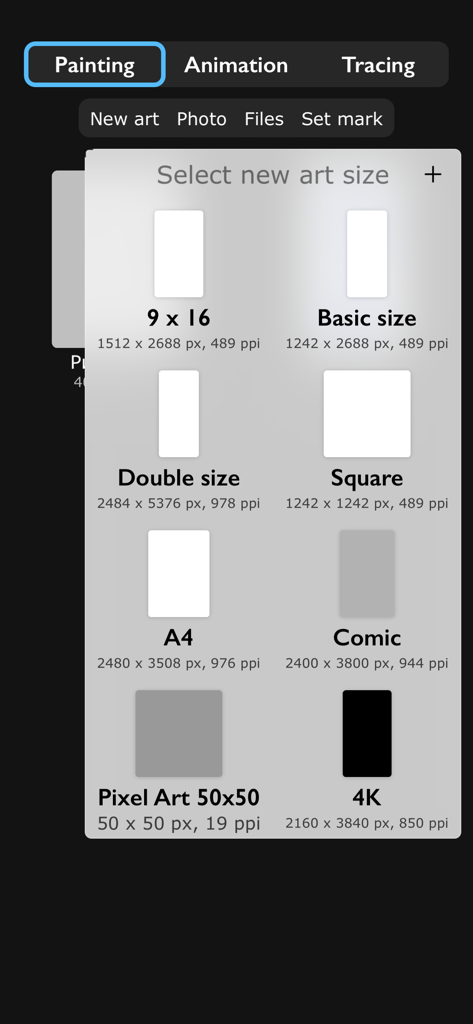
新しいデジタルペインティングを開始するための正方形A4および4Kなどのさまざまなキャンバスサイズオプションを表示するiArtbookアプリ画面

新しいデジタルペインティングを開始するための正方形A4および4Kなどのさまざまなキャンバスサイズオプションを表示するiArtbookアプリ画面

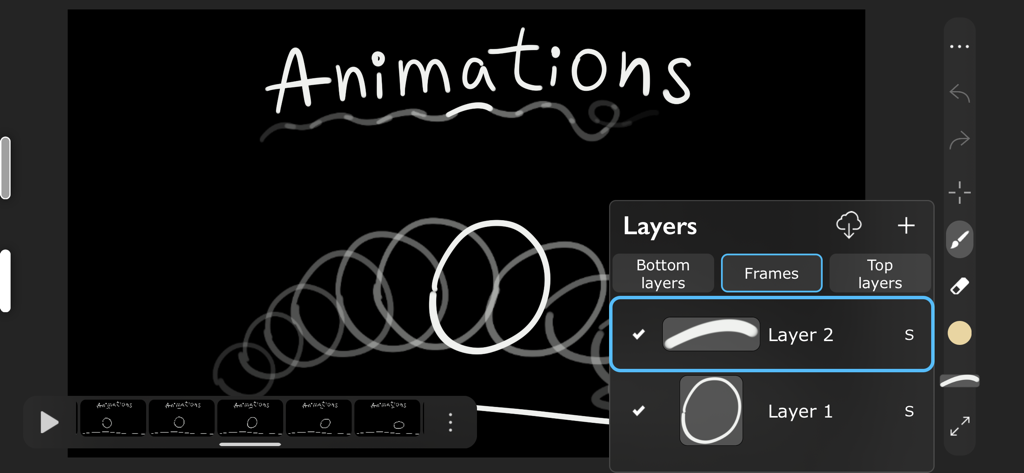
フレームとモーションレイヤーを示すiArtbookデジタルアニメーションインターフェース

フレームとモーションレイヤーを示すiArtbookデジタルアニメーションインターフェース

インスピレーションのひらめきをすべて傑作に変える

このアプリを際立たせるツール、 16M+ 人のユーザーが選択.

✍️

プログレードのブラシ精度

Apple Pencilに最適化された高度なカリグラフィー安定化と1,000以上のテクスチャで、遅延ゼロの描画を体験してください。

🎓

インタラクティブなアートレッスン

空白のキャンバスに悩むのはやめましょう。リアルタイムでマスターイラストをトレースし、比較することで、プロのテクニックを学びましょう。

🎬

コンテンツ作成のために構築

無制限レイヤーとブレンドモードで、高品質のタイムラプスまたはフレームバイフレームアニメーションをTikTokやInstagramに直接エクスポートします。

レビュー分析

ユーザーレビューの分析.

感情スコア

28%
ネガティブ

概要

User feedback for this app is largely negative, driven by recent updates that have moved many core functionalities behind a paywall, including saving artwork, lasso tools, transformation, fill, and liquify features. Users are highly frustrated by the introduction of excessive and lengthy advertisements, which often interrupt workflows or appear when attempting simple actions like screenshots. While some users still praise the app's free brushes and acknowledge its past utility for art improvement and ease of use, the current monetization strategy has severely impacted the overall user experience. There's also a mention of a 'force close bug' specifically on iPad Air, suggesting some stability concerns.

主なテーマ

Past User Experience(21)
Free Brushes(4)
Ease of Use(4)
Old UI Design(2)
Developer Responsiveness(1)
Stability(1)
Art Improvement Contribution(1)

アプリについて

について知っておくべきこと ‎iArtbook.

説明

Fun painting app, based on Unlimited Layers with Blend Modes and Masks Any brush can be used with 3 professional-level realtime technologies of calligraphy: Line Delay, Rope Stabilization and Correction, combine it for best results. With 100% calligraphy the line will be very smooth even if you are drawing with your finger Brushes can be Dry, Glossy and Wet. There are 3 types of Wet brushes: Without Pull, With Pull and Super-Precise. Any brush can instantly became Smudge-brush with Finger instrument. Textured brushes are also supported If you like to draw with simple round brush, there are quick settings for Hardness, Ovality & Rotation of your brush shape. Or, if you prefer realistic brushes, large Pro-Library of shapes (>1000 textures) can be used to create new brushes of any type Apple Pencil is fully supported, including Touch Force, Tilt, Azimuth and Predicted Points. There are settings for each Pencil ability. You also can disable finger-painting, if you never use it Gestures: 2-fingers tap for Undo and 3-fingers tap for Redo any action For color choosing there are 2 different Color Pickers and Palettes with Gradient Mixer. Use long-pressure gesture for quick color choosing Time-Lapse video recording is enabled by default FEATURES LIST: Create Animation: * Unlimited frames of animation * Multiple animation layers * Export to mp4, hevc, gif, apng Learn How to Draw by copying Professional Art: * Use any Painting or Sketch as a Lesson * Tap left side of screen to switch between your painting and the lesson * 4 lesson types: "Equal size", "First Layer", "Horizontal split", "Vertical split" Brushes: * Preinstalled professional brushes * Glossy brushes * 50+ brush settings * Shapes library * Calligraphy * Apple Pencil support * Smudge brushes with 3 different smudge technologies * Export-import of brushes * Dynamic shape * Realistic brushes * Any brush can became a smudge brush with Smudge tool Colors: * 2 Color Pickers * Color mixer * Palettes * Import/Export of palettes Interface: * Right and left handed interface * Light or dark interface * Custom interface color Layers: * Unlimited layers * Dynamic ssd/operative memory using for layers * Masks * Clear / Fill / Select / Sort / Duplicate * Blend modes * Opacity and visibility * Import any image as a layer * Transform without loosing image quality Gestures: * 2-Fingers tap for Undo * 3-Fingers tap for Redo * Long pressure for quick color choosing * Bucket Tool: Drag the Color circle onto the canvas * Only-gestures control with Swipes Advanced: * Flip canvas horizontally * Time-Lapse video recording * Transform instrument * Selection tool * PNG with transparency creation

最新バージョン

10.9.8

サイズ

387.7 MB

リリース日

2019年2月8日

デジタルアートのレベルを上げる準備はできましたか?

1600万人のクリエイターに参加して、iPadをプロフェッショナルスタジオに変えましょう。今すぐiArtbookをダウンロードして、あなたのスケッチをバイラルマスターピースに変えましょう。

ダウンロード: App Store
FAQ

よくある質問

について知っておくべきこと ‎iArtbook

iArtbookはアニメーション作成に対応していますか?

はい、iArtbookは無制限のフレームと複数のレイヤーでアニメーションを作成できます。mp4、hevc、gif、apng形式でエクスポート可能です。

iArtbookはApple Pencilに対応していますか?

はい、iArtbookはTouch Force、Tilt、Azimuth、Predicted Pointsを含むApple Pencilに完全対応しています。指でのペイントを無効にすることも可能です。

iArtbookでブラシをカスタマイズできますか?

iArtbookは50以上のブラシ設定、シェイプライブラリ、1000以上のテクスチャを持つPro-Libraryで、新しいブラシタイプを作成するための豊富なブラシカスタマイズを提供します。硬さ、楕円度、回転のクイック設定も利用できます。

iArtbookにはどのような種類のブラシがありますか?

iArtbookには、Dry、Glossy、Wetブラシなどのさまざまなブラシタイプが含まれており、Without Pull、With Pull、Super-Preciseなどのオプションがあります。テクスチャブラシに対応しており、どのブラシもぼかしブラシにすることができます。

iArtbookアプリにはレイヤー機能が含まれていますか?

はい、iArtbookはブレンドモードとマスクを備えた無制限のレイヤーを提供します。レイヤーのクリア、塗りつぶし、選択、並べ替え、複製、不透明度と可視性の調整、レイヤーとしての画像のインポートが可能です。

iArtbookでのジェスチャーはどのように機能しますか?

iArtbookは、2本指タップで元に戻す、3本指タップでやり直し、長押しジェスチャーでクイックカラー選択を行います。バケツツールは、カラーサークルをキャンバスにドラッグしてアクティブになります。

iArtbookは描画の時間経過ビデオを記録できますか?

はい、iArtbookは作品の時間経過ビデオを自動的に記録します。この機能は、クリエイティブプロセスをキャプチャするためにデフォルトで有効になっています。

iArtbookアプリを使って絵を描くことを学ぶにはどうすればよいですか?

iArtbookは、プロの作品をコピーすることでユーザーの学習を支援します。ユーザーは任意の絵画またはスケッチをレッスンとして選択し、4つのレッスンタイプを使用して自分の作品とレッスンを切り替えることができます。

iArtbookはアーティスト向けのカラーパレットを提供していますか?

はい、iArtbookは2つの異なるカラーピッカー、グラデーションミキサー付きパレットを提供し、カラー管理のためにパレットのインポート/エクスポートを許可します。

iArtbookでは異なるキャンバスサイズが利用できますか?

はい、iArtbookは9x16、基本サイズ、ダブルサイズ、スクエア、A4、コミック、ピクセルアート50x50、4Kなどのさまざまなプリセットキャンバスサイズを提供しており、ユーザーは作品に適した寸法を選択できます。

App information, icons, screenshots, and descriptions displayed on this page are sourced from the Apple App Store and are the property of their respective developers. Download estimates and rankings are based on MWM's proprietary models and may not reflect actual figures. This page is provided for informational and analytical purposes only.

Believe this page infringes your intellectual property? File a dispute