iCircuit

iCircuit

ダウンロード: App Store
ロゴ: iCircuit

iCircuit:学生、メーカー、エンジニアのためのリアルタイム電子ラボ

常にオンのシミュレーションエンジンのパワーを体験してください。複雑なアナログおよびデジタル回路を設計し、仮想Arduinoをプログラムし、内蔵オシロスコープで信号を瞬時に解析—すべてモバイルデバイス上で。

開発元

Krueger Systems, Inc.

カテゴリ

Productivity

ダウンロード

414K+

ユーザー評価

4.0/5

評価数

2K+

対応言語

7

あなたのラボを視覚化

このインターフェースを利用する 414K+ 人のユーザー.

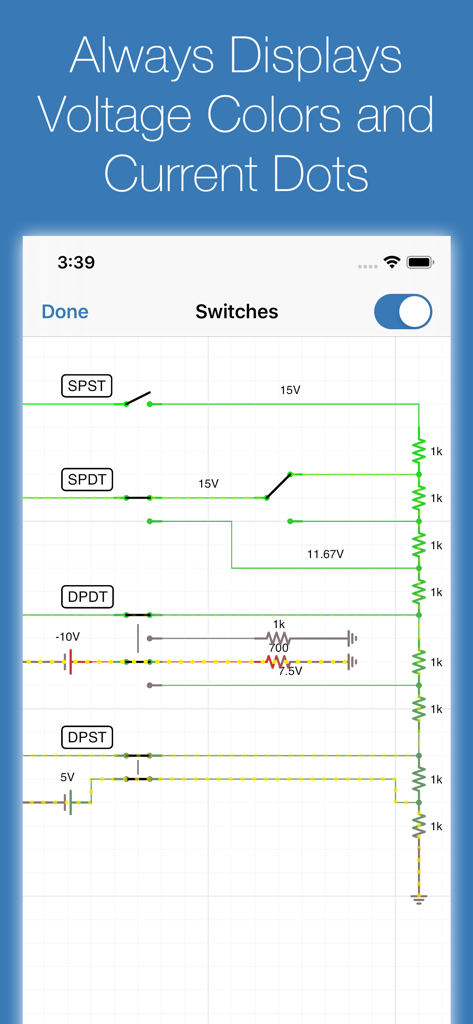
iCircuitアプリのインターフェース。電圧の色と電流の流れのインジケーターを備えたリアルタイム回路シミュレーションが表示されています。
iCircuitアプリのインターフェース。電圧の色と電流の流れのインジケーターを備えたリアルタイム回路シミュレーションが表示されています。

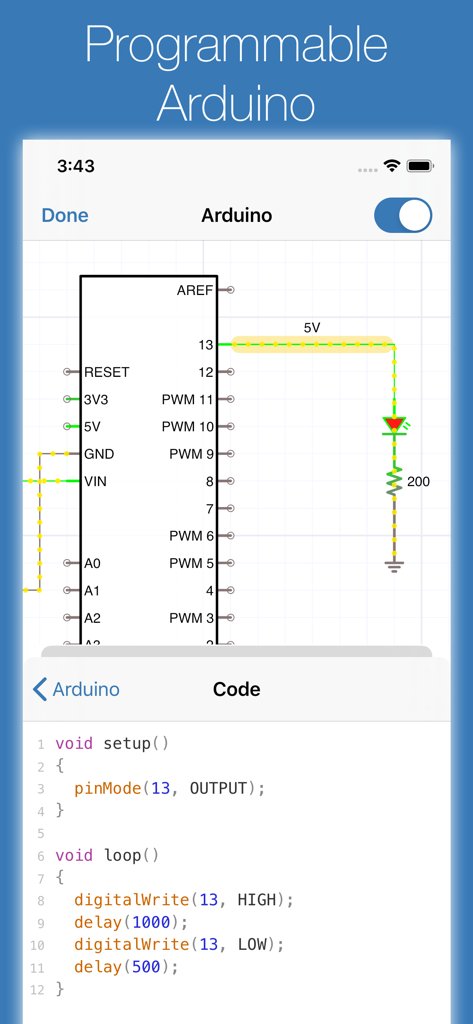
iCircuitアプリのインターフェース。Arduino回路図と対応するCコードエディタが表示されています。
iCircuitアプリのインターフェース。Arduino回路図と対応するCコードエディタが表示されています。

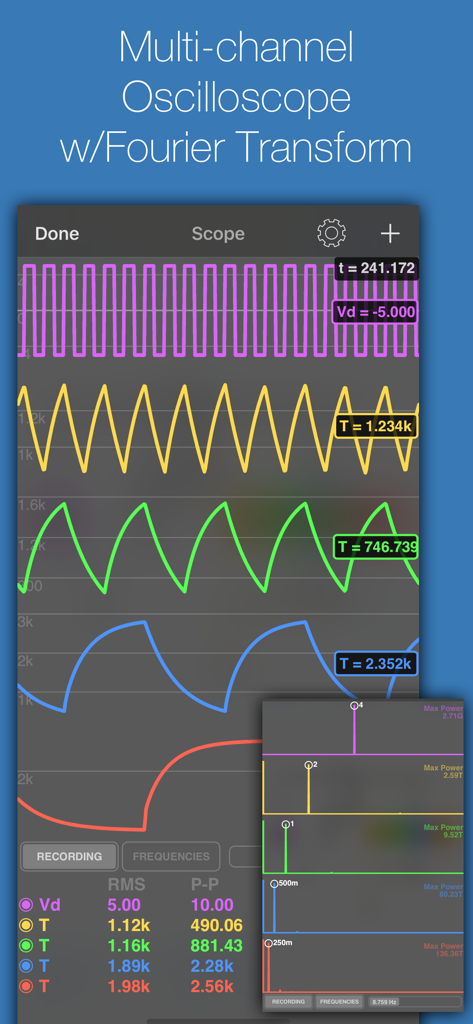
iCircuitアプリのマルチチャンネルオシロスコープ表示。波形とフーリエ変換解析が表示されています。
iCircuitアプリのマルチチャンネルオシロスコープ表示。波形とフーリエ変換解析が表示されています。

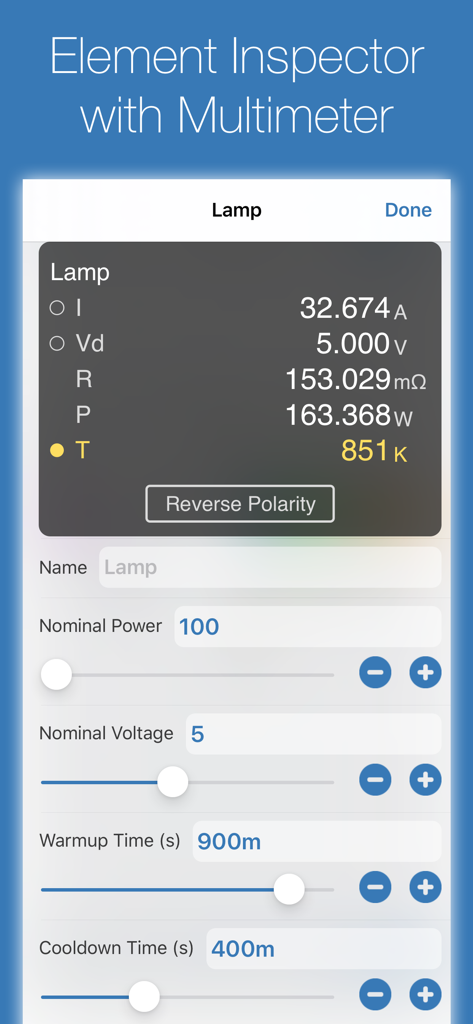
iCircuit要素インスペクタのインターフェース。ランプコンポーネントのマルチメータ測定値が表示されています。
iCircuit要素インスペクタのインターフェース。ランプコンポーネントのマルチメータ測定値が表示されています。

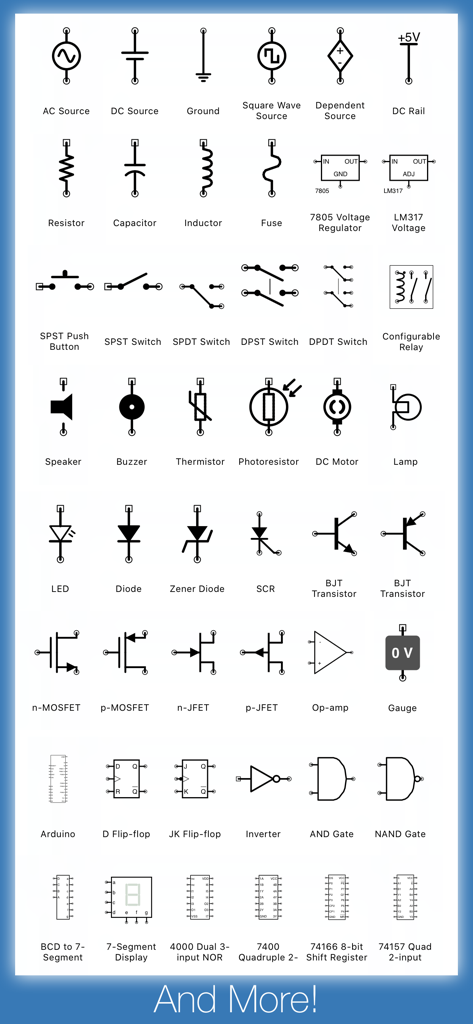
iCircuitアプリで利用可能な電子回路記号とコンポーネントの包括的なコレクション。
iCircuitアプリで利用可能な電子回路記号とコンポーネントの包括的なコレクション。

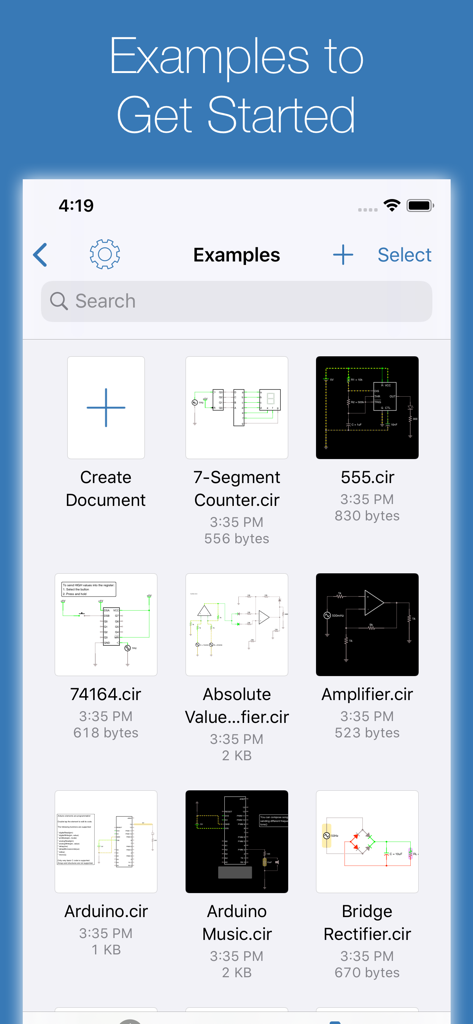
iCircuitアプリの回路設計例ライブラリ。Arduinoやアンププロジェクトが含まれています。

iCircuitアプリの回路設計例ライブラリ。Arduinoやアンププロジェクトが含まれています。

ポケットの中のプロフェッショナル電子ラボ

このアプリを際立たせるツール、 414K+ 人のユーザーが選択.

常時オンのリアルタイムシミュレーション

瞬時のフィードバックを体験してください。従来のCADツールとは異なり、iCircuitは構築中に連続的にシミュレーションを行うため、「実行」ボタンを押すことなくパラメータを調整し、結果を確認できます。

📉

高度な信号解析

タッチ操作可能なオシロスコープとマルチメータで回路のパフォーマンスを視覚化します。複数の信号を同時に追跡し、フーリエ変換を実行して詳細な周波数解析を行います。

🤖

Arduino&ロジックプロトタイピング

C言語を使用して仮想Arduinoをコーディングおよびテストしたり、180以上のデジタルICやロジックゲートを試したりできます。安全で忠実度の高いサンドボックスで、ソフトウェアとハードウェアのギャップを埋めましょう。

アプリについて

について知っておくべきこと iCircuit.

説明

iCircuit is the premier iPad and iPhone app for designing and experimenting with circuits and Arduinos. Its advanced simulation engine can handle both analog and digital circuits and features realtime always-on analysis. It is the perfect companion to students, hobbyists, and engineers. You use it as you would any CAD program: you add elements, connect them together, and set their properties. But iCircuit is unlike other CAD programs because it is always simulating. It's just like working with the real circuit. You do not stop to take a measurement or spend a lot of time configuring reports. Instead, you just play with the circuit as you normally would, with the power on! There are over 300 elements you can use to build your circuits. The app has everything from a programmable Arduino, to simple resistors, to switches, to MOSFETS, to digital gates. The app features a multimeter that you use to probe around the circuit to instantly read voltages and currents. If you want to see how a value changes over time, then you can add values to the built-in oscilloscope. The scope can simultaneously track many signals over time and features a touch interface to control the total time displayed and stacked and unstacked modes to easily compare signals. The scope can also display the Fourier transform of any signal so that you can see the performance of filters. Supported elements include: • Programmable Arduino using a subset of the C programming language • Programmable PIC controllers using assembly language or hex files • Signal generators, Voltage sources, Current sources, and Dependent sources • Resistors, Capacitors, and Inductors • Manual SPST/SPDT and DPST/DPDT Switches, Push buttons, and Relays • LEDs, Diodes, BJ Transistors, and MOSFETs, Thermistors • Triodes and tetrodes • Audio simulation with Speakers, Microphones, Buzzers, and LEDs • DC Motors and Servos • ADCs, and DACs • Logic gates: AND, OR, NAND, NOR, XOR • JK and D Flip-flops • 180 digital ICs from the 4000 and 7400 series • 78xx and LM317 voltage regulators • 7-segment and matrix displays • Antenna with simulated AM and FM signals You can also create sub circuits to introduce new elements and componentize your designs. No matter your skill set, you'll be playing with circuits in no time with iCircuit. Terms of Use: https://www.apple.com/legal/internet-services/itunes/dev/stdeula/

最新バージョン

1.14.2

サイズ

78.8 MB

リリース日

2010年7月29日

デバイスをライブ電子ラボに変える

40万人以上のメーカーやエンジニアに加わりましょう。ヒューズを飛ばすことなく、複雑な回路をリアルタイムで設計、Arduinoをコーディング、シミュレーションしましょう。

ダウンロード: App Store

App information, icons, screenshots, and descriptions displayed on this page are sourced from the Apple App Store and are the property of their respective developers. Download estimates and rankings are based on MWM's proprietary models and may not reflect actual figures. This page is provided for informational and analytical purposes only.

Believe this page infringes your intellectual property? File a dispute