
このページはアプリまたはその開発者の公式ページではなく、情報提供および論評を目的として作成された独立した編集出版物です。明示的に別段の記載がない限り、アプリおよびその開発者は、MWM、Apple、Google Play、アプリのパブリッシャー、またはアプリの開発者と提携、承認、後援、認可、またはその他の公式的な関係はなく、このページのいかなる内容も、アプリがMWMのサービスを使用して開発されたことを意味するものではありません。すべての商標、ロゴ、スクリーンショット、その他のコンテンツはそれぞれの所有者の財産です。

ダウンロード
1M+ユーザー評価
評価数
16.7K開発元
カテゴリ
Graphics & Design対応言語
1最新バージョン
2.8.10サイズ
258.0 MBリリース日
2020年12月19日高度なパーソナライゼーションでユーザー体験を向上させる主要機能
アプリケーション機能分析: Icon Changer: Widget.s, Themes
豊富な既製テーマキット
このアプリは、多彩なデザインのテーマキットを提供することで、ユーザーがデバイスの外観を瞬時に一新し、トレンドに合わせた個性を表現することを可能にします。
オリジナルアイコン作成機能
本アプリは、背景色とアイコンを組み合わせて既存アプリのアイコンをオリジナルのデザインに変更できるツールを備えており、ユーザーは完全に自分だけのホーム画面を作り上げることが可能です。
アイコン背景の自由なカスタマイズ
ユーザーは、フラットカラーやグラデーションカラーの背景を自由に選択し、独自のアイコンデザインを作成することで、ホーム画面の細部にわたるパーソナライズを実現できます。
HealthKit連携ウィジェット
本アプリはHealthKitと連携し、歩数などの健康データをホーム画面に表示するウィジェットを提供することで、ユーザーの健康意識を高め、日常生活に役立つ情報を提供します。
よくある質問
について知っておくべきこと Icon Changer: Widget.s, Themes
What is Icon Changer: Widget.s, Themes?
Icon Changer: Widget.s, Themes is an app that allows users to customize their iPhone home and lock screens by installing new theme kits, ultimate icons, and various widgets. It provides color combinations and pre-made icon packs.
How do users change icons with Icon Changer: Widget.s, Themes?
Users select an icon theme kit, tap to install it, choose the icons they want to change, and then save the wallpaper. For custom icons, they tap "Create icon," choose a background color, select an icon, and add it.
Does Icon Changer: Widget.s, Themes offer pre-made icon themes?
Yes, Icon Changer: Widget.s, Themes includes several pre-made icon theme kits. These include Gradient icon pack, Colored Icons kit, Dark Cat icon pack, Golden icon pack, and Pink Glitter Icon Pack.
Can Icon Changer: Widget.s, Themes display health data?
Yes, Icon Changer: Widget.s, Themes can display health and fitness data from an iPhone or Apple Watch through its HealthKit integration. It provides a step widget to track daily step counts.
What are the subscription options for Icon Changer: Widget.s, Themes?
Icon Changer: Widget.s, Themes offers unlimited access subscriptions billed monthly, weekly, or annually. Payment is charged to the user's iTunes Account and automatically renews unless turned off.
How do users manage their Icon Changer: Widget.s, Themes subscription?
Yes, users can manage their Icon Changer: Widget.s, Themes subscription and turn off auto-renewal. This is done by going to the user's Account Settings after the purchase.
Does Icon Changer: Widget.s, Themes offer lock screen customization?
Yes, Icon Changer: Widget.s, Themes offers lock screen customization. Users can apply new theme kits and save wallpapers to change the appearance of their lock screen.
Where can users find the privacy policy for Icon Changer: Widget.s, Themes?
The privacy policy for Icon Changer: Widget.s, Themes is available at the provided URL: https://iconapp.mkapps.app/iconchanger/terms/privacy.html. This link details how the app handles user data.
Does Icon Changer: Widget.s, Themes support Dynamic Island wallpapers?
Yes, Icon Changer: Widget.s, Themes provides Dynamic Island wallpapers. The app description and screenshots confirm the availability of wallpapers designed to integrate with the Dynamic Island feature.
Can users customize icon backgrounds with Icon Changer: Widget.s, Themes?
Yes, Icon Changer: Widget.s, Themes allows users to customize icon backgrounds. The app offers flat colors and gradient color sets for this purpose.
以下のスクリーンショットと説明は、アプリの公式ストアリスティングから直接取得されたものであり、アプリ開発者の所有物です。
アプリストア
スクリーンショット
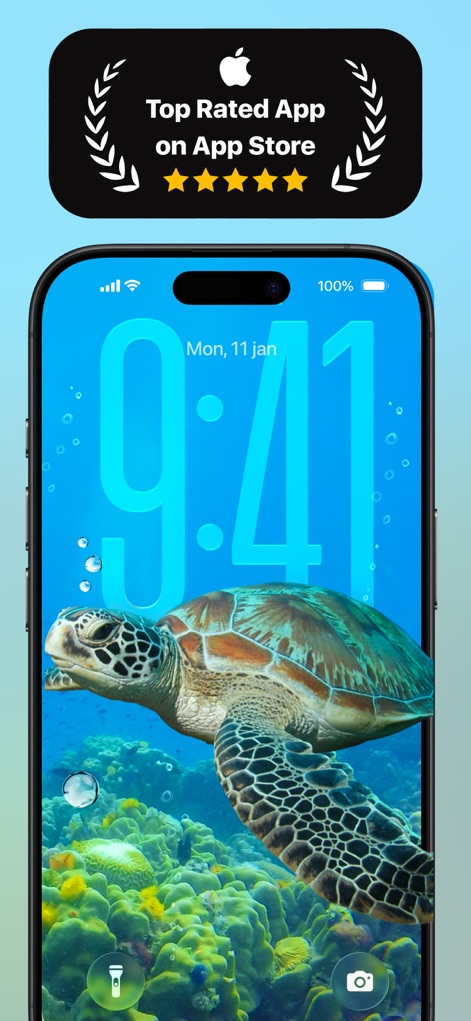
本アプリはApp Storeで高い評価を受けており、ユーザーはロック画面を美しい壁紙でカスタマイズし、大きな時刻表示を設定できます。
高評価アプリ
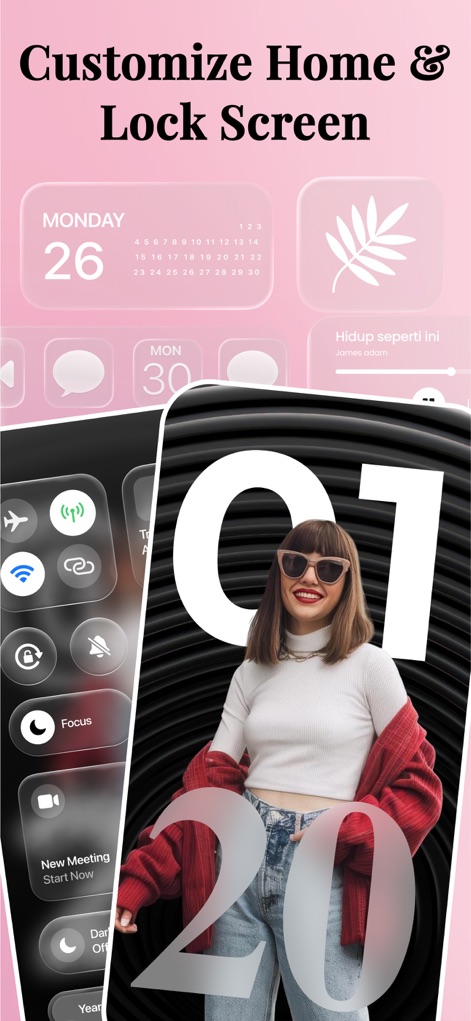
ユーザーはホーム画面とロック画面の両方をパーソナライズでき、ピンク基調のカレンダーウィジェットや透明感のあるコントロールセンターのインターフェースで個性を表現できます。
自由な画面設定
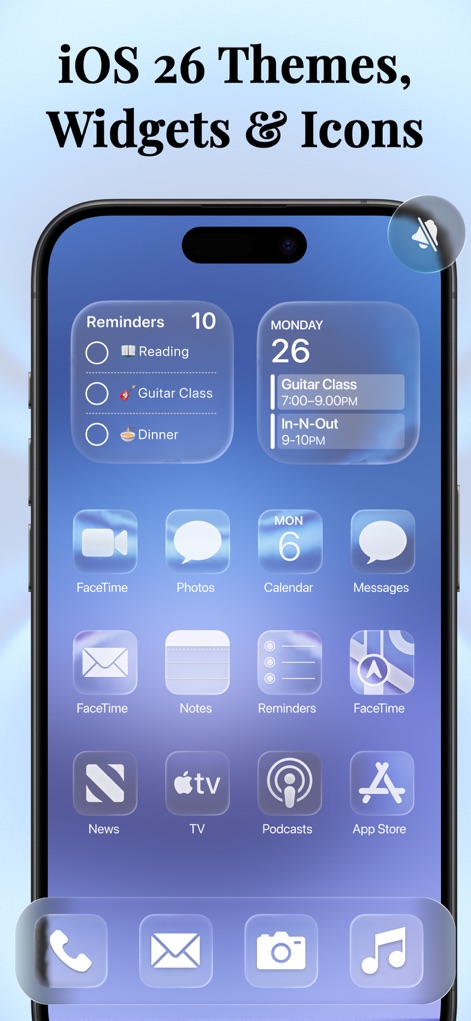
このスクリーンショットでは、半透明のウィジェット(リマインダー、カレンダー)と、フロストガラスのような効果が適用されたアプリアイコンが特徴的なテーマを紹介しています。
新テーマとアイコン
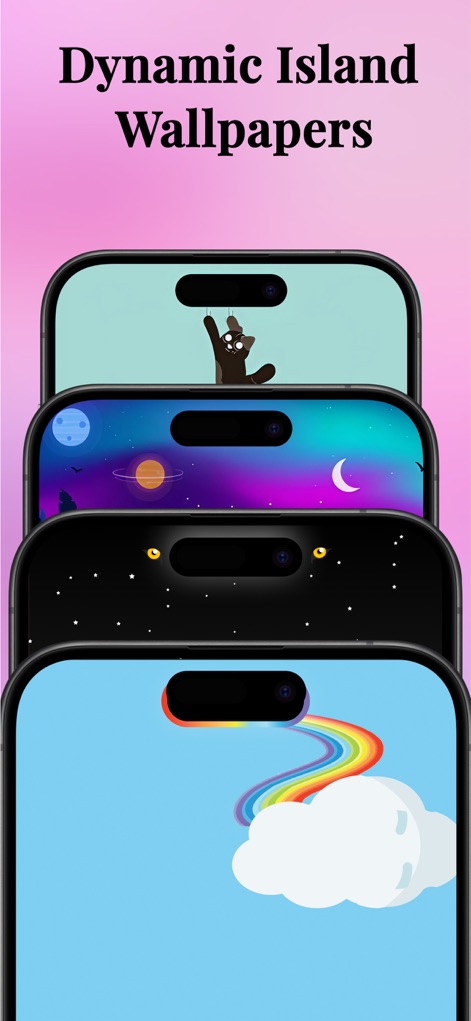
ユーザーはダイナミックアイランドをユニークなアニメーション(猫や惑星)で飾り、様々なカラフルな壁紙を使用してデバイスに遊び心を加えることができます。
ダイナミックアイランド
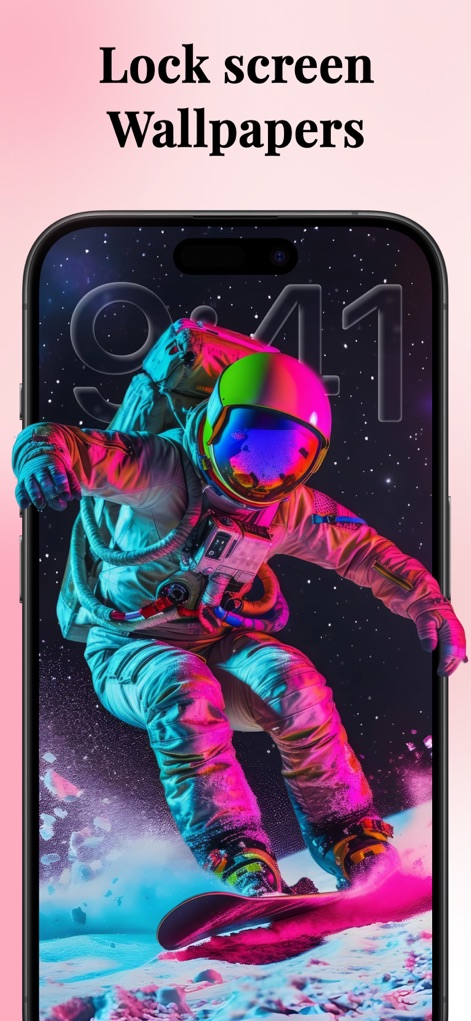
本アプリでは、未来的な宇宙飛行士の壁紙のような独創的なデザインを提供し、ロック画面に大きく表示されるデジタル時計と組み合わせることで、視覚的に魅力的な体験を実現します。
魅惑のロック画面

このアプリは、抽象的で流れるようなデザインの壁紙を提供し、その上に配置された半透明でフロスト加工が施されたアプリアイコンが、洗練されたホーム画面を演出します。
鮮やかな壁紙集
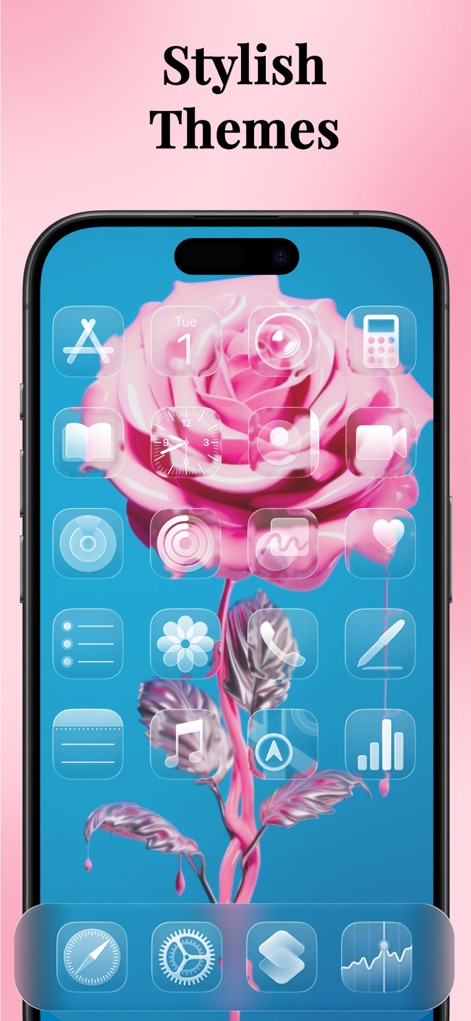
ユーザーは美しいピンクのバラの壁紙を設定でき、統一感のあるフロストガラス効果のアプリアイコンで、洗練されたホーム画面のテーマを作成できます。
スタイリッシュなテーマ
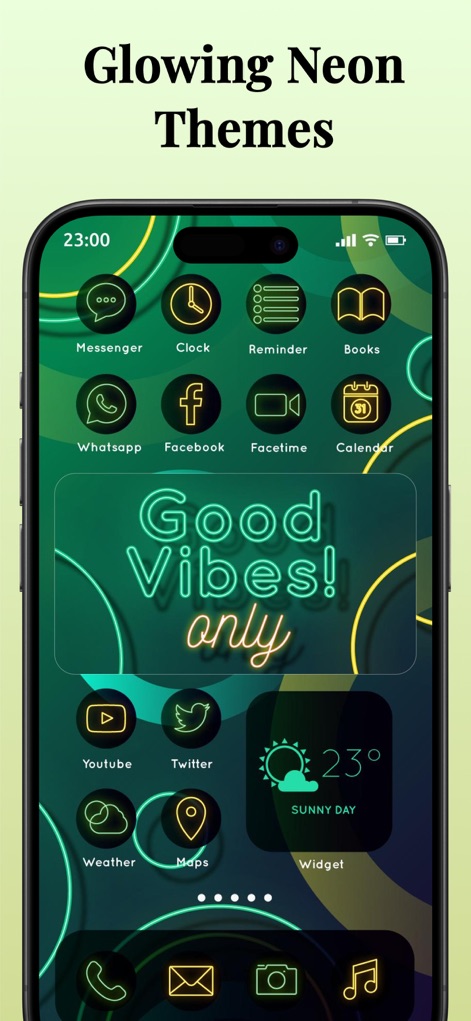
本アプリは、ネオン調に光るアプリアイコンと、背景に描かれた輝くグラフィックパターンにより、デバイスのホーム画面に現代的でダイナミックな印象を与えます。
光り輝くネオン
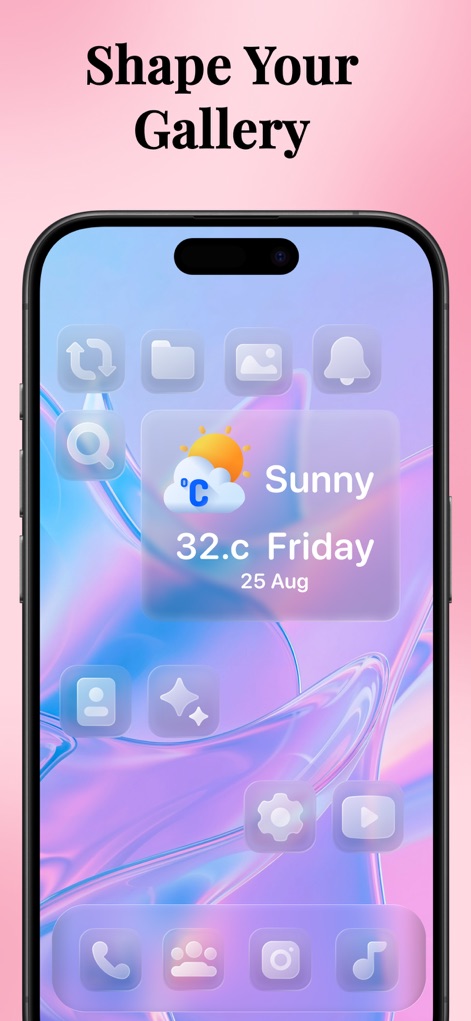
ユーザーはパステルカラーの抽象的な背景を選択でき、透明感のあるデザインが特徴の天気ウィジェットとアプリアイコンを組み合わせて、自分だけの美しいホーム画面を構築できます。
ギャラリーを彩る
説明
Download
類似アプリ
似た機能とユーザー体験を持つアプリ

iScreen - Widgets & Wallpaper
Xiamen ShenZhuo Information Technology Co., Ltd.

Top Widgets⁺ Icons & Themes
Chengdu Tiange Technology Co., Ltd

Colorful Widget- Widget&Themes
Guangzhou ZHIFENG Information Technology Co.,Ltd.

最美壁纸-手机动态主题AI壁纸
文彬 黄

Clockology Watch Faces
Clockology, LLC

全能实况 - 实况壁纸制作器&视频转实况动态壁纸
Xiamen Infinity Starway Technology Co., Ltd.

Fun Widgets-Widgets&Wallpapers
Beijing Curious Cat Co.Ltd

屏幕精灵 - 个性的动态壁纸&充电动画&来电壁纸秀
Guangzhou Shuhong Network Technology Co., Ltd.

Themes - Widget & Icon Themes
S.HOUSING INTERIOR ARCHITECTURE COMPANY LIMITED
このページはアプリまたはその開発者の公式ページではなく、情報提供および論評を目的として作成された独立した編集出版物です。明示的に別段の記載がない限り、アプリおよびその開発者は、MWM、Apple、Google Play、アプリのパブリッシャー、またはアプリの開発者と提携、承認、後援、認可、またはその他の公式的な関係はなく、このページのいかなる内容も、アプリがMWMのサービスを使用して開発されたことを意味するものではありません。すべての商標、ロゴ、スクリーンショット、その他のコンテンツはそれぞれの所有者の財産です。