
このページはアプリまたはその開発者の公式ページではなく、情報提供および論評を目的として作成された独立した編集出版物です。明示的に別段の記載がない限り、アプリおよびその開発者は、MWM、Apple、Google Play、アプリのパブリッシャー、またはアプリの開発者と提携、承認、後援、認可、またはその他の公式的な関係はなく、このページのいかなる内容も、アプリがMWMのサービスを使用して開発されたことを意味するものではありません。すべての商標、ロゴ、スクリーンショット、その他のコンテンツはそれぞれの所有者の財産です。

ICONIT QRcode Reader
他では読み取れないものをスキャン。インスタント履歴追跡、価格比較、日常の生産性を向上させる安全なデータ管理で、世界クラスのパフォーマンスを体験してください。
ダウンロード
5M+ユーザー評価
評価数
480K+開発元
カテゴリ
Productivity対応言語
12最新バージョン
4.9.9サイズ
101.4 MBリリース日
2012年3月2日あらゆるスキャンにおける比類なき精度
遅いネイティブカメラでの時間浪費はやめましょう。ICONITは、効率性、整理、プライバシーを重視する方のために、世界クラスのスピードとプロフェッショナルなユーティリティツールを提供します。
驚異的なスピードと精度
高性能エンジンで、複雑な、小さな、または損傷したバーコードも即座にスキャン。他では読み取れないものをデコードします。
高度なデータ管理
すべてスキャンした履歴を自動アーカイブし、CSVファイルにエクスポートして、経費追跡や在庫管理を楽に行えます。
よくある質問
について知っておくべきこと ICONIT QRcode Reader
ICONIT QRコードリーダーアプリとは何ですか?
ICONITは、世界クラスのスキャン速度と精度で知られる日本のQRコードおよびバーコードリーダーアプリであり、スキャン後に即座に情報を取得できます。
ICONIT QRコードリーダーは無料で使用できますか?
はい、ICONIT QRコードリーダーのすべてのコア機能は無料で利用できます。広告を削除するためのオプションのプレミアムプランが用意されています。
ICONITは高速なQRコードスキャンを提供しますか?
はい、ICONITは世界クラスの速度と精度で、超高速のQRコードおよびバーコードスキャンを提供します。スキャン速度は0.03秒を誇ります。
ICONITは破損または読み取りにくいQRコードをスキャンできますか?
はい、ICONITは他のリーダーでは読み取れないQRコードも簡単にスキャンできます。その優れたスキャン精度は高く評価されています。
ICONITはどのような種類のバーコードおよびQRコードをサポートしていますか?
ICONITは、QRコード、JANコード、EAN-128、NW-7、CODE39、Data Matrix、ITFコード、GS1 DataBar Limited、GS1 DataBar Limited Composite Symbol、GS1 DataBar Stacked Composite Symbolなど、さまざまなタイプをサポートしています。
ICONITアプリはスキャンに使用しても安全ですか?
はい、ICONITは日本製の安全なQRコードおよびバーコードリーダーアプリです。ユーザーのプライバシーを尊重し、明示的な許可なく個人情報を収集することはありません。
ICONITを使用してフォトアルバムから画像をスキャンするにはどうすればよいですか?
ICONITを使用してアルバムから画像をスキャンするには、「スキャン」画面に移動し、右上隅の「写真」をタップしてから、アルバムまたはクリップボードから目的の画像を選択します。
ICONITアプリでQRコードを作成できますか?
はい、ICONITを使用すると、連絡先情報、プレーンテキスト、URL用のQRコードを簡単に作成できます。この機能は「QRジェネレーター」機能を通じて利用できます。
ICONITアプリはスキャン履歴を保存しますか?
はい、ICONITはスキャンされたすべてのデータを自動的に履歴に保存します。この履歴はいつでも確認でき、外部での使用のためにCSVファイルとしてエクスポートすることもできます。
ICONITは製品の価格やレビューの比較に役立ちますか?
はい、ICONITを使用すると、バーコードをスキャンしてAmazonまたはGoogleの製品ページに即座にジャンプできます。これにより、製品の詳細をすばやく確認し、ユーザーレビューや価格を比較するのに役立ちます。
ICONITでアカウントを作成するメリットは何ですか?
ICONITでアカウントを作成すると、新しいデバイスに切り替える際にスキャン履歴と累積ポイントを引き継ぐことができるため、ユーザーの利便性とデータ保持が向上します。
ICONITアプリのダウンロード数はどのくらいですか?
ICONIT QRコードおよびバーコードスキャナーアプリは、世界中で3600万ダウンロードを突破しており、その広範な普及とユーザー満足度を示しています。
以下のスクリーンショットと説明は、アプリの公式ストアリスティングから直接取得されたものであり、アプリ開発者の所有物です。
アプリストア
スクリーンショット
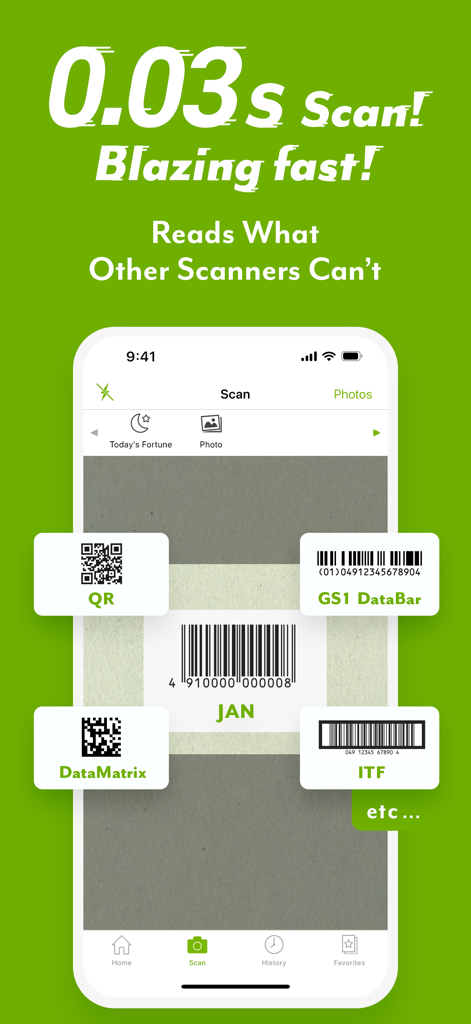
ICONIT QRコードリーダーアプリのインターフェース。GS1 DataBarやDataMatrixを含む様々なバーコードタイプを0.03秒で高速スキャンしている様子を強調表示。
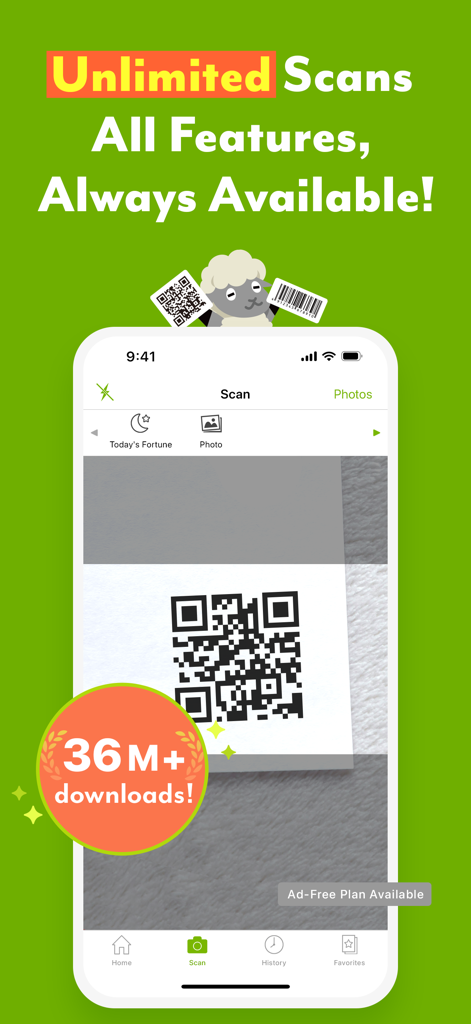
ICONIT QRコードリーダーアプリのインターフェース。iPhone画面上のQRコードスキャンを表示。
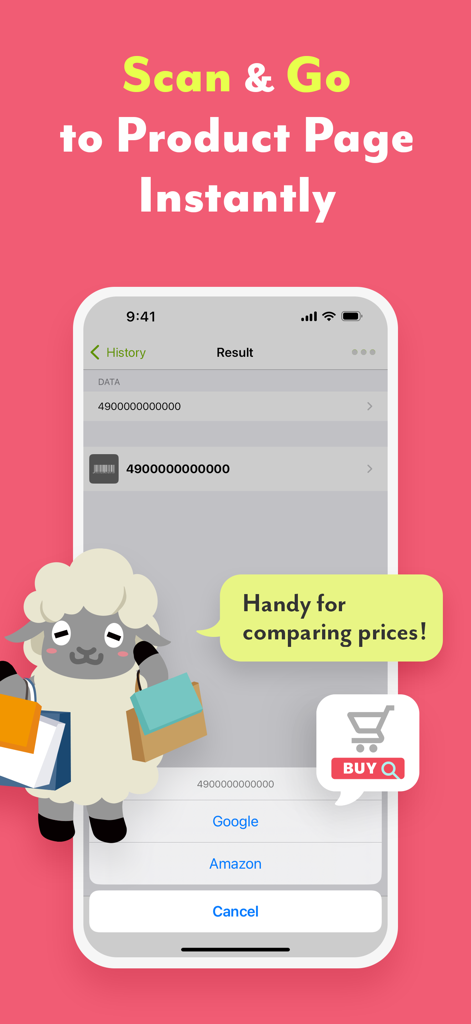
ICONITアプリのスクリーンショット。バーコードスキャン結果と、価格比較のためのAmazonおよびGoogleへの直接リンクを表示。
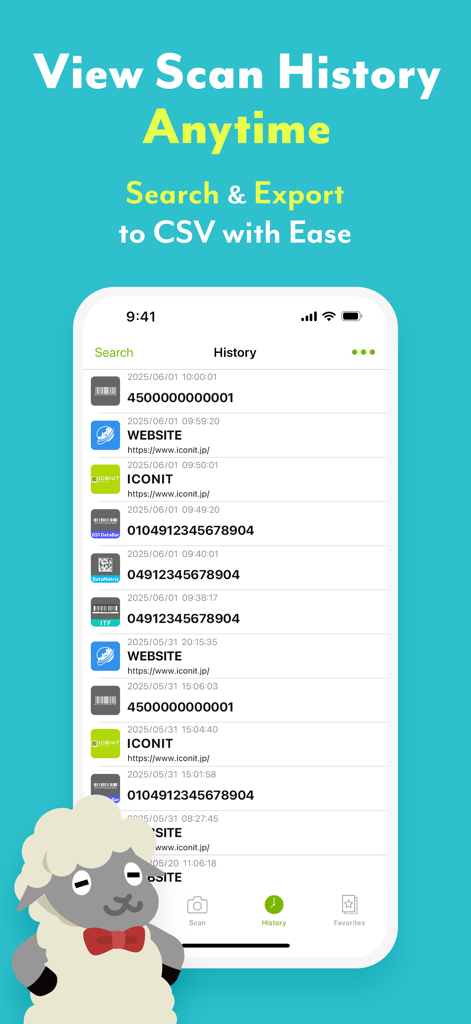
Iconitアプリの履歴画面。スキャンされたQRコードとバーコードのリストと、CSVエクスポートオプションを表示。
説明
Download
類似アプリ
似た機能とユーザー体験を持つアプリ

Me QR - QR Code Generator
ME TEAM LTD

QR Code Reader/QR Scanner App
MixerBox Inc.

QR Code Barcode: Scanner Maker
DE BITT LTD

QR Code Reader & QR Scanner ·
Simple Health Limited

Scan QR Code & Barcode
Mars Mobile LLC

QR Bot
Petr Polasek

QR Reader- Scanner & Generator
SAN MOBILE YAZILIM TICARET LIMITED SIRKETI

What's App -QR code scanner
DIGITALSTALK PRIVATE LIMITED

Power Barcode Scanner
Irvinesoft Inc
このページはアプリまたはその開発者の公式ページではなく、情報提供および論評を目的として作成された独立した編集出版物です。明示的に別段の記載がない限り、アプリおよびその開発者は、MWM、Apple、Google Play、アプリのパブリッシャー、またはアプリの開発者と提携、承認、後援、認可、またはその他の公式的な関係はなく、このページのいかなる内容も、アプリがMWMのサービスを使用して開発されたことを意味するものではありません。すべての商標、ロゴ、スクリーンショット、その他のコンテンツはそれぞれの所有者の財産です。