
このページはアプリまたはその開発者の公式ページではなく、情報提供および論評を目的として作成された独立した編集出版物です。明示的に別段の記載がない限り、アプリおよびその開発者は、MWM、Apple、Google Play、アプリのパブリッシャー、またはアプリの開発者と提携、承認、後援、認可、またはその他の公式的な関係はなく、このページのいかなる内容も、アプリがMWMのサービスを使用して開発されたことを意味するものではありません。すべての商標、ロゴ、スクリーンショット、その他のコンテンツはそれぞれの所有者の財産です。


iCSee
iCSeeは、ユーザーがどこにいても、自宅やビジネスを手のひらで管理する力を与える。このアプリは、物理的な距離を無意味にし、即座の視覚的、聴覚的監視能力を提供する。
ダウンロード
10M+ユーザー評価
評価数
41.7K開発元
カテゴリ
Photo & Video対応言語
19最新バージョン
2.5.5サイズ
280.7 MBリリース日
2016年7月18日テックアナリストによるスマートホームセキュリティソリューションの評価
iCSeeアプリの主要機能分析
リアルタイム監視
このアプリは、接続されたカメラからのリアルタイム映像ストリームを提供します。ユーザーは、どこからでも自分のプロパティを監視できます。
クラウドログインによるリモートアクセス
本ツールは、クラウド技術を介した安全なログインをサポートし、ユーザーが世界中のどこからでもデバイスにアクセスできるようにします。
リモートビデオ再生
ユーザーは、過去の録画映像を遠隔で再生し、重要なイベントを見直すことが可能です。
オーディオモニタリング
この機能により、ユーザーは監視対象エリアからの音声をリアルタイムで聞くことができ、より包括的な状況認識を可能にします。
スナップショットと画像プレビュー
本アプリは、映像ストリームから即座に静止画をキャプチャし、後で確認するためのプレビュー機能を提供します。
ローカル記録と再生
ユーザーは、デバイスに直接映像を記録し、後でオフラインでも再生することが可能です。
デバイスパスワード変更
このツールは、ユーザーがデバイスのパスワードを安全に変更する機能を提供し、セキュリティを維持するのに役立ちます。
LAN内デバイス検索
ユーザーは、ローカルエリアネットワーク内で利用可能なデバイスを手動で検索し、簡単に設定することができます。
よくある質問
について知っておくべきこと iCSee
What are the basic functions of the iCSee app?
iCSee is a network monitoring software that supports login via cloud or local Wi-Fi. It provides real-time frames, remote video playback, local record and play, snapshots, picture preview, and audio monitoring.
Does the iCSee app offer real-time monitoring capabilities?
Yes, iCSee supports real-time monitoring. It provides frames of real-time viewing and enables one-click real-time preview of connected devices for comprehensive surveillance.
How do I cancel my iCSee auto-renewal subscription on an Apple iOS device?
To cancel an iCSee auto-renewal subscription on an Apple iOS device, open the 'App Store', tap your Apple account avatar, go to 'Account', then 'Subscriptions', select 'iCSee', and cancel the subscription.
What subscription periods are available for iCSee auto-renewal services?
The iCSee auto-renewal service offers subscription periods of 1 month and 1 year. Users can choose their preferred period based on the settings available on the subscription page within the app.
Can I change the device password within the iCSee app?
The iCSee app supports changing the device password. This feature allows users to enhance security by updating their device access credentials directly within the application.
What sharing options does the iCSee app provide for device access?
The iCSee app facilitates easy sharing with family through features like Code Sharing, Share QR Code, and Account Share. It also allows sharing specific permissions such as PTZ control and intercom access.
Where can I find the official iCSee Privacy Policy?
The iCSee Privacy Policy is available at https://privacy.xmeye.net/iCSee/20240122/en/privacy.html. This document outlines how the iCSee app handles user data and privacy.
以下のスクリーンショットと説明は、アプリの公式ストアリスティングから直接取得されたものであり、アプリ開発者の所有物です。
アプリストア
スクリーンショット
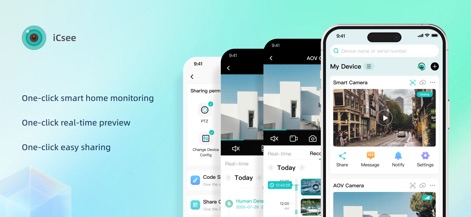
このアプリは、スマートホーム監視をワンクリックで開始でき、リアルタイムプレビュー機能を提供します。
直感的スマート監視
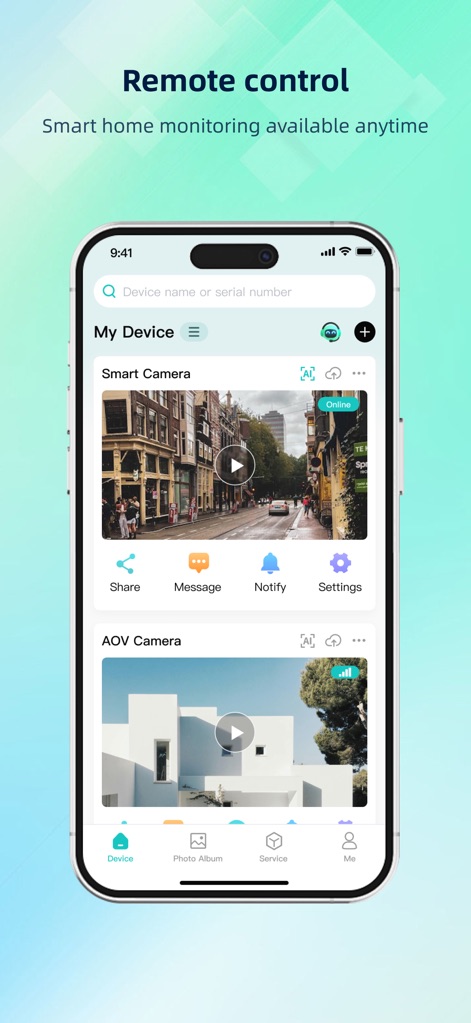
この画面では、接続されたスマートカメラのオンライン状態を一覧で確認し、ビデオ再生機能にアクセスできます。
どこからでも接続
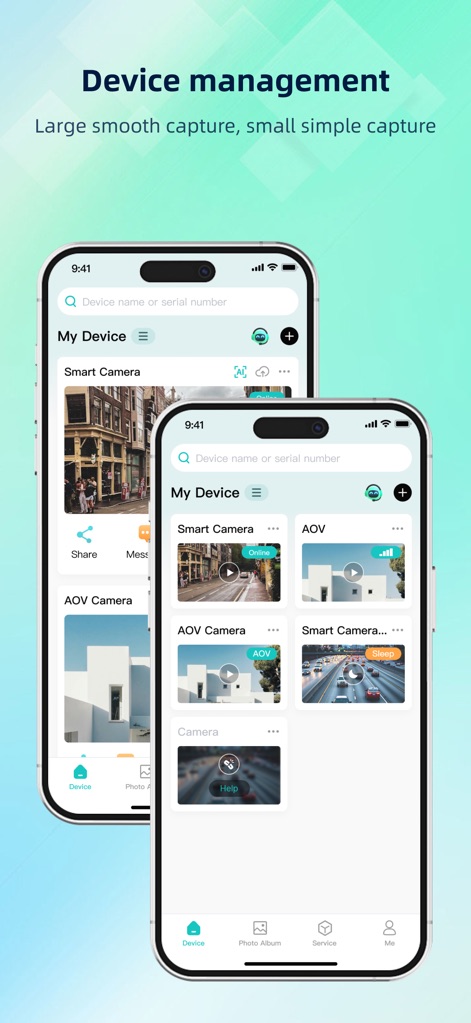
ユーザーは、複数のデバイスを効率的に一覧表示し、各カメラの現在の稼働状況を把握できます。
複数カメラ管理
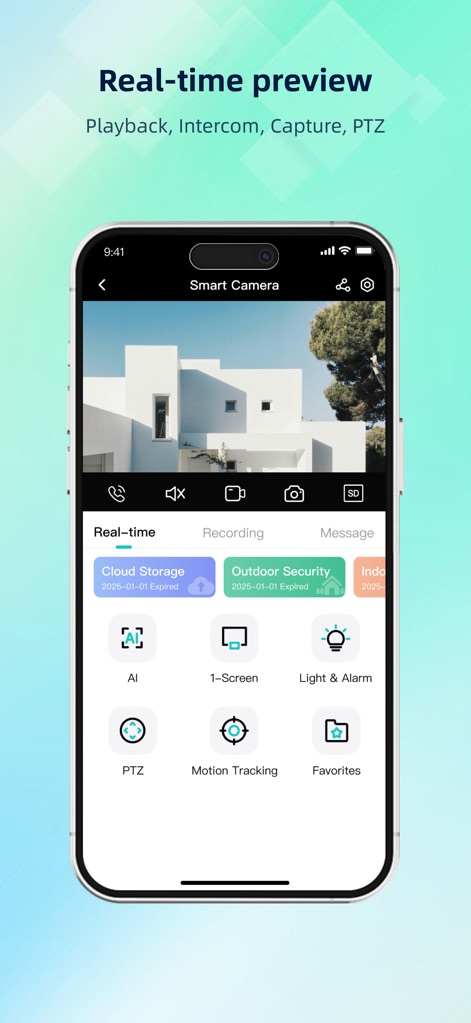
この機能により、スマートカメラのライブ映像を視聴し、PTZ(パン・チルト・ズーム)機能で視点を自在に操作できます。
リアルタイムで確認
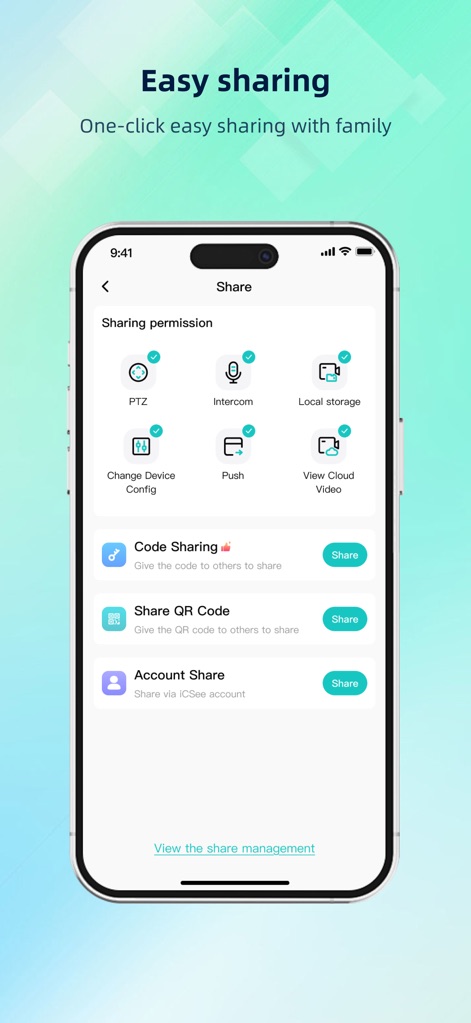
この画面では、PTZやインターホン機能の共有権限を細かく設定し、家族や友人とのスムーズなデバイス連携を可能にします。
簡単共有と連携
説明
Download
類似アプリ
似た機能とユーザー体験を持つアプリ

DMSS
Hangzhou Dong Bin Information Technology Co., Ltd.

Joolink
Shenzhen Jooan Technology Company

VicoHome: Smart Home Camera
PHOTON SAIL TECHNOLOGIES PTE. LTD.

Ubox
洪波 王

SimpliSafe Home Security App
SimpliSafe, Inc.

Active Mobile V4
JFL Equipamentos Eletronicos Industria e Comercio Ltda.

Dzees Home
Shenzhen Weixi Technology Co., Ltd

Ring - Always Home
Bot Home Automation, INC

Hik-Connect - for End user
Hangzhou Hikvision Digital Technology Co., Ltd.
このページはアプリまたはその開発者の公式ページではなく、情報提供および論評を目的として作成された独立した編集出版物です。明示的に別段の記載がない限り、アプリおよびその開発者は、MWM、Apple、Google Play、アプリのパブリッシャー、またはアプリの開発者と提携、承認、後援、認可、またはその他の公式的な関係はなく、このページのいかなる内容も、アプリがMWMのサービスを使用して開発されたことを意味するものではありません。すべての商標、ロゴ、スクリーンショット、その他のコンテンツはそれぞれの所有者の財産です。