Clock In: Work Hours Tracker

Clock In: Work Hours Tracker

ダウンロード: App Store
ロゴ: Clock In: Work Hours Tracker

Clock In:労働時間トラッカー – あなたの時間と収入を管理しましょう

時給労働者やフリーランサーのための究極のツール。複数の仕事を追跡し、チップを含めて収入を計算し、プロフェッショナルなタイムシートをエクスポートして、常に正当な報酬を得られるようにしましょう。

開発元

Brogan LLC

カテゴリ

Business

ダウンロード

326K+

ユーザー評価

4.6/5

評価数

7K+

対応言語

1

あなたの仕事の日を視覚化しましょう

このインターフェースを利用する 326K+ 人のユーザー.

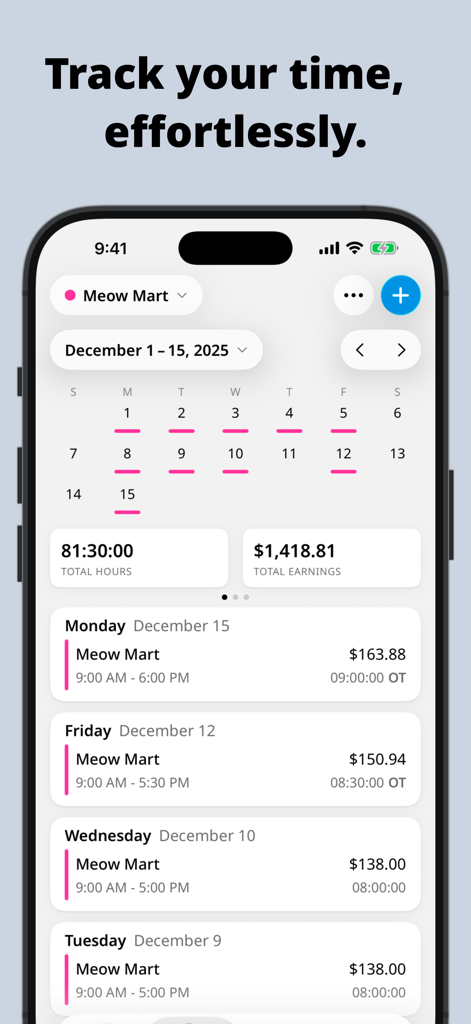
Clock Inアプリのダッシュボード。時給ジョブの週次労働時間と総収入を表示。

Clock Inアプリのダッシュボード。時給ジョブの週次労働時間と総収入を表示。

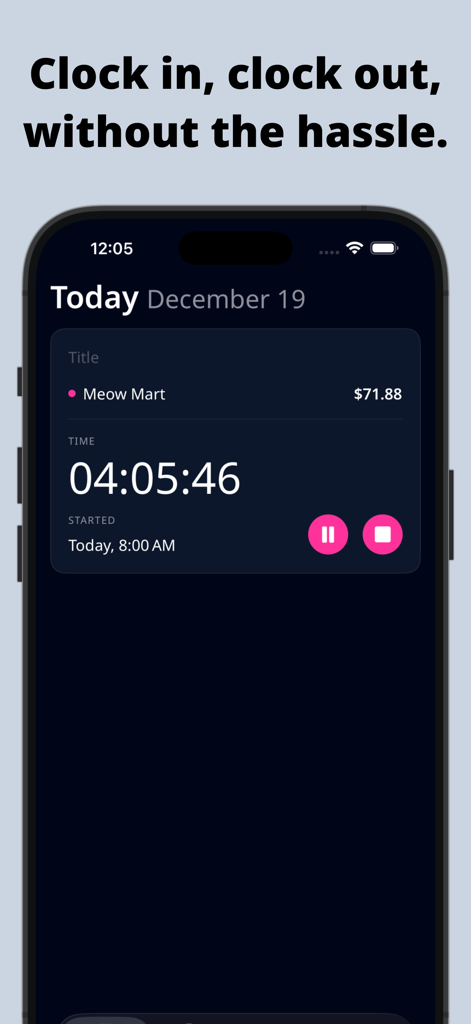
モバイルアプリ画面。時給ジョブの稼働時間タイマーとリアルタイム収入計算を表示。

モバイルアプリ画面。時給ジョブの稼働時間タイマーとリアルタイム収入計算を表示。

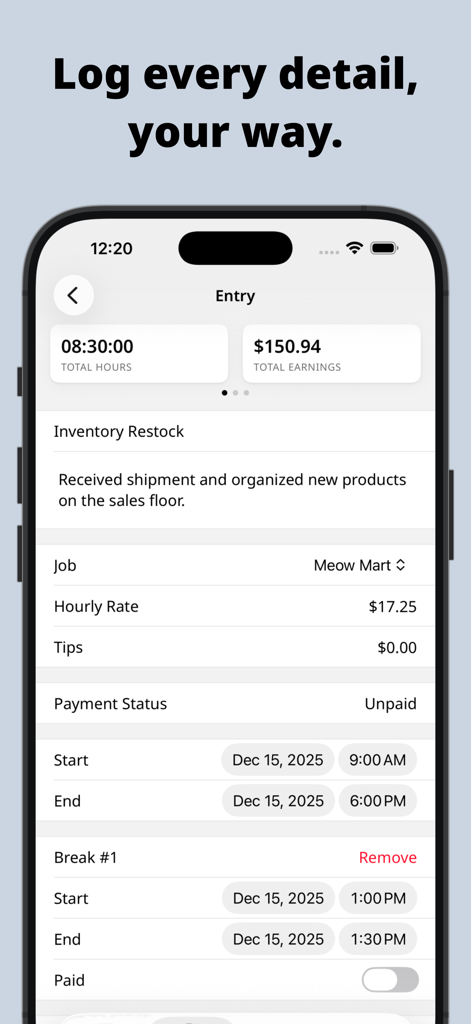
Clock Inアプリの詳細な作業入力画面。時間、収入、ジョブの詳細を表示。

Clock Inアプリの詳細な作業入力画面。時間、収入、ジョブの詳細を表示。

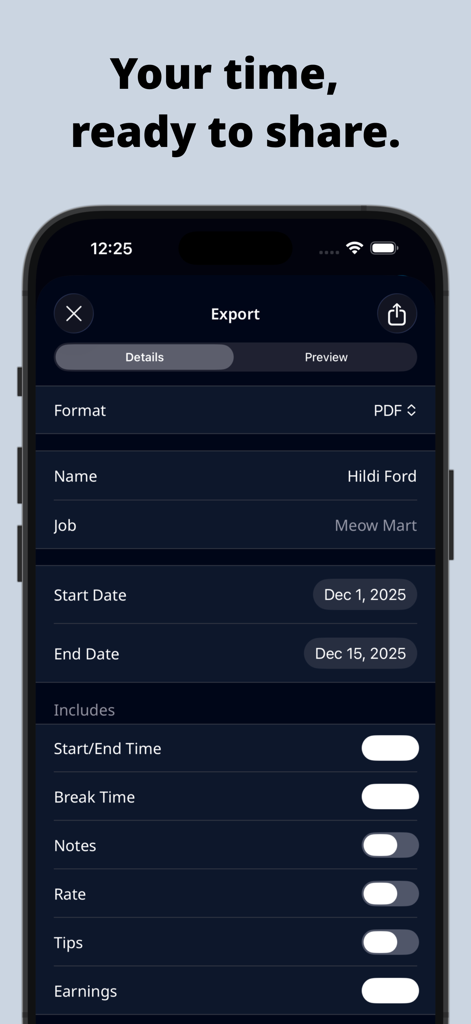
Clock Inアプリのエクスポート画面。PDF形式オプションとカスタマイズ可能なタイムシートの詳細を表示。

Clock Inアプリのエクスポート画面。PDF形式オプションとカスタマイズ可能なタイムシートの詳細を表示。

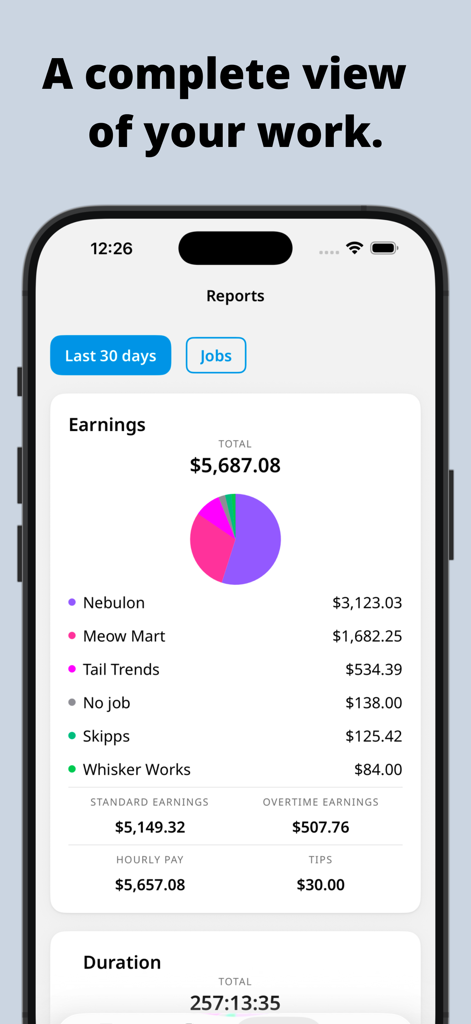
Clock Inアプリの収入レポート画面。総収入とジョブの内訳を表示。

Clock Inアプリの収入レポート画面。総収入とジョブの内訳を表示。

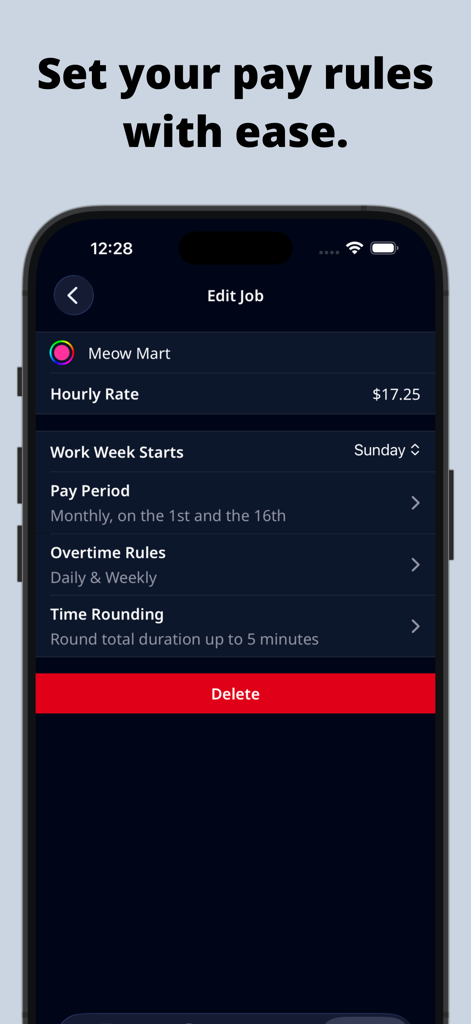
スマートフォン画面。Clock Inアプリの給与ルール設定画面。時給単価や残業設定を含む。

スマートフォン画面。Clock Inアプリの給与ルール設定画面。時給単価や残業設定を含む。

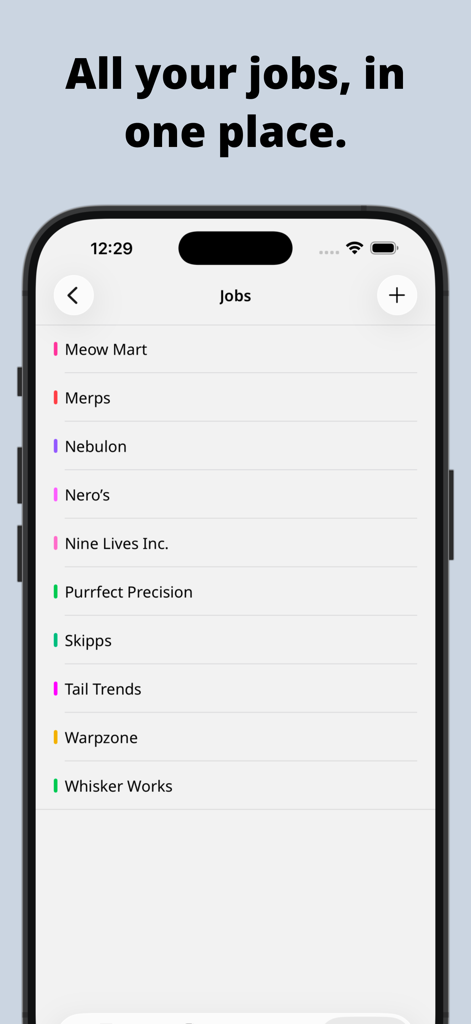
スマートフォンの画面。Clock In労働時間トラッカーアプリのインターフェース内で、複数のカラーコーディングされたジョブのリストを表示。

スマートフォンの画面。Clock In労働時間トラッカーアプリのインターフェース内で、複数のカラーコーディングされたジョブのリストを表示。

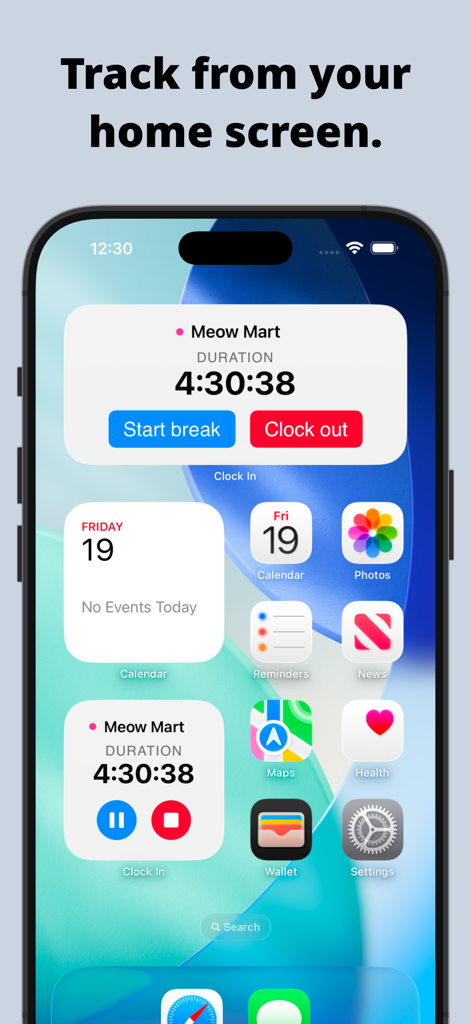
iPhoneのホーム画面。労働時間と期間を追跡するためのアクティブなタイマーウィジェットを表示。

iPhoneのホーム画面。労働時間と期間を追跡するためのアクティブなタイマーウィジェットを表示。

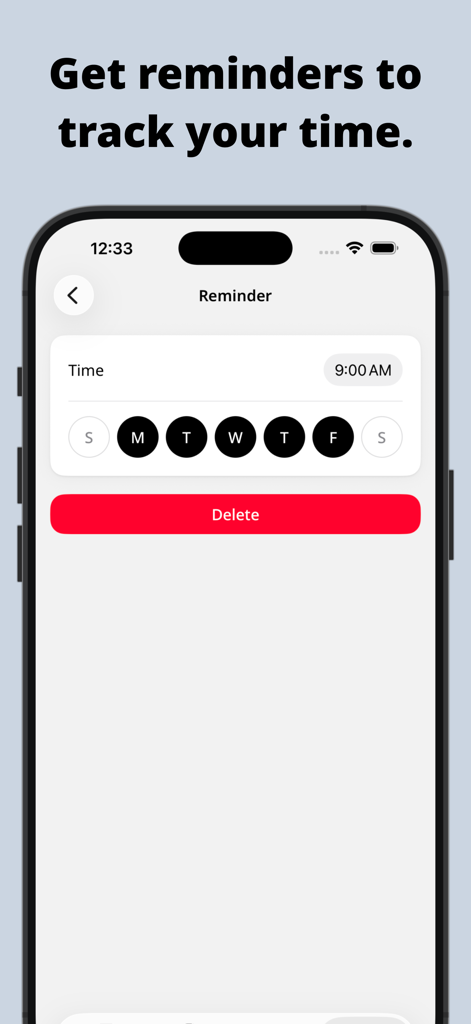
Clock Inアプリのインターフェース。毎日の時間追跡のためのリマインダー設定画面を表示。

Clock Inアプリのインターフェース。毎日の時間追跡のためのリマインダー設定画面を表示。

あなたの時間と収入を完全に管理しましょう

このアプリを際立たせるツール、 326K+ 人のユーザーが選択.

💰

リアルタイム給与計算機

働いている間に収入がリアルタイムで増えるのを確認しましょう。チップ、休憩、残業を含めて、常に正当な報酬を受け取れるようにしましょう。

🎨

複数ジョブ管理

カラーコーディングされたジョブ追跡と、あなたのライフスタイルに合わせたカスタム給与期間で、すべての副業とシフトを1か所にまとめましょう。

📤

ワンタップタイムシートエクスポート

プロフェッショナルなPDF、CSV、またはHTMLレポートを生成し、iPhoneから直接数秒でクライアントや雇用主と共有しましょう。

アプリについて

について知っておくべきこと Clock In: Work Hours Tracker.

説明

Effectively track your hours with Clock In! If you work by the hour, this hours tracker will calculate your earnings and time worked and allow you to share them easily. • Record your time using a timer, or add past or future time entries with breaks. Clock In will show your current earnings too. • Entries may include a job, pay rate, breaks, tips, and notes. At a glance, you can see the duration and earnings. • Add your job or jobs. Jobs are color-coded and include your hourly rate and pay period. • View all your entries by month, week, or pay period. Pay periods include weekly, bi-weekly, twice a month, monthly, and every four weeks. • Entries are displayed in a Calendar and a List to help you visualize your hours. Clock In calculates hours worked and earnings for each period too. • Export your hours in a customizable timesheet as a PDF, CSV, Styled(HTML), or Plain text. Share them through any email or messaging app, or save them to a drive or note. • Make Clock In fit your style with different themes, duration formats, and your first day of the week. There are a ton of App icons to choose from as well. • Bring Clock In to your home screen with our active timer widget. ----- Privacy Policy: https://www.brogan.io/pages/privacy-policy Terms and Conditions: https://www.brogan.io/pages/terms-conditions

最新バージョン

2026.3

サイズ

112.0 MB

リリース日

2012年6月14日

今日から給与の管理を始めましょう

325,000人以上のプロフェッショナルが、毎分を追跡し、複数の仕事を管理し、稼いだ金額を正確に受け取っています。

ダウンロード: App Store

App information, icons, screenshots, and descriptions displayed on this page are sourced from the Apple App Store and are the property of their respective developers. Download estimates and rankings are based on MWM's proprietary models and may not reflect actual figures. This page is provided for informational and analytical purposes only.

Believe this page infringes your intellectual property? File a dispute