iFly EFB
iFly EFB
ダウンロード: App Store

このページはアプリまたはその開発者の公式ページではなく、情報提供および論評を目的として作成された独立した編集出版物です。明示的に別段の記載がない限り、アプリおよびその開発者は、MWM、Apple、Google Play、アプリのパブリッシャー、またはアプリの開発者と提携、承認、後援、認可、またはその他の公式的な関係はなく、このページのいかなる内容も、アプリがMWMのサービスを使用して開発されたことを意味するものではありません。すべての商標、ロゴ、スクリーンショット、その他のコンテンツはそれぞれの所有者の財産です。


ロゴ: iFly EFB
ダウンロード: App Store

iFly EFB

メニューを掘るのをやめて、飛行に集中しましょう。3D合成視界、ジオレファレンスされたプレート、そしてテキサスを拠点とするパイロットチームによる人間によるサポートを備えた直感的なインターフェースを体験してください。

主要数値

ダウンロード

43K+

ユーザー評価

4.5/5

評価数

300

開発元

Adventure Pilot, LLC

カテゴリ

Navigation

対応言語

-

最新バージョン

13.3.53

サイズ

79.9 MB

リリース日

2013年10月18日
機能

複雑さのない高度なナビゲーション

視認性、安全性、操作の容易さを優先し、実際のコックピットでの使用のために設計された、機能豊富な電子フライトバッグを体験してください。

直感的なコックピットインターフェース

大きなフォントと押しやすいボタンで視認性を考慮して設計されており、画面ではなく飛行に集中できます。

3D合成視界とアラート

3D地形、障害物、そして完全なADS-Bサポートによるリアルタイムの航空機アラートで、状況認識を高めます。

以下のスクリーンショットと説明は、アプリの公式ストアリスティングから直接取得されたものであり、アプリ開発者の所有物です。

アプリストア

スクリーンショット
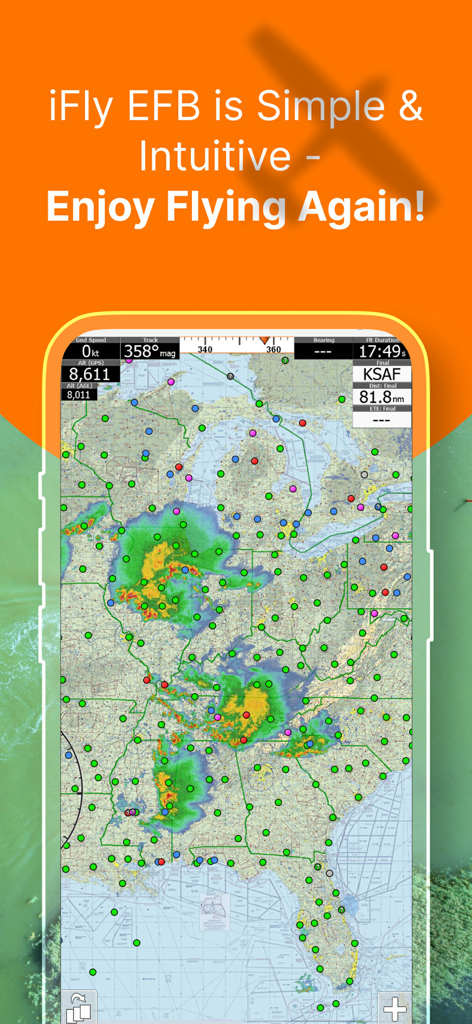
iFly EFB - iFly EFBアプリのインターフェースには、気象レーダーオーバーレイとフライトデータが表示された米国のフライトナビゲーションマップが表示されています。
iFly EFBアプリのインターフェースには、気象レーダーオーバーレイとフライトデータが表示された米国のフライトナビゲーションマップが表示されています。

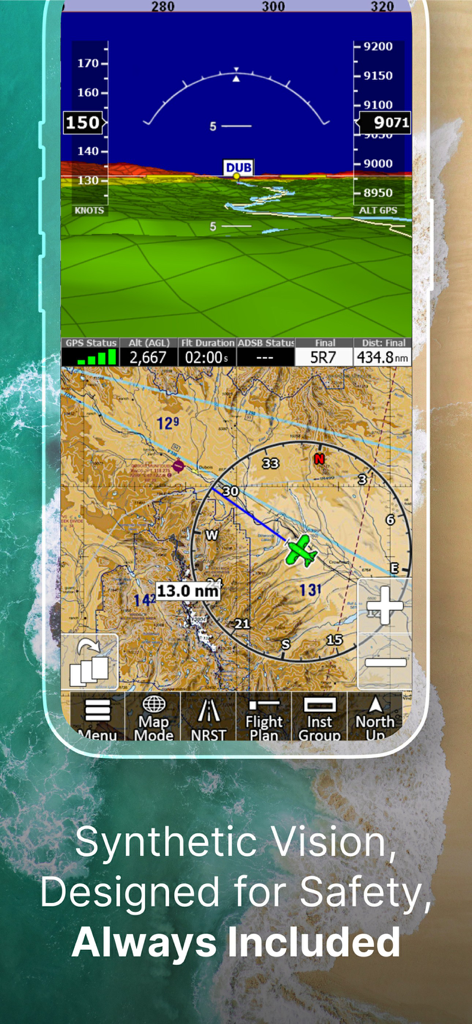
iFly EFB - iFly EFB合成視界とフライトナビゲーションインターフェース

iFly EFB合成視界とフライトナビゲーションインターフェース

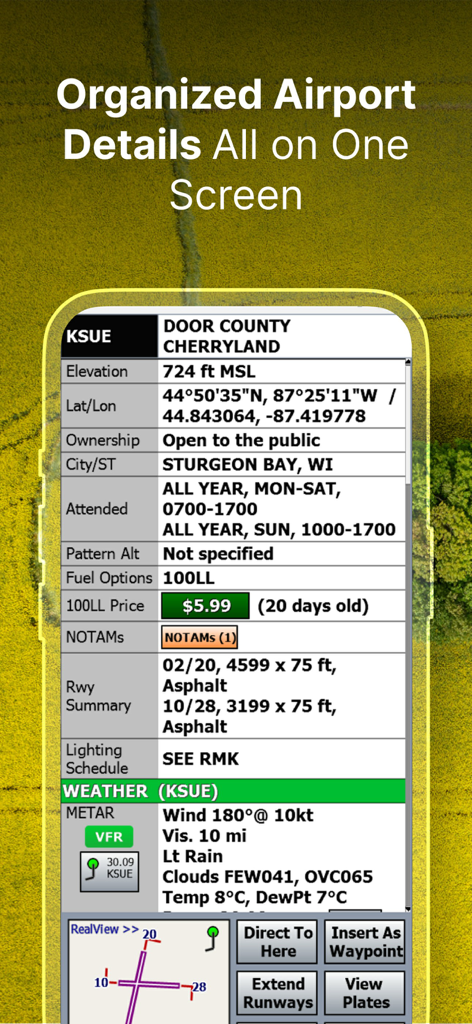
iFly EFB - iFly EFBアプリの整理された空港情報と気象データ

iFly EFBアプリの整理された空港情報と気象データ

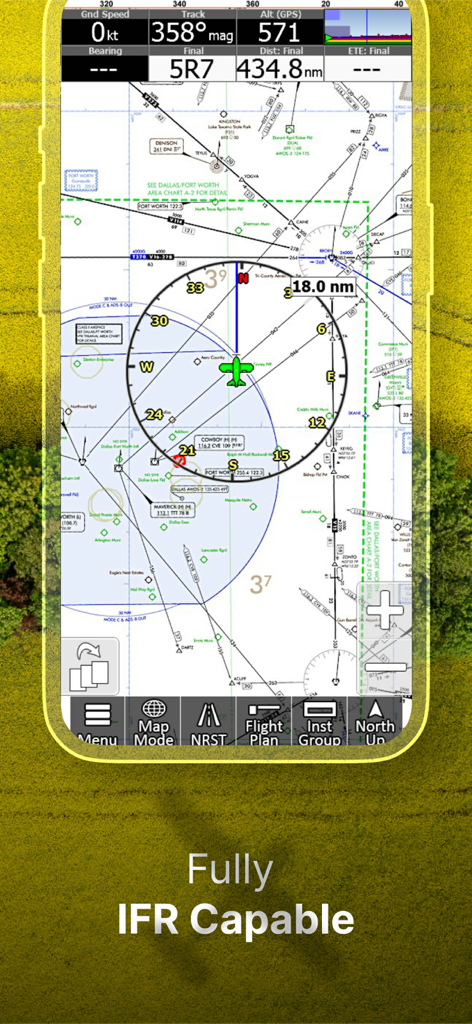
iFly EFB - iFly EFBモバイルアプリのインターフェースには、フライトデータが表示された詳細なIFRナビゲーションチャートが表示されています
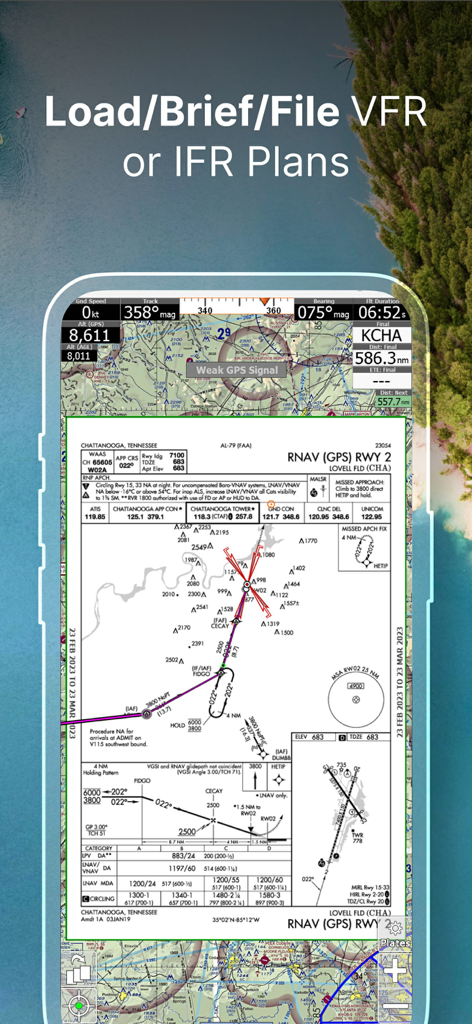
iFly EFBモバイルアプリのインターフェースには、フライトデータが表示された詳細なIFRナビゲーションチャートが表示されています

iFly EFB - iFly EFBアプリには、フライトプランニング用のジオレファレンスされたRNAVアプローチプレートが表示されています
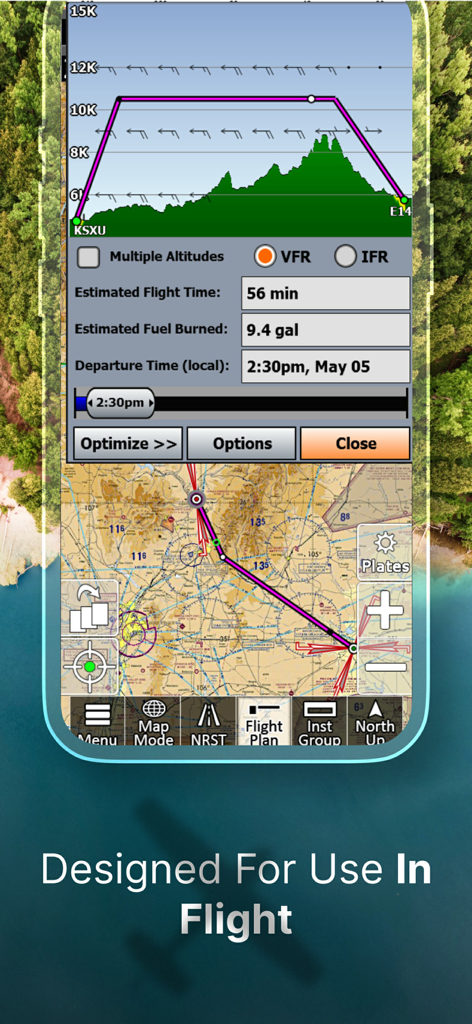
iFly EFBアプリには、フライトプランニング用のジオレファレンスされたRNAVアプローチプレートが表示されています

iFly EFB - iFly EFBアプリのインターフェースには、地形とパイロット用ナビゲーションマップが表示された垂直フライトパスプロファイルが表示されています
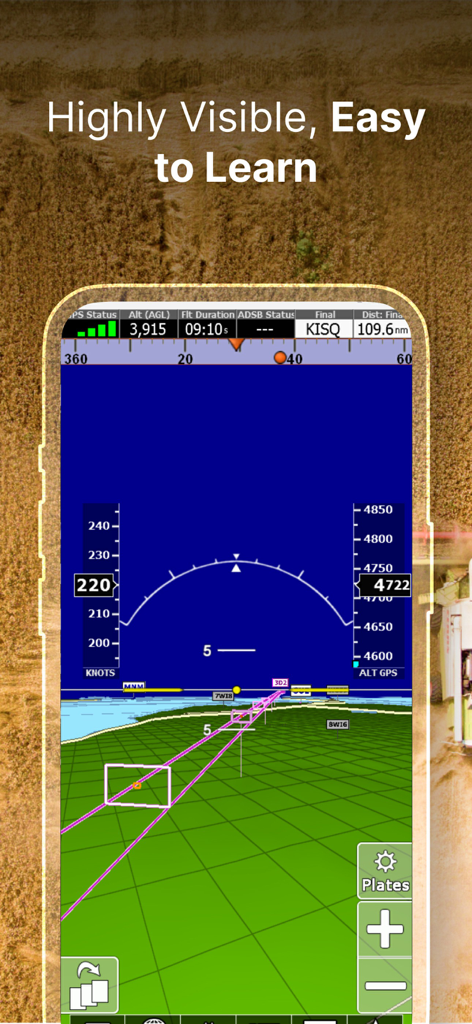
iFly EFBアプリのインターフェースには、地形とパイロット用ナビゲーションマップが表示された垂直フライトパスプロファイルが表示されています

iFly EFB - iFly EFBアプリには、モバイルデバイスに3D合成視界とフライト計器が表示されています
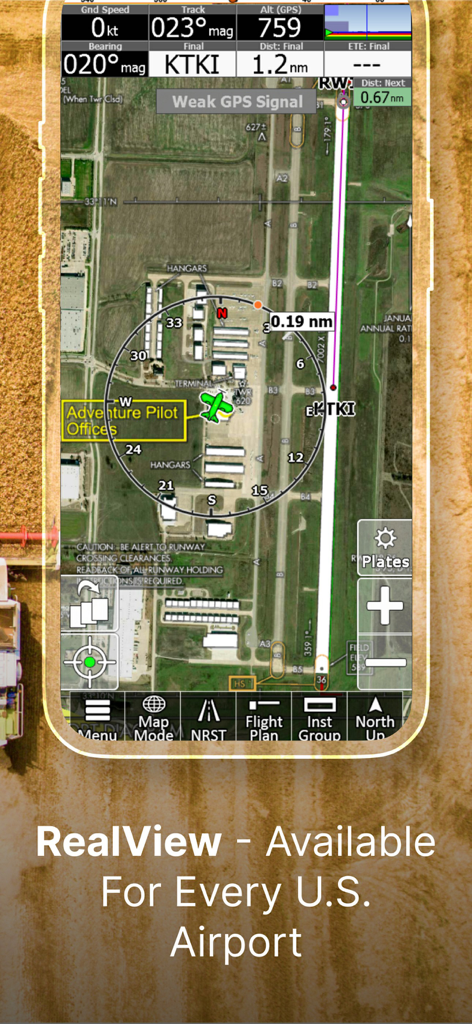
iFly EFBアプリには、モバイルデバイスに3D合成視界とフライト計器が表示されています

iFly EFB - iFly EFBアプリ内のマッキニー・ナショナル空港の衛星ビューには、ナビゲーション計器とフライトデータが表示されたRealViewイメージ機能が表示されています。
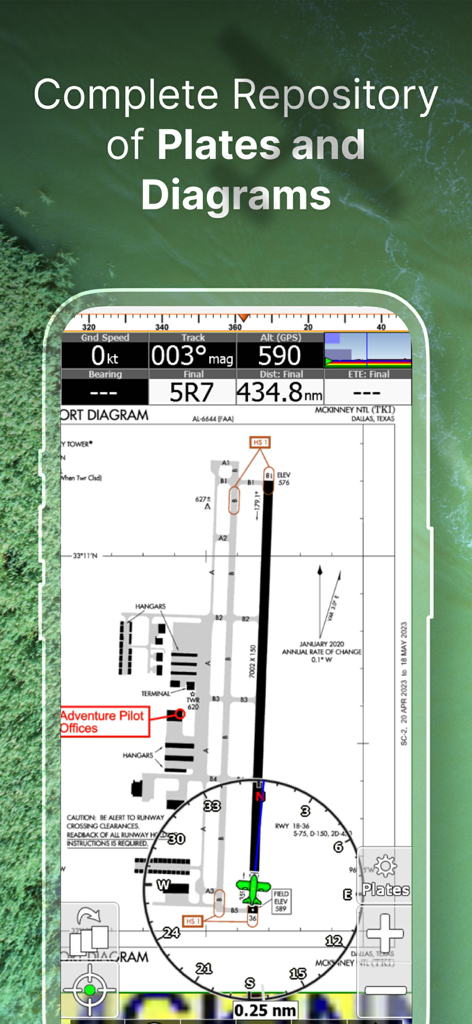
iFly EFBアプリ内のマッキニー・ナショナル空港の衛星ビューには、ナビゲーション計器とフライトデータが表示されたRealViewイメージ機能が表示されています。

iFly EFB - iFly EFBアプリには、FAA空港図とフライトナビゲーション計器が表示されています
iFly EFBアプリには、FAA空港図とフライトナビゲーション計器が表示されています

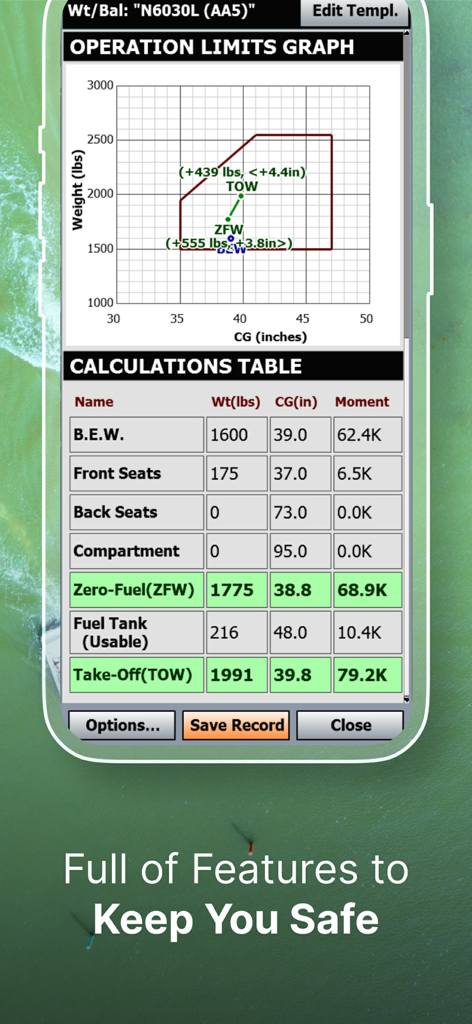
iFly EFB - iFly EFBの重量とバランス計算機の画面には、操作限界グラフとフライト積載計算が表示されています

iFly EFBの重量とバランス計算機の画面には、操作限界グラフとフライト積載計算が表示されています

説明

iFly EFB delivers the perfect combination of affordability, capability, and usability for both VFR and IFR Pilots. Safely and quickly get the information you need so you can focus on flying! Key reasons to try iFly EFB: 1) Ease of use in the cockpit: Our intuitive and simple interface, easy to hit buttons, simple map gestures, large fonts, and more make this the best EFB for in-flight use 2) Pilot focused company: We have staff (pilots) on the ground at our office in Texas waiting to answer your questions. Call 214-585-0444 or email support@adventurepilot.com, we're here to help 3) Price: We are one of the most competitively priced EFBs on the market 4) Capabilities: We are one of the most capable EFBs on the market! Need proof? Visit www.iFlyEFB.com/Compare Following are some of our features and benefits: •Geo-Reference Approach Plates and Airport Diagrams •3D Synthetic Vision / EFIS Mode •Terrain, Obstructions, Traffic, and Airspaces Alerts •Complete ADSB support •AutoTaxi+ for safe taxing at any airport •RealView airport imagery •RealPlan automatic VFR Planner •Auto-load approach into plan •Complete VFR and IFR databases and charts (FAA) •Sectionals •Customizable Instruments •Public & Private Airports •Winds aloft including forecasts for 36 hours •Hi/Lo-Enroute Charts •Terminal Area Charts(TAC) •World Aeronautical Charts(WAC) •Vector Mode •Weather (Pre-Flight or ADS-B Live) •Hi-res Winds Aloft Optimizing •Rapid Flight planning •Plates & Diagrams (Approach, Departure Plates, Stars, SIDs Airport Diagrams) •Instruments Panel •Day/Night Mode •Online Flight Plan Filing •Custom Instrument Layouts (24 Instruments, e.g. HSI, Vertical Profile, and AHRS) •Vertical Terrain planning and Airspace preview •Find Nearest •History •North Up / Track Up •Pinch Zooming w/ One Touch Feature •Dynamic Distance Ring •Hybrid Compass Rose w/ Nav Function •Extended Course Line •Flight Trails •Past Flights •Rubber Band route modification •Custom Aircraft icons •AutoTaxi+ •Alerts & Warnings •Button Fading (maximizes screen space) •Custom User Waypoints •Customizable Instruments •Simulator Mode

Download

ダウンロード: App Store

このページはアプリまたはその開発者の公式ページではなく、情報提供および論評を目的として作成された独立した編集出版物です。明示的に別段の記載がない限り、アプリおよびその開発者は、MWM、Apple、Google Play、アプリのパブリッシャー、またはアプリの開発者と提携、承認、後援、認可、またはその他の公式的な関係はなく、このページのいかなる内容も、アプリがMWMのサービスを使用して開発されたことを意味するものではありません。すべての商標、ロゴ、スクリーンショット、その他のコンテンツはそれぞれの所有者の財産です。