
このページはアプリまたはその開発者の公式ページではなく、情報提供および論評を目的として作成された独立した編集出版物です。明示的に別段の記載がない限り、アプリおよびその開発者は、MWM、Apple、Google Play、アプリのパブリッシャー、またはアプリの開発者と提携、承認、後援、認可、またはその他の公式的な関係はなく、このページのいかなる内容も、アプリがMWMのサービスを使用して開発されたことを意味するものではありません。すべての商標、ロゴ、スクリーンショット、その他のコンテンツはそれぞれの所有者の財産です。


InShot - Video Editor
日常の断片を、視線を釘付けにするSNSコンテンツへと変貌させる。このアプリは、ユーザーにプロの映像表現力を手のひらで操る術を与える。
ダウンロード
100M+ユーザー評価
評価数
17.0M開発元
カテゴリ
Photo & Video対応言語
16最新バージョン
1.95.0サイズ
232.3 MBリリース日
2015年6月11日InShot - Video Editor アプリ分析
デジタルネイティブ世代向けの高機能モバイル編集スイート
AI自動キャプション生成
本アプリは、AIを活用した音声認識技術により、動画内の音声を自動でテキスト化し、キャプションを生成します。手動での入力作業を不要にし、コンテンツのアクセシビリティと視聴者のエンゲージメントを高めます。
高画質出力とSNSへの直接共有
ユーザーは、編集した動画を4K解像度、60fpsの高フレームレートでエクスポートできます。また、YouTubeやInstagramなどの主要なソーシャルメディアプラットフォームへ直接共有する機能を備えており、ハイクオリティなコンテンツをスムーズに公開できます。
AIによる背景自動除去
このツールは、AI技術を用いて写真や動画の背景をワンタップで自動的に削除します。これにより、複雑な作業なしに被写体を際立たせ、プロフェッショナルな見た目のコンテンツを簡単に作成することが可能です。
音楽、テキスト、ステッカーで表現力強化
本アプリは、豊富なBGM、効果音、ボイスオーバー機能に加え、多様なスタイルテキストやInShot独自のステッカーを提供します。これにより、ユーザーは動画や写真に個性と感情を加え、視聴者の関心を引きつけるコンテンツを制作できます。
スマートトラッキング機能
ユーザーは、ステッカーやテキストを動画内の特定のオブジェクトの動きに合わせてシームレスに追従させることができます。本機能は、動画にダイナミックな動きと魅力を加え、視覚的に引き込まれるコンテンツの作成を可能にします。
多彩なエフェクト、フィルター、トランジション
本ツールは、映画のようなフィルター、グリッチやフェードといったユニークなエフェクト、そしてクリップ間のスムーズな切り替えを可能にするトランジションを豊富に提供します。これにより、ユーザーは創造的な表現を追求し、コンテンツの雰囲気を自在に演出できます。
よくある質問
について知っておくべきこと InShot - Video Editor
What is InShot - Video Editor?
InShot is a comprehensive video and photo editing application designed to empower creators with easy-to-use features and powerful AI tools, elevating their editing experience.
Does InShot - Video Editor support auto captions?
Yes, InShot features an AI-powered speech-to-text tool for auto captions, making video editing effortless by eliminating manual text typing. It supports multiple languages.
Can InShot remove backgrounds from videos and photos?
Yes, InShot provides an AI tool called Auto Remove Background that enables users to remove backgrounds from both videos and photos with a single tap.
How does the InShot Pro Unlimited subscription work?
The InShot Pro Unlimited subscription grants access to all features, paid editing materials, and automatically removes watermarks and advertisements. It is billed monthly or annually.
What is the maximum video output resolution supported by InShot?
InShot supports high video output resolutions, including saving videos in 4K at 60 frames per second (fps) for excellent quality.
Does InShot - Video Editor offer keyframe editing?
Yes, InShot - Video Editor offers keyframe editing capabilities, allowing users to add custom keyframe animations for dynamic video effects.
Can I add speed ramping effects in InShot videos?
Yes, InShot allows users to control video speed and add speed ramping effects for seamless and dynamic adjustments within their video projects.
Does InShot - Video Editor support green screen editing?
Yes, InShot includes a Chromakey feature that enables users to easily edit green screen videos, facilitating professional-looking composites.
Does the InShot Pro Unlimited subscription auto-renew?
Yes, the InShot Pro Unlimited subscription automatically renews unless auto-renew is explicitly turned off at least 24 hours before the end of the current billing period.
Can InShot apply AI effects to photos?
Yes, InShot provides AI effects like Clone, Stroke, and Auto-blur, along with instant presets, to enhance images with a single tap.
以下のスクリーンショットと説明は、アプリの公式ストアリスティングから直接取得されたものであり、アプリ開発者の所有物です。
アプリストア
スクリーンショット
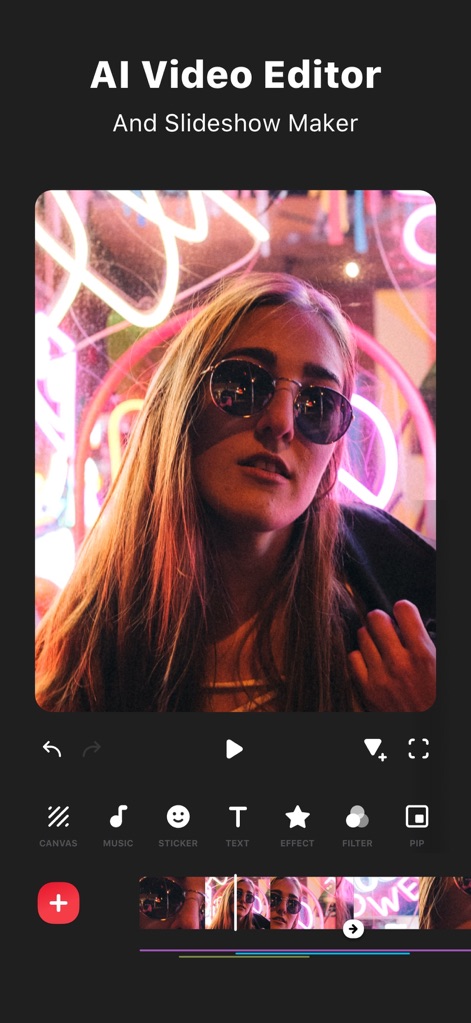
直感的ビデオ編集
このアプリは、直感的なインターフェースで動画編集を可能にし、テキストやPIP(ピクチャーインピクチャー)などの豊富なツールをユーザーに提供します。
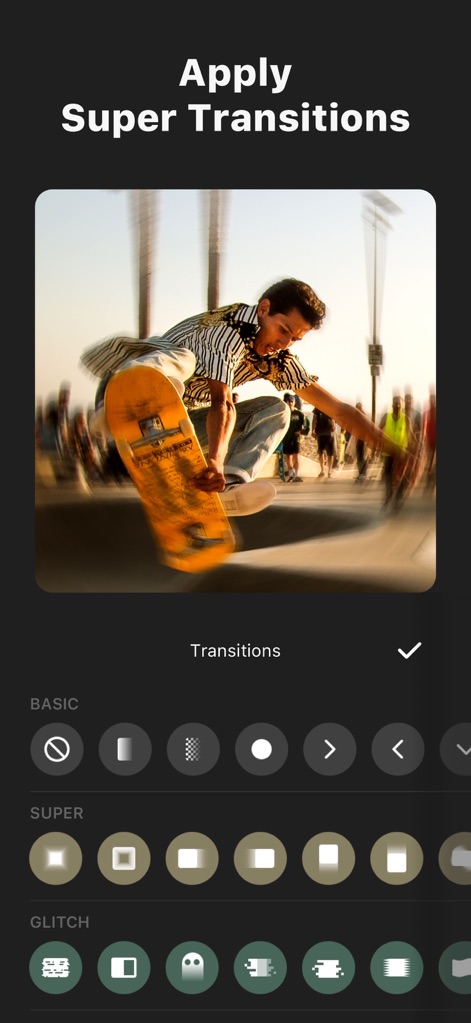
魅惑のトランジション
ユーザーは、多彩な「スーパー」トランジションや「グリッチ」エフェクトを適用することで、クリップ間のスムーズでダイナミックな移行を実現できます。
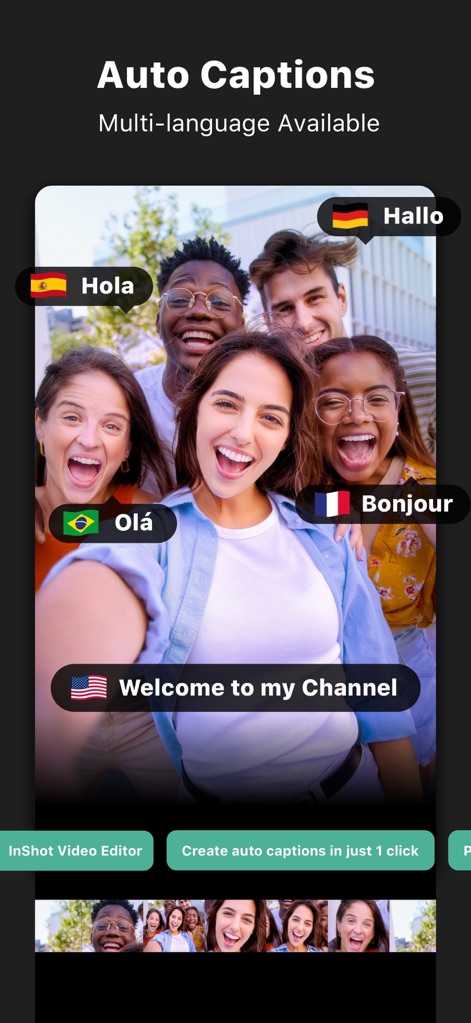
自動キャプション生成
AIを搭載した「自動キャプション」機能により、ユーザーは手動での文字入力なしに、複数の言語での字幕を動画に簡単に追加できます。
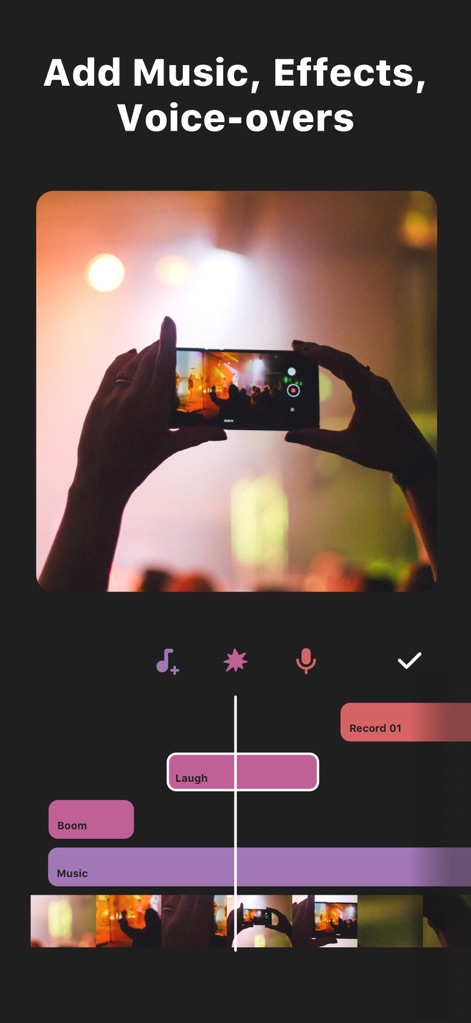
音楽と音声で表現
このアプリは、BGMや「効果音」の追加、さらには「ボイスオーバー」の録音機能を通じて、ユーザーの動画表現を豊かにします。
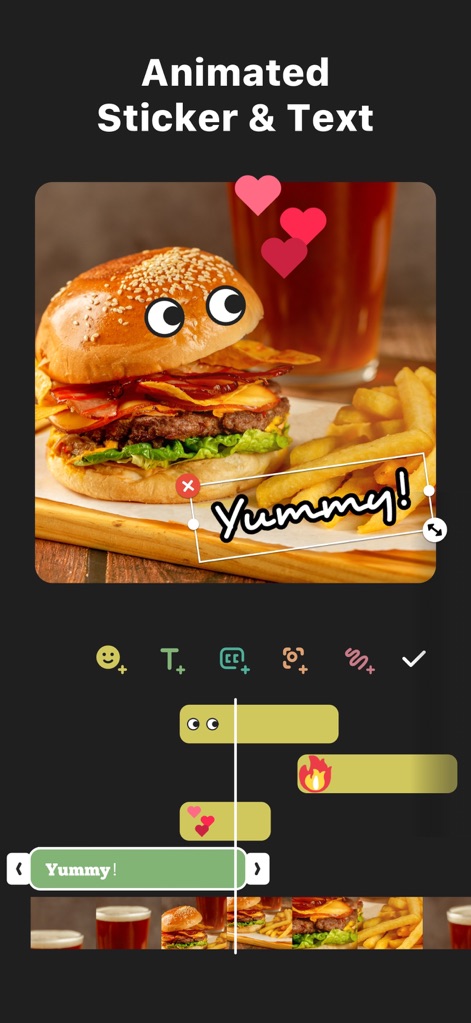
動くスタンプと文字
ユーザーは、魅力的な「アニメーションスタンプ」や「テキスト」を動画に配置し、キーフレーム編集で動きを加えてコンテンツを一層引き立てることができます。

AIエフェクトで強化
このアプリは、「AIエフェクト」機能を通じて、写真や動画に「クローン」や「グロー」のようなユニークな視覚効果を瞬時に適用し、作品を際立たせます。
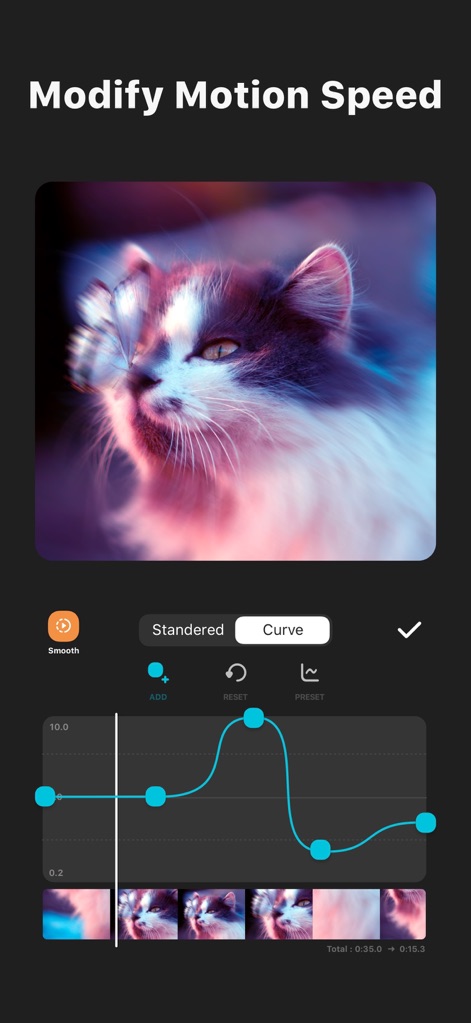
速度を自在に調整
ユーザーは、動画の「速度制御」機能を活用し、「スピードランプ」で特定のクリップの再生速度を曲線的に調整することで、ドラマチックな演出が可能です。

動画コラージュ作成
ユーザーは、複数の動画クリップを組み合わせて「動画コラージュ」を作成でき、「ピクチャーインピクチャー」機能を用いて多層的な視覚効果を実現します。
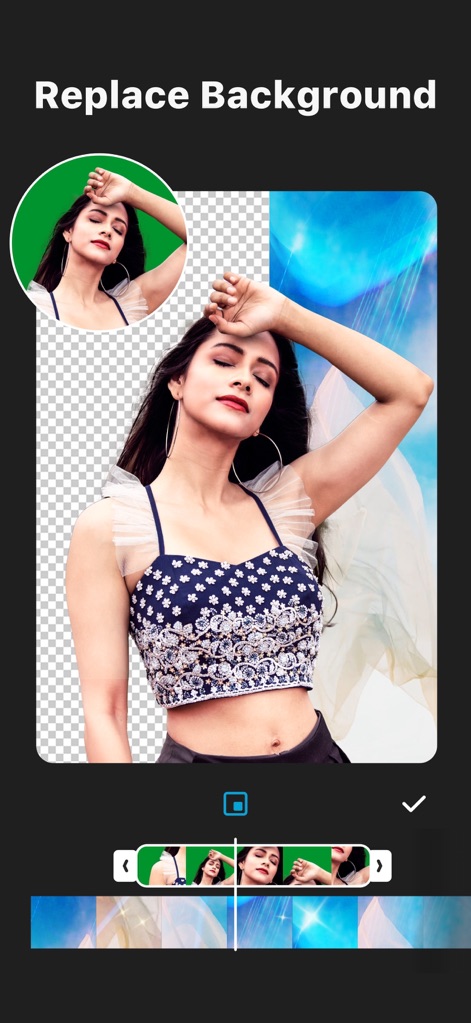
背景の自由な変更
このアプリは、「背景自動除去」ツールで人物の背景を簡単に変更できるほか、「クロマキー」機能でグリーンバック映像の合成もサポートします。
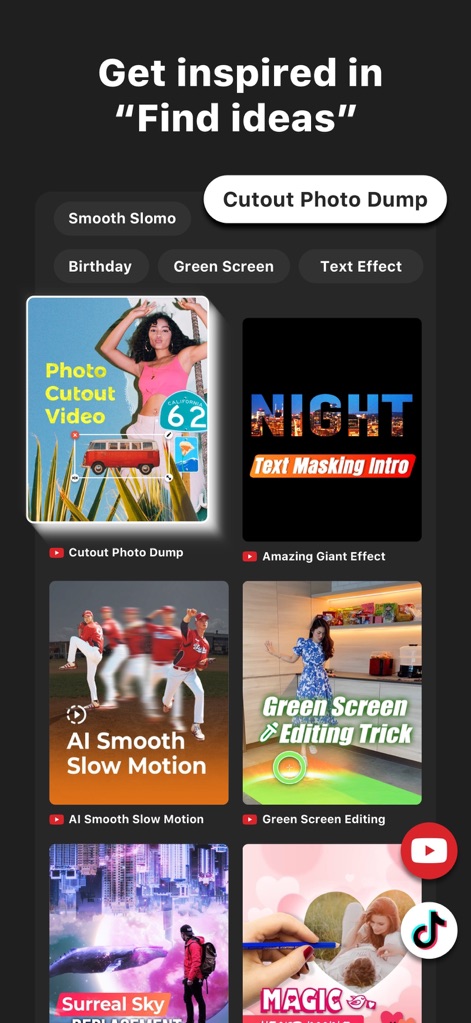
アイデアを発見
ユーザーは、「アイデアを見つける」セクションから、「スムーズなスローモーション」や「グリーンバック編集」など、様々な編集テクニックのインスピレーションを得られます。
説明
Download
類似アプリ
似た機能とユーザー体験を持つアプリ

快影
Beijing Kwai Technology Co., Ltd.

Leto: Font for Instagram Story
Leto.Fonts FZCO

Templify・ Photo & Video Editor
Templify Media, Inc.

Spring - Video Editor
KineMaster Corporation

Impresso - Video & Logo Maker
PIXERY BILGI TEKNOLOJILERI ANONIM SIRKETI

Movavi - Video Editor
Movavi Emea LLC

Zebra: Photo & Video Editor
Dmitriy Biserov

快剪辑-AI写真&视频大片一键制作
Wenzhou XunChi Digital Technology Co., Ltd.

Vozo AI Video Maker | Blink
Vistring Technology Holdings Limited
このページはアプリまたはその開発者の公式ページではなく、情報提供および論評を目的として作成された独立した編集出版物です。明示的に別段の記載がない限り、アプリおよびその開発者は、MWM、Apple、Google Play、アプリのパブリッシャー、またはアプリの開発者と提携、承認、後援、認可、またはその他の公式的な関係はなく、このページのいかなる内容も、アプリがMWMのサービスを使用して開発されたことを意味するものではありません。すべての商標、ロゴ、スクリーンショット、その他のコンテンツはそれぞれの所有者の財産です。