iPeng
iPeng
ダウンロード: App Store

このページはアプリまたはその開発者の公式ページではなく、情報提供および論評を目的として作成された独立した編集出版物です。明示的に別段の記載がない限り、アプリおよびその開発者は、MWM、Apple、Google Play、アプリのパブリッシャー、またはアプリの開発者と提携、承認、後援、認可、またはその他の公式的な関係はなく、このページのいかなる内容も、アプリがMWMのサービスを使用して開発されたことを意味するものではありません。すべての商標、ロゴ、スクリーンショット、その他のコンテンツはそれぞれの所有者の財産です。


ロゴ: iPeng
ダウンロード: App Store

iPeng

Logitech SqueezeboxとRoonのための最も強力なコントロールアプリで、高忠実度のエコシステムを近代化しましょう。すべてのAppleデバイスで、シームレスなマルチルーム管理、詳細なライブラリカスタマイズ、プロレベルの再生を体験してください。

主要数値

ダウンロード

287K+

ユーザー評価

4.6/5

評価数

6K+

開発元

Du!Business GmbH

カテゴリ

Music

対応言語

10

最新バージョン

9.8.4

サイズ

36.4 MB

リリース日

2013年12月10日
機能

高忠実度エコシステムをマスターする

iPeng 9は、iPhone、iPad、Apple Watchを、熟練したオーディオファイルのために特別に設計された、SqueezeboxとRoonのためのプロレベルのリモートおよびプレーヤーに変えます。

シームレスなマルチルームコマンド

直感的なドラッグアンドドロップコントロールとQuickSwitch機能で、プレーヤーを簡単にグループ化し、音楽を部屋間で移動させます。

オーディオファイルグレードの再生

iOSデバイスを高パフォーマンスのRoonまたはSqueezeboxプレーヤーに変え、ビットパーフェクトライブラリがいつでも利用可能であることを保証します。

以下のスクリーンショットと説明は、アプリの公式ストアリスティングから直接取得されたものであり、アプリ開発者の所有物です。

アプリストア

スクリーンショット
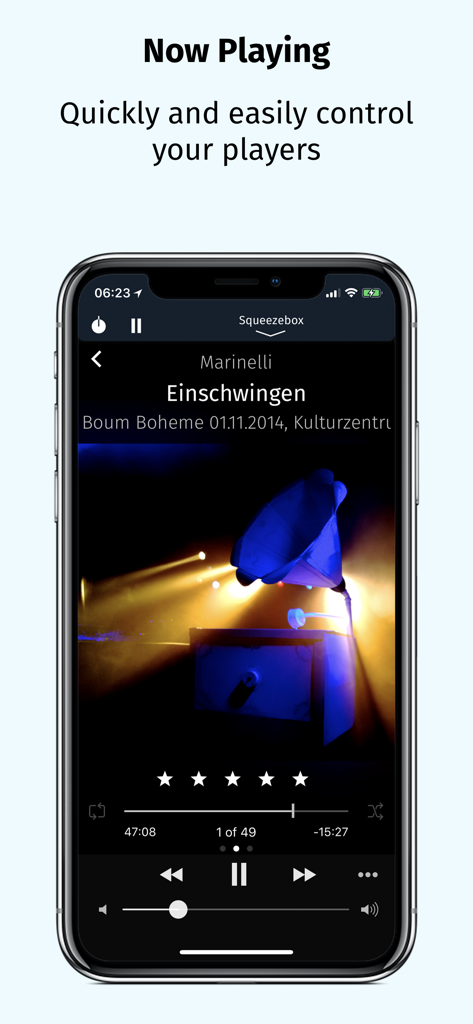
iPeng - iPeng 9ミュージックリモートアプリが、iPhone上の再生コントロールとアルバムアートワークを表示する「再生中」画面を表示しています。
iPeng 9ミュージックリモートアプリが、iPhone上の再生コントロールとアルバムアートワークを表示する「再生中」画面を表示しています。

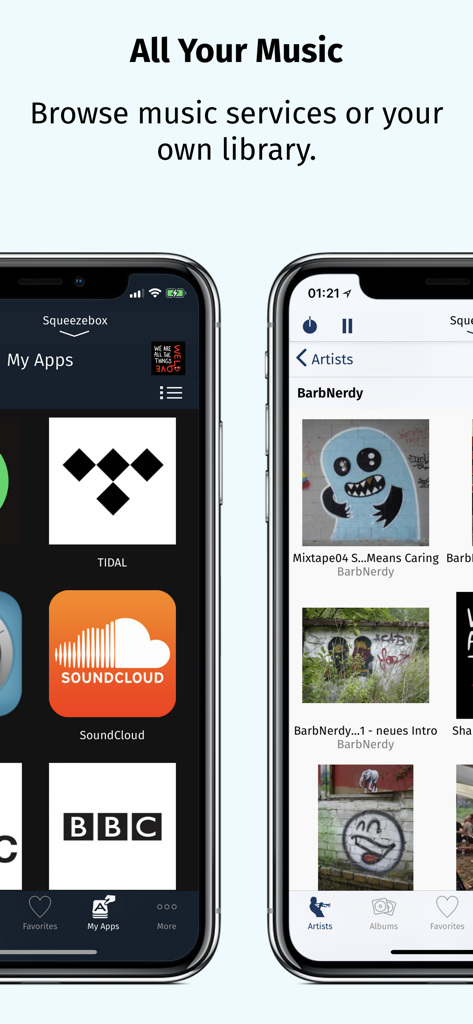
iPeng - iPeng 9アプリのスクリーンショットは、アーティスト別に整理された個人の音楽ライブラリとともに、TidalやSoundCloudなどの統合された音楽サービスを表示しています。

iPeng 9アプリのスクリーンショットは、アーティスト別に整理された個人の音楽ライブラリとともに、TidalやSoundCloudなどの統合された音楽サービスを表示しています。
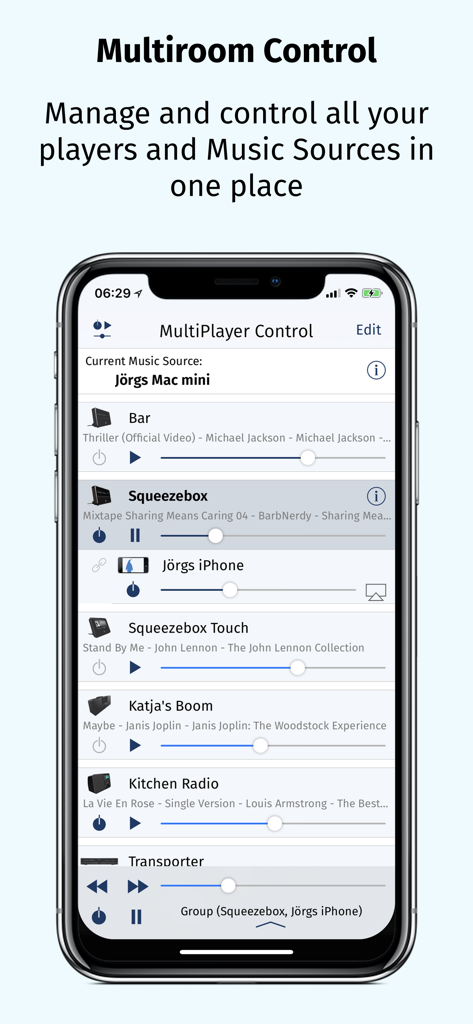
iPeng - iPeng 9 MultiPlayer Controlインターフェースを表示し、複数のオーディオプレーヤーを管理するiPhone画面。
iPeng 9 MultiPlayer Controlインターフェースを表示し、複数のオーディオプレーヤーを管理するiPhone画面。

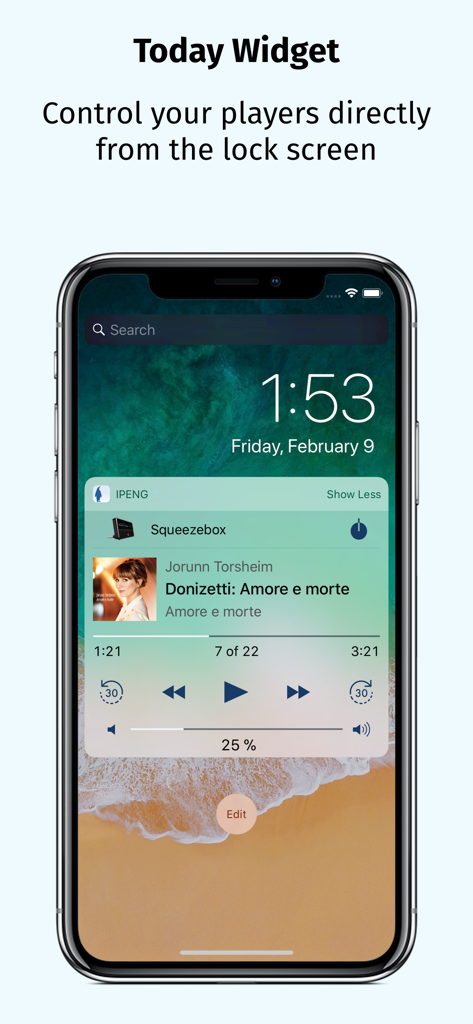
iPeng - iPhoneロック画面のiPeng 9今日のウィジェットに、Squeezeboxミュージックプレーヤーのコントロールが表示されています。
iPhoneロック画面のiPeng 9今日のウィジェットに、Squeezeboxミュージックプレーヤーのコントロールが表示されています。

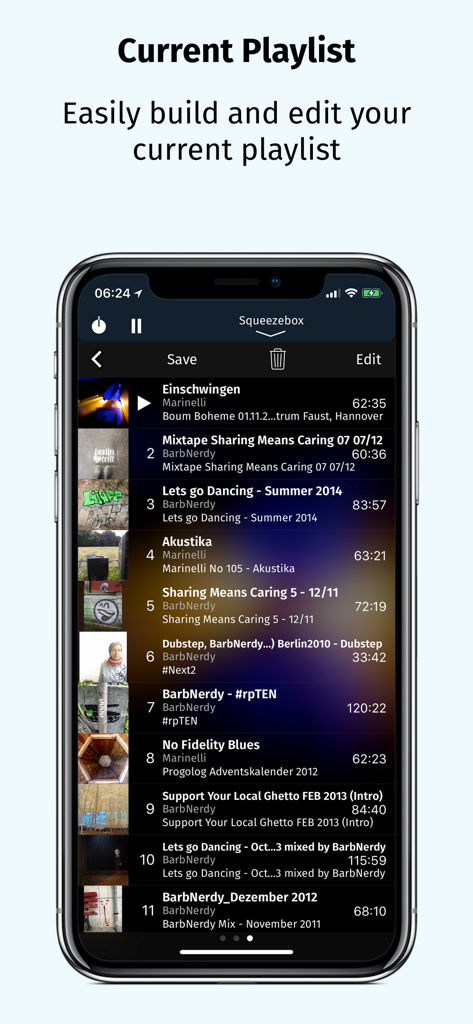
iPeng - iPeng 9現在のプレイリスト画面に、トラックリストと編集オプションが表示されています。

iPeng 9現在のプレイリスト画面に、トラックリストと編集オプションが表示されています。

説明

iPeng 9, the music remote for the Logitech® Squeezebox™, has been designed for the latest iOS versions and fully supports all iPhone and iPad form factors. iPeng 9 is a remote control app that will work all over your home with your iPhone, iPad, iPod touch and Apple Watch. You can also purchase an additional playback capability as an In-App-Purchase that will turn your iPhone or iPad into a full-blown music player for your Squeezebox Server or Roon Server. *** New in iPeng 9 *** • Support of iPhone 11, Pro, X/XS and XS Max • Latest Apple Watch support including Series 5, under watchOS 3 and newer • Today Widget to use iPeng in Notification Center and on the lock screen. • Full multitasking support on iPad and iPad Pro, including Split View and Slide Over under iOS 9 and newer. *** What’s new compared to iPeng Classic? *** * Full Support of latest iOS Versions * • iPeng has been redesigned, matching Apple's flat UI design for an up-to-date appeal, and uses a modernized platform and code base for continuous support of new iOS features. * Universal App * • iPeng 9 is a universal app for both iPhone, iPad and Apple Watch, so you only have to purchase the app once. Older iPeng versions had separate apps for iPhone and iPad. * Customizable * • The customizable main menu allows you to show different menu items in your top level menu or hide things that you don’t need. • Change the structure of your main menu through a simple drag-and-drop interface. • You can select a bright or dark color scheme for iPeng, and iPeng can even automatically select it based on your lighting conditions. * Easier Multi-Room Control * • The redesigned MultiPlayer Control simplifies handling many players. • QuickSwitch lets you move playlists from one player to another easily with a swipe of your finger. • Have direct access to Power/Volume for each connected player and change other player settings in the player details. • Group players to synchronized groups. Jointly control playback and volume for these groups and move players between them using drag-and-drop or a toolbar. • Power all players in a group off with a single click when you leave. * Manage Playlists and Favorites * • View, save, change and rearrange not only your current playlist but also saved playlists and favorites. * Works with Logitech Squeezebox and compatible players * • iPeng 9 works with all Logitech Squeezebox Players as well as many Squeezebox-compatible players like Innuos Zen, the SOtM sMS-1000SQ and sMS-100 or VortexBox players. • With iPeng Playback, iPeng also works as a player with Roon. *** Enjoy the familiar features and comfort of iPeng. *** * Easy and Fast to Use * • The functionality of iPeng is optimized for speed of use guaranteeing long-term fun. • Built-in Tutorials help you to learn iPeng’s operation. * Explore Your Music Library (1) * • Browse your own files by categories like Albums, Artists, Genres or simply search for your music. * Explore Remote Services * • You get access to a whole world of internet radio and music services like Rhapsody™ and Spotify™ and have control over them as if they were in your own library. * Use 3rd Party Plugins (2) * • iPeng supports a growing number of 3rd party plugins for Squeezebox™, e.g. CustomBrowse, TrackStat, Music and Artist Information and many more. * Use MySqueezebox.com * • iPeng 9 doesn’t require a server to operate your Squeezebox, it also supports Logitech’s MySqueezbox.com online service. Note: This does not apply to the Playback functionality. iPeng requires one or more Squeezebox™ or any compatible hard- or software player. Squeezebox™ is a trademark of Logitech. (1) LogitechMedia Server/Squeezebox Server version 7.5 or newer available for free from mysqueezebox.com/download or downloads.slimdevices.com/nightly/ (2) Installation of 3rd party plugins in Logitech Media Server required.

Download

ダウンロード: App Store

このページはアプリまたはその開発者の公式ページではなく、情報提供および論評を目的として作成された独立した編集出版物です。明示的に別段の記載がない限り、アプリおよびその開発者は、MWM、Apple、Google Play、アプリのパブリッシャー、またはアプリの開発者と提携、承認、後援、認可、またはその他の公式的な関係はなく、このページのいかなる内容も、アプリがMWMのサービスを使用して開発されたことを意味するものではありません。すべての商標、ロゴ、スクリーンショット、その他のコンテンツはそれぞれの所有者の財産です。







