Lightme - Lightmeter
ダウンロード: App Store

このページはアプリまたはその開発者の公式ページではなく、情報提供および論評を目的として作成された独立した編集出版物です。明示的に別段の記載がない限り、アプリおよびその開発者は、MWM、Apple、Google Play、アプリのパブリッシャー、またはアプリの開発者と提携、承認、後援、認可、またはその他の公式的な関係はなく、このページのいかなる内容も、アプリがMWMのサービスを使用して開発されたことを意味するものではありません。すべての商標、ロゴ、スクリーンショット、その他のコンテンツはそれぞれの所有者の財産です。

ロゴ: Lightme - Lightmeter
ダウンロード: App Store

Lightme - Lightmeter

フィルム写真家のために設計されたパワフルな片手操作の露出計で、すべての露出をマスターしましょう。スポット測光から自動順応性補正まで、500ドルの価格タグなしでヴィンテージ機材にプロフェッショナルな精度を提供します。

主要数値

ダウンロード

143K+

ユーザー評価

4.9/5

評価数

1K+

開発元

Giuseppe Bertolini

カテゴリ

Photo & Video

対応言語

4

最新バージョン

3.0.9

サイズ

4.5 MB

リリース日

2020年5月16日
機能

プログレードの精度で、すべてのフレームをマスターする

露出の推測をやめ、自信を持って撮影を始めましょう。Lightmeは、プロの露出計の精度とアナログクラシックの魂を提供します。

フィールド向け設計

片手操作に最適化されており、設定が親指の届く範囲にあるため、画面ではなくカメラに集中できます。

70種類以上のフィルムプロファイル

Portra 400からHP5まで、お気に入りのフィルムストックに合わせた順応性補正とカスタムプリセットが組み込まれています。

以下のスクリーンショットと説明は、アプリの公式ストアリスティングから直接取得されたものであり、アプリ開発者の所有物です。

アプリストア

スクリーンショット
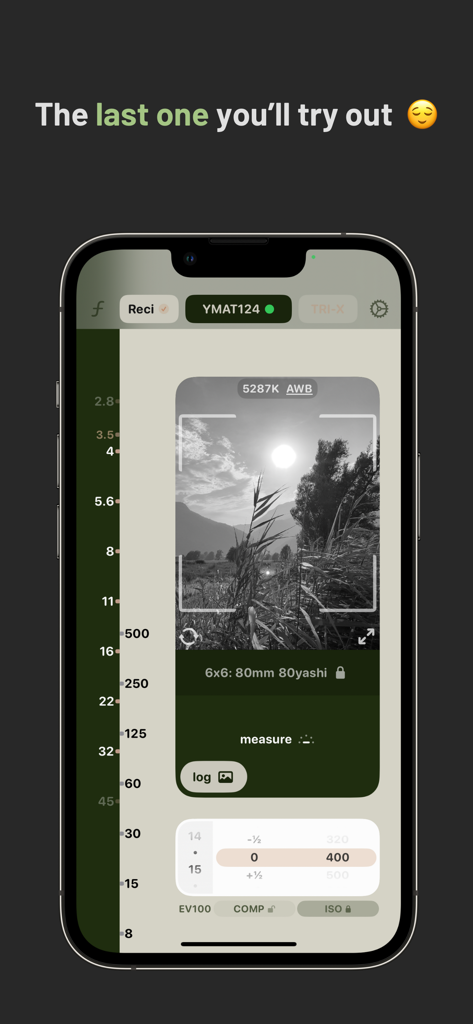
Lightme - Lightmeter - アナログスタイルの露出コントロールと白黒風景プレビューを備えたLightmeアプリのインターフェースを表示するスマートフォン
アナログスタイルの露出コントロールと白黒風景プレビューを備えたLightmeアプリのインターフェースを表示するスマートフォン

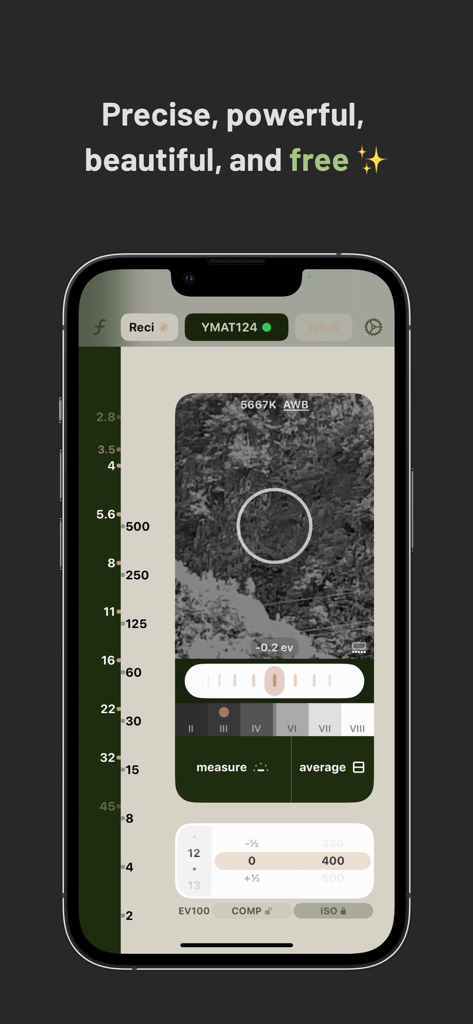
Lightme - Lightmeter - フィルム写真用のスポット測光と露出設定を示すLightmeアプリのインターフェース
フィルム写真用のスポット測光と露出設定を示すLightmeアプリのインターフェース

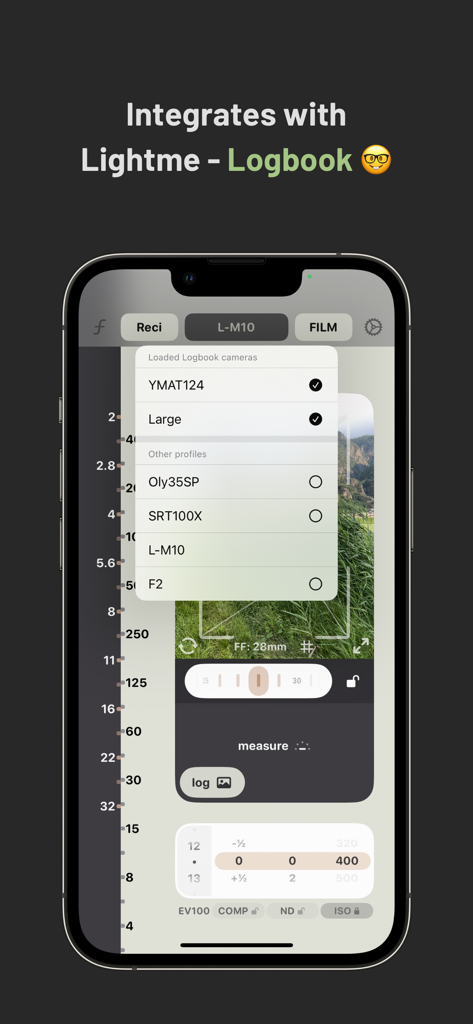
Lightme - Lightmeter - ヴィンテージカメラプロファイルとログブック連携のリストを表示するLightme Lightmeterアプリのインターフェース。
ヴィンテージカメラプロファイルとログブック連携のリストを表示するLightme Lightmeterアプリのインターフェース。

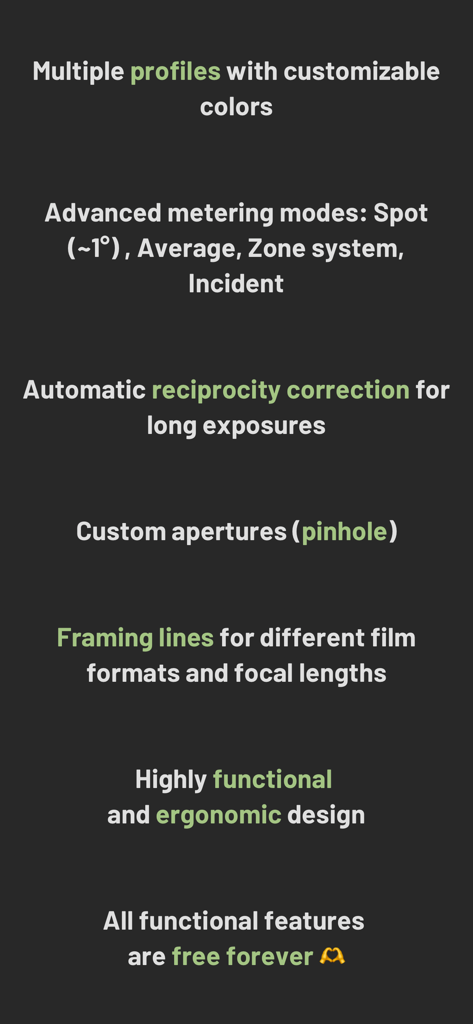
Lightme - Lightmeter - 高度な測光や順応性補正を含むLightme Lightmeterアプリのプロフェッショナル機能のリスト
高度な測光や順応性補正を含むLightme Lightmeterアプリのプロフェッショナル機能のリスト

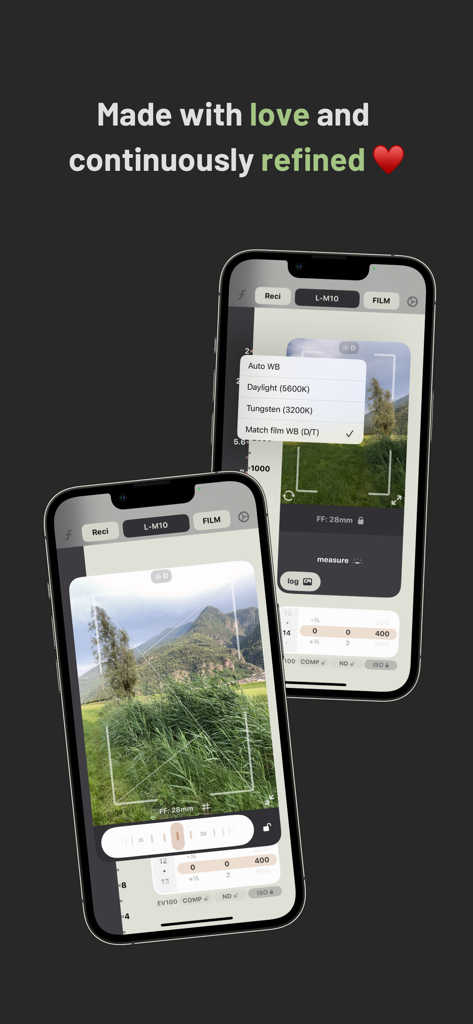
Lightme - Lightmeter - フィルム写真用の露出設定とホワイトバランスオプションを示すiPhone上のLightmeアプリのインターフェース

フィルム写真用の露出設定とホワイトバランスオプションを示すiPhone上のLightmeアプリのインターフェース

説明

Lightme - Lightmeter is a clean, simple to use yet very powerful lightmeter. It is optimised for an easy one-handed use, both for left-handed and right-handed users, with the main controls within your thumb's reach, without the fatiguing juggling of your precious smartphone. A core distinguishing feature of Lightme - Lightmeter is that - differently from most of the other apps - it can show multiple combinations of valid settings for aperture and shutterspeed at the same time by working like a - stretched out - old needle and wheel lightmeter. This allows the user to quickly pick the desired settings without having to scroll on a tiny wheel picker. The app is designed to be welcoming to people who are just starting out, with a simple one-button use. But it offers many useful and advanced features for the more experienced shooters/users: Continuous metering (by pressing and holding or double tapping the measure button) Spot metering with a variable zoom (for more precision) which also supports average metering, and a very intuitive implementation of the zone system Automatic reciprocity failure compensation (for 25+ films, if you see exposure times in red, they are being compensated) A dedicated pinhole mode with precise exposure times for user defined apertures (multiple apertures at a time), with the possibility of setting a timer (through a shortcut) Incident light metering with calibration when using the front facing camera And more ... It also includes some other features that are enjoyable by any kind of user: Black and white preview The ability to use any of the cameras on your smartphone (swipe left/right on the preview) Multiple presets for your different camera/film/lens setups Framelines for previewing your shot, before setting up your tripod etc. A searchable list of useful tips to make better use of the application's potential A searchable list of more than 70 films to choose from with the possibility of selecting a few favourites Dark mode support and a useful level of customisation You can find even more info in the tips inside the app or you can have a look at full user manual by tapping on manual (in the settings) The app is free in all its many functionalities, but it offers In-App-Purchases in order to support the project. The only minor perk you can enable only via certain IAPs is the replacement of the Ad button with a label containing the name of your current preset, check under settings -> coffee for more info. Don't panic though, even if there's an Ad button it doesn't mean I'm going to show you ads. In fact unless you decide to tap on that button I'm never going to show you any. But if you have a few minutes to spare, watching a few of them sure helps keeping this project alive :) Try it, and, if you like it, share it with your friends and consider writing a (mini) review ;) Have a nice day, and good light!

Download

ダウンロード: App Store

このページはアプリまたはその開発者の公式ページではなく、情報提供および論評を目的として作成された独立した編集出版物です。明示的に別段の記載がない限り、アプリおよびその開発者は、MWM、Apple、Google Play、アプリのパブリッシャー、またはアプリの開発者と提携、承認、後援、認可、またはその他の公式的な関係はなく、このページのいかなる内容も、アプリがMWMのサービスを使用して開発されたことを意味するものではありません。すべての商標、ロゴ、スクリーンショット、その他のコンテンツはそれぞれの所有者の財産です。