Log GPS
Log GPS
ダウンロード: App Store

このページはアプリまたはその開発者の公式ページではなく、情報提供および論評を目的として作成された独立した編集出版物です。明示的に別段の記載がない限り、アプリおよびその開発者は、MWM、Apple、Google Play、アプリのパブリッシャー、またはアプリの開発者と提携、承認、後援、認可、またはその他の公式的な関係はなく、このページのいかなる内容も、アプリがMWMのサービスを使用して開発されたことを意味するものではありません。すべての商標、ロゴ、スクリーンショット、その他のコンテンツはそれぞれの所有者の財産です。


ロゴ: Log GPS
ダウンロード: App Store

Log GPS

測量士、検査官、探検家向けの究極のオフラインユーティリティ。ワンタップで正確な座標をキャプチャし、バッテリー寿命を節約し、プログレードのCSVまたはGPXファイルとしてデータをエクスポートします。

主要数値

ダウンロード

111K+

ユーザー評価

1.0/5

評価数

0

開発元

Performance Champions, Inc.

カテゴリ

Navigation

対応言語

1

最新バージョン

5.2.1

サイズ

2.7 MB

リリース日

2011年1月18日
機能

フィールドプロフェッショナル向けの精密マッピング

Log GPSは、バッテリーを消耗させることなく、堅牢なオフラインパフォーマンスとプログレードのエクスポート機能を提供する、データ集約型のフィールドワークに最適なユーティリティです。

信頼性の高いオフラインロギング

リモートな田舎や都市部のデッドゾーンで正確な座標をキャプチャします。当社のシステムはデータ収集にネットワークアクセスを必要としないため、ポイントを見逃すことはありません。

フィールドテスト済みのバッテリー寿命

シフト全体を通して生産性を維持できます。Log GPSは最大の効率のために最適化されており、バックグラウンドトラッキングマップアプリによく見られる重いバッテリー消費を回避します。

以下のスクリーンショットと説明は、アプリの公式ストアリスティングから直接取得されたものであり、アプリ開発者の所有物です。

アプリストア

スクリーンショット
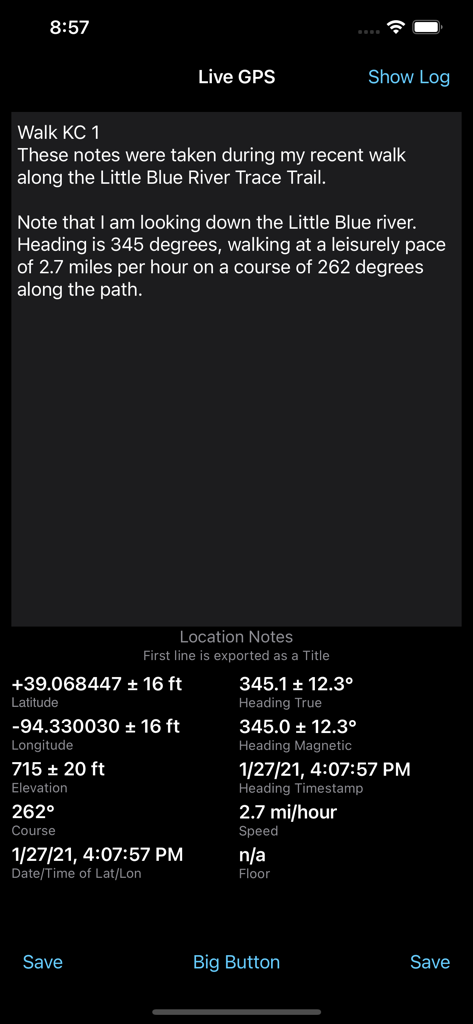
Log GPS - Log GPSアプリのインターフェース。ライブ座標、進行方向、速度、位置情報、メモが表示されています。
Log GPSアプリのインターフェース。ライブ座標、進行方向、速度、位置情報、メモが表示されています。

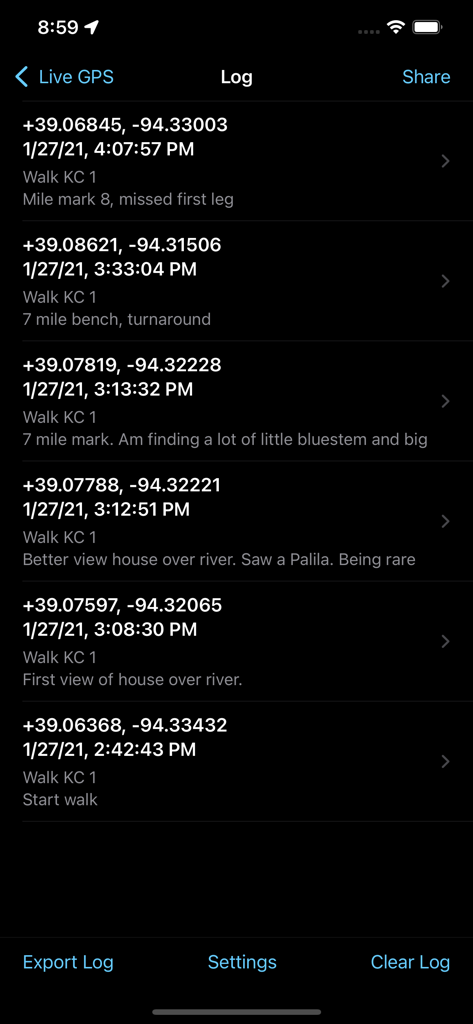
Log GPS - Log GPSアプリのインターフェースにある、保存されたGPS座標とフィールドノートのリスト。
Log GPSアプリのインターフェースにある、保存されたGPS座標とフィールドノートのリスト。

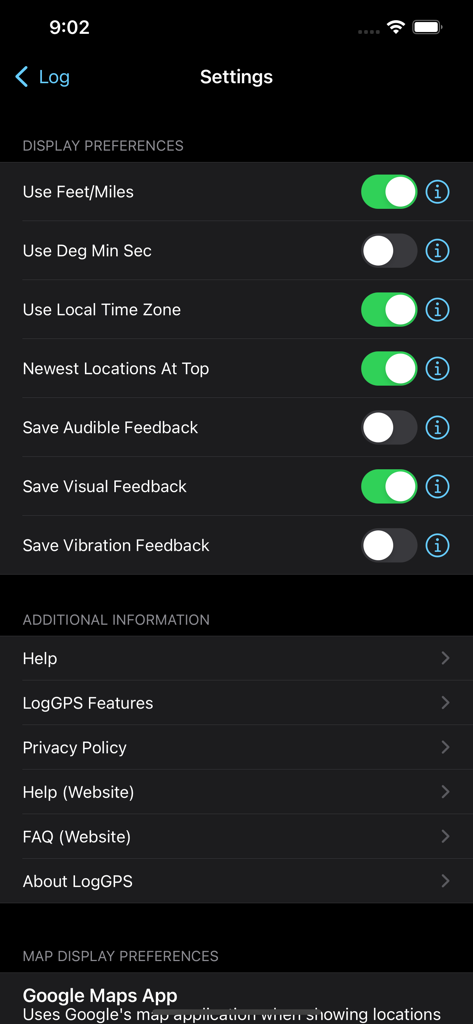
Log GPS - Log GPSアプリの設定画面。表示設定のトグルや追加情報メニューが表示されています。
Log GPSアプリの設定画面。表示設定のトグルや追加情報メニューが表示されています。

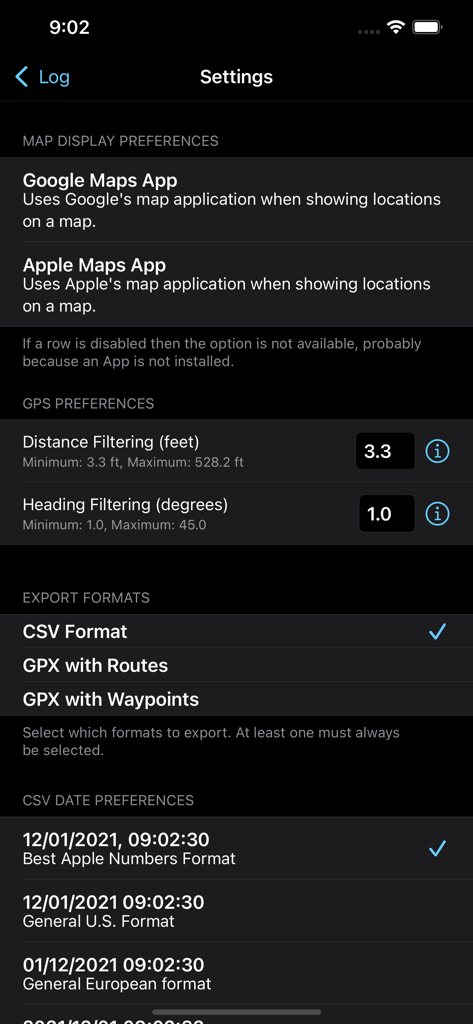
Log GPS - Log GPSアプリの設定メニュー。マップ表示設定、GPSフィルタリングオプション、データエクスポート形式の選択肢が表示されています。
Log GPSアプリの設定メニュー。マップ表示設定、GPSフィルタリングオプション、データエクスポート形式の選択肢が表示されています。

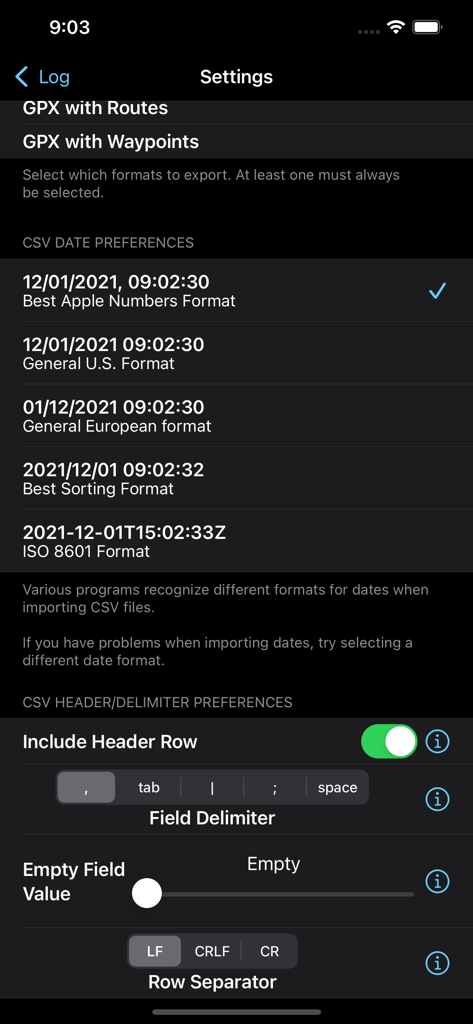
Log GPS - Log GPSアプリのエクスポート設定画面。CSVエクスポートの日付形式やフィールド区切り文字を設定します。

Log GPSアプリのエクスポート設定画面。CSVエクスポートの日付形式やフィールド区切り文字を設定します。

説明

LogGPS is a GPS data logger and recorder utility that saves all GPS data when you press the 'Save' button. The saved data includes notes, date and time, longitude, latitude, altitude, horizontal accuracy, vertical accuracy, speed, course, heading, and heading accuracy. The notes are not cleared between saves so you may save multiple data points with the same notes, add to the existing notes, or you may manually clear or edit the notes between saves. LogGPS is an ideal application to use for remote GPS data gathering with the intent of importing the GPS data into another application. LogGPS does not require any mapping for basic operation and therefor it does not require any network access. Because it does not require network access and currently does not record in the background it is fast and very easy on battery life. LogGPS has an option for a Big Button mode that make the entire screen a 'Save' button. Once activated, touching anywhere on the screen saves the current GPS location. This mode was designed specifically for city administrations to log locations for follow-up code enforcement inspections. It is possible to show any saved location using a map application. Of course, it only works if you have network access. There is also a 'return to location' function. After selecting a saved location, select the 'Return To' button and a new view will appear that shows the course, bearing, distance, and time to return to the saved location. The user may view all saved GPS readings. Individual readings can be deleted and notes edited. Clicking ‘Export’ allows sharing the collected data as a comma separated (CSV), GPX route, and/or GPX waypoint file. Data is exported without any transformations (metric units and UTC) regardless of the display settings. Once the data is exported and a file selected, it can be emailed, sent to other applications, saved in a common file area, etc. using the 'Share' button Settings in the Apple Settings application allow: - Metric or US Customary Units for displayed distance. - Local device time or UTC for displayed time. - DMS or fractional degrees for displayed latitude and longitude. - Sorting newest readings at top or bottom. - Selection of mapping application (Apple Maps, Google Maps, Google Web.) - Self contained help files. - GPS update settings to balance battery life with accuracy. - Selection of CSV export formats (header row inclusion, time format, separator, null values, line endings, etc.) - Type of Save feedback.

Download

ダウンロード: App Store

このページはアプリまたはその開発者の公式ページではなく、情報提供および論評を目的として作成された独立した編集出版物です。明示的に別段の記載がない限り、アプリおよびその開発者は、MWM、Apple、Google Play、アプリのパブリッシャー、またはアプリの開発者と提携、承認、後援、認可、またはその他の公式的な関係はなく、このページのいかなる内容も、アプリがMWMのサービスを使用して開発されたことを意味するものではありません。すべての商標、ロゴ、スクリーンショット、その他のコンテンツはそれぞれの所有者の財産です。








