
このページはアプリまたはその開発者の公式ページではなく、情報提供および論評を目的として作成された独立した編集出版物です。明示的に別段の記載がない限り、アプリおよびその開発者は、MWM、Apple、Google Play、アプリのパブリッシャー、またはアプリの開発者と提携、承認、後援、認可、またはその他の公式的な関係はなく、このページのいかなる内容も、アプリがMWMのサービスを使用して開発されたことを意味するものではありません。すべての商標、ロゴ、スクリーンショット、その他のコンテンツはそれぞれの所有者の財産です。


Logo Maker, Design Creator.
プロのデザイナーを解雇しろ。このアプリは、指先でブランディングの力を解き放つ。高価なソフトウェアも、専門知識も不要。あなたのアイデアが即座にロゴになる。
ダウンロード
5M+ユーザー評価
評価数
53.5K開発元
カテゴリ
Graphics & Design対応言語
31最新バージョン
7.91サイズ
378.0 MBリリース日
2018年1月7日独立起業家や中小企業オーナー向けのデザイン効率化ツール
アプリ「Logo Maker, Design Creator.」の主要機能分析
豊富なロゴテンプレートとフォント
本アプリは、50,000以上のロゴ組み合わせと270種類以上のフォントを提供します。これにより、ユーザーはゼロからデザインを作成する手間を省き、迅速にプロフェッショナルなロゴを制作できます。
透明背景での保存と多様な共有オプション
作成されたロゴは透明な背景のPNG形式で保存可能であり、ウェブサイトやマーケティング資料での利用に適しています。また、Dropbox、Evernote、Boxへのアップロードや、メール、Facebookでの直接共有が可能です。
直感的なデザイン操作と精密な調整
このツールは、ピンチ、ドラッグ、スピンによる要素のサイズ・視点変更、グリッド線や度単位での移動といった精密な調整機能を提供します。ユーザーは直感的にデザインを操作し、完璧な配置を実現できます。
画像インポートと高度なオブジェクト編集
ユーザーは自身の写真ライブラリから画像をインポートし、既存のロゴやデザインに組み込むことができます。さらに、オブジェクトの移動、サイズ変更、回転、反転、透明度調整など、幅広い編集が可能です。
高度なカラーカスタマイズとシャドウエディタ
本ツールは、グラデーションや色の変更機能、プロフェッショナルなシャドウエディタ、RGB/HSB/Hexカラーピッカー、お気に入りカラーパレットを提供します。これにより、ユーザーはブランドに合わせた正確な色合いと視覚効果をロゴに適用できます。
豊富なテキストカスタマイズ機能
ユーザーは、多様なフォント選択に加え、テキストに画像を埋め込んだり、カスタムボーダーを追加したり、文字間隔やアークを調整したりすることができます。これにより、ロゴやデザインに独自のタイポグラフィ表現をもたらします。
Appleエコシステムとのシームレスな連携
このアプリはiPhone, iPad, iPod Touchでの動作をサポートし、iPad Pro、Apple Pencil、Apple WatchといったAppleデバイスとの連携も可能です。ユーザーはモバイル環境で場所を選ばずにデザイン作業を進められます。
全ステップに対応する元に戻す/やり直し機能
本ツールは、デザインプロセスのあらゆるステップに対して完全な「元に戻す」および「やり直し」機能を提供します。これにより、ユーザーは安心して様々なデザインを試すことができ、誤りを簡単に修正できます。
よくある質問
について知っておくべきこと Logo Maker, Design Creator.
What is InstaLogo Logo Maker 2?
InstaLogo Logo Maker 2 transforms your iOS device into a logo-making machine. It enables users to design logos, posters, flyers, and invitations directly on their iPhone, iPad, or iPod Touch, offering a fresh new design and Apple Watch support.
What devices support the Logo Maker, Design Creator app?
The Logo Maker, Design Creator app supports iPhone, iPad, iPod touch, iPad Pro, Apple Pencil, and Apple Watch. Multitasking is available on iPad Air 2 and newer models, operating in both landscape and portrait orientations.
Can I create custom logos with the Logo Maker, Design Creator app?
Yes, the Logo Maker, Design Creator app allows custom logo creation. Users can choose from a massive library of logos, import photos, select from over 270 handpicked fonts, and manipulate elements with pinch, drag, and spin gestures for precise design.
Does InstaLogo 2 offer design templates?
Yes, InstaLogo 2 offers over 1000 logo templates. These templates are categorized for various designs such as Logo, Business Card, Poster, Instagram Story, Badge, and Watercolor, providing a diverse starting point for users' creative projects.
How much does the InstaLogo 2 Pro Subscription cost?
The InstaLogo 2 Pro Subscription costs vary based on the selected plan, with billing options available weekly, monthly, or annually. The app is free to download, but the Pro Subscription unlocks unlimited access to premium content and features.
Can I save logos with a transparent background in InstaLogo 2?
Yes, InstaLogo 2 supports saving logos with a transparent background. This feature is perfect for integrating logos into various contexts, ensuring flexibility and professional presentation for everyday use.
How can I share or export my designs from Logo Maker, Design Creator?
Users can share or export their designs from Logo Maker, Design Creator via email. Additionally, they can upload designs to cloud services like Dropbox, Evernote, and Box, save them directly to their iOS device, or send them to be printed.
Does InstaLogo 2 support various fonts and backgrounds?
Yes, InstaLogo 2 provides a vast selection including over 1000 exclusive fonts and more than 1 million backgrounds. Users also have the option to import their own images from their Photo Library for use in their designs.
Does Logo Maker, Design Creator offer advanced editing tools?
Yes, Logo Maker, Design Creator includes advanced editing tools such as changing gradients, adding professional-grade shadows, utilizing grid lines for alignment, and precise element movement. It also features full undo and redo functionality for error correction.
Can I sync my logos across Apple devices with InstaLogo 2?
Yes, InstaLogo 2 allows users to sync their logos with iCloud. This feature ensures that all designs created within the app are consistent and accessible across all linked Apple devices for seamless workflow.
Is InstaLogo 2 a free app to use?
InstaLogo 2 is free to download, but a Pro Subscription is required for unlimited access to its premium content and features. Some specific features may also necessitate individual in-app purchases to unlock their functionality.
以下のスクリーンショットと説明は、アプリの公式ストアリスティングから直接取得されたものであり、アプリ開発者の所有物です。
アプリストア
スクリーンショット
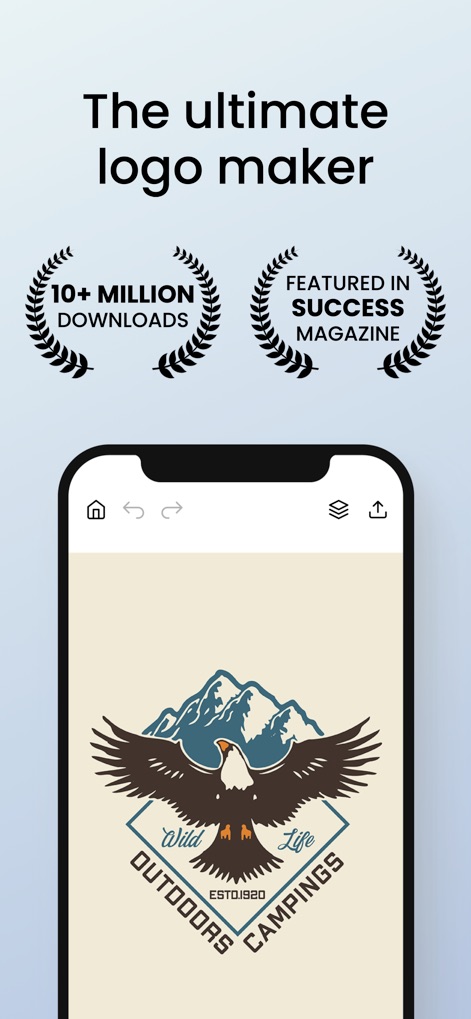
このアプリは、1000万以上のダウンロード実績と成功雑誌での紹介により、その高い評価と人気を証明しています。
究極のロゴ作成

ユーザーは、1000種類以上のロゴテンプレートから選択でき、ビジネスカードやInstagramストーリーなど、カテゴリ別に最適化されたデザインを見つけることができます。
豊富なテンプレート

1000種類以上の独占フォントが利用可能で、日本語を含む多言語対応フォントオプションにより、あらゆるデザインニーズに応えます。
厳選フォントコレクション

100万を超える背景素材の中から、ユーザーは多様なテクスチャカテゴリを探索し、ロゴデザインに最適な背景を見つけることができます。
無限の背景選択肢

本ツールは、回転やサイズ変更などの詳細な要素調整機能と、影やぼかしといったプロフェッショナルなエフェクト適用により、直感的なロゴ編集を可能にします。
簡単ロゴ編集

iCloud同期機能により、iPhoneとiPad間でデザインプロジェクトをシームレスに共有し、複数デバイス間での作業継続が容易になります。
デバイス間同期

ユーザーはロゴを透明背景で保存できるため、様々な背景への適応が容易になり、多様な用途での活用が可能です。
透明背景保存

本アプリは、ポスターやインスタグラムストーリーの作成だけでなく、プロフェッショナルなビジネスカードデザインのサポートも提供し、マーケティング素材の多様なニーズに対応します。
多用途デザイン作成
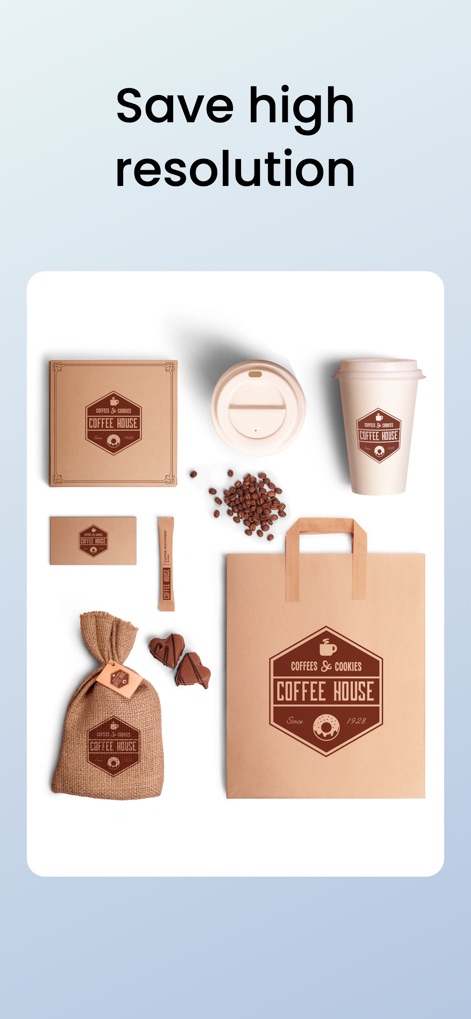
高解像度での画像出力により、ロゴは実用的なブランディング応用例として、コーヒーカップやパッケージなどの商品に美しく適用されます。
高品質エクスポート

このアプリはiPhone、iPad、Apple Watchに対応しており、Apple Pencilによる詳細な操作性も提供し、ユーザーに柔軟なデザイン環境をもたらします。
クロスデバイス対応
説明
Download
類似アプリ
似た機能とユーザー体験を持つアプリ

Canva: AI Photo & Video Editor
Canva Pty Ltd

Adobe Express: Create Anything
Adobe Inc.

Bazaart AI Photo Editor Design
Bazaart Ltd.

稿定设计-AI图片海报壁纸,一键p图拼图修图抠图照片美化
Gaoding (Xiamen) Technology Co., Ltd.

Poster Maker - Crea
Salix Dijital Pazarlama Anonim Sirketi

Logo Maker AI Creator — Boon
PIXO Incorporation

MiriCanvas: Poster, PPT design
MIRI D.I.H

Logo Maker: Art Design Creator
LOGOFLY LLC

创客贴设计-AI海报图片设计,一键p图拼图修图抠图照片美化
Beijing yiyuanku science and Technology Co., Ltd.
このページはアプリまたはその開発者の公式ページではなく、情報提供および論評を目的として作成された独立した編集出版物です。明示的に別段の記載がない限り、アプリおよびその開発者は、MWM、Apple、Google Play、アプリのパブリッシャー、またはアプリの開発者と提携、承認、後援、認可、またはその他の公式的な関係はなく、このページのいかなる内容も、アプリがMWMのサービスを使用して開発されたことを意味するものではありません。すべての商標、ロゴ、スクリーンショット、その他のコンテンツはそれぞれの所有者の財産です。