LoveMusic Player - Local Play
ダウンロード: App Store

このページはアプリまたはその開発者の公式ページではなく、情報提供および論評を目的として作成された独立した編集出版物です。明示的に別段の記載がない限り、アプリおよびその開発者は、MWM、Apple、Google Play、アプリのパブリッシャー、またはアプリの開発者と提携、承認、後援、認可、またはその他の公式的な関係はなく、このページのいかなる内容も、アプリがMWMのサービスを使用して開発されたことを意味するものではありません。すべての商標、ロゴ、スクリーンショット、その他のコンテンツはそれぞれの所有者の財産です。


ロゴ: LoveMusic Player - Local Play
ダウンロード: App Store

LoveMusic Player - Local Play

iPhone、iPad、Mac間でハイレゾライブラリを整理、編集、同期しましょう。オフライン再生、複数のライブラリ、サブスクリプションゼロで、純粋な音楽所有権を完全にコントロールできます。

主要数値

ダウンロード

1K+

ユーザー評価

4.2/5

評価数

100

開発元

煦 张

カテゴリ

Music

対応言語

12

最新バージョン

2.5

サイズ

7.6 MB

リリース日

2022年8月10日
機能

あなたのパーソナルオーディオコレクションを完全にコントロール

デジタルアーカイブのために設計されたLoveMusicは、プロフェッショナルなライブラリ管理とクロスデバイス同期を備えた、強力なオフラインファーストエクスペリエンスを提供します。これらすべてがサブスクリプション料金なしで利用できます。

カスタムマルチライブラリシステム

単なるフォルダを超えて。音楽、プロの録音、個人的な詩のアーカイブを別々のライブラリに作成し、集中して聴けるようにします。

プロレベルのメタデータコントロール

あなたのコレクションに誇りを持ちましょう。ID3タグを編集し、アルバムアートを更新し、歌詞をアプリに直接埋め込むことで、完璧にキュレーションされたデジタル保管庫を維持します。

以下のスクリーンショットと説明は、アプリの公式ストアリスティングから直接取得されたものであり、アプリ開発者の所有物です。

アプリストア

スクリーンショット
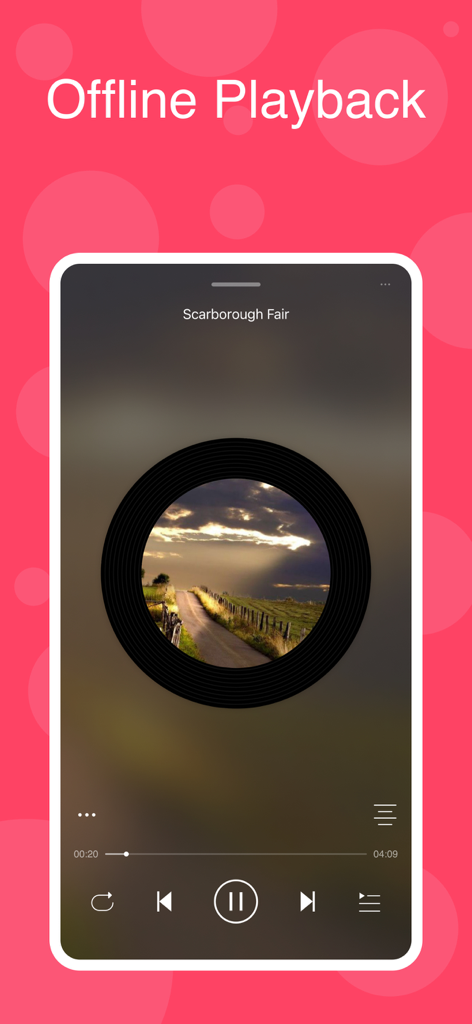
LoveMusic Player - Local Play - LoveMusic Playerインターフェース、オフライン再生とビニールレコードの美的要素を備えています
LoveMusic Playerインターフェース、オフライン再生とビニールレコードの美的要素を備えています

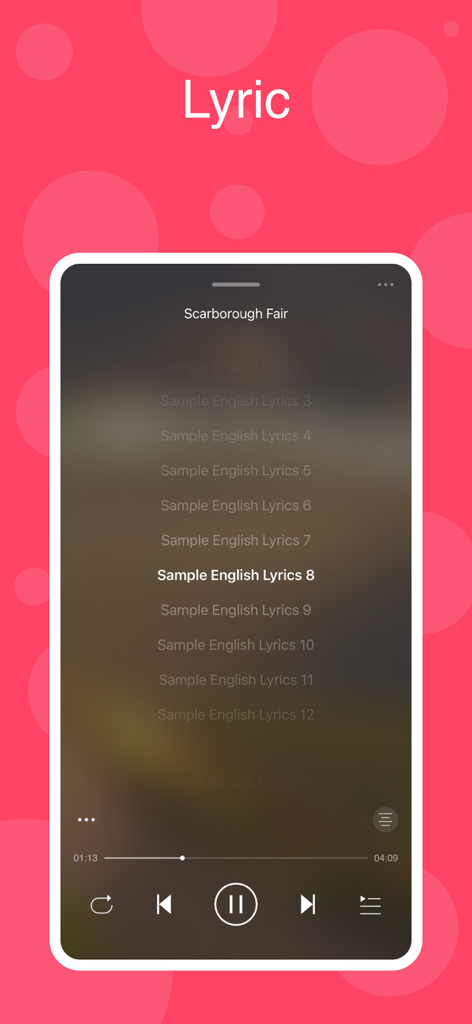
LoveMusic Player - Local Play - ローカル音楽再生のための同期された歌詞を表示するLoveMusic Playerのモバイルアプリインターフェース。
ローカル音楽再生のための同期された歌詞を表示するLoveMusic Playerのモバイルアプリインターフェース。

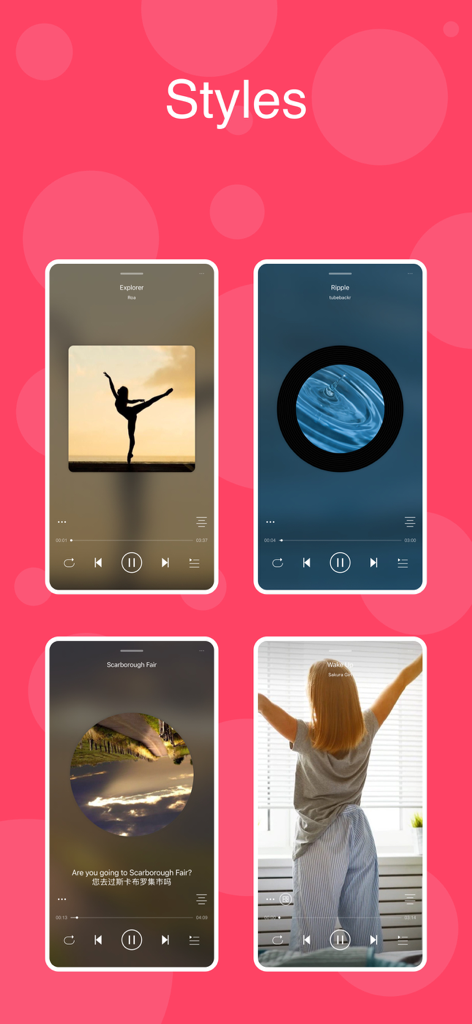
LoveMusic Player - Local Play - ビニールやCDの美的要素を含む、LoveMusic Playerのさまざまな再生スタイルのショーケース
ビニールやCDの美的要素を含む、LoveMusic Playerのさまざまな再生スタイルのショーケース

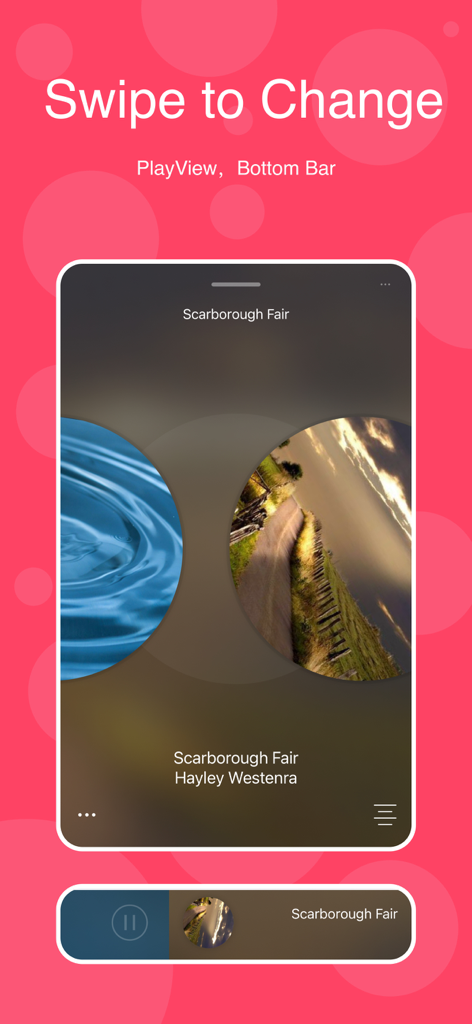
LoveMusic Player - Local Play - PlayViewの変更機能と下部ナビゲーションバーを表示するLoveMusic Playerアプリのインターフェース
PlayViewの変更機能と下部ナビゲーションバーを表示するLoveMusic Playerアプリのインターフェース

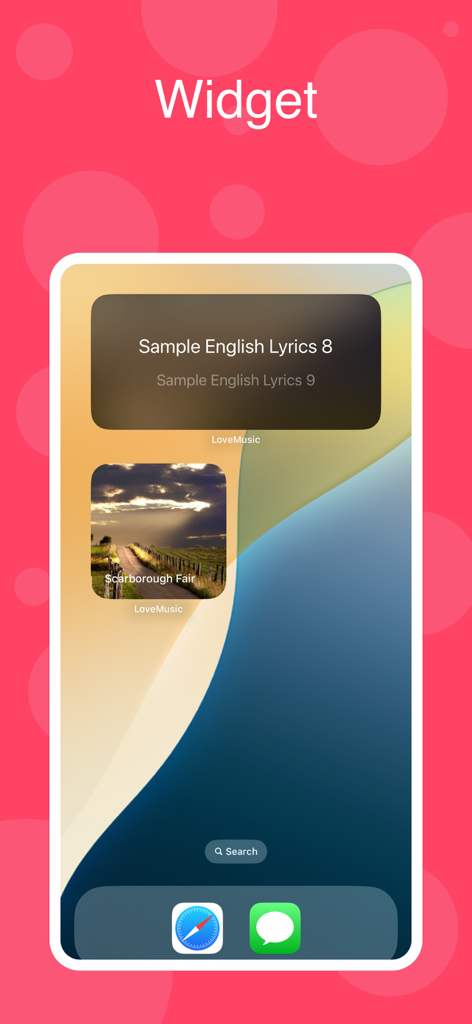
LoveMusic Player - Local Play - 歌詞とアルバムカバーを表示するLoveMusic PlayerのiOSウィジェット
歌詞とアルバムカバーを表示するLoveMusic PlayerのiOSウィジェット

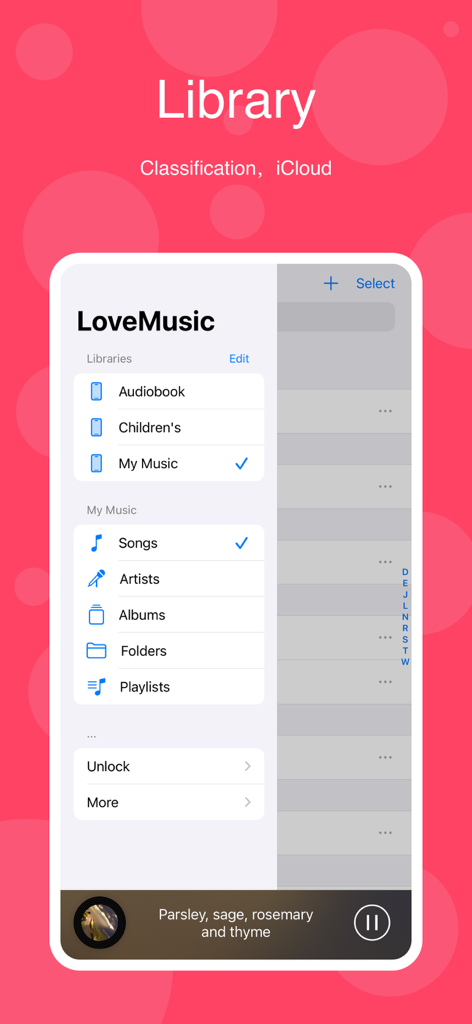
LoveMusic Player - Local Play - LoveMusicアプリのiPhoneライブラリインターフェース、オーディオブックやマイミュージックなどのさまざまな音楽ライブラリと、曲やアーティストのナビゲーションオプションを表示します。
LoveMusicアプリのiPhoneライブラリインターフェース、オーディオブックやマイミュージックなどのさまざまな音楽ライブラリと、曲やアーティストのナビゲーションオプションを表示します。

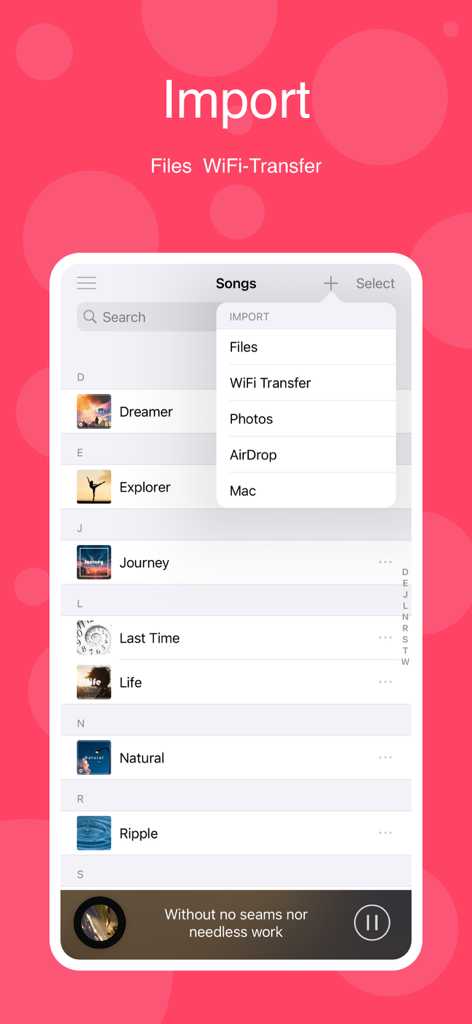
LoveMusic Player - Local Play - Files、WiFi Transfer、AirDrop、Macのオプションを表示する、LoveMusicアプリの音楽インポートメニュー
Files、WiFi Transfer、AirDrop、Macのオプションを表示する、LoveMusicアプリの音楽インポートメニュー

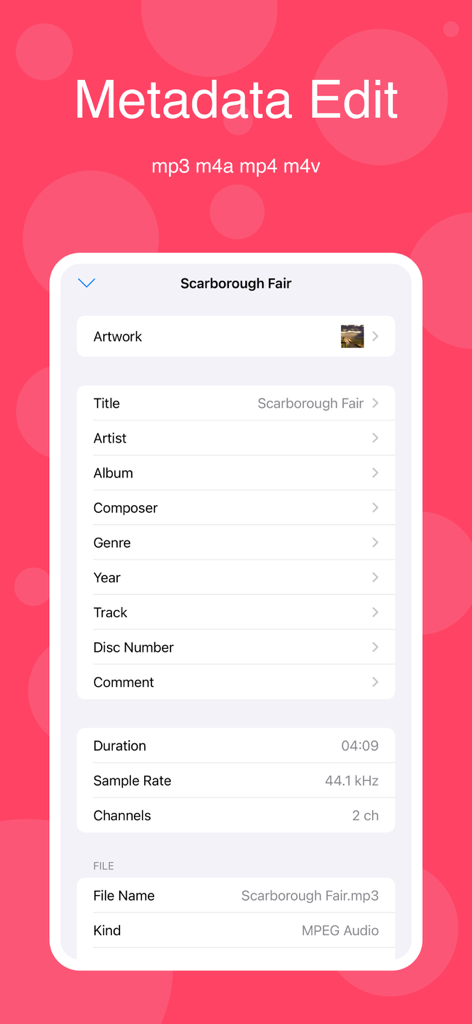
LoveMusic Player - Local Play - LoveMusic Playerアプリでの音楽メタデータおよびID3タグ編集用のインターフェース
LoveMusic Playerアプリでの音楽メタデータおよびID3タグ編集用のインターフェース

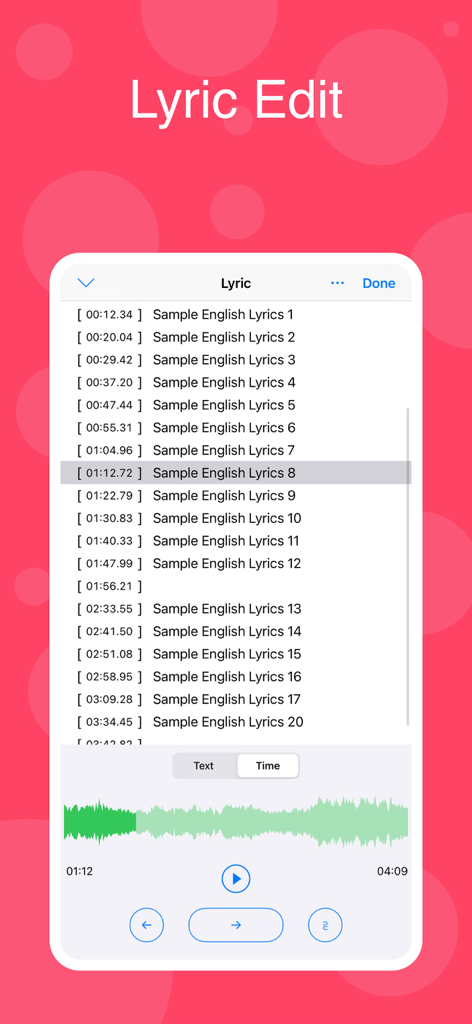
LoveMusic Player - Local Play - タイムスタンプ付きの歌詞とオーディオ波形ビジュアライゼーションを備えた、LoveMusic Playerの歌詞編集インターフェース。

タイムスタンプ付きの歌詞とオーディオ波形ビジュアライゼーションを備えた、LoveMusic Playerの歌詞編集インターフェース。

説明

LoveMusic is a local music player / offline music player. Support multiple music libraries, iCloud synchronization of different devices, information editing, ID3 Tag editing, Lyrics editing ... [Supported Formats] - AAC, AIFF, CAF, FLAC, MP3, M4A, WAV - M4V, MP4, MOV [Management Method] 1, Can be managed by LoveMusic application 2, You can manage files through the Files application that comes with the device 2.1, Files > My Device > LoveMusic Folder : Can manage local files 2.2, Files > iCloud Drive > LoveMusic Folder : Manage iCloud Drive files, support synchronization between different devices Note: If a file exists in a user-defined playlist, moving the file through the Files application may cause a link error to the playlist file [iCloud] - Support iCloud file backup and optionally download part of the file to the device - Through iCloud, resources can be shared on multiple devices such as iPad, iPhone, etc.; (For example, music files on Mac, you can directly drag and drop them to iCloud Drive> LoveMusic > My Music, iPhone, iPad can see the related files and choose whether to download them) [Document Organization] - Multiple music libraries can be established, and each music library can manage different categories of materials. For example, build the following music library: my music, my poetry, children's music. - Independent management of each music library - You can browse files in the library by song, artist, album, folder, etc. - Playlist management [File Import] - Files import - WiFi transport (HTTP) - Airdrop - Mac import - Photo import [Information Edited] - Support editing information of some files ( m4a, mp3, mov, mp4, m4v) - Edit lyrics 1, If the software supports embedded lyrics in the corresponding audio file and the LRC file does not exist, the lyrics will be saved in the audio file 2, If the software supports embedded lyrics in the corresponding audio file and the LRC file exists at the same time, the lyrics will be saved in both the audio file and the LRC file 3, If the software does not support the embedded lyrics of the corresponding audio file, an LRC file with the same name will be created and the lyrics will be saved [Play Style] - Image - Vinyl Records - CD - Photo pictures [Play Functions] - Timing: time/number of songs - Double speed: click the time on the right of the progress bar to display the shortcut of this function - Fast forward and fast backward: click the time on the left of the progress bar to display the shortcut operation of this function [Purchase] - This program can be downloaded for free to experience, preview - Some built-in functions need to be purchased to use - All current purchases are one-time purchases and lifetime use.

Download

ダウンロード: App Store

このページはアプリまたはその開発者の公式ページではなく、情報提供および論評を目的として作成された独立した編集出版物です。明示的に別段の記載がない限り、アプリおよびその開発者は、MWM、Apple、Google Play、アプリのパブリッシャー、またはアプリの開発者と提携、承認、後援、認可、またはその他の公式的な関係はなく、このページのいかなる内容も、アプリがMWMのサービスを使用して開発されたことを意味するものではありません。すべての商標、ロゴ、スクリーンショット、その他のコンテンツはそれぞれの所有者の財産です。







