Lumbernatics - Wood Drawings

Lumbernatics - Wood Drawings

ダウンロード: App Store
ロゴ: Lumbernatics - Wood Drawings

Lumbernatics - 木材図面:次のプロジェクトを数分でデザイン

DIY愛好家や木工家のためのシンプルな3Dツール。アイデアを可視化し、寸法をカスタマイズし、複雑なCADソフトウェアなしで次の週末プロジェクトの木材リストを即座に入手できます。

開発元

Aidaluu Inc.

カテゴリ

Business

ダウンロード

7K+

ユーザー評価

3.2/5

評価数

100

対応言語

13

カットする前にデザイン

このインターフェースを利用する 7K+ 人のユーザー.

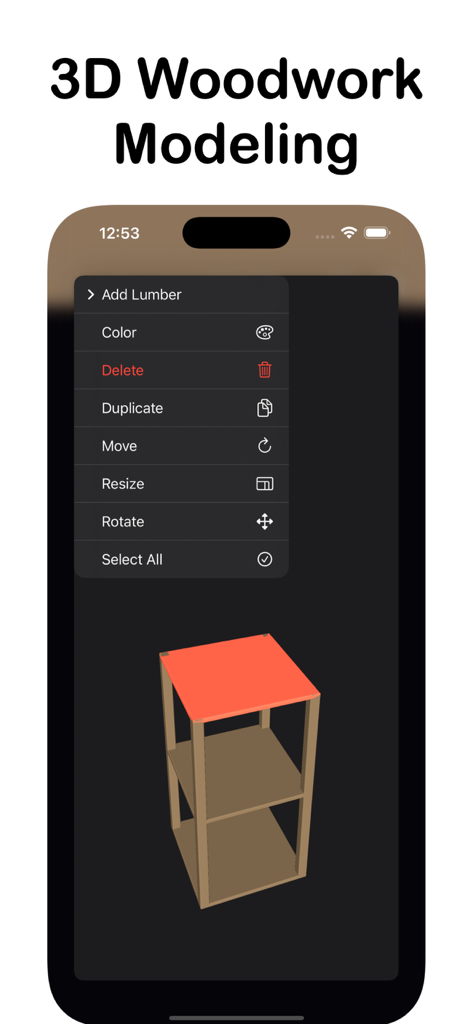
家具のデザインと編集メニューが表示されたLumbernatics 3D木工モデリングツールのiPhone画面
家具のデザインと編集メニューが表示されたLumbernatics 3D木工モデリングツールのiPhone画面

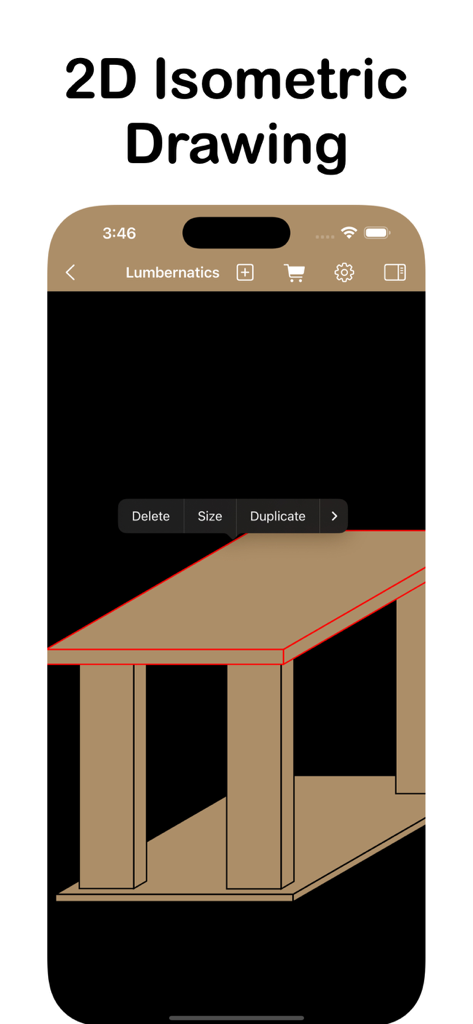
Lumbernaticsアプリインターフェースの2Dアイソメトリック木材プロジェクト図面
Lumbernaticsアプリインターフェースの2Dアイソメトリック木材プロジェクト図面

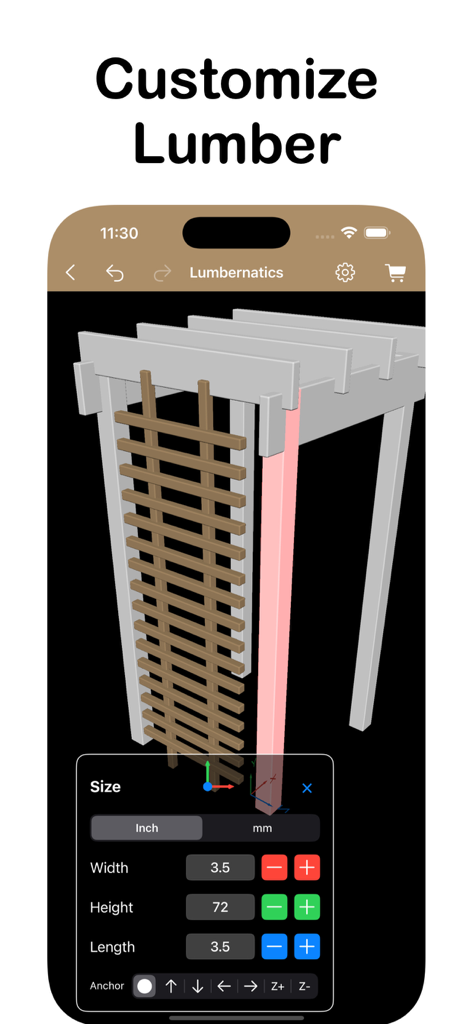
Lumbernaticsアプリインターフェースの3D木材構造と木材サイズ調整ツール
Lumbernaticsアプリインターフェースの3D木材構造と木材サイズ調整ツール

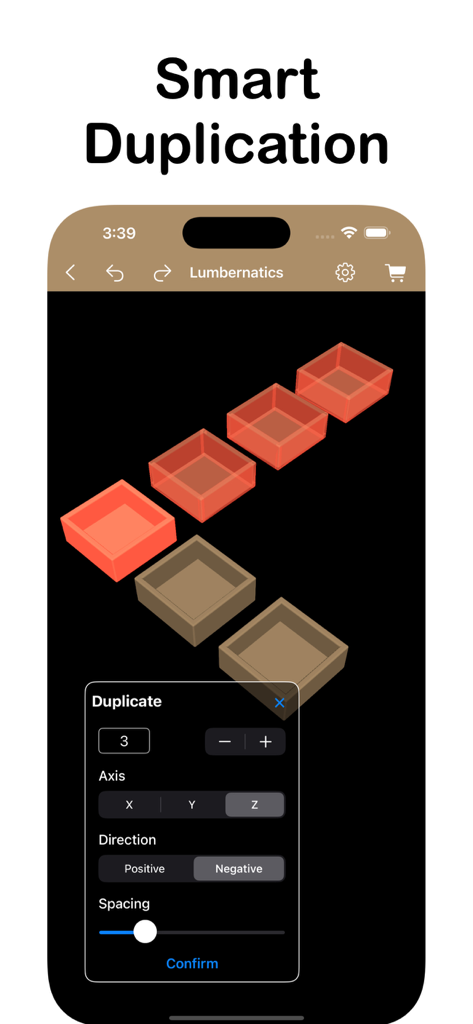
Lumbernatics木工アプリのスマート複製ツールインターフェース、3Dモデルのレプリケーションを表示
Lumbernatics木工アプリのスマート複製ツールインターフェース、3Dモデルのレプリケーションを表示

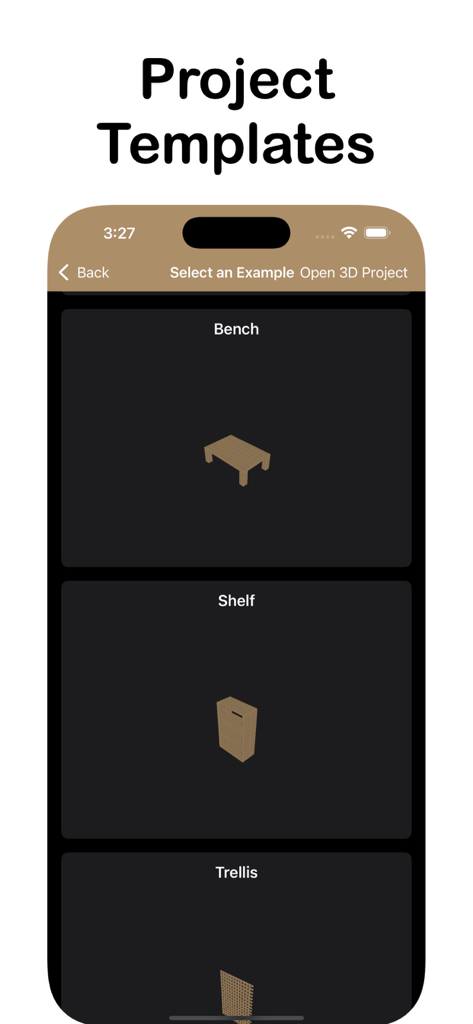
Lumbernaticsアプリのベンチや棚の木工プロジェクトテンプレート

Lumbernaticsアプリのベンチや棚の木工プロジェクトテンプレート

構想から作業台へ

このアプリを際立たせるツール、 7K+ 人のユーザーが選択.

📐

直感的な3D&2Dデザイン

プロジェクトをあらゆる角度から可視化したり、2Dで素早くアイデアをスケッチしたりできます。最初のカットをする前に完成形を見たい週末DIY愛好家に最適です。

📝

自動木材リスト

金物店に持っていける正確な資材リストをエクスポートします。必要なものだけを購入して節約し、ホームデポやロウズへの余計な移動をなくしましょう。

🔢

エラーフリー組み立て

図面のすべての板には自動で番号が付けられ、カットリストと同期されます。図面とピースを照合して、フラストレーションのない組み立て体験を。

アプリについて

について知っておくべきこと Lumbernatics - Wood Drawings.

説明

Lumbernatics helps you create plans and 3D models for simple woodworking projects. Two Powerful Editors for All Your Woodworking Project Needs - 3D Editor: Create realistic 3D models that you can pan, rotate, and view from any angle. The 3D Editor allows you to visualize your project in a fully interactive environment, making it easier to understand how each piece fits together. Start quickly with 3D build examples for common projects like picture frames, garden planters, end tables, and more. These examples can be customized to suit your needs, helping you learn how to use the tools while creating practical designs. - 2D Isometric Editor: Quickly put together a wood project design using the 2D isometric editor. This editor is ideal for sketching out ideas in a simpler, two-dimensional format while still conveying depth through isometric projection. It's perfect for creating straightforward plans without the complexity of full 3D modeling. Easy Interface: Enjoy a simple and user-friendly design that makes it accessible for beginners and efficient for experienced users. The intuitive layout ensures that all tools and features are easily reachable, so you can focus on planning your project without any hassle. Custom Sizes: Choose from common lumber sizes or set your own custom dimensions to match the materials you have or plan to purchase. This flexibility ensures that your designs are accurate and tailored to your specific project requirements. Export Options: Export your design as an images or print out physical copies. You can also save and print your detailed lumber list, which includes all the pieces you'll need with their dimensions. This makes shopping for materials and organizing your build much more straightforward. Save Projects: Save your designs and re-import them later for further editing. This feature allows you to work on projects over multiple sessions and make adjustments as needed without starting from scratch. Quick Duplication: Easily duplicate lumber pieces to expand your design without repetitive manual input. If your project requires multiple identical pieces, like table legs or fence posts, you can create copies quickly to save time and maintain consistency. Alignment Tools: Automatically align multiple pieces for uniform spacing and dimensions. This is especially useful when arranging elements like shelves, slats, or any components that need to be evenly distributed. It helps maintain symmetry and balance in your design. Lumber Numbering: Number your lumber pieces for easy identification during the building process. Each piece in your design is assigned a unique number, which corresponds to the lumber list you can print. This makes it easier to keep track of parts, reducing confusion and mistakes when cutting and assembling. Note: Free mode limits the number of lumber pieces and adds watermarks. Upgrade with an in-app purchase to remove these limitations, unlock all features and build examples. When you purchase a subscription, payment will be charged to your Apple ID Account upon confirmation of purchase. The subscription will renew automatically unless you cancel it at least 24 hours prior to the end of the current subscription period. You can manage and cancel your subscriptions by going to your account settings on the App Store after purchase. Privacy Policy https://www.aidaluu.com/privacy/Lumbernatics.html Terms of Use https://www.aidaluu.com/tos/Lumbernatics.html

最新バージョン

2.9

サイズ

4.1 MB

リリース日

2024年8月29日

推測はやめて、作り始めよう

Lumbernaticsをダウンロードして、あなたのアイデアを正確な3D図面と即時資材リストに変えましょう。計算に費やす時間を減らし、作業台での時間を増やしましょう。

ダウンロード: App Store

App information, icons, screenshots, and descriptions displayed on this page are sourced from the Apple App Store and are the property of their respective developers. Download estimates and rankings are based on MWM's proprietary models and may not reflect actual figures. This page is provided for informational and analytical purposes only.

Believe this page infringes your intellectual property? File a dispute