
このページはアプリまたはその開発者の公式ページではなく、情報提供および論評を目的として作成された独立した編集出版物です。明示的に別段の記載がない限り、アプリおよびその開発者は、MWM、Apple、Google Play、アプリのパブリッシャー、またはアプリの開発者と提携、承認、後援、認可、またはその他の公式的な関係はなく、このページのいかなる内容も、アプリがMWMのサービスを使用して開発されたことを意味するものではありません。すべての商標、ロゴ、スクリーンショット、その他のコンテンツはそれぞれの所有者の財産です。


ダウンロード
750k+ユーザー評価
評価数
12.2K開発元
カテゴリ
Photo & Video対応言語
21最新バージョン
3.5.1サイズ
682.3 MBリリース日
2024年3月5日テックアナリストが評価するAppleエコシステム向けAI駆動型写真編集ツールの核心
Luminar: Image Editor&Enhancerの主要機能分析
Appleエコシステムとの統合
本アプリは、Appleデバイスとのシームレスな連携により、iPhone、iPad、Vision Proでの編集ワークフローを強化し、Apple Pencilによる精密な編集も可能です。
RAWファイル対応
ユーザーは、モバイルデバイスで直接RAW写真を編集し、最大の画像品質を維持することができます。
SkyAI (空の自動置換)
ユーザーは、退屈な空を印象的なものにシームレスに置き換えることで、写真の背景を劇的に改善することができます。
BokehAI (背景ボケの調整)
本ツールは、背景をぼかし、焦点を調整し、ボケの形状をカスタマイズすることで、被写体を際立たせる効果を生み出します。
EnhanceAI (ワンタップ自動補正)
本ツールは、単一のスライド操作で写真の色、トーン、明瞭度を調整し、プロフェッショナルな結果を数秒で提供することで、写真の品質を簡単に向上させます。
RelightAI (光源の動的調整)
ユーザーは、露出と光源を完全に制御し、芸術的なビジョンに合わせて照明条件を動的に調整することができます。
消去 (不要な要素の削除)
このツールは、写真から不要な要素を簡単に削除し、被写体に焦点を当てることができます。
直感的なユーザーインターフェース
ユーザーは、複雑な操作をすることなく、直感的なジェスチャーで写真を編集し、創造性を最大限に引き出すことができます。
FaceAI (顔の特徴自動補正)
本ツールは、顔の特徴を自動的に強調し、顔を明るくし、プロポーションを微妙に調整することで、ポートレートを向上させます。
SkinAI (肌の自動レタッチ)
このアプリは、肌を自動的にレタッチし、欠陥を除去することで、清潔で滑らかな仕上がりを提供します。
よくある質問
について知っておくべきこと Luminar: Image Editor&Enhancer
What is Luminar Mobile AI Photo Editor?
Luminar Mobile is an all-in-one, on-the-go photo editor and creative companion for iPhone, iPad, and Vision Pro. It offers powerful AI-driven tools and an interactive interface for an engaging photo editing experience.
Which devices are compatible with Luminar Mobile AI Photo Editor?
Luminar Mobile is compatible with iPhone, iPad, and Vision Pro. It is optimized for devices running iOS/iPadOS 17 and newer. On iPad 6-gen, certain advanced features are unavailable.
Does Luminar Mobile AI Photo Editor offer AI photo enhancements?
Yes, Luminar Mobile features several AI enhancements, including SkyAI, EnhanceAI, StructureAI, RelightAI, SkinAI, and BodyAI. These tools provide smart, cutting-edge photo editing capabilities.
How does SkyAI work in Luminar Mobile AI Photo Editor?
SkyAI seamlessly replaces dull skies with brilliant ones, creating impressive backdrops. Users can select new skies from available options within the app.
Can I remove unwanted objects with Luminar Mobile AI Photo Editor?
Yes, Luminar Mobile includes an "Erase" tool. This feature allows users to effortlessly remove distracting elements from photos, placing focus on the main subjects.
What subscription options are available for Luminar Mobile AI Photo Editor?
Luminar Mobile offers a 1-week subscription, a 12-month subscription with a 7-day free trial, and a lifetime license. Subscriptions auto-renew unless canceled.
Is there a free trial for Luminar Mobile AI Photo Editor?
Yes, Luminar Mobile offers a 7-day free trial, which is included specifically with the 12-month subscription plan. After the trial, users are charged the yearly subscription fee.
Can Luminar Mobile AI Photo Editor edit RAW photos?
Yes, Luminar Mobile supports RAW file editing. Users can edit RAW photos directly on their mobile device, preserving maximum image quality and flexibility in post-processing.
Does Luminar Mobile AI Photo Editor have a feature to reshape body parts?
Yes, Luminar Mobile includes BodyAI. This AI tool allows users to realistically shape a subject’s midsection by either adding or removing volume for desired results.
How does EnhanceAI work in Luminar Mobile AI Photo Editor?
EnhanceAI improves photo quality with a single slide, adjusting color, tone, and clarity for professional results in seconds. It allows simultaneous adjustment of up to a dozen controls.
Can I get professional photo effects with Luminar Mobile AI Photo Editor?
Yes, Luminar Mobile provides "Photo Filters" and "Presets." These features offer a diverse collection of effects and allow users to achieve pro-level edits in a single tap.
What iOS version does Luminar Mobile AI Photo Editor require?
Luminar Mobile is optimized for devices running iOS/iPadOS 17 and newer. It requires this operating system version for full functionality.
Does Luminar Mobile AI Photo Editor work with Apple Pencil?
Yes, Luminar Mobile integrates seamlessly with Apple devices. On the iPad, users can add personal touches using the Apple Pencil for sharper details and convenient edits.
How can I manage my Luminar Mobile AI Photo Editor subscription?
You can manage your Luminar Mobile subscription and turn off auto-renewal by accessing your Account Settings after purchase. This allows control over billing preferences.
Does Luminar Mobile AI Photo Editor have a privacy policy?
Yes, Luminar Mobile has a privacy policy. It is available for review at https://skylum.com/legal, providing details on data handling and user privacy.
以下のスクリーンショットと説明は、アプリの公式ストアリスティングから直接取得されたものであり、アプリ開発者の所有物です。
アプリストア
スクリーンショット

ワンタップスライダーで、写真の色彩と明瞭さを簡単に調整し、驚くほどプロフェッショナルな仕上がりに導きます。
AIで一括補正

露出と光源を詳細に制御し、写真のライティング条件を動的に調整することで、被写体を際立たせます。
光源を自在に操る

単調な空を魅力的なものにシームレスに置き換え、写真の印象を劇的に変える背景を作り出します。
空をドラマチックに

写真から不要な要素を簡単に除去し、被写体に焦点を合わせることで、洗練された構図を実現します。
不要物を瞬時に削除
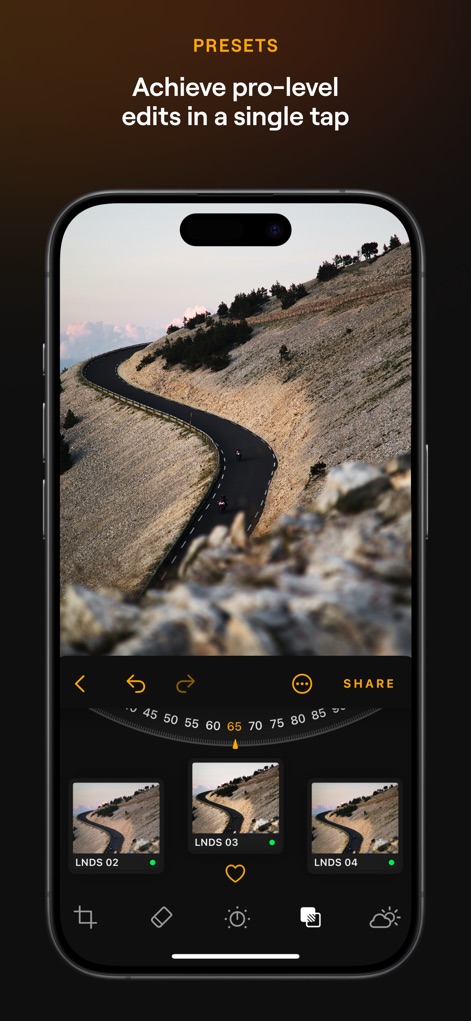
多様なプリセットコレクションから選択し、ワンタップで写真に独自のスタイルとプロレベルの雰囲気を瞬時に適用します。
プロ級プリセット

AIが自動的に肌をレタッチし、欠点を除去することで、清潔で滑らかな仕上がりを実現します。
美肌をAIで実現
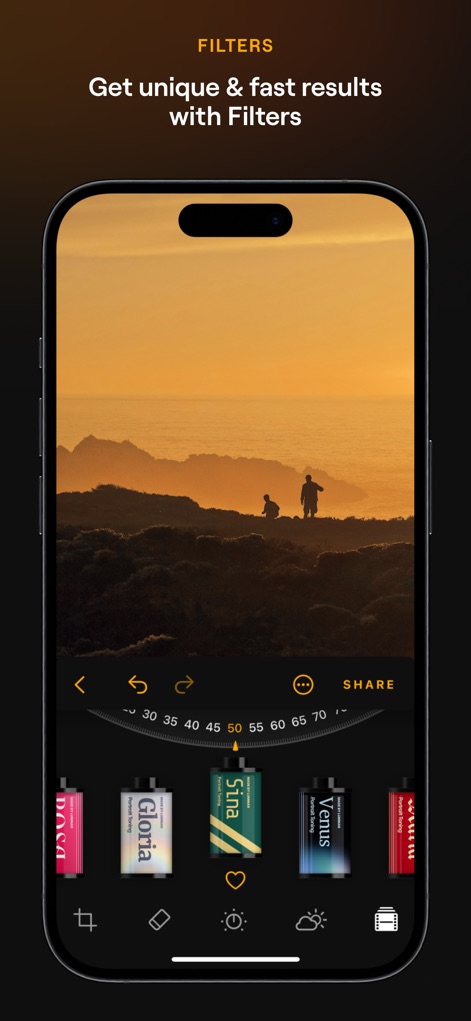
多様な写真エフェクトフィルターを利用し、瞬時にユニークなスタイルを加え、作品に深みと個性を与えます。
スタイリッシュなフィルター
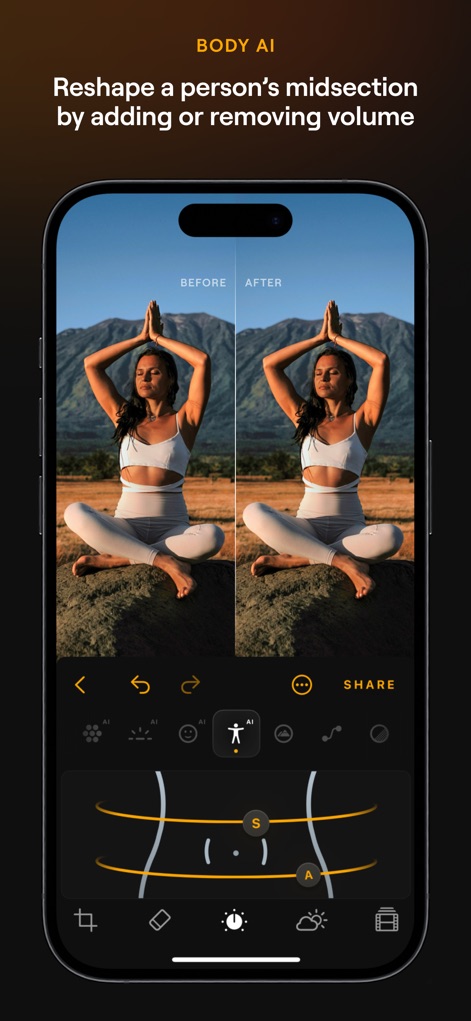
被写体の胴体をリアルに整形し、ボリュームの追加や除去によって、自然な体型補正を実現します。
体型を自然に補正

画像の隠れたディテールと明瞭さを引き出し、コントラストとテクスチャを強調することで、視覚的に印象的な効果をもたらします。
細部まで鮮明に
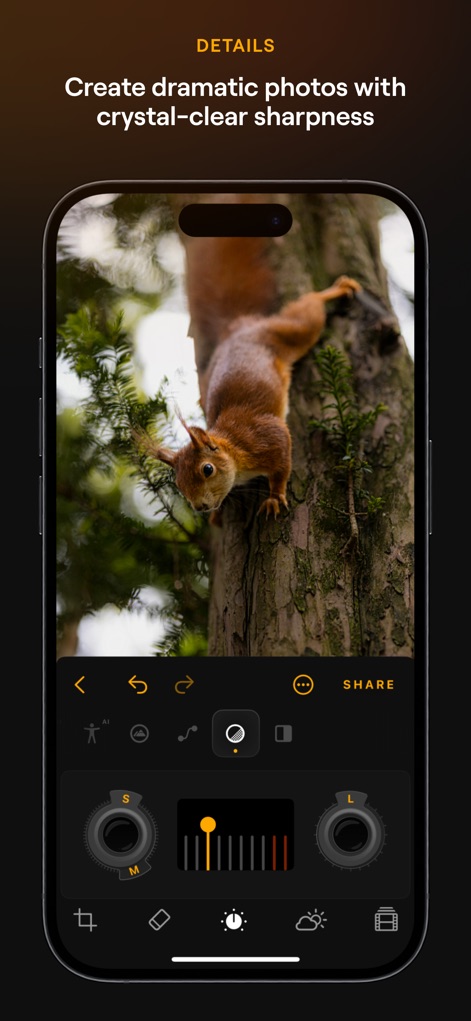
画像のあらゆる細部を強調し、明瞭さとシャープネスを高めることで、写真に生命を吹き込みます。
鮮やかさで際立つ
説明
Download
類似アプリ
似た機能とユーザー体験を持つアプリ

EPIK - AI Photo & Video Editor
SNOW Corporation

Citrus: AI 1 Tap Perfect Photo
Wemagine.ai LLP

SnapEdit: Photo Editor AI
SilverAI Joint Stock Company

Background Eraser 〜 Stickers
handyCloset Inc.

PhotoScan by Google Photos
Google LLC

Magic Eraser - Remove Object
Creatix Technology Global Limited

Magic Eraser Background Editor
Honk Honk Punch Pty Ltd

ProKnockOut-Cut Paste Photos
Shenzhen Qianhai Happy Tour Network Technology Co., Ltd.

Background Eraser - Remove BG*
SHANTANU PTE. LTD.
このページはアプリまたはその開発者の公式ページではなく、情報提供および論評を目的として作成された独立した編集出版物です。明示的に別段の記載がない限り、アプリおよびその開発者は、MWM、Apple、Google Play、アプリのパブリッシャー、またはアプリの開発者と提携、承認、後援、認可、またはその他の公式的な関係はなく、このページのいかなる内容も、アプリがMWMのサービスを使用して開発されたことを意味するものではありません。すべての商標、ロゴ、スクリーンショット、その他のコンテンツはそれぞれの所有者の財産です。