
このページはアプリまたはその開発者の公式ページではなく、情報提供および論評を目的として作成された独立した編集出版物です。明示的に別段の記載がない限り、アプリおよびその開発者は、MWM、Apple、Google Play、アプリのパブリッシャー、またはアプリの開発者と提携、承認、後援、認可、またはその他の公式的な関係はなく、このページのいかなる内容も、アプリがMWMのサービスを使用して開発されたことを意味するものではありません。すべての商標、ロゴ、スクリーンショット、その他のコンテンツはそれぞれの所有者の財産です。

Lunar - Moon Phase & Widget
見事な3Dビジュアル、正確な天体データ、そしてAppleのエコシステム向けに完璧にデザインされた美しいウィジェットを使用して、月のサイクルと同期しましょう。
ダウンロード
509K+ユーザー評価
評価数
5K+開発元
カテゴリ
Weather対応言語
1最新バージョン
6.1サイズ
190.3 MBリリース日
2016年10月6日宇宙と同期する
月のサイクルを追跡する最もエレガントな方法。あなたの好みに合わせてカスタマイズ可能な、見事な3Dレンダリングとウィジェットが特徴です。
超リアルな3Dの月
リアルタイムの3D照明レンダリングと、画面上で生きているかのように感じられる没入型の「リキッドグラス」デザインで、月の美しさを目撃してください。
カスタマイズ可能な月のウィジェット
一目で月相、輝面比、星座を確認できる美しいウィジェットで、ホーム画面とロック画面をアップグレードしましょう。
よくある質問
について知っておくべきこと Lunar - Moon Phase & Widget
Lunar: Moon Phase & Widget は、どのような月関連のイベントやデータを追跡しますか?
はい、Lunar: Moon Phase & Widget は、現在の月の満ち欠け、月の出と月の入り時刻、そして今後の満月、新月、月食のイベントを正確に追跡します。詳細な月関連データを提供します。
Lunar: Moon Phase & Widget は 3D の月のレンダリングを表示しますか?
はい、Lunar: Moon Phase & Widget は、リアルタイムで 3D ライティングされた月のレンダリングを特徴としています。このテクノロジーにより、デバイス上で非常にリアルな月の視覚体験が得られます。
Lunar: Moon Phase & Widget で過去と未来の月の満ち欠けを表示できますか?
はい、ユーザーは Lunar: Moon Phase & Widget 内で過去または未来の任意の日にちを探索できます。このアプリは、選択した日の正確な月関連データ、照明、距離、および月占いの星座を表示します。
Lunar: Moon Phase & Widget は月の満ち欠けカレンダーを提供していますか?
はい、Lunar: Moon Phase & Widget には月の満ち欠けカレンダーが含まれています。この機能により、ユーザーは 1 か月全体の月のサイクルを一目で確認でき、日付をタップすることで詳細な月の情報にアクセスできます。
Lunar: Moon Phase & Widget はホーム画面とロック画面のウィジェットを提供していますか?
はい、Lunar: Moon Phase & Widget はホーム画面とロック画面の両方のウィジェットをサポートしています。これらのウィジェットは、コンパクト形式と拡張形式があり、月の情報に常にアクセスできるようにします。
Lunar: Moon Phase & Widget は月のイベントの通知を送信しますか?
はい、Lunar: Moon Phase & Widget は重要な月のイベントの通知を送信します。ユーザーは、満月、新月、月食のイベントに関するアラートをデバイスで直接受け取ることができます。
Lunar: Moon Phase & Widget は Apple Watch と互換性がありますか?
はい、Lunar: Moon Phase & Widget は Apple Watch で利用可能です。月の位置を直接手首から確認できる月コンパス機能も含まれています。
Lunar: Moon Phase & Widget のサブスクリプションはどのように機能しますか?
Lunar: Moon Phase & Widget はサブスクリプションモデルで運営されています。支払いは Apple ID アカウントに請求され、期間終了の少なくとも 24 時間前にキャンセルされない限り自動更新されます。
Lunar: Moon Phase & Widget のサブスクリプションを管理するにはどうすればよいですか?
はい、ユーザーは購入後、App Store のアカウント設定を通じて Lunar: Moon Phase & Widget のサブスクリプションを管理できます。自動更新はいつでもオフにすることができます。
以下のスクリーンショットと説明は、アプリの公式ストアリスティングから直接取得されたものであり、アプリ開発者の所有物です。
アプリストア
スクリーンショット
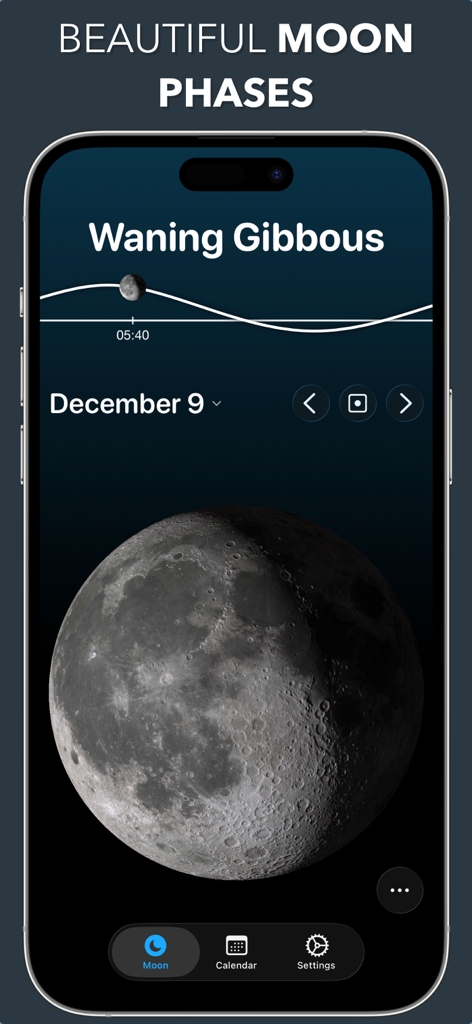
3Dの更待月(欠けていく月)を表示するLunarアプリの画面
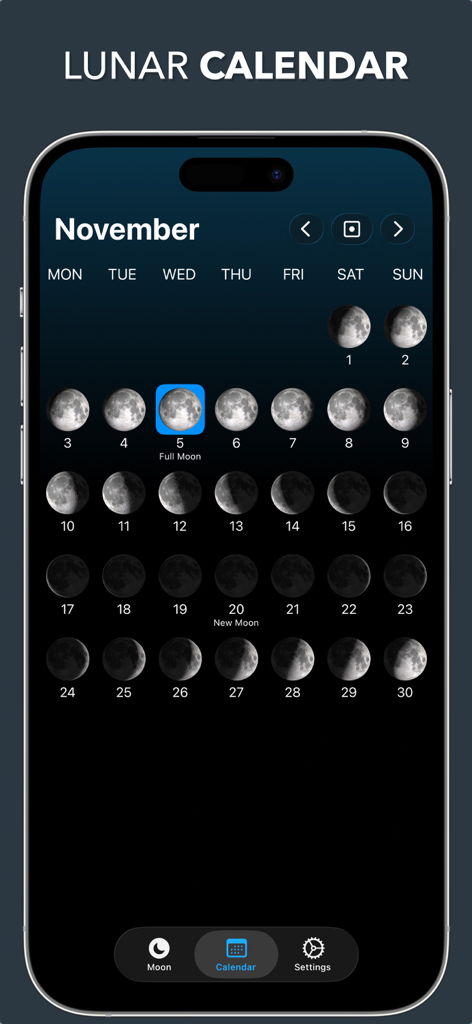
満月が強調された11月の月相を表示する月間カレンダービュー
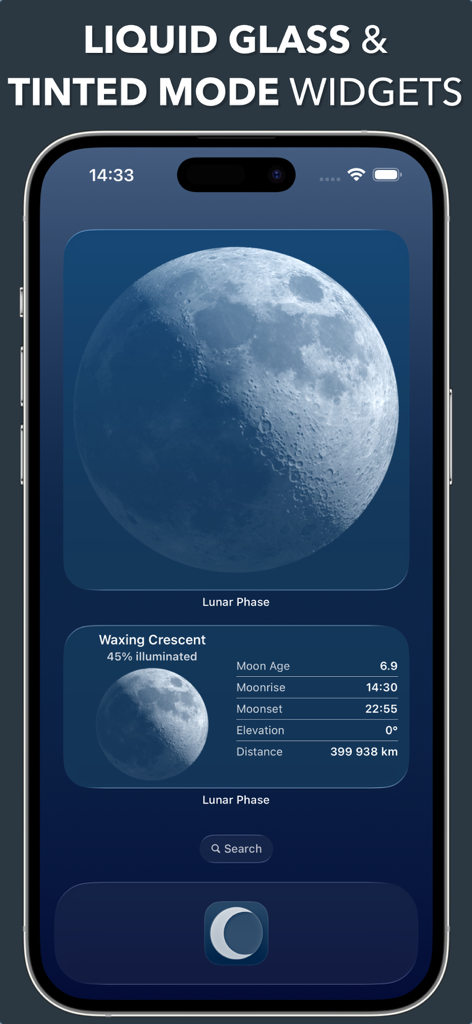
リキッドグラスデザインで月相データを表示するLunarアプリのホーム画面ウィジェット。
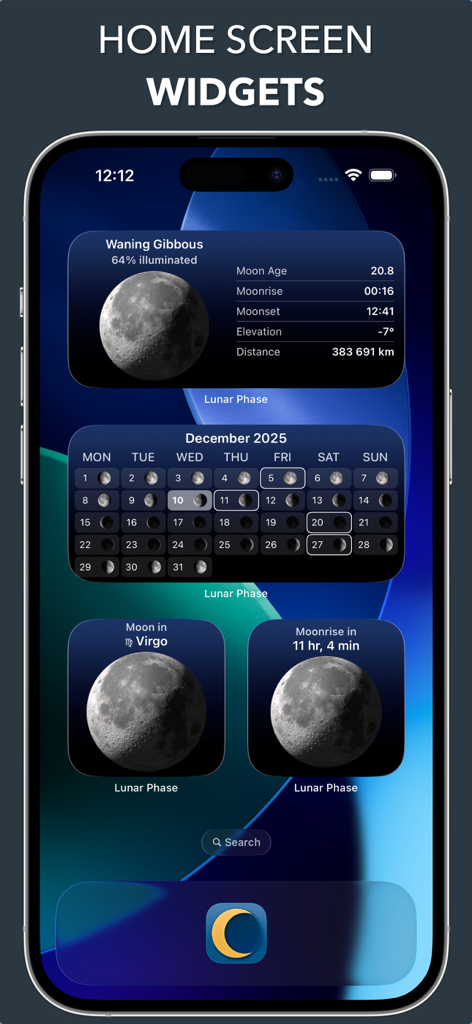
iPhoneのホーム画面に表示された美しい月相とカレンダーウィジェットの選択。
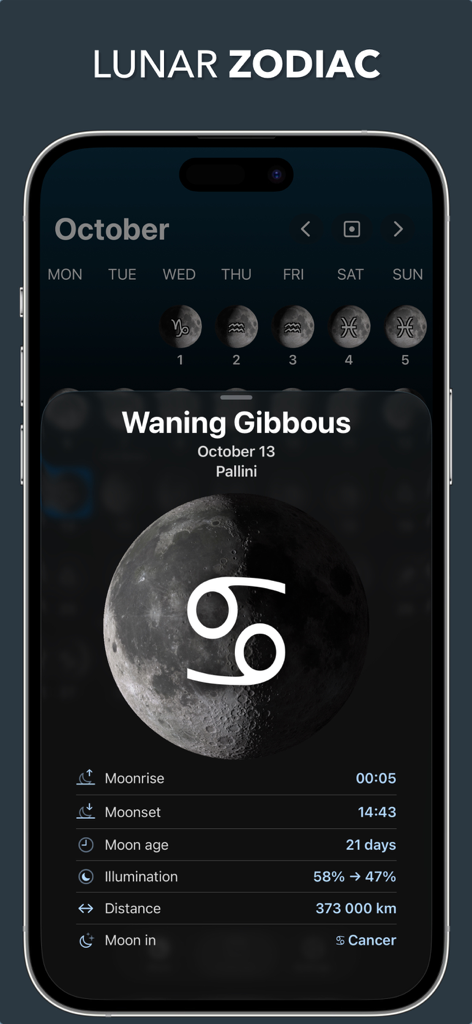
10月の月相の詳細と星座を表示するLunarアプリの画面
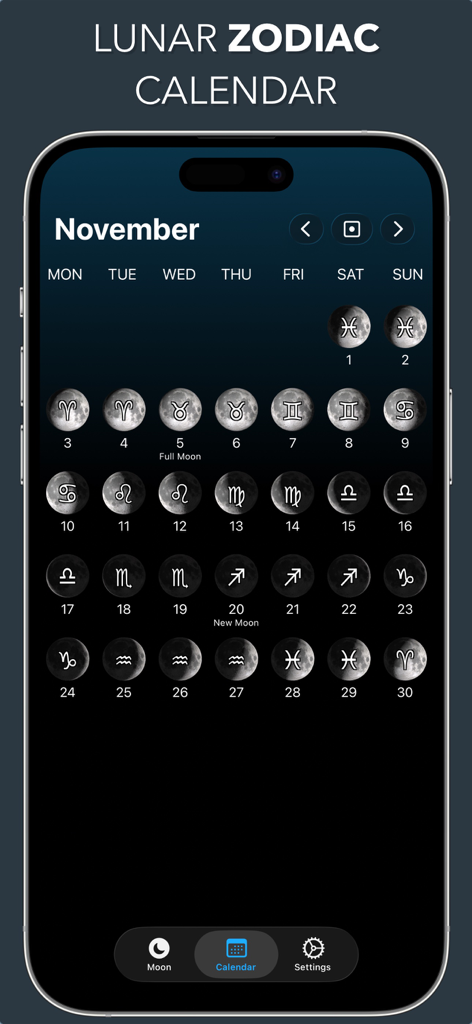
11月の月相と占星術の星座を表示するLunar Zodiacカレンダー
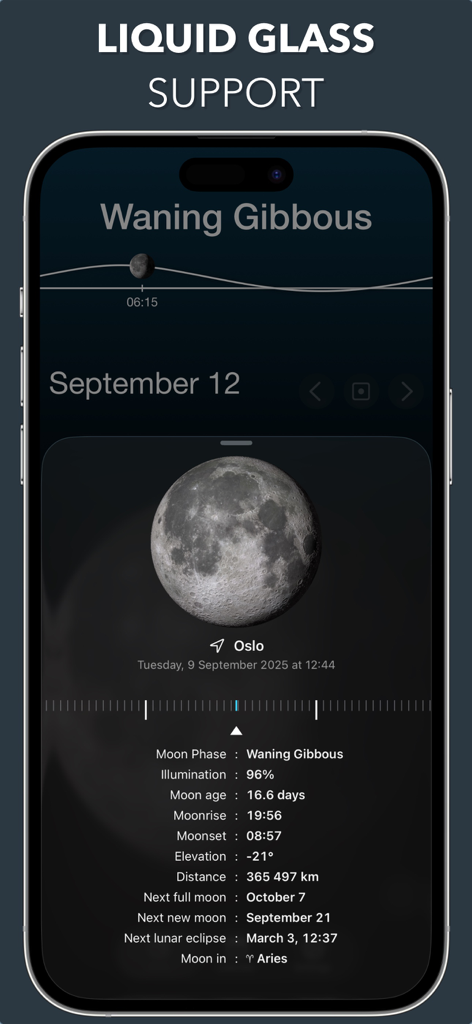
3Dの月のレンダリングと詳細な月のデータを表示するLunarアプリのインターフェース
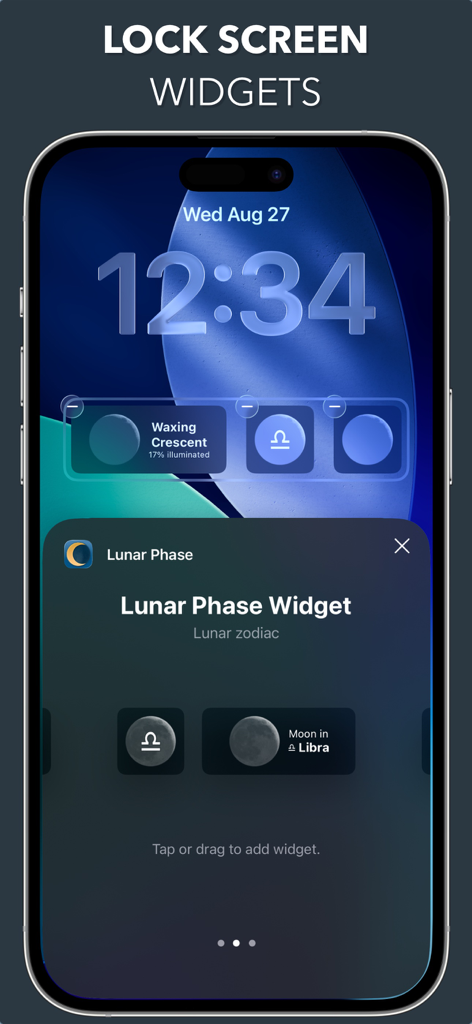
ミニマリストなデザインで月相と星座のウィジェットを表示するiPhoneのロック画面
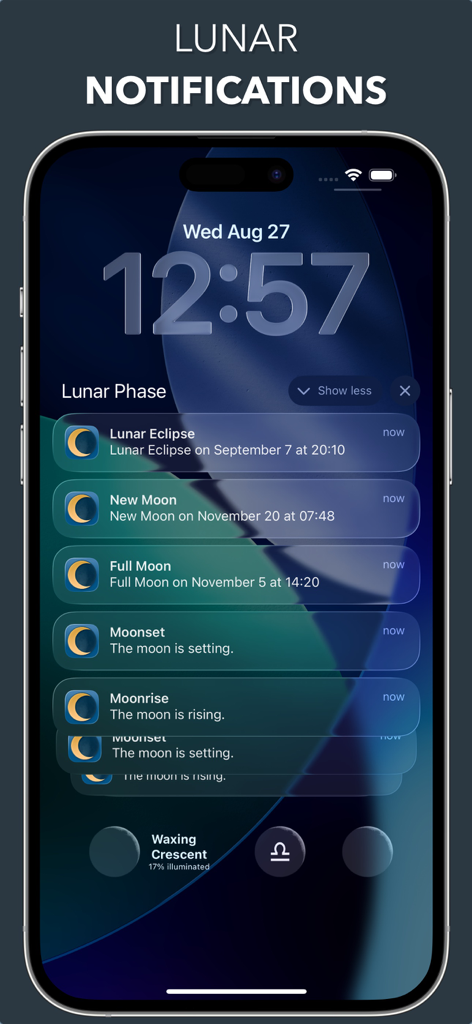
天体イベントの通知と月相ウィジェットを表示するiPhoneのロック画面。
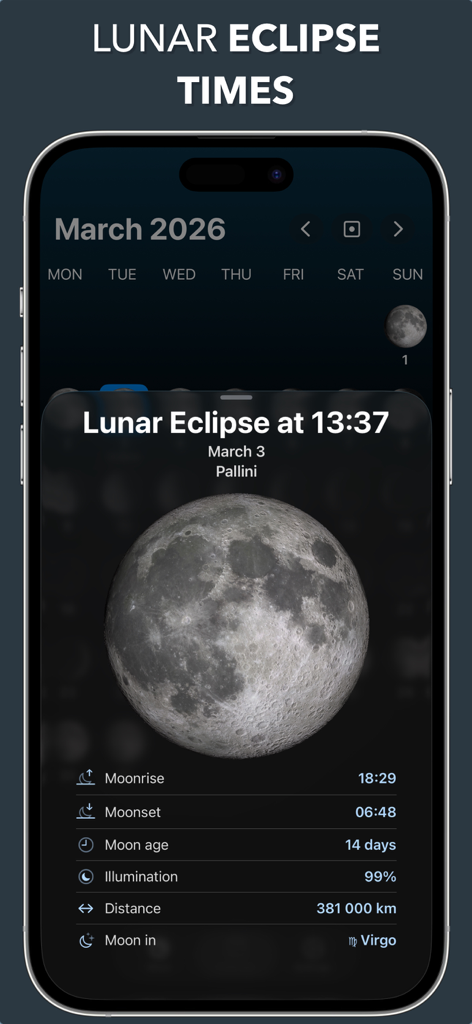
2026年3月の月食の時間と詳細な3Dの月の情報を表示するLunar月相アプリのインターフェース
説明
Download

このページはアプリまたはその開発者の公式ページではなく、情報提供および論評を目的として作成された独立した編集出版物です。明示的に別段の記載がない限り、アプリおよびその開発者は、MWM、Apple、Google Play、アプリのパブリッシャー、またはアプリの開発者と提携、承認、後援、認可、またはその他の公式的な関係はなく、このページのいかなる内容も、アプリがMWMのサービスを使用して開発されたことを意味するものではありません。すべての商標、ロゴ、スクリーンショット、その他のコンテンツはそれぞれの所有者の財産です。