
このページはアプリまたはその開発者の公式ページではなく、情報提供および論評を目的として作成された独立した編集出版物です。明示的に別段の記載がない限り、アプリおよびその開発者は、MWM、Apple、Google Play、アプリのパブリッシャー、またはアプリの開発者と提携、承認、後援、認可、またはその他の公式的な関係はなく、このページのいかなる内容も、アプリがMWMのサービスを使用して開発されたことを意味するものではありません。すべての商標、ロゴ、スクリーンショット、その他のコンテンツはそれぞれの所有者の財産です。


Macquarie Mobile Banking
資金管理を強化し、単なる取引を超えた洞察を得ることを可能にする。
ダウンロード
1M+ユーザー評価
評価数
981開発元
カテゴリ
Finance対応言語
1最新バージョン
8.19サイズ
301.4 MBリリース日
2015年8月31日テックアナリストによる主要機能の評価と影響スコア
Macquarie Mobile Bankingアプリの機能分析
アクション可能なプッシュ通知による認証
このアプリは、Macquarie Authenticatorを通じて、オンライン取引や口座活動を処理前に承認または拒否するアクション可能なプッシュ通知を提供し、高度なセキュリティを確保します。
ビジネスバンキング統合
このツールは、個人口座とビジネス口座をシームレスに切り替えることを可能にし、ビジネスオーナーは一箇所で両方の財務を効率的に管理できます。
日常的な銀行取引
ユーザーは、支払い、送金、明細書へのアクセスといった日常的な銀行業務を簡単に行うことができます。
自動トランザクション分類
各取引は、食料品、旅行、レジャーなどのカテゴリに自動的に分類され、ユーザーは支出パターンをより深く理解できます。
リアルタイム通知
本アプリは、口座活動に関するリアルタイム通知を設定し、カスタマイズする機能を提供するため、ユーザーは重要なアラートを受け取り、常に状況を把握できます。
予算設定と追跡
ユーザーは即座に予算を設定し、その進捗状況を一目で確認できるため、財務管理と支出の追跡が容易になります。
レシートと保証書のアップロード
このツールを使用すると、ユーザーはレシートや保証書の写真を撮影し、アプリ経由で取引履歴にアップロードして安全に保管できます。
自然言語トランザクション検索
ユーザーは、「今年Woolworthsでいくら使いましたか?」といった日常的な言葉を使って取引を検索し、特定の支出を簡単に特定できます。
トラベルモードと海外旅行通知
アプリは旅行計画の通知を可能にし、海外で口座にログインする際に自動的にトラベルモードを表示し、現地通貨と為替レートの情報を提供します。
クイックビュー残高確認
ユーザーはログインすることなく、安全に口座残高を素早く確認でき、利便性が向上します。
よくある質問
について知っておくべきこと Macquarie Mobile Banking
What are the main features of the Macquarie Mobile Banking app?
The Macquarie Mobile Banking app provides payment and transfer capabilities, statement access, budget setting, transaction search, and card management. It also offers real-time notifications and advanced security measures.
Can I set budgets and track my spending with the Macquarie Mobile Banking app?
Yes, the Macquarie Mobile Banking app enables instant budget setting and provides a quick overview of spending progress. It also automatically categorizes transactions for better financial understanding.
How can I search my transactions in the Macquarie Mobile Banking app?
Users can search transactions in the Macquarie Mobile Banking app using natural language queries. For example, one can type "How much did I spend at Woolworths this year?" to retrieve specific spending details.
How does the Macquarie Mobile Banking app ensure transaction security?
The Macquarie Mobile Banking app uses actionable push notifications through the Macquarie Authenticator app to approve or deny online transactions and account changes. It also provides a rolling code option for offline verification.
Does the Macquarie Mobile Banking app offer features for international travel?
Yes, users can notify the bank of travel plans. When accessing accounts overseas, Travel Mode displays the current location, local exchange rate, and provides quick links to lock or report a card as stolen.
Can I upload receipts to my transaction history in the Macquarie Mobile Banking app?
Yes, the Macquarie Mobile Banking app allows users to photograph receipts or warranties with their phone and securely upload them directly to their transaction history for digital safekeeping.
Does the Macquarie Mobile Banking app support Apple Pay?
Yes, the Macquarie Mobile Banking app integrates with Apple Pay, enabling users to conduct cardless transactions. This feature is visually indicated within the app's interface.
Does the Macquarie Mobile Banking app support business banking?
Yes, the Macquarie Mobile Banking app allows business clients to add their business banking profile. This enables seamless switching between personal and business accounts, with integrated balance and transaction history tracking.
Can I check my account balance without logging in to the Macquarie Mobile Banking app?
Yes, the Macquarie Mobile Banking app offers a Quick View feature. This allows users to safely check their account balances at a glance without requiring a full login to access the information.
Can I customize the appearance of the Macquarie Mobile Banking app?
Yes, the Macquarie Mobile Banking app allows users to customize their experience, including choosing different wallpapers to suit their preferences, as shown in the app's settings.
以下のスクリーンショットと説明は、アプリの公式ストアリスティングから直接取得されたものであり、アプリ開発者の所有物です。
アプリストア
スクリーンショット
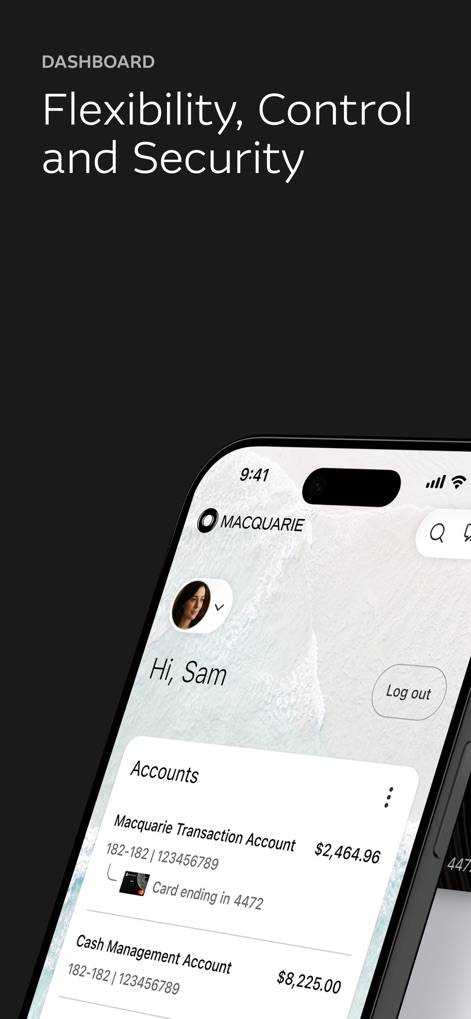
ユーザーは、取引口座の現在の残高や、カード番号下4桁を含む主要な口座情報をこのダッシュボードで一目で確認できます。
口座概要と残高
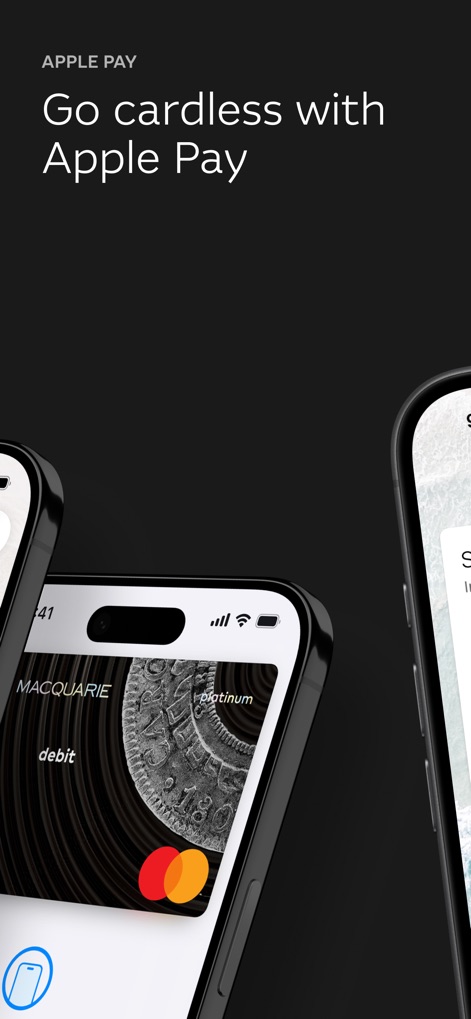
この画面では、Macquarie Platinum DebitカードがApple Payに設定され、迅速で安全な非接触型決済機能を利用できることが示されています。
Apple Payでスマート決済
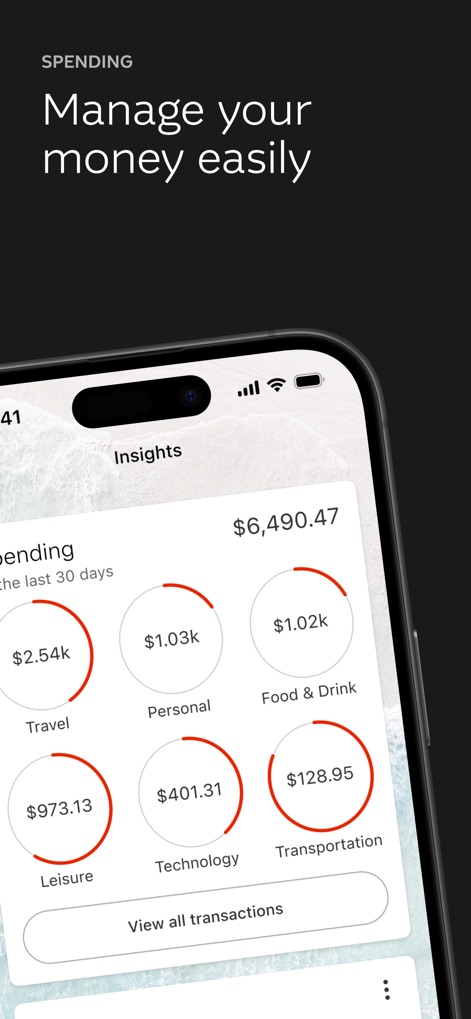
支出の概要画面では、ユーザーは過去30日間の総支出額と、旅行、食料品、レジャーなどのカテゴリーに分類された円グラフで内訳を把握できます。
支出分析と内訳
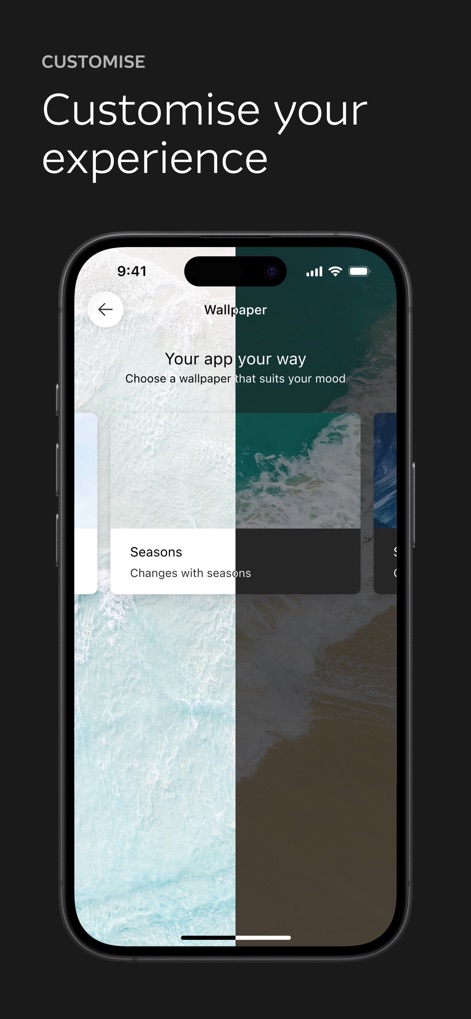
アプリの壁紙カスタマイズ画面では、ユーザーは好みに合わせて背景を設定でき、「Seasons」機能により季節に応じて自動的に変更することも可能です。
パーソナルな体験
説明
Download
類似アプリ
似た機能とユーザー体験を持つアプリ

ZA Bank
ZA Bank Limited

ING Mobil
ING BANK A S

Davivienda
BANCO DAVIVIENDA SA

Starling - Mobile Banking
STARLING BANK LIMITED

M&T Mobile Banking
M&T Bank

àbank24 — Цінуємо стосунки
Accent-Bank, AT

上海农商银行
SHANGHAI RURAL COMMERCIAL BANK CO., LTD.

Up — Easy Money
Up Money Pty Ltd

Desjardins mobile services
Federation des caisses Desjardins du Quebec
このページはアプリまたはその開発者の公式ページではなく、情報提供および論評を目的として作成された独立した編集出版物です。明示的に別段の記載がない限り、アプリおよびその開発者は、MWM、Apple、Google Play、アプリのパブリッシャー、またはアプリの開発者と提携、承認、後援、認可、またはその他の公式的な関係はなく、このページのいかなる内容も、アプリがMWMのサービスを使用して開発されたことを意味するものではありません。すべての商標、ロゴ、スクリーンショット、その他のコンテンツはそれぞれの所有者の財産です。