Mandiri Mobile Token

Mandiri Mobile Token


ダウンロード: App Store
ロゴ: Mandiri Mobile Token

Mandiri Mobile Token: 安全かつシームレスな法人トランザクション承認

物理的なハードウェアを、デジタルファーストのソリューションに置き換えます。QRコードまたはOTP経由でKopra Cash Managementの操作を即座に認証し、どこにいても事業継続性を確保します。

開発元

PT Bank Mandiri (Persero) Tbk.

カテゴリ

Business

ダウンロード

131K+

ユーザー評価

2.4/5

評価数

100

対応言語

2

指先でセキュリティを

このインターフェースを利用する 131K+ 人のユーザー.

銀行ロゴが表示されたMandiri Mobile Tokenのスプラッシュスクリーン

銀行ロゴが表示されたMandiri Mobile Tokenのスプラッシュスクリーン

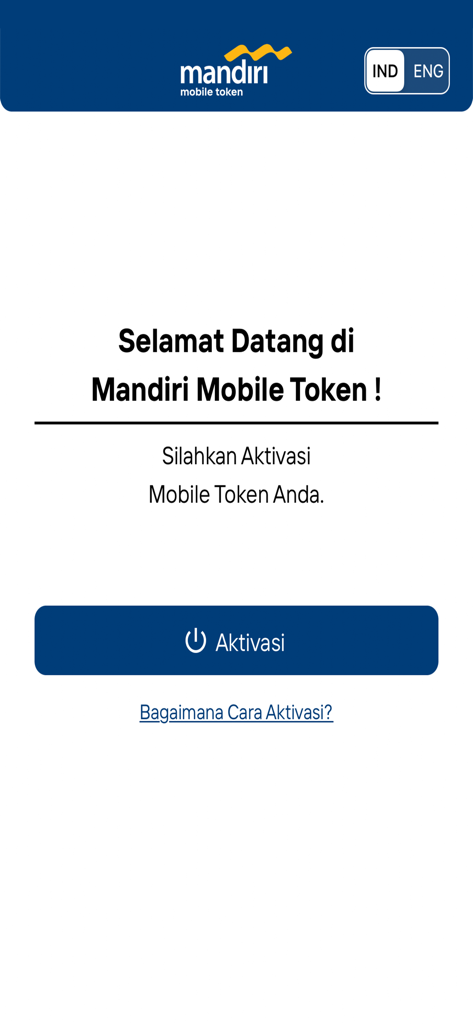
アクティベーションボタンと言語選択が表示されたMandiri Mobile Tokenアプリのウェルカムスクリーン

アクティベーションボタンと言語選択が表示されたMandiri Mobile Tokenアプリのウェルカムスクリーン

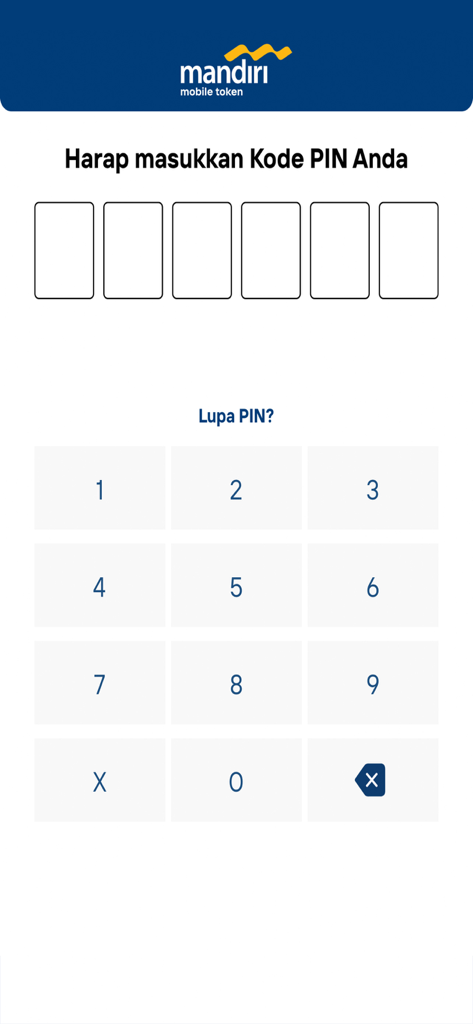
数字キーパッドが表示されたMandiri Mobile TokenのセキュアPIN入力インターフェース

数字キーパッドが表示されたMandiri Mobile TokenのセキュアPIN入力インターフェース

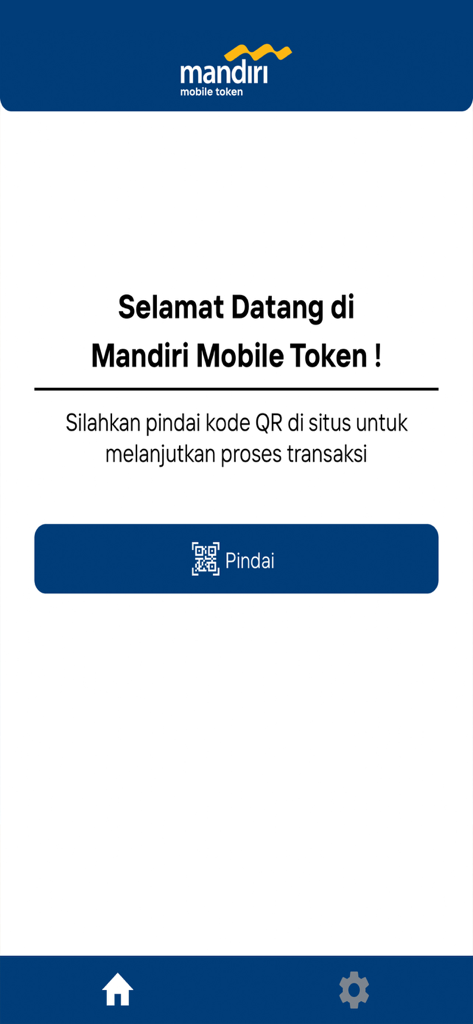
トランザクション認証用のQRコードをスキャンするボタンが表示されたMandiri Mobile Tokenアプリのウェルカムスクリーン。

トランザクション認証用のQRコードをスキャンするボタンが表示されたMandiri Mobile Tokenアプリのウェルカムスクリーン。

Mandiri Mobile TokenアプリのQRコードスキャナーインターフェース

Mandiri Mobile TokenアプリのQRコードスキャナーインターフェース

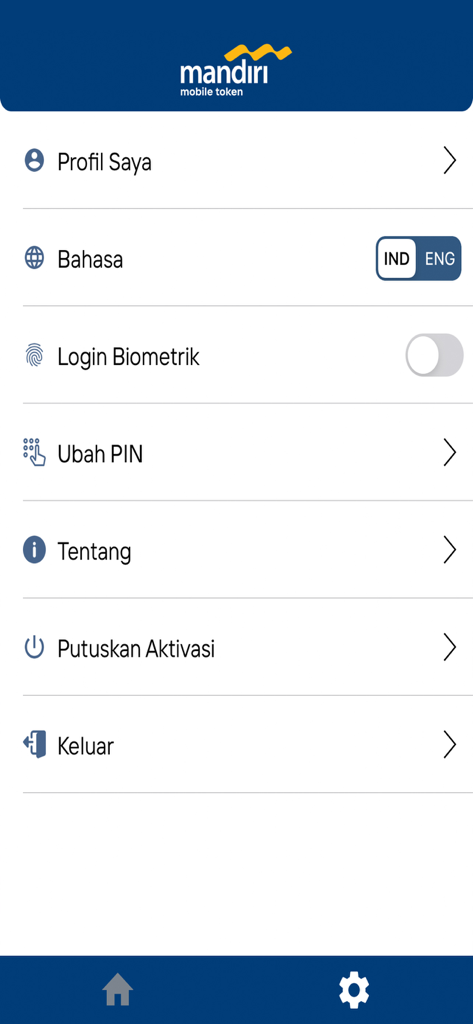
セキュリティとプロフィールオプションが表示されたMandiri Mobile Tokenアプリの設定メニュー

セキュリティとプロフィールオプションが表示されたMandiri Mobile Tokenアプリの設定メニュー

法人承認を安全かつ合理化

このアプリを際立たせるツール、 131K+ 人のユーザーが選択.

インスタントQR認証

安全なQRコードスキャンを使用して数秒でトランザクションを承認し、ワークフローを加速します。即時の検証が可能です。

🛡️

エンタープライズグレードのセキュリティ

高額取引のために設計された堅牢な多要素認証と動的なOTP生成により、ビジネス資産を保護します。

🌍

グローバルモビリティ

物理的なトークン配送のロジスティクスを排除し、世界中どこからでもインドネシアの法人アカウントを管理できます。

アプリについて

について知っておくべきこと Mandiri Mobile Token.

説明

Mandiri Mobile Token is an application-based Token that is used to authenticate transactions in Kopra Cash Management or Kopra Mobile App. The Mandiri Mobile Token provides you with a quicker way of transaction approval by Scanning QR Code or using OTP. How to Activate Your Mandiri Mobile Token App: 1. Click “Activate” in the Mobile Token App 2. Read and Agree the Mobile Token’s Terms and Conditions 3. Log into your account in the Kopra by Mandiri website 4. Open the Mobile Token Activation menu 5. Input Your phone number to request OTP and click “Request OTP”. 6. Input OTP into the website and click "Activate". 7. Scan QR Code from the website 8. Input Verification Code from the website into the Mobile Token App 9. Click “OK” to confirm the Verification Code 10. Input Registration Code into the website 11. Click “Next” to complete the activation process on the website 12. Click “Next” in the application 13. Create and confirm Your PIN Code to complete the activation process in the App 14. Click "OK" to use the Mobile Token.

最新バージョン

3.2.2

サイズ

20.4 MB

リリース日

2022年8月12日

どこからでも法人承認を安全に

物理的なトークンを捨て、財務ワークフローを合理化しましょう。Mandiri Mobile Tokenを今すぐダウンロードして、外出先でもシームレスで高セキュリティな認証を実現しましょう。

ダウンロード: App Store

App information, icons, screenshots, and descriptions displayed on this page are sourced from the Apple App Store and are the property of their respective developers. Download estimates and rankings are based on MWM's proprietary models and may not reflect actual figures. This page is provided for informational and analytical purposes only.

Believe this page infringes your intellectual property? File a dispute