MapleRead CX
MapleRead CX
ダウンロード: App Store

このページはアプリまたはその開発者の公式ページではなく、情報提供および論評を目的として作成された独立した編集出版物です。明示的に別段の記載がない限り、アプリおよびその開発者は、MWM、Apple、Google Play、アプリのパブリッシャー、またはアプリの開発者と提携、承認、後援、認可、またはその他の公式的な関係はなく、このページのいかなる内容も、アプリがMWMのサービスを使用して開発されたことを意味するものではありません。すべての商標、ロゴ、スクリーンショット、その他のコンテンツはそれぞれの所有者の財産です。

ロゴ: MapleRead CX
ダウンロード: App Store

MapleRead CX

ライブラリを完全にコントロール。あらゆるEPUBを没入感のあるオーディオブックに変え、読書環境を細部までカスタマイズし、数千冊の本を簡単に整理。広告もサブスクリプションもなし。パワーユーザーのための買い切り型アプリ。

主要数値

ダウンロード

34K+

ユーザー評価

4.1/5

評価数

100

開発元

MAPLEPOP LLC

カテゴリ

Books

対応言語

1

最新バージョン

6.2.2

サイズ

27.2 MB

リリース日

2016年7月8日
機能

本好きのための究極のパワーツール

MapleRead CXは、高度な没入型読書、専門家レベルの整理、美的な完全コントロールにより、デジタルライブラリの完全な主権をあなたに提供します。サブスクリプションは一切不要です。

読みながら聴く

40以上の言語に対応した高品質な音声で、あらゆるEPUBを没入型オーディオブックに変換。テキストと音声を同期して理解を深めたり、CarPlayを使って外出先で聴いたりできます。

プロ仕様のライブラリ管理

膨大なコレクションも思いのままに。メタデータの修復、タグによる整理、Calibreとの同期も簡単。完璧にキュレーションされた個人アーカイブを維持できます。

以下のスクリーンショットと説明は、アプリの公式ストアリスティングから直接取得されたものであり、アプリ開発者の所有物です。

アプリストア

スクリーンショット
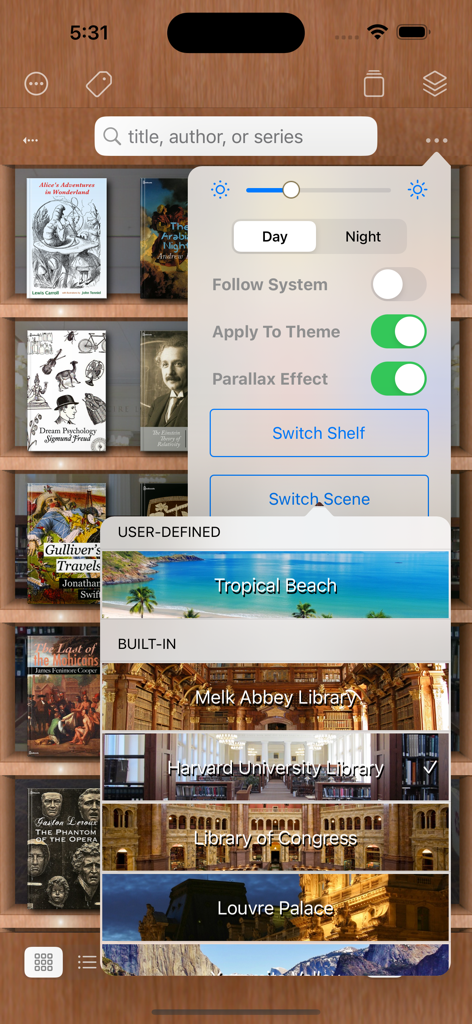
MapleRead CX - 異なるシーンオプションでライブラリの背景をカスタマイズするメニューを表示したMapleRead CXのアプリインターフェース
異なるシーンオプションでライブラリの背景をカスタマイズするメニューを表示したMapleRead CXのアプリインターフェース

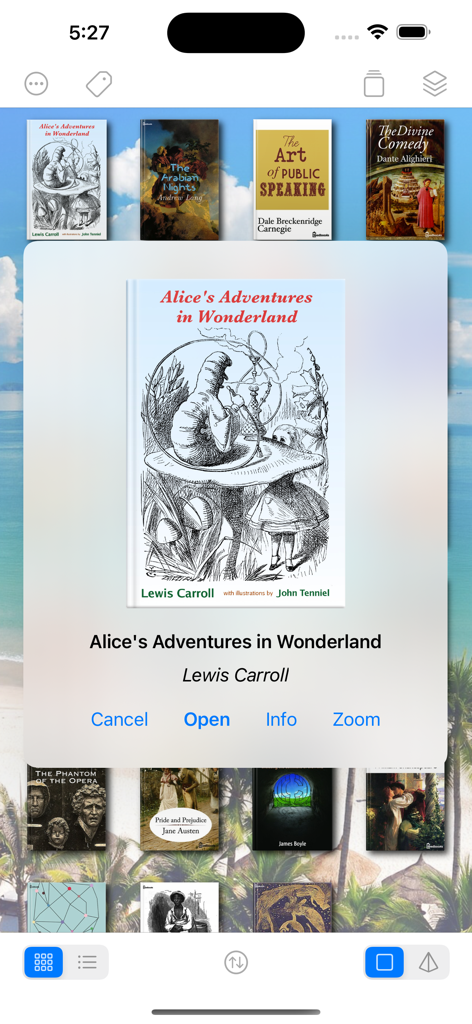
MapleRead CX - 名作本のコレクションと『不思議の国のアリス』のポップアップメニューを表示したMapleRead CXのライブラリインターフェース
名作本のコレクションと『不思議の国のアリス』のポップアップメニューを表示したMapleRead CXのライブラリインターフェース

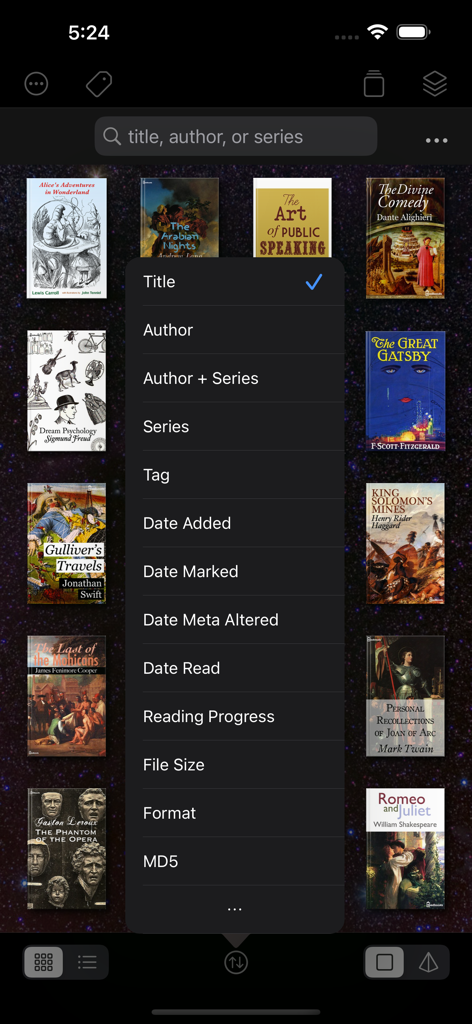
MapleRead CX - 電子書籍の並べ替えメニューが表示されたMapleRead CXのライブラリ画面
電子書籍の並べ替えメニューが表示されたMapleRead CXのライブラリ画面

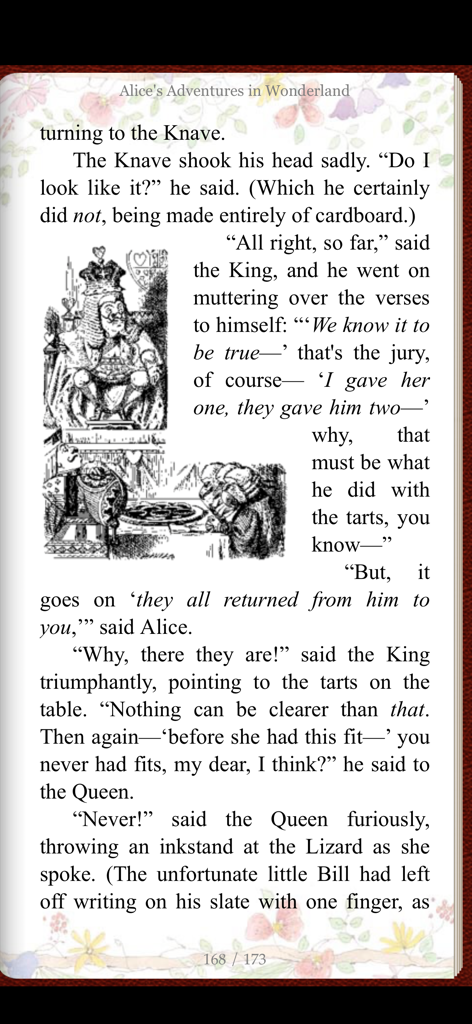
MapleRead CX - 花のカスタムテーマと古典的な挿絵が入った『不思議の国のアリス』のページを表示したMapleRead CXアプリ
花のカスタムテーマと古典的な挿絵が入った『不思議の国のアリス』のページを表示したMapleRead CXアプリ

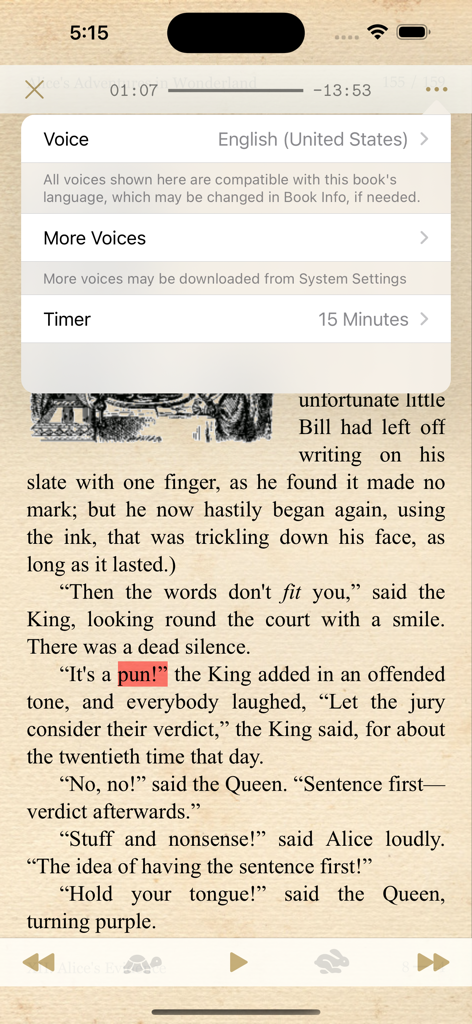
MapleRead CX - 電子書籍のページ上に、テキスト読み上げの音声選択とスリープタイマーメニューを表示したMapleRead CXのインターフェース
電子書籍のページ上に、テキスト読み上げの音声選択とスリープタイマーメニューを表示したMapleRead CXのインターフェース

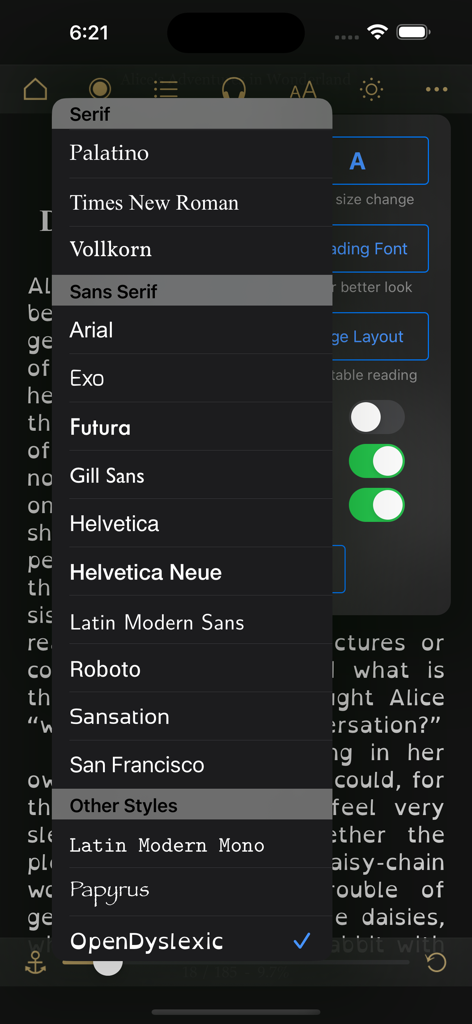
MapleRead CX - 様々なセリフ体とサンセリフ体のオプションを表示したMapleRead CXのフォント選択メニュー
様々なセリフ体とサンセリフ体のオプションを表示したMapleRead CXのフォント選択メニュー

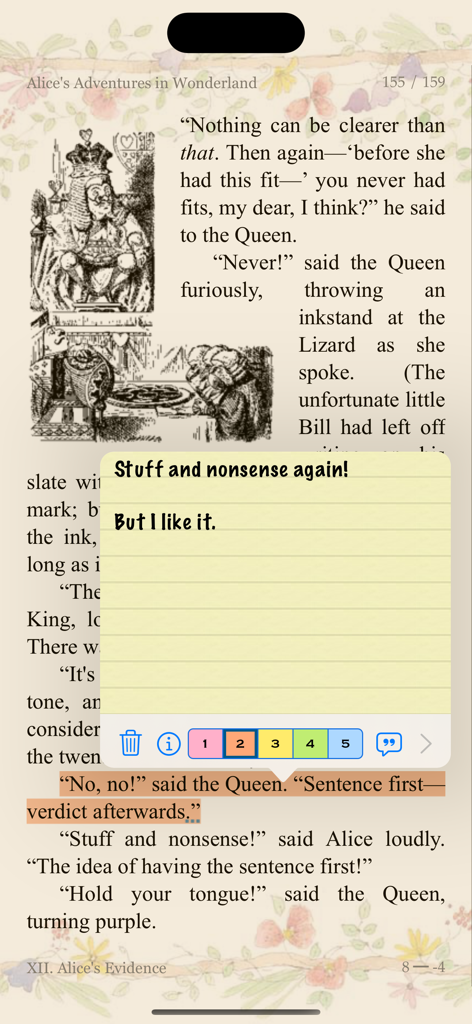
MapleRead CX - 『不思議の国のアリス』のページに黄色の付箋とハイライトされたテキストを表示したMapleRead CXのアプリインターフェース
『不思議の国のアリス』のページに黄色の付箋とハイライトされたテキストを表示したMapleRead CXのアプリインターフェース

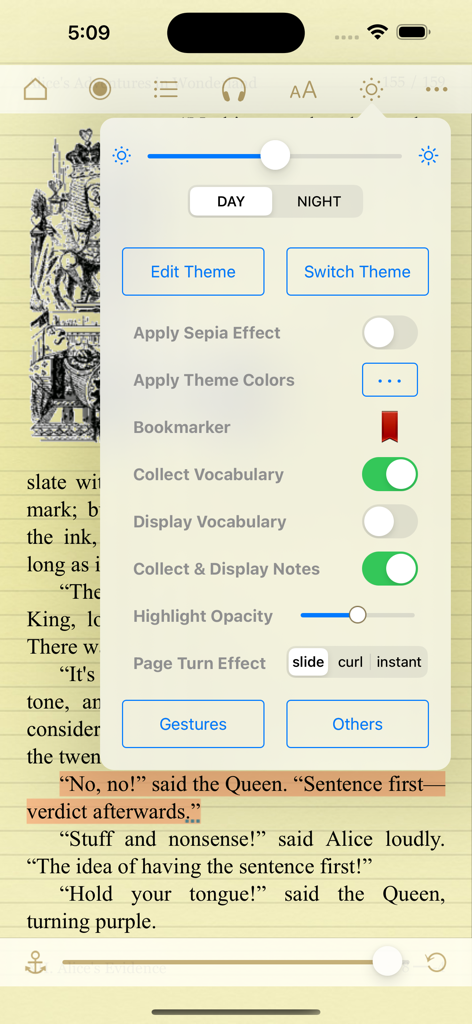
MapleRead CX - 『不思議の国のアリス』のページ上に、広範なテーマと読書設定を表示したMapleRead CXの電子書籍リーダー

『不思議の国のアリス』のページ上に、広範なテーマと読書設定を表示したMapleRead CXの電子書籍リーダー

説明

MapleRead is dedicated to enable unique audio-visual reading experience for everyone. ------------ Our MapleRead app family has 3 members, namely SE, CE and CX. - SE is our flagship product with all features. - CE is SE without PDF reader and built-in Library Server. - CX is CE with some limitation. Free to try. - No recurring subscription fees. No ads. Just buy it once. Gratuity optional. - Moreover, SE and CE can be run side-by-side via split-view multitasking. - Recommend SE for use on multiple devices with easy and fast book sharing via Library Server. - Recommend the SE-CE bundle for the best value. ------------ MapleRead includes a superb audio-visual EPUB e-book reader. - It lets you easily modify publisher's original book style to better suit your aesthetic taste. - It lets you instantly generate pseudo audiobooks with a choice of narrator voices over 40 languages. - It enables immersion reading so that you may read and listen to the same book in sync. - Background listening works well too. Compatible with Lock Screen Music Player and CarPlay. MapleRead UI is friendly to users of all ages. - Books can be read in regular and large print. - A choice of UI text sizes makes reading in non-book views much more comfortable. MapleRead is a great learning tool. - It lets you look up words, translate sentences, search text, highlight text and write notes. - It helps you collect vocabulary and organize notes with various priorities. - It provides hooks to user-defined dictionaries, translators, and other tools. - Immersion reading improves your comprehension, especially of foreign-language books. MapleRead is an effective and fast library management tool. - It is designed for you, a book lover, who may own a huge and/or growing book collection. - It lets you keep all your books in one place and well-organized automatically. - It lets you display your books elegantly in style. - It lets you easily repair individual book metadata. - If supports multiple book sets and multiple tags. - It offers multiple ways to import and export books, and works well with Calibre. MapleRead offers unprecedented user-defined customization options. - They include unlimited user-defined fonts, book themes, cover images and library scenes. - Each book theme includes various types of user-defined highlight colors. [For more technical details, screenshots, FAQ and reviews, please visit our website.]

Download

ダウンロード: App Store

このページはアプリまたはその開発者の公式ページではなく、情報提供および論評を目的として作成された独立した編集出版物です。明示的に別段の記載がない限り、アプリおよびその開発者は、MWM、Apple、Google Play、アプリのパブリッシャー、またはアプリの開発者と提携、承認、後援、認可、またはその他の公式的な関係はなく、このページのいかなる内容も、アプリがMWMのサービスを使用して開発されたことを意味するものではありません。すべての商標、ロゴ、スクリーンショット、その他のコンテンツはそれぞれの所有者の財産です。









