
このページはアプリまたはその開発者の公式ページではなく、情報提供および論評を目的として作成された独立した編集出版物です。明示的に別段の記載がない限り、アプリおよびその開発者は、MWM、Apple、Google Play、アプリのパブリッシャー、またはアプリの開発者と提携、承認、後援、認可、またはその他の公式的な関係はなく、このページのいかなる内容も、アプリがMWMのサービスを使用して開発されたことを意味するものではありません。すべての商標、ロゴ、スクリーンショット、その他のコンテンツはそれぞれの所有者の財産です。


McDonald's Japan
地元住民や旅行者にとって必須のアプリ。英語での注文、Apple Payでの簡単な支払い、そして日本限定メニューアイテムのお得な日替わりクーポンにアクセスできます。
ダウンロード
29M+ユーザー評価
評価数
247K+開発元
カテゴリ
Food & Drink対応言語
2最新バージョン
5.4.21サイズ
125.7 MBリリース日
2011年6月17日マクドナルド・ジャパンの魅力を解き放つ
言語の壁なく、簡単な注文、限定割引、ユニークな地元フレーバーの探索に最適なコンパニオン。
列をスキップ、英語で注文
言語の壁や長い列を避けましょう。完全な英語メニューを閲覧し、食事をカスタマイズし、安全に電話で支払いましょう。
アプリ限定のお得な割引
定価で支払う必要はありません。日替わりデジタルクーポンや、日本限定アイテム、季節のおすすめ品のお得な情報に即座にアクセスできます。
よくある質問
について知っておくべきこと McDonald's Japan
McDonald's Japanのアプリはクーポンを提供していますか?
はい、McDonald's Japanのアプリでは限定クーポンを提供しています。これらのクーポンは、店内での購入やモバイルオーダーに利用できます。
McDonald's Japanアプリで注文するにはどうすればよいですか?
McDonald's Japanアプリでは、ログインしてレストランを選択し、メニューアイテムを選んで、受け取り方法を選択することで、モバイルオーダーが可能です。支払いはアプリ内で行われます。
McDonald's Japanアプリはモバイルオーダーでどのような支払い方法を受け付けていますか?
McDonald's Japanアプリでは、クレジットカード(VISA、Master、JCB、Diners、American Express)、d払い、PayPay、楽天ペイ、au PAY、LINE Pay、Apple Payをモバイルオーダーで受け付けています。
McDonald's Japanアプリを通じて配達を注文できますか?
はい、McDonald's Japanアプリ内のMcDelivery®サービスを通じて配達を注文できます。これにより、さまざまな支払いオプションで自宅から注文できます。
McDonald's JapanアプリのMcDelivery®の配達料金と最低注文金額はいくらですか?
McDelivery®の注文には300円の配達料金がかかります。最低注文金額は1,500円ですが、朝食メニューの場合は1,000円です。
McDonald's Japanアプリの機能を利用するにはログインが必要ですか?
はい、McDonald's Japanアプリでクーポンを利用したり、モバイルオーダーをしたり、McDelivery®サービスを利用したりするには、登録してログインする必要があります。
McDonald's Japanアプリはメニュー情報を提供していますか?
McDonald's Japanアプリは、成分、アレルギー情報、栄養成分を含む製品の詳細情報を提供しています。
McDonald's Japanアプリで特典を獲得できますか?
はい、McDonald's Japanアプリではポイントを獲得でき、そのポイントを特典クーポンやオリジナルグッズと交換できます。
McDonald's Japanアプリのモバイルオーダーで利用できる受け取りオプションは何ですか?
McDonald's Japanアプリでは、テーブルデリバリー、カウンターピックアップ、テイクアウト、パーク&ゴー、ドライブスルーのオプションがあります。利用可能性は店舗や時間によって異なります。
McDonald's JapanアプリのMcDelivery®注文で受け付けている支払い方法は何ですか?
McDelivery®では、現金、クレジットカード(VISA、Master、JCB、Diners、American Express)、d払い、PayPay、楽天ペイ、au PAY、LINE Pay、Apple Payを受け付けています。
McDonald's Japanアプリはどのような機能を提供していますか?
McDonald's Japanアプリは、クーポン、メニュー情報、モバイルオーダー、McDeliveryサービス、パーソナライズされたニュース、ポイントベースの特典システムを提供しています。
以下のスクリーンショットと説明は、アプリの公式ストアリスティングから直接取得されたものであり、アプリ開発者の所有物です。
アプリストア
スクリーンショット
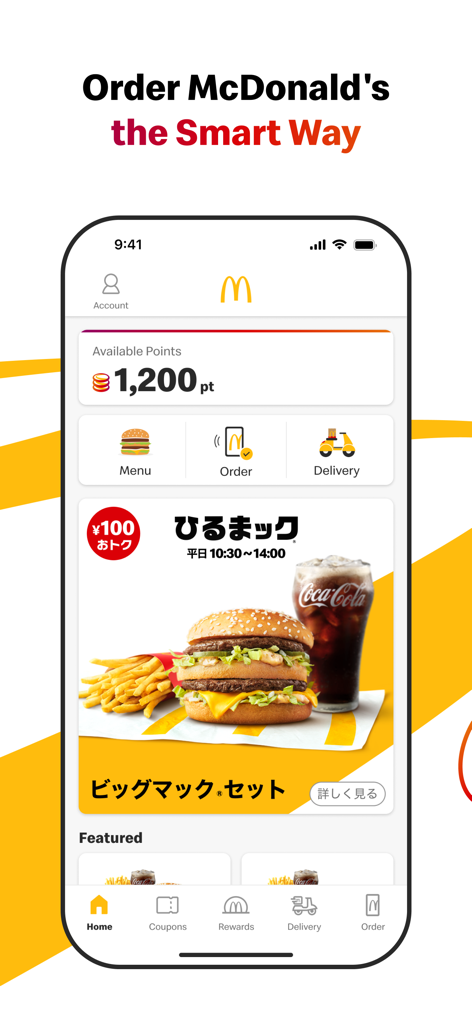
マクドナルド・ジャパンアプリのホーム画面。利用可能なリワードポイントとモバイルオーダーのショートカットが表示されています。
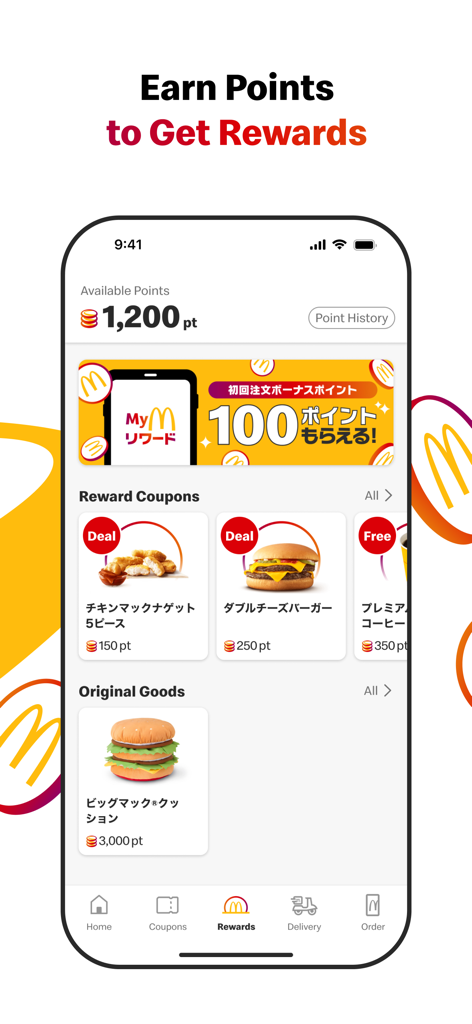
マクドナルド・ジャパンアプリのリワードセクションのスクリーンショット。利用可能なポイント、ナゲットやバーガーのリワードクーポン、ビッグマックのクッションのようなオリジナルグッズが表示されています。
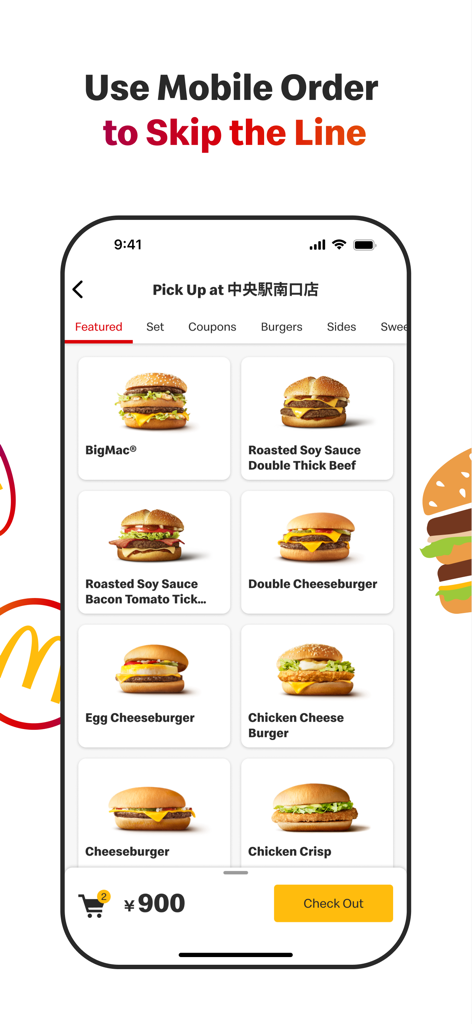
マクドナルド・ジャパンアプリのモバイルオーダーインターフェース。バーガーメニューと列スキップ機能が表示されています。
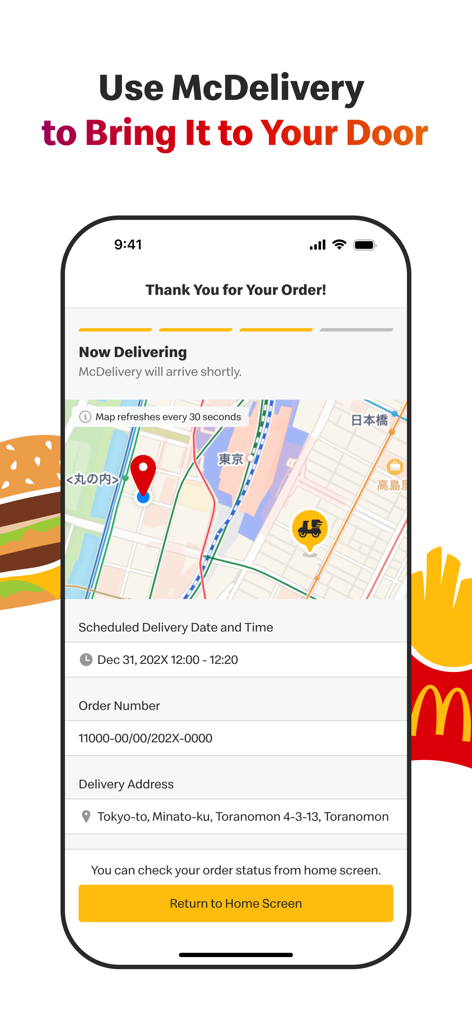
マクドナルド・ジャパンアプリのマックデリバリー追跡画面。地図と注文ステータスの詳細が表示されています。
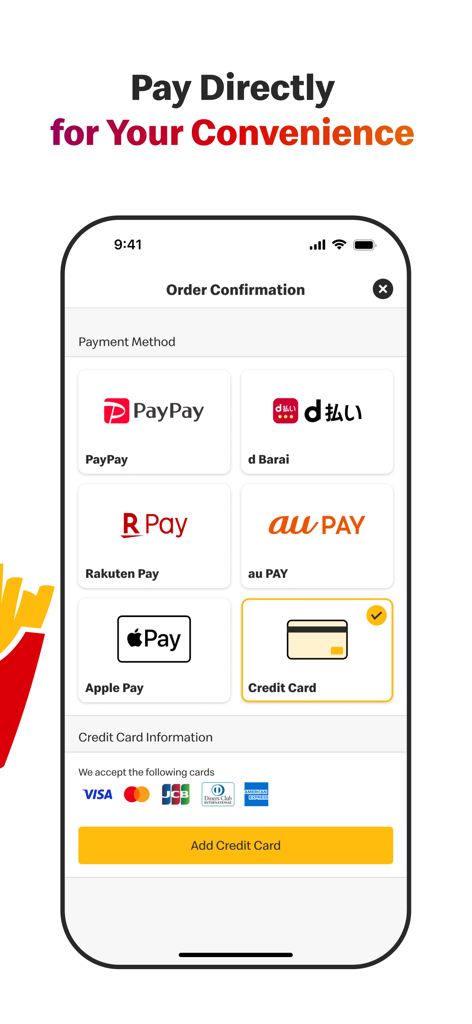
マクドナルド・ジャパンアプリのスクリーンショット。Apple Pay、PayPay、クレジットカードなど、さまざまなモバイル決済オプションが表示されています。
説明
Download
類似アプリ
似た機能とユーザー体験を持つアプリ

BAHROMA – рестораны и бонусы
FAST SOFT, OOO

麦当劳McDonald's - 到店取餐 麦咖啡 麦乐送
McDonald's (China) Co., Ltd.

McDonald's
McDonalds USA LLC

Chick-fil-A
Chick-fil-A, Inc.

Little Caesars Pizza
Little Caesar Enterprises, Inc.

Starbucks
Starbucks Coffee Company
Domino's Pizza USA
Domino's Pizza LLC

Subway®
Doctors Associates Inc

McDonald's Offers and Delivery
ARCOS DORADOS ARGENTINA S.A.
このページはアプリまたはその開発者の公式ページではなく、情報提供および論評を目的として作成された独立した編集出版物です。明示的に別段の記載がない限り、アプリおよびその開発者は、MWM、Apple、Google Play、アプリのパブリッシャー、またはアプリの開発者と提携、承認、後援、認可、またはその他の公式的な関係はなく、このページのいかなる内容も、アプリがMWMのサービスを使用して開発されたことを意味するものではありません。すべての商標、ロゴ、スクリーンショット、その他のコンテンツはそれぞれの所有者の財産です。