Metronomics Metronome
ダウンロード: App Store

このページはアプリまたはその開発者の公式ページではなく、情報提供および論評を目的として作成された独立した編集出版物です。明示的に別段の記載がない限り、アプリおよびその開発者は、MWM、Apple、Google Play、アプリのパブリッシャー、またはアプリの開発者と提携、承認、後援、認可、またはその他の公式的な関係はなく、このページのいかなる内容も、アプリがMWMのサービスを使用して開発されたことを意味するものではありません。すべての商標、ロゴ、スクリーンショット、その他のコンテンツはそれぞれの所有者の財産です。


ロゴ: Metronomics Metronome
ダウンロード: App Store

Metronomics Metronome

リズムの建築家たちのためのプロフェッショナル・メトロノーム。シーケンス化されたグルーヴを生成し、混合拍子をマスターし、高度な分割制御で完璧な内部時計を構築しましょう。

主要数値

ダウンロード

156K+

ユーザー評価

4.8/5

評価数

100

開発元

John Nastos

カテゴリ

Music

対応言語

1

最新バージョン

2024.2

サイズ

14.7 MB

リリース日

2011年5月16日
機能

内部時計をマスターする

メトロノミクスは単なるクリックトラックではありません。それは、高度な精度と創造的な柔軟性を要求するハイレベルの実践者のために設計された、包括的なリズムトレーニング環境です。

インディペンデンス・トレーニング・モード

メトロノームを指定された小節で一時停止させ、ガイドなしで完璧なタイミングを維持するように挑戦することで、揺るぎないリズミック・セキュリティを構築します。

複雑な拍子のマスター

5/7や23/4のような混合拍子やカスタム分割をシームレスにプログラムし、現代的でテクニカルな作曲に必要な数学的精度を提供します。

以下のスクリーンショットと説明は、アプリの公式ストアリスティングから直接取得されたものであり、アプリ開発者の所有物です。

アプリストア

スクリーンショット
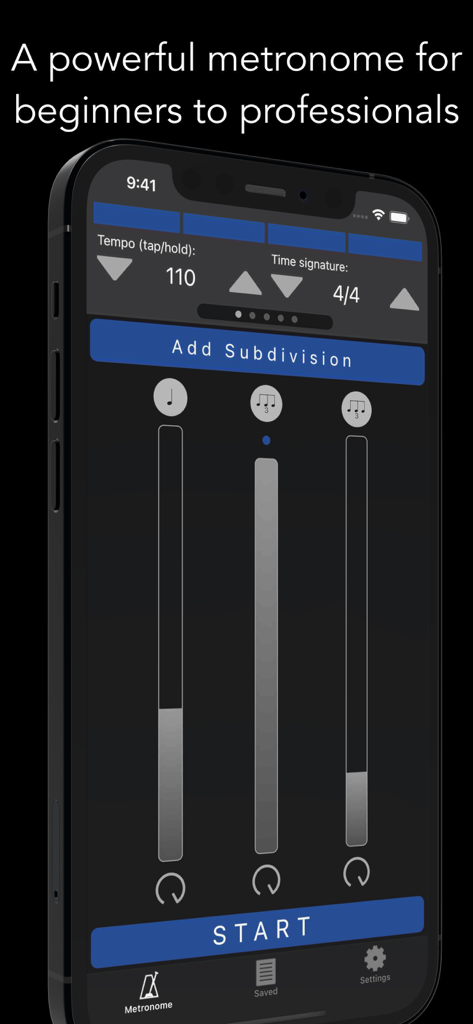
Metronomics Metronome - メトロノミクス・メトロノーム・アプリのインターフェース。iPhone上でテンポとリズミックな分割コントロールが表示されています。
メトロノミクス・メトロノーム・アプリのインターフェース。iPhone上でテンポとリズミックな分割コントロールが表示されています。

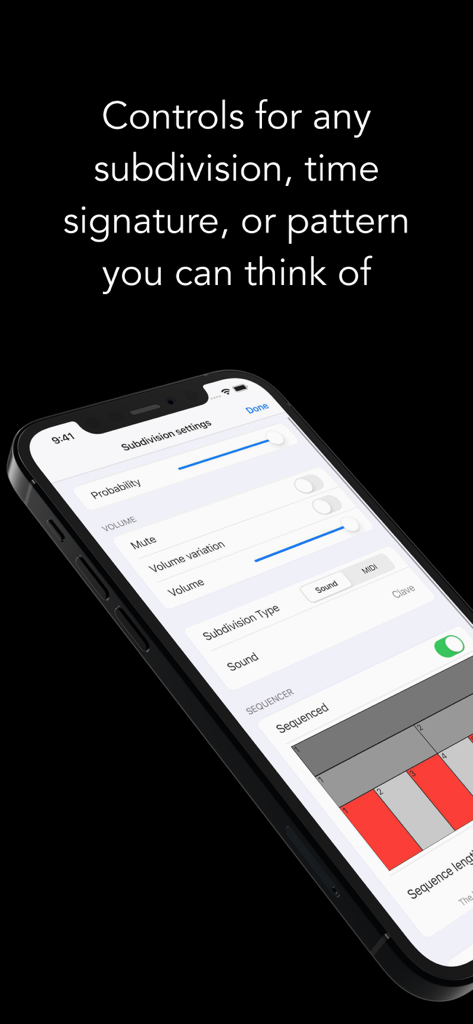
Metronomics Metronome - メトロノミクス・アプリの分割設定画面。音量や確率などのリズムコントロールオプションが表示されています。
メトロノミクス・アプリの分割設定画面。音量や確率などのリズムコントロールオプションが表示されています。

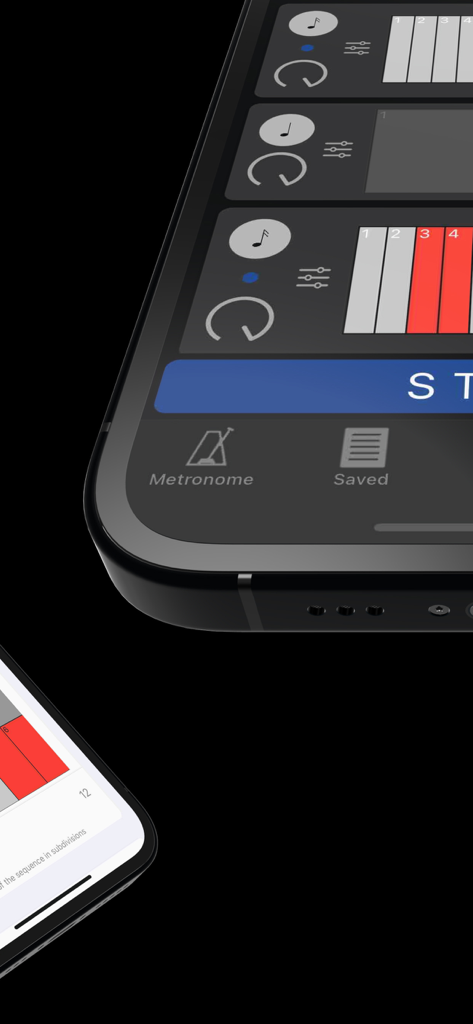
Metronomics Metronome - メトロノミクス・メトロノーム・アプリのグリッド・シーケンサー・インターフェースのクローズアップ。リズミックなパターンが表示されています。
メトロノミクス・メトロノーム・アプリのグリッド・シーケンサー・インターフェースのクローズアップ。リズミックなパターンが表示されています。

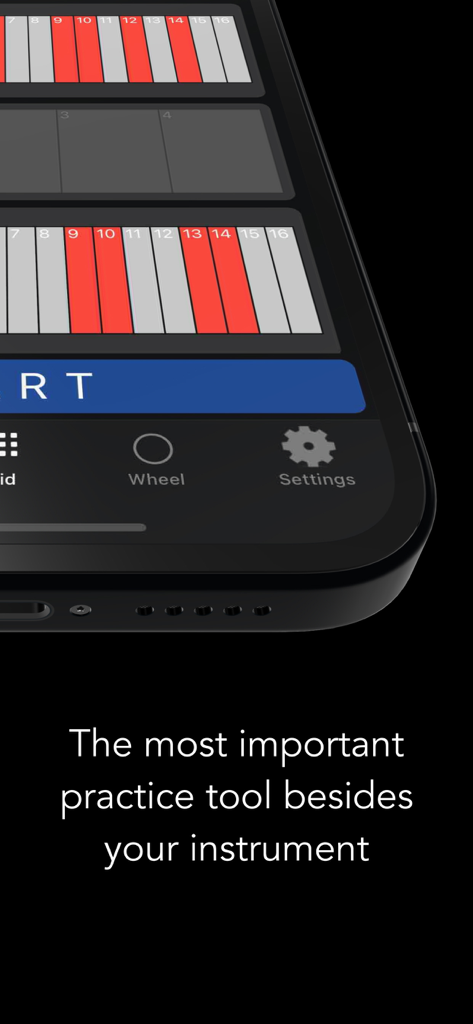
Metronomics Metronome - メトロノミクス・アプリがスマートフォンの画面にリズミック・グリッドを表示しています。テキスト「あなたの楽器の次に最も重要な練習ツール」と表示されています。
メトロノミクス・アプリがスマートフォンの画面にリズミック・グリッドを表示しています。テキスト「あなたの楽器の次に最も重要な練習ツール」と表示されています。

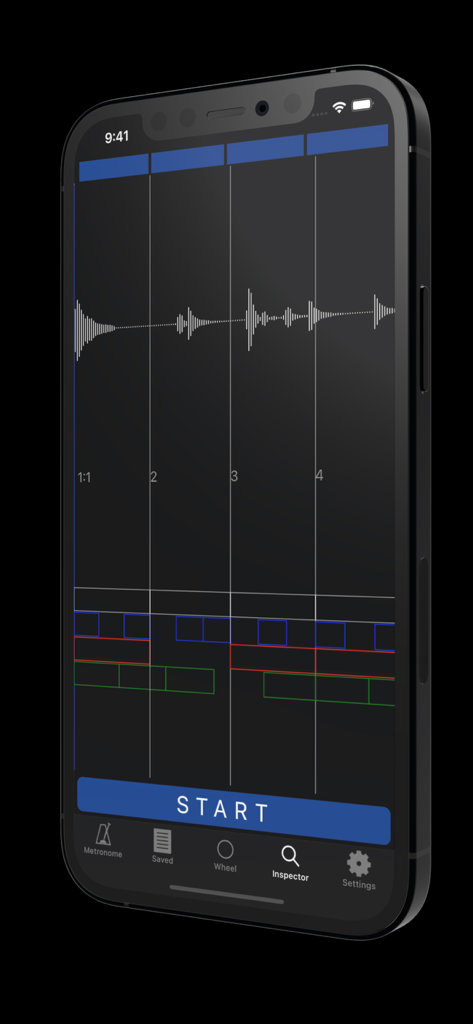
Metronomics Metronome - iPhoneがメトロノミクス・メトロノーム・アプリのインスペクター・モードを表示しています。オーディオ波形とリズミック・グリッド分析が表示されています。
iPhoneがメトロノミクス・メトロノーム・アプリのインスペクター・モードを表示しています。オーディオ波形とリズミック・グリッド分析が表示されています。

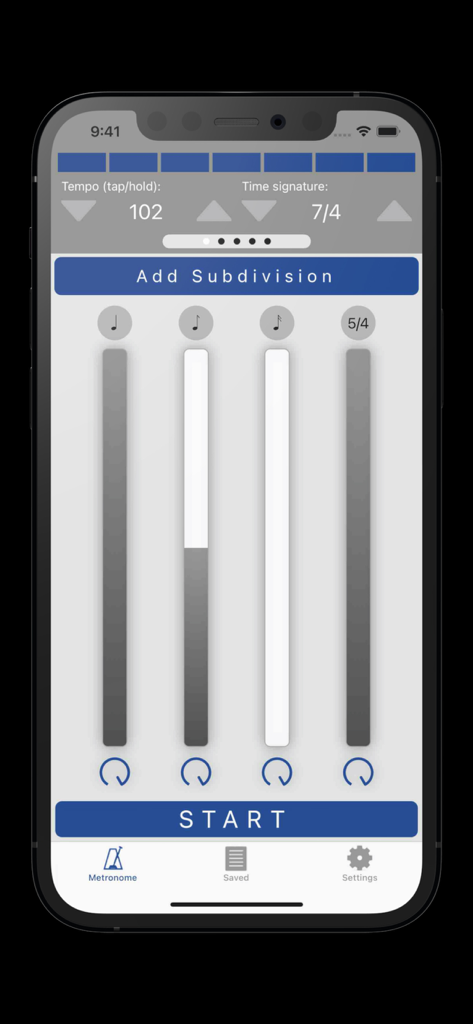
Metronomics Metronome - メトロノミクス・メトロノーム・アプリのインターフェース。テンポ設定とリズミックな分割が表示されています。
メトロノミクス・メトロノーム・アプリのインターフェース。テンポ設定とリズミックな分割が表示されています。

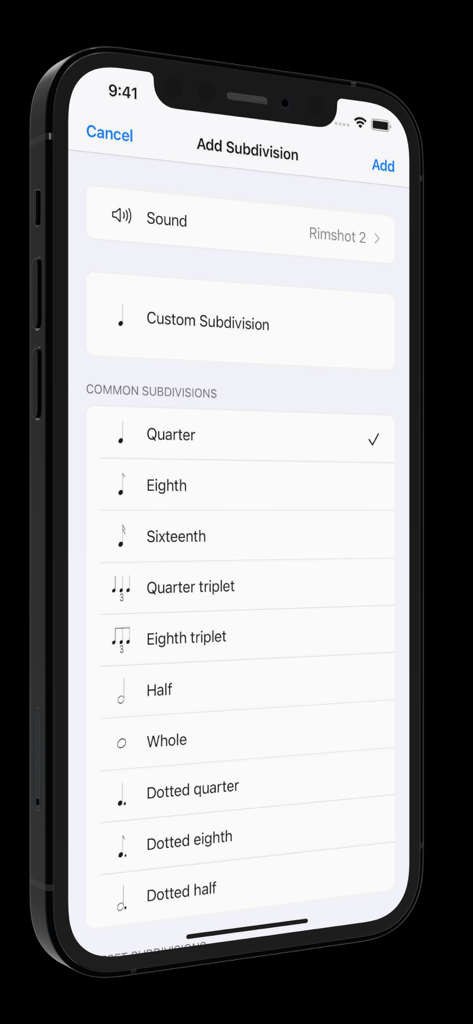
Metronomics Metronome - メトロノミクス・アプリのインターフェース。四分音符や八分音符のような一般的なリズム分割オプションが表示されています。

メトロノミクス・アプリのインターフェース。四分音符や八分音符のような一般的なリズム分割オプションが表示されています。

説明

Metronomics is not only a metronome, but a tool designed to help build a solid sense of time and rhythmic security. It's a new kind of metronome -- use Metronomics to generate random patterns, sequenced grooves, or a combination of both to help you practice with more than just your typical click track. Enough features to keep a professional busy for years or start a beginner on the right track. The only metronome that gives you complete control over how subdivisions are played -- add subdivisions of any type (including custom subdivisions like 5/7) and have them played all the time, at random intervals, or in a sequenced pattern. Now available across platforms for both iOS and macOS -- the most powerful metronome, available for all of your devices. Features: - Choose from 40 different samples for each subdivision - Generate patterns using random or sequenced variations of different subdivisions - Include built-in preset patterns such as claves or ride cymbal patterns - Choose any number of beats per measure (with any denominator) you like or practice mixed meters such as 4/4 + 3/8 + 5/4 where the segments of the bar get accented automatically - Use any type of subdivision. Common types like quarter notes, sixteenth notes, eighth triplets, etc, or create your own. 5/7, 23/4, no problem! - Take a rhythm and use the "offset" feature to move it to different parts of the measure to practice with. - Set the metronome to speed up or slow down by a given amount after a set number of measures - Have Metronomics start with a count off - Set the metronome to run for a certain amount of time - Share saved metronomes back and forth with other Metronomics users - Track your metronome usage. App shows how much you've practiced with it each day and total (optionally turn off time tracking) - Train yourself with "independence" mode where you can set some bars to be inaudible -- keep the time going yourself until the click starts again - Variable swing feel -- choose how much each subdivision swings - Speech sounds for counting up to 10 that can be assigned to any subdivision (English language only) - Play in the background - Normalized sounds for good volume - Manual (plus videos) describing how to use all the features and hints about how they might be useful Pro subscription features: - Wheel view that allows you to visualize the passage of subdivisions with geometric shapes - Grid view that lets you easily sequence patterns on a grid much like a drum machine, but with the more-powerful features of Metronomics - Inspector mode -- graph your own playing with microphone or MIDI input and see how you line up with the metronome - iCloud sync -- sync your saved metronomes via iCloud drive - MIDI output -- set subdivisions to send MIDI data to outside MIDI synths or use an on-board synthesizer Within Metronomics, there is an option to upgrade to Metronomics Pro, which is an auto-renewing yearly subscription service. It enables the following features: Subscription details: - Service: Metronomics Pro - Time period: one year, auto-renewing subscription - Payment will be charged to iTunes Account at confirmation of purchase - Subscription automatically renews unless auto-renew is turned off at least 24-hours before the end of the current period - Account will be charged for renewal within 24-hours prior to the end of the current period, and identify the cost of the renewal - Subscriptions may be managed by the user and auto-renewal may be turned off by going to the user’s Account Settings after purchase - Privacy policy: https://metronomicsapp.com/privacy.html / Terms of use: https://metronomicsapp.com/terms.html - Any unused portion of a free trial period, if offered, will be forfeited when the user purchases a subscription to that publication, where applicable.

Download

ダウンロード: App Store

このページはアプリまたはその開発者の公式ページではなく、情報提供および論評を目的として作成された独立した編集出版物です。明示的に別段の記載がない限り、アプリおよびその開発者は、MWM、Apple、Google Play、アプリのパブリッシャー、またはアプリの開発者と提携、承認、後援、認可、またはその他の公式的な関係はなく、このページのいかなる内容も、アプリがMWMのサービスを使用して開発されたことを意味するものではありません。すべての商標、ロゴ、スクリーンショット、その他のコンテンツはそれぞれの所有者の財産です。







